TTS download tool with a graphical interface
This topic describes how to synthesize and download audio in the console using a graphical tool without writing code.
Prerequisites
You have activated the Intelligent Speech Interaction service. For more information, see Activate the service.
You have created a project. For more information, see Create a project.
Limitations
This feature is available only for Standard Edition text-to-speech (TTS) voices.
Procedure
This synthesis feature calls the speech synthesis service. Each preview or download of text up to 100 characters is counted as one service invocation. For example, if you synthesize a sentence, preview it, modify the text, preview it again, and then download the audio, you are billed for three service invocations (two previews and one download). For more information about billing, see Billing.
Log on to the Intelligent Speech Interaction console.
In the navigation pane on the left, click All Projects.
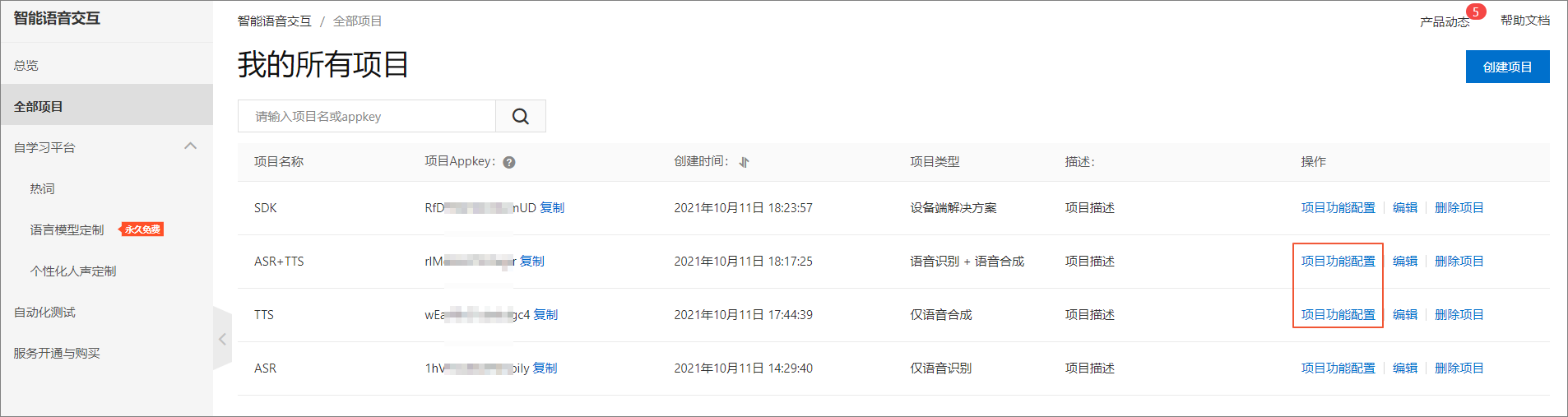
Find the project that you want to manage and click Project Feature Configuration in the Actions column.
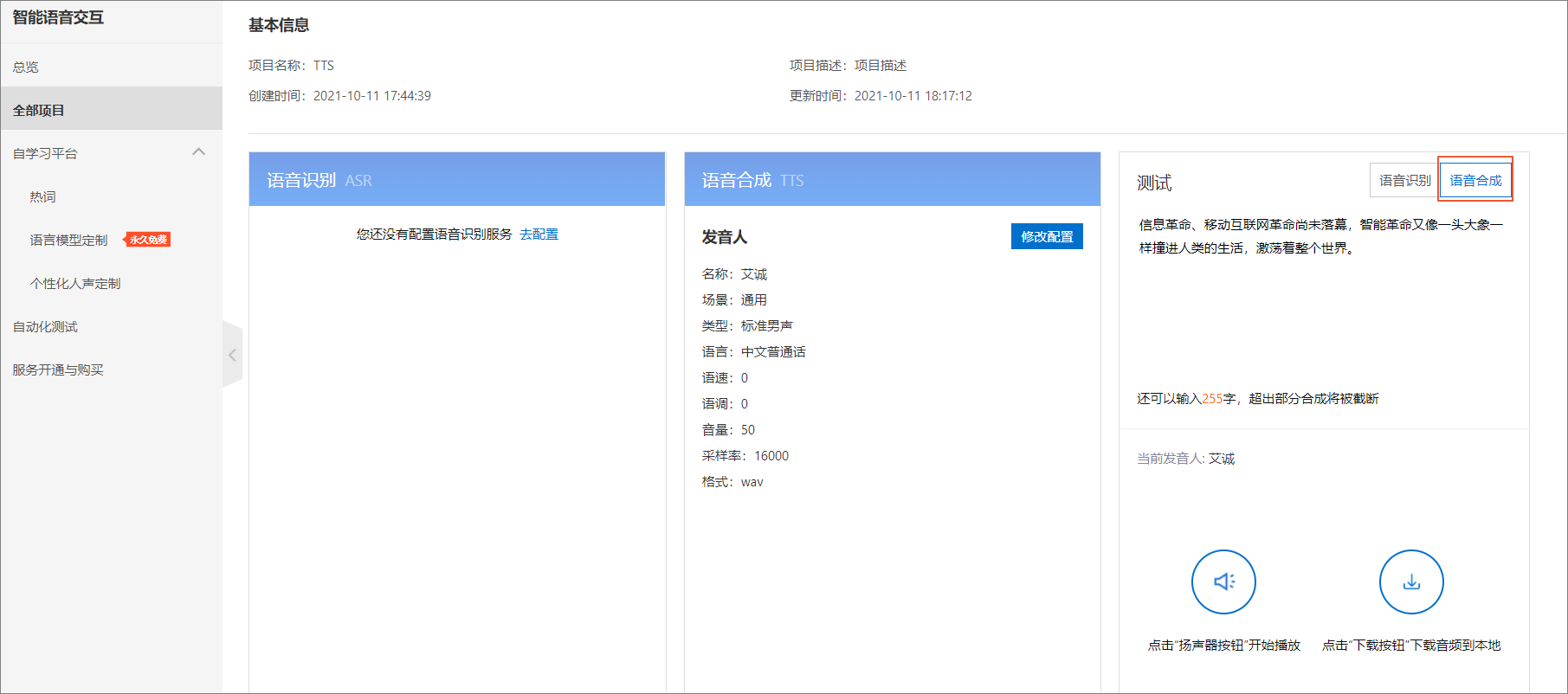
If you have configured the speech synthesis service, click Test for Speech Synthesis. Then, enter text to preview and download the audio.
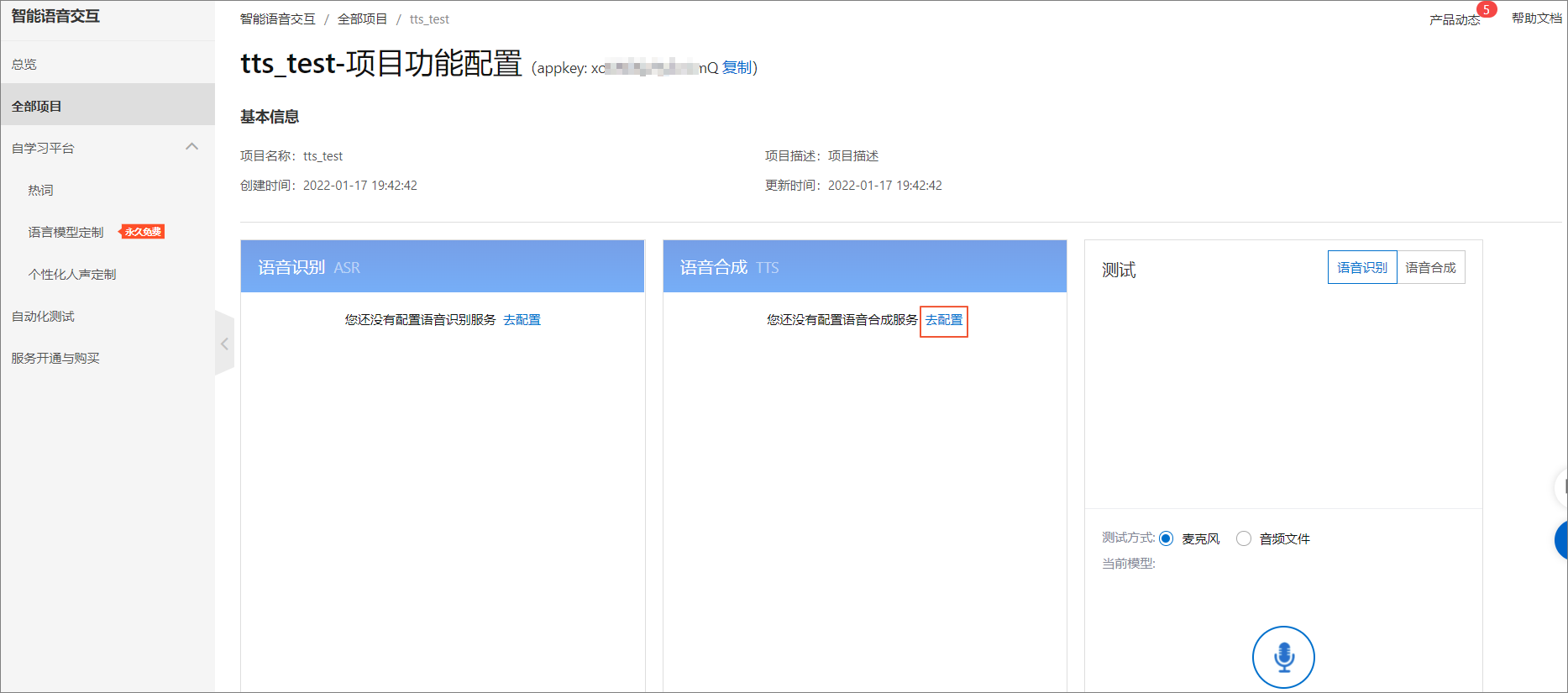
If you have not configured the speech synthesis service, click Configure in the Speech Synthesis module.
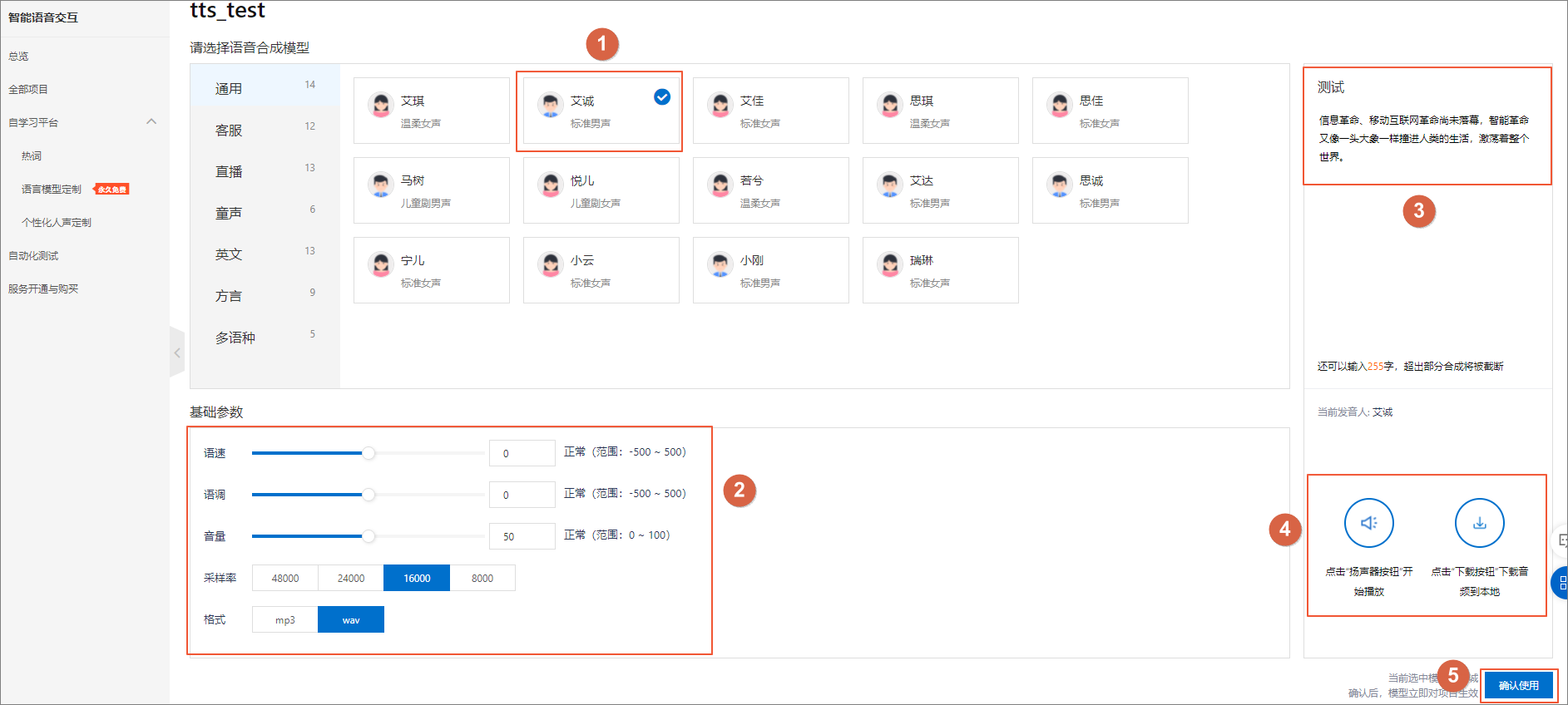
Select a speech synthesis model.
Set the Basic Parameters.
In the Test text box, enter text of up to 300 characters.
Click Play to preview the synthesized audio. Click Download to save the audio to your computer.
In the lower-right corner, click Confirm to save the configuration.