Spark Launcher
You can start a MaxCompute Spark task using the example code in the repository: spark-3.x/src/main/java/JavaSparkLauncherExample.java.
Step 1: Download and extract the Spark client
Click this link or run the following commands in a terminal to download and extract the Spark client. This example uses Spark client version
3.1.1-odps0.47.0.wget https://odps-repo.oss-cn-hangzhou.aliyuncs.com/spark/3.1.1-odps0.47.0/spark-3.1.1-odps0.47.0-client.tar.gz tar zxvf spark-3.1.1-odps0.47.0-client.tar.gzVerify that the client is downloaded and extracted to the correct directory.
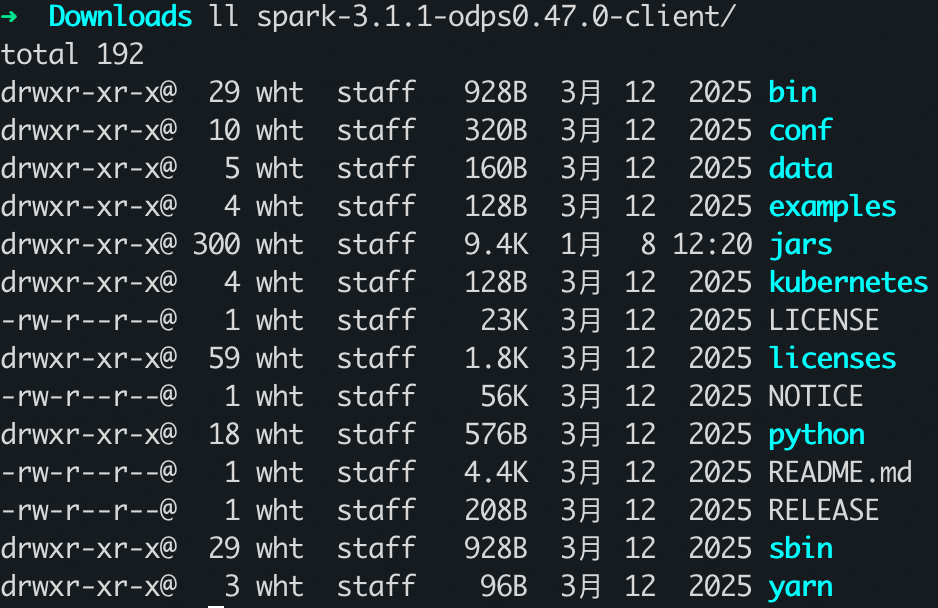
Note: The client you downloaded here is the actual runtime client. The spark_launcher version you add in your pom.xml file is used only to launch the task.
Step 2: Set environment variables
Set JAVA_HOME
# Recommend JDK 1.8
export JAVA_HOME={{JAVA_PATH}}/jdk
export CLASSPATH=.:$JAVA_HOME/lib/dt.jar:$JAVA_HOME/lib/tools.jar
export PATH=$JAVA_HOME/bin:$PATH
Set SPARK_HOME
# Download the MaxCompute Spark client mentioned above and extract it to any local path.
export SPARK_HOME={{SPARK_PATH}}
export PATH=$SPARK_HOME/bin:$PATH
Set HADOOP_CONF_DIR
You must set this parameter for Spark 2.4 and Spark 3.x.
export HADOOP_CONF_DIR=$SPARK_HOME/confStep 3: Configure settings in your code
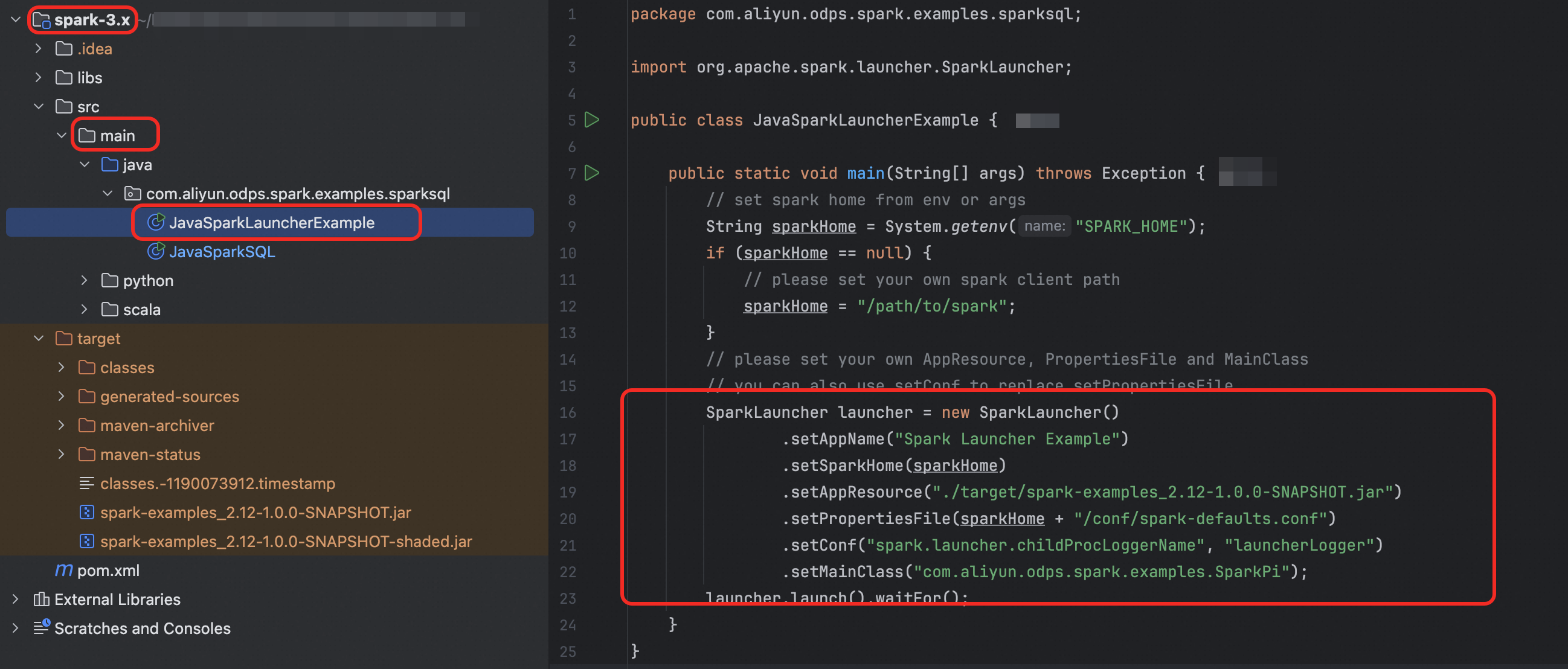
To clone the repository, see Open the sample project in IntelliJ IDEA. The file location and code segment appear in the following figure:
package com.aliyun.odps.spark.examples.sparksql;
import org.apache.spark.launcher.SparkLauncher;
public class JavaSparkLauncherExample {
    public static void main(String[] args) throws Exception {
        // set spark home from env or args
        String sparkHome = System.getenv("SPARK_HOME");
        if (sparkHome == null) {
            // please set your own spark client path
            sparkHome = "/path/to/spark";
        }
        // please set your own AppResource, PropertiesFile and MainClass
        // you can also use setConf to replace setPropertiesFile
        SparkLauncher launcher = new SparkLauncher()
                .setAppName("Spark Launcher Example")
                .setSparkHome(sparkHome)
                .setAppResource("./target/spark-examples_2.12-1.0.0-SNAPSHOT.jar")
                .setPropertiesFile(sparkHome + "/conf/spark-defaults.conf")
                .setConf("spark.launcher.childProcLoggerName", "launcherLogger")
                .setMainClass("com.aliyun.odps.spark.examples.SparkPi");
        launcher.launch().waitFor();
    }
}setAppResource(path/to/mainJar): Set the main JAR file asmainJar.Use
setPropertiesFileorsetConfto set the configuration filepropertiesFile.A sample
conf/spark-defaults.confis included in the MaxCompute Spark client download. For more options, see Spark Configuration.spark.launcher.childProcLoggerName: We recommend setting this to display logs.setMainClass: Set the main class to run asmainClass.Call
launcher.launch().waitFor(), which, under the hood, uses a child process to execute spark-submit.