Get the RAM policy for a template
This topic describes how to use the OOS console or OpenAPI to get the required permissions to execute a template and identify any missing permissions for a specified RAM role.
Console
-
Log on to the OOS console. In the left navigation pane, choose Automated Task > Public Template or Custom Template. Find the template you want and click Create an execution..
-
On the Basic Information page, click Next: Set Parameters.
-
On the Parameter Settings page, expand Advanced. In the RAM Role Assumed by OOS section, select Specify RAM Role and Use Permissions Granted to This Role.
-
Hover over View the permission policy required to execute this template to view the minimum required permission policy.
OpenAPI
-
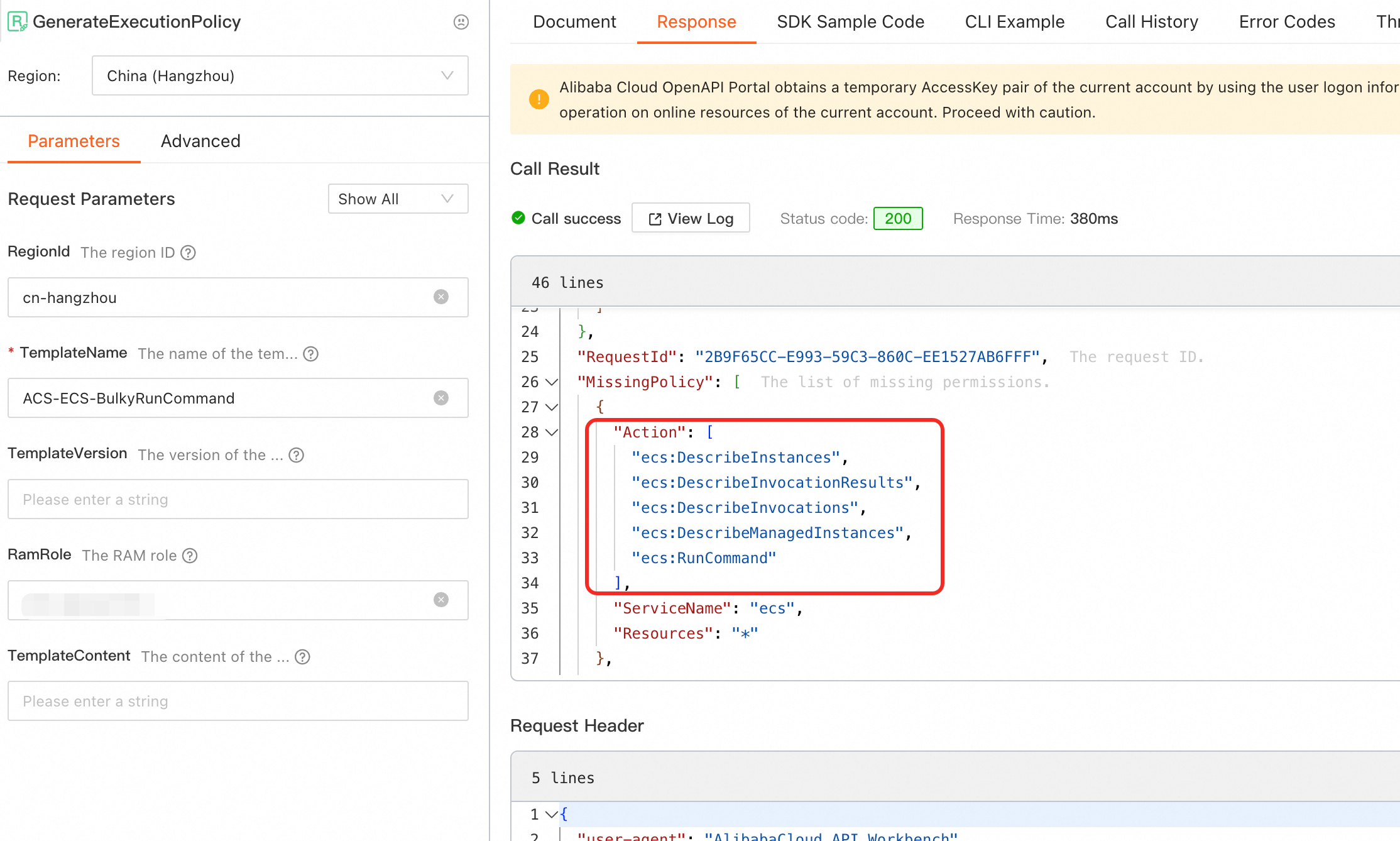
Open the GenerateExecutionPolicy API debugging page.
-
Enter values for TemplateName and RamRole, and then click Call Now.
 Important
-
To execute with the current account's permissions, leave the RamRole parameter empty.
-
To execute with a specific RAM role, enter its name in the RamRole parameter.
-
-
In the response, the Policy field contains the required permission policy, and the MissingPolicy field lists the permissions the specified RAM role lacks.
-
After you obtain the policy, grant the required permissions. For more information, see Grant permissions to a RAM user and Manage the permissions of a RAM role.