Use Application Management Service to reverse-engineer existing cloud resources into ROS templates. This simplifies replicating environments and converting existing architectures to Infrastructure as Code (IaC).
How it works
-
Import resources: Add your deployed cloud resources to Application Management Service.
-
Generate a template: Application Management Service analyzes resource dependencies and configurations to generate an ROS template.
-
Deploy and publish: Use the generated template to create a new environment with ROS.
Procedure
Step 1: Prepare an existing resource environment
Ensure you have a configured resource environment in the Alibaba Cloud console, such as a VPC, a vSwitch, and an ECS instance.
Step 2: Import resources into Application Management Service
-
In the ECS console, go to the Application Management page and click Create from Existing Resources.
-
Configure the application and select resources to import.
-
Application Name: Enter a name for the application.
-
Region: Select the region of your resources.
-
Resource Types: Select resource types to import, then choose specific instances.
-
-
Click Create and wait for the import to complete.
Step 3: Generate and export the ROS template
-
In the My Applications list, click your application.
-
On the Resource Management tab, verify all imported resources are listed. Click Import Resources to add any missing resources.

-
Select Export ROS Template from the More drop-down list.

-
The template is available in JSON and YAML formats.
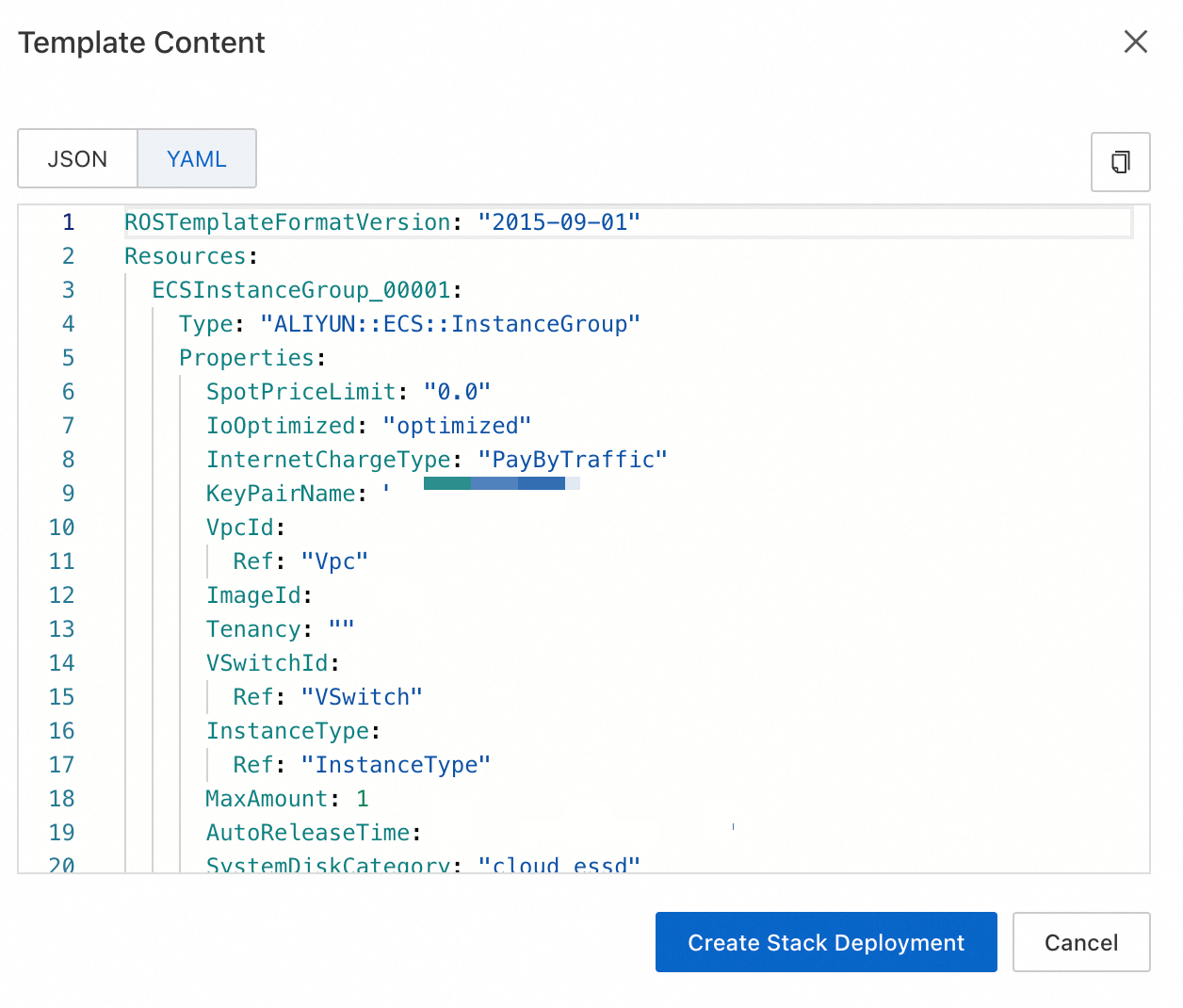
Step 4: Use the generated template
-
In the template export dialog box, click Create Stack Deployment.
-
You are redirected to the ROS console with the template pre-populated.
-
Click Next to configure parameters.
ImportantCarefully review and modify the parameters, especially passwords and instance types.
-
Confirm the parameters and click Create.
-
Wait for the stack deployment to complete. If it fails, open the Resource Orchestration Service console, click Resource stack, select the failed stack, and check the Events tab for error details.
Template content
If a required resource type is not listed in Supported resource types, add it to the template manually.
Parameters section
-
Fixed parameters: billing method (
PayType), subscription duration (PayPeriod), and duration unit (PayPeriodUnit). -
Variable parameters:
-
Password parameter (
InstancePassword): Generated only for templates with ECS or Redis resources. All related resources share one password. To use different passwords, modify the template manually. -
Specification parameters: Generated only for templates with ECS, RDS, or ACK resources.
-
Zone parameters (
ZoneId): For multi-zone resources such as multiple VSwitches or Network Load Balancer (NLB) instances, the template includes multipleZoneIdorVSwitchCidrBlockparameters. -
VPC CIDR block (
VpcCidrBlock) -
vSwitch CIDR block (
VSwitchCidrBlock)
-
Resources section
-
The generated template follows these conventions:
-
Billing parameters reference the
Parameterssection. -
Zone parameters reference
ZoneIdin theParameterssection. -
Resource names default to the stack name (
ALIYUN::StackName).
-
-
ECS resource images (
ALIYUN::ECS::Instance) are replaced with a CentOS 7 image.