LLM data processing algorithm components let you edit and transform data samples, filter low-quality samples, and remove duplicates. You can combine different components based on your business requirements to filter the data and generate text that meets your needs, thereby providing high-quality data for LLM training. This topic demonstrates how to use the LLM data processing components provided by PAI to clean and process SFT data, using a small amount of data from the open-source Alpaca-CoT project.
Dataset
The "LLM Data Processing-Alpaca-Cot (SFT Data)" preset template in Visualized Modeling (Designer) uses a dataset of 5,000 samples extracted from the raw data of the open-source Alpaca-CoT project.
Create and run a pipeline
-
Go to the Visualized Modeling (Designer) page.
-
Log in to the PAI console.
-
In the top-left corner, select a region based on your requirements.
-
In the left-side navigation pane, click Workspaces, and then click the name of your workspace.
-
In the left-side navigation pane, choose Model Training > Visualized Modeling (Designer).
-
-
Create a pipeline.
-
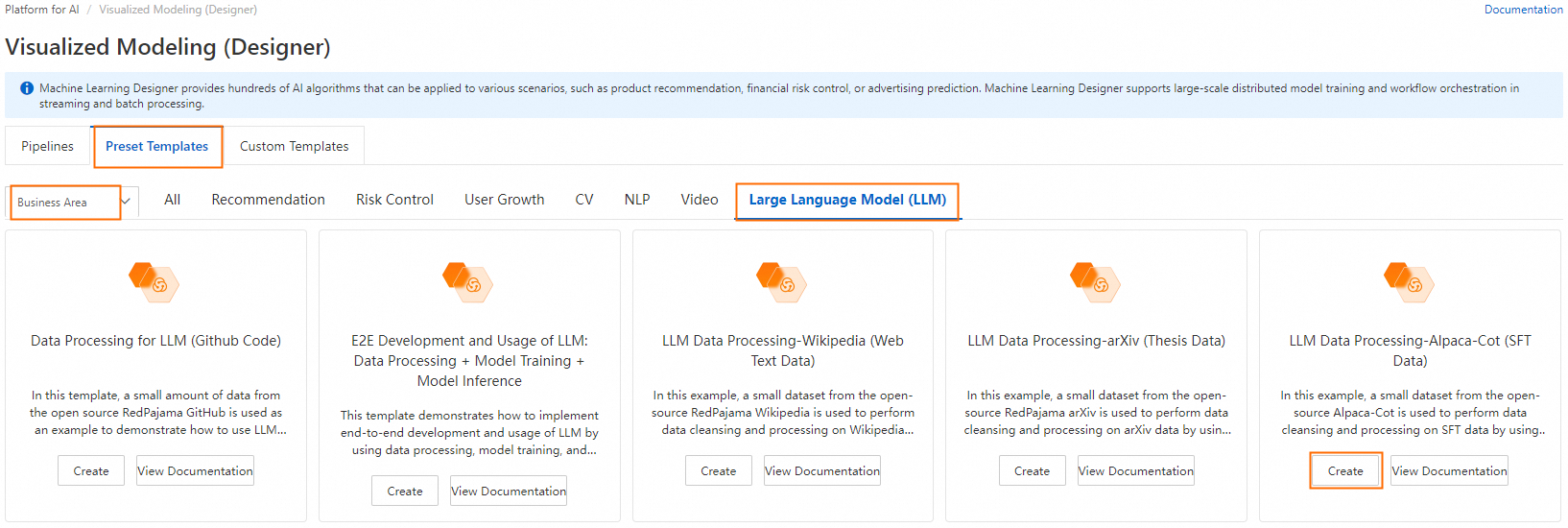
On the Preset Templates tab, select Business Area > LLM, and then click Create on the LLM Data Processing-Alpaca-Cot (SFT Data) template card.
-
Configure the pipeline parameters or keep the default settings, and then click Confirm.
-
In the pipeline list, find the pipeline that you created and click Open.
-
-
Pipeline overview:

Key algorithm components in the pipeline:
-
LLM-MD5 Deduplication (MaxCompute)-1
Calculates the hash of the text in the
textfield and removes duplicate text. Only one instance of text with the same hash is retained. -
LLM-Count Filter (MaxCompute)-1
Removes samples from the
textfield that do not meet the specified count or percentage of numbers and letters. Most characters in an SFT dataset are letters and numbers. This component helps remove some dirty data. -
LLM-N-Gram Repetition Ratio Filter (MaxCompute)-1
Filters samples based on the character-level n-gram repetition ratio in the
textfield. The text is processed using a sliding window of size N to create a sequence of N-character fragments called grams. The component then counts the occurrences of each gram. Samples are filtered based on the repetition ratio, which is calculated as:total occurrences of grams that appear more than once / total occurrences of all grams. -
LLM-Sensitive Word Filter (MaxCompute)-1
Uses a system-provided sensitive word file to filter samples in the
textfield that contain sensitive words. -
LLM-Length Filter (MaxCompute)-1
Filters samples based on the length of the
textfield and the maximum line length. The maximum line length is determined by splitting the sample by the line feed character\n. -
LLM-MinHash Similarity Deduplication (MaxCompute)-1
Uses the MinHash algorithm to remove similar samples.
-
-
Run the pipeline.
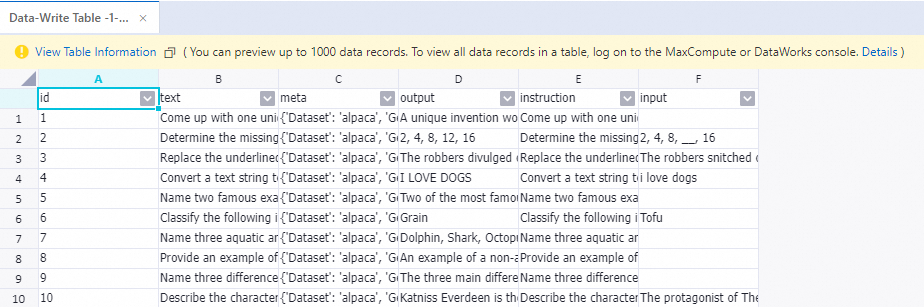
After the pipeline finishes running, right-click the Write Table-1 component and choose View Data > Output to view the samples processed by the preceding components.
References
-
For more information about the LLM algorithm components, see LLM Data Processing (MaxCompute).