Enterprise-level export controls in Quick BI
1. Background and requirements
As data security becomes more critical, organizations need robust data export controls.
Common requirements and use cases include:
Data security and compliance: Many organizations must adhere to industry regulations and data protection laws such as GDPR and HIPAA. To ensure data privacy and security, you must monitor and control data export activities. This involves restricting sensitive data exports, allowing only authorized personnel to export data in secure environments, and logging all export operations for audits.
Prevention of data misuse: Organizations must prevent staff from misusing corporate data. This requires setting permission levels and usage policies to ensure that data can only be exported under specific conditions and for approved purposes, often requiring a security approval process before export.
Business agility and user self-service:While empowering business users with fast and flexible access to data, organizations also need to ensure traceability for exported data. Features like watermarks help track the circulation of exported files.
Cross-team collaboration and data sharing:However, the types or scope of data that different teams can download may vary.
To address these needs, Quick BI provides a comprehensive security framework with controls for the pre-export, in-export, and post-export stages. Organizations can select and combine these controls to build a solution that fits their specific security and operational requirements.
2. Solutions in Quick BI
1. Pre-export controls
1.1 Organization-level controls
1.1.1 Configure organization-wide export settings
Quick BI provides a complete set of organization-level settings for fine-grained control over export functionality:
Enable Export switch: Controls all export activities within the organization. If you turn off this switch, no one in the organization can export data.
Export Format Settings: Controls which file formats are allowed for export across the organization. You can combine this with 1.2 Workspace-level controls for more granular control over export formats.
Export Channel: In addition to exporting files locally, you can restrict exports to a file server only. For more information, see 2.2 Custom export action events or approval processes.
Watermark Settings: At the organization level, an organization administrator can enable "Always Display Watermark". This ensures that users cannot disable the watermark when exporting a work. For an example, see 3.1 Watermarks.
Public Link for Works: You can disable exports from public links. When this setting is configured, users cannot export any publicly shared works, preventing data extraction from resources that do not require authentication.
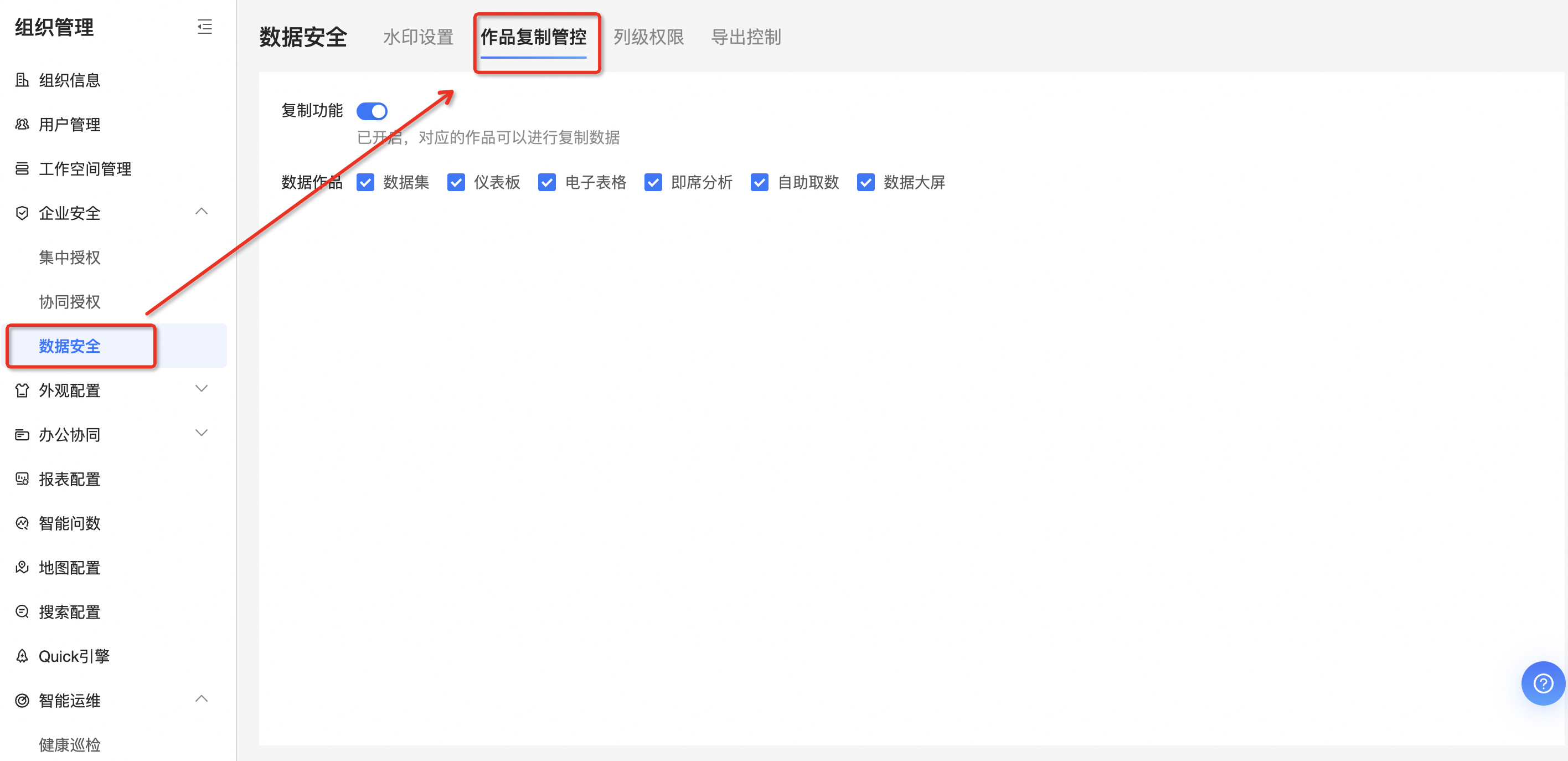
1.1.2 Manage copy permissions
In addition to the standard "Export" function, Quick BI allows you to control copy-and-paste permissions for table components, self-service data retrieval, and ad-hoc analysis. This prevents users from copying data directly from a component and pasting it elsewhere.
1.2 Workspace-level controls
In addition to organization-level controls, you can apply specific controls to individual workspaces.
Use case:
Use workspaces to logically isolate sensitive data and apply specific export controls at the workspace level.
For example, your organization may allow exports in Image, PDF, and Excel formats by default. However, for a workspace containing sensitive data, you can prohibit Excel exports. In the export control settings for that workspace, you can configure it to allow exports only in non-editable formats like Image and PDF.
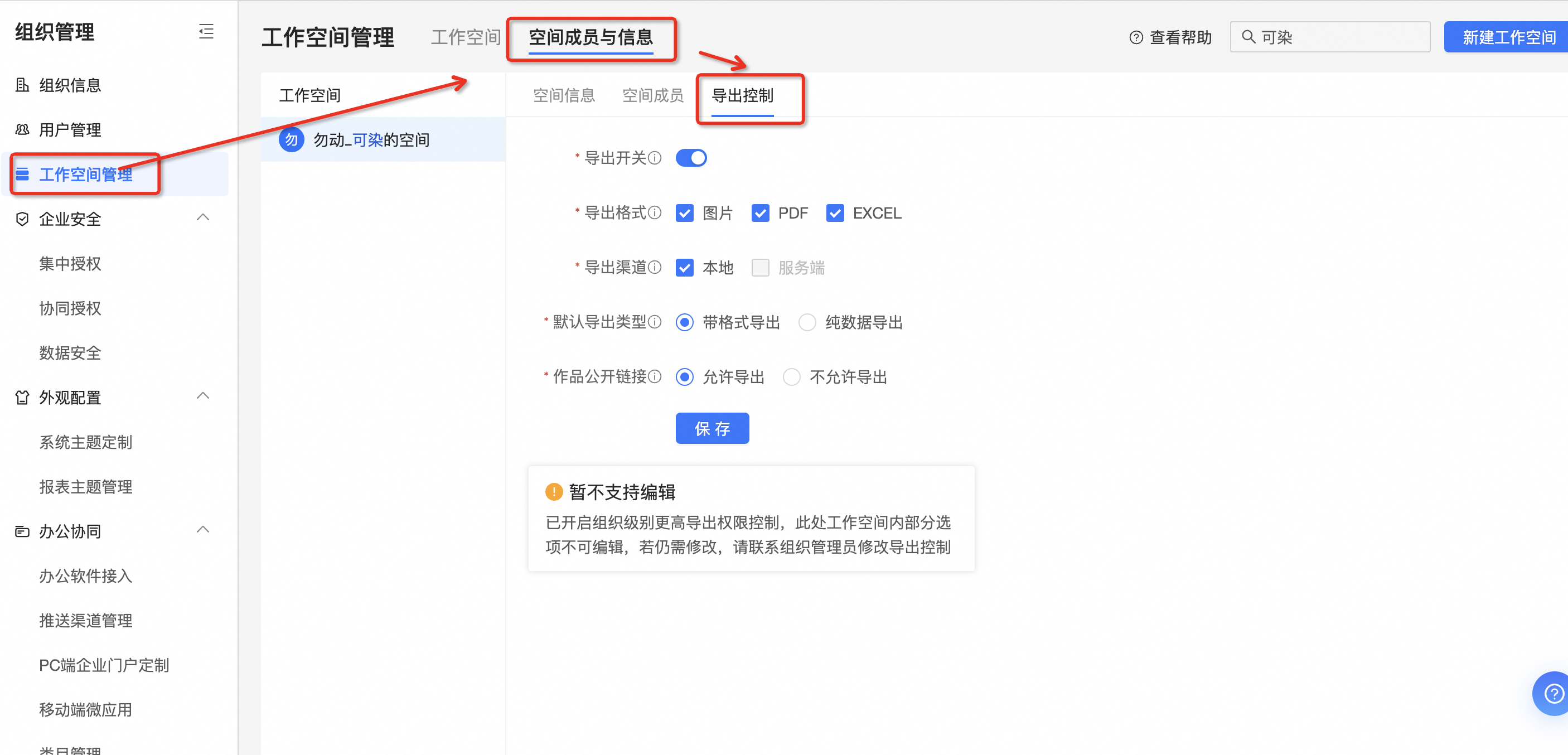
To prevent unintended permission escalation, only an organization administrator can configure workspace-level export controls.
1.3 Work-level controls
1.3.1 Set export permissions during centralized authorization
Use case:
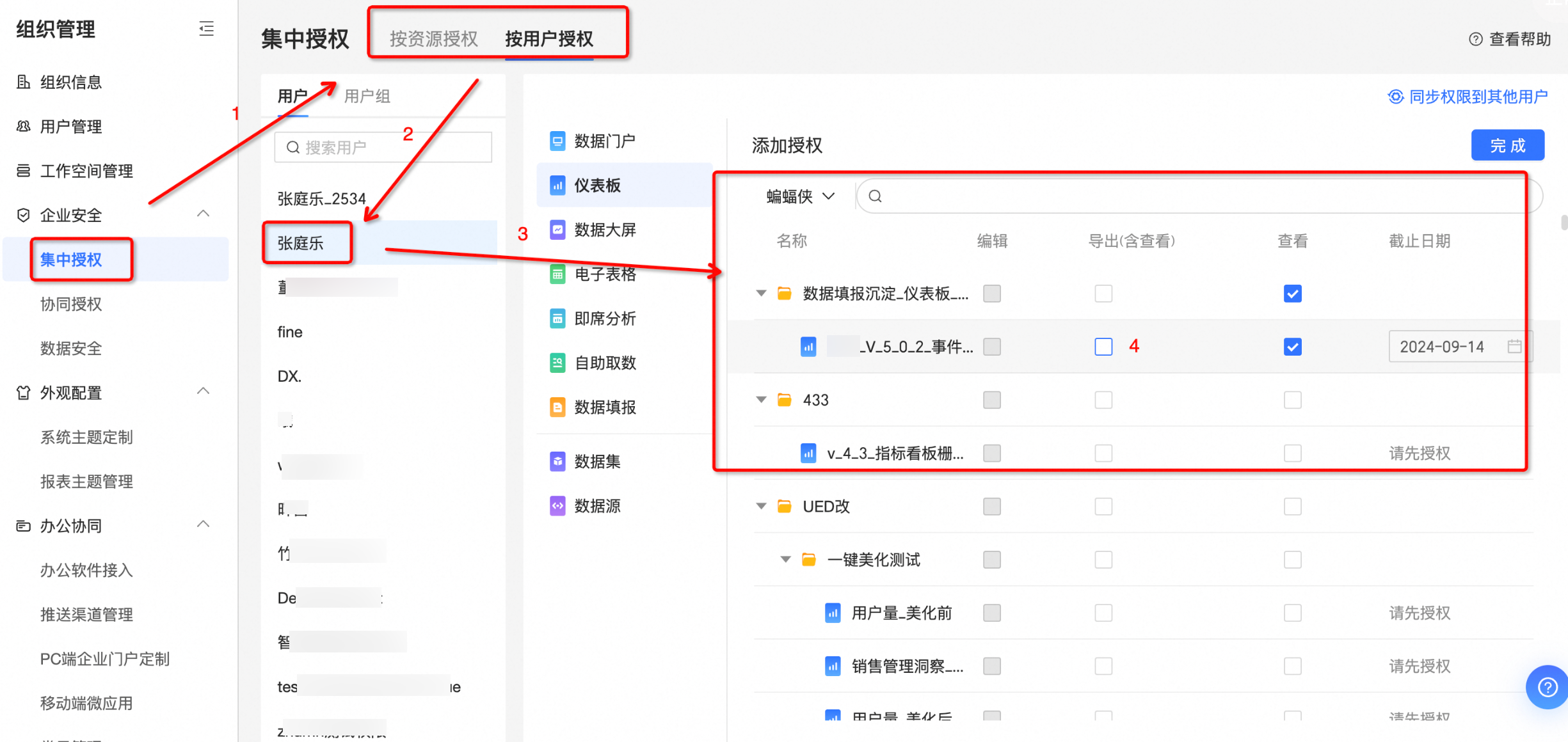
An organization administrator can centrally manage permissions for members of the organization.
Set the export permission for a specific user or user group on an individual work.
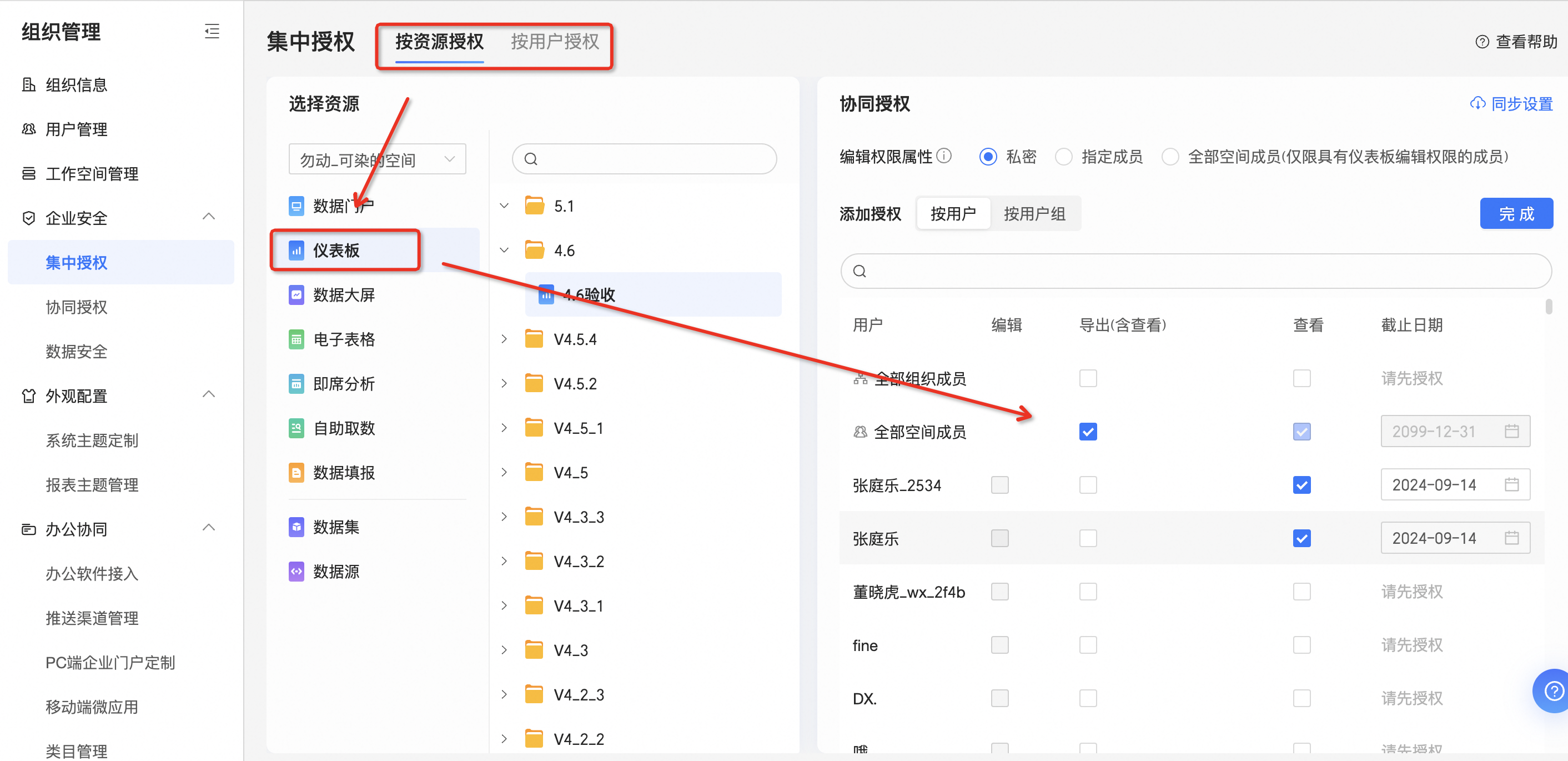
Set view or export permissions for a specific user or user group on a work within a workspace.
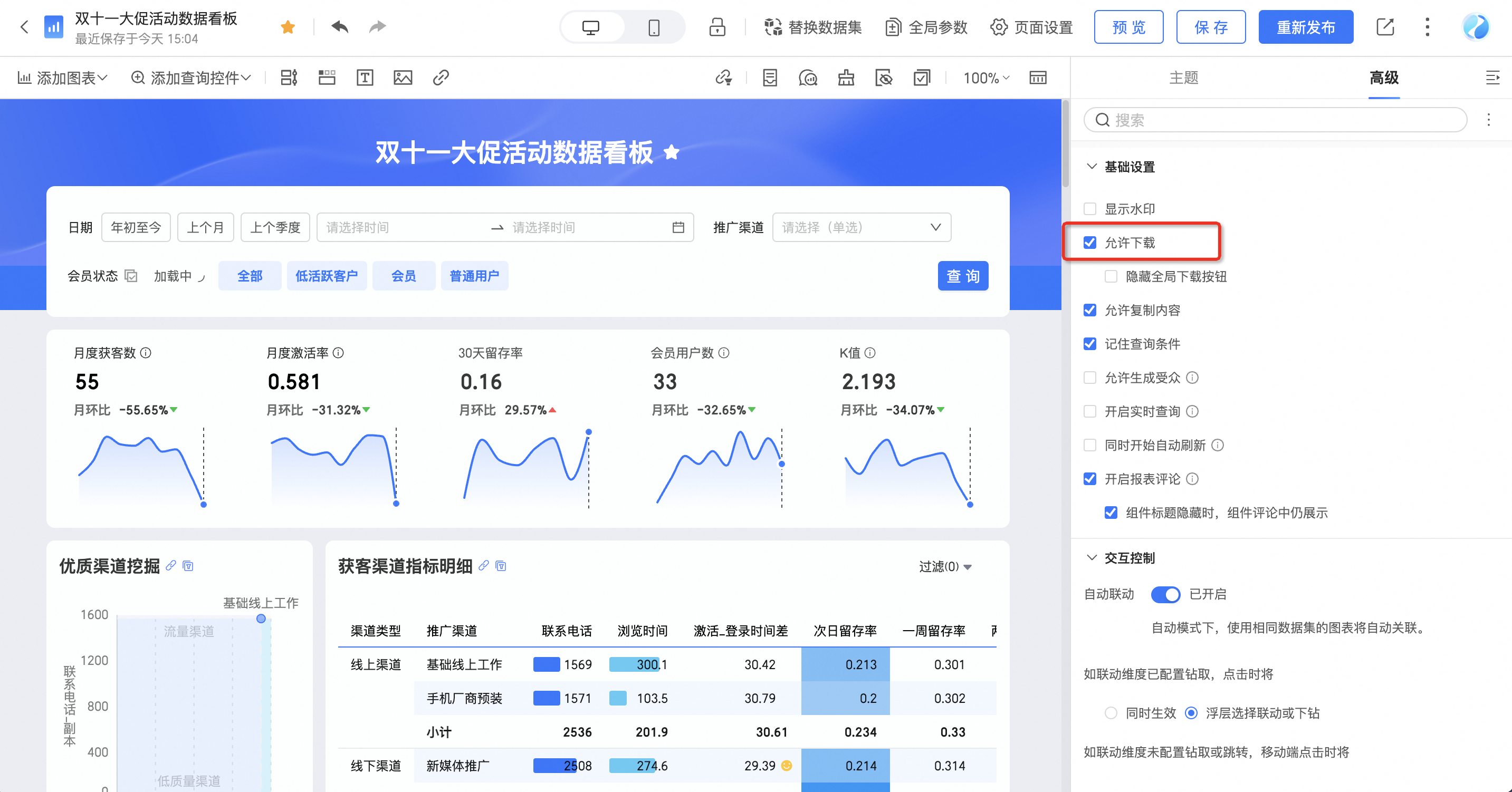
1.3.2 Set export controls for individual works
Even if exporting is not restricted at the organization or workspace level, you can still disable it for an individual work.
Use case:
A report author, such as an IT professional or analyst, creates a fixed dashboard for business users who do not have dashboard editing permissions. The author wants to allow these users to view the data but not export it.
2. In-export controls
2.1 Export to a file server (private deployment only)
Use case:
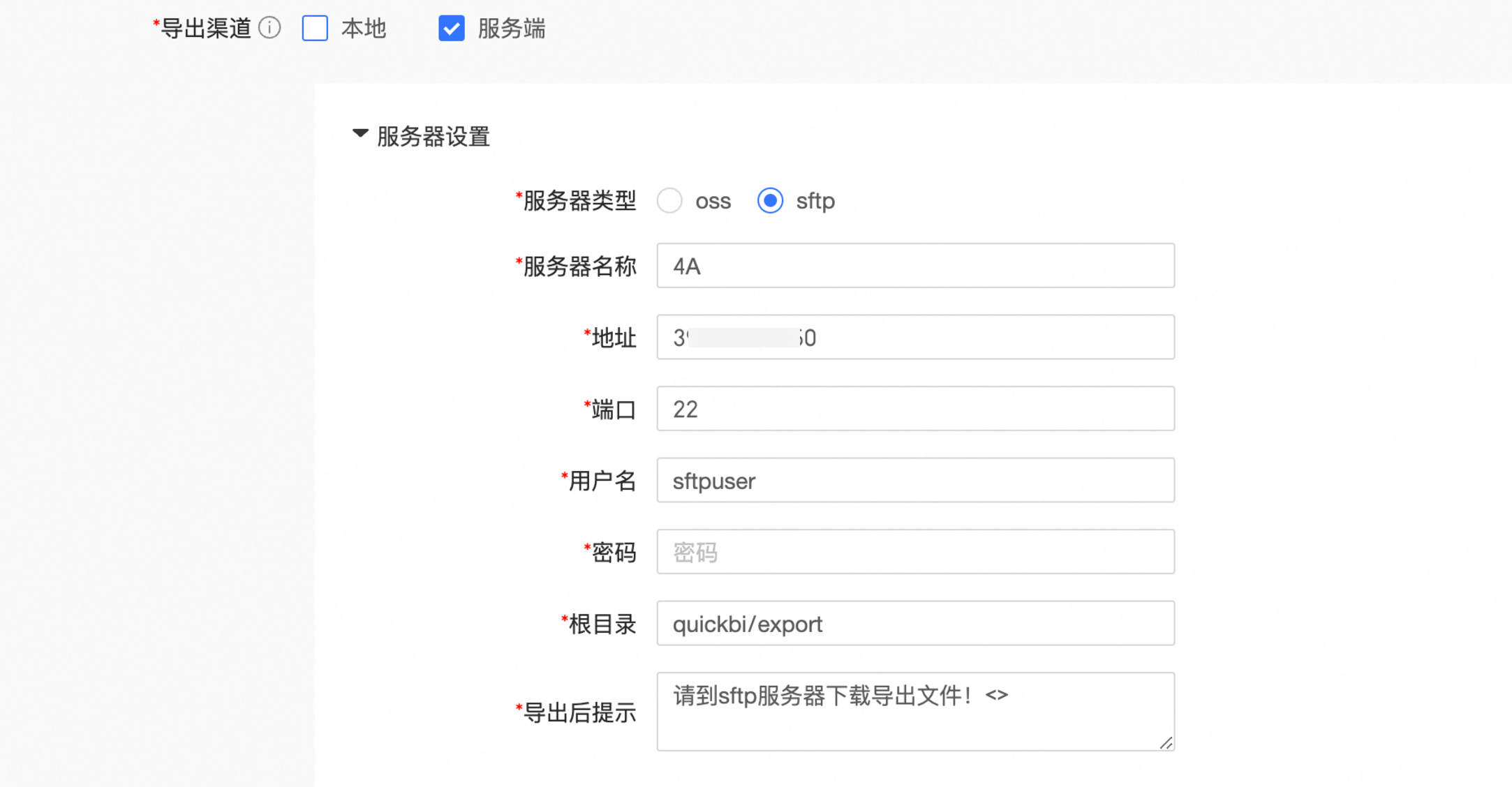
Your organization has strict data security requirements that prohibit exporting files to local machines. Instead, all exported content must be sent to a central file server for controlled distribution based on user permissions.
Example:
A banking client requires all exported file names to follow a strict naming convention: Account+WorkName+ExportTime. The files are exported to an SFTP server. The system then checks the account and work name to determine if the user is authorized to receive the file before further distribution. For integration details, see Customize download controls for exported files.
This solution is only available for private deployment customers because it requires direct integration between Quick BI and your file system.
2.2 Custom export action events or approval processes (private deployment only)
Use case:
Your organization requires that all data exports go through an approval process.
You can achieve this in two ways:
Custom action events: You can write custom logic that triggers before a work is exported. For example, a government client customized their workflow to require a verification code before any export is allowed.
For more information on this solution, see Custom Action Events.
Custom approval processes: You can flexibly define your internal approval process. All permission approvals are handled by your own systems. For export control, you can configure a custom approval process for exports.
For more information on this solution, see Customize an enterprise approval process.
Because they require integration with your business systems and event listeners, both custom action events and custom approval processes are available only to private deployment customers.
3. Post-export controls
3.1 Watermarks
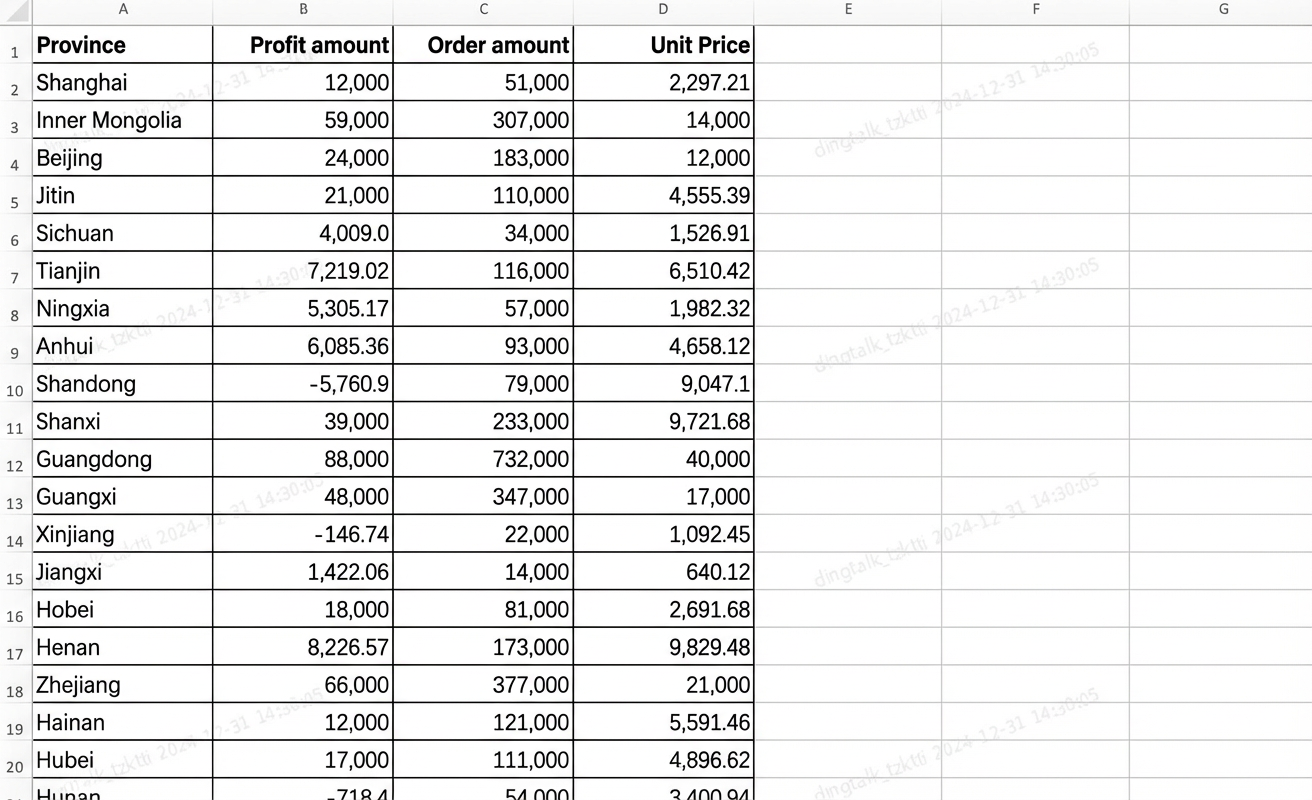
After configuring watermark rules (for example, to include the user account and work), an organization administrator can enable the "Disallow Hiding Watermark on Export" setting. This ensures that every exported work includes a watermark by default.
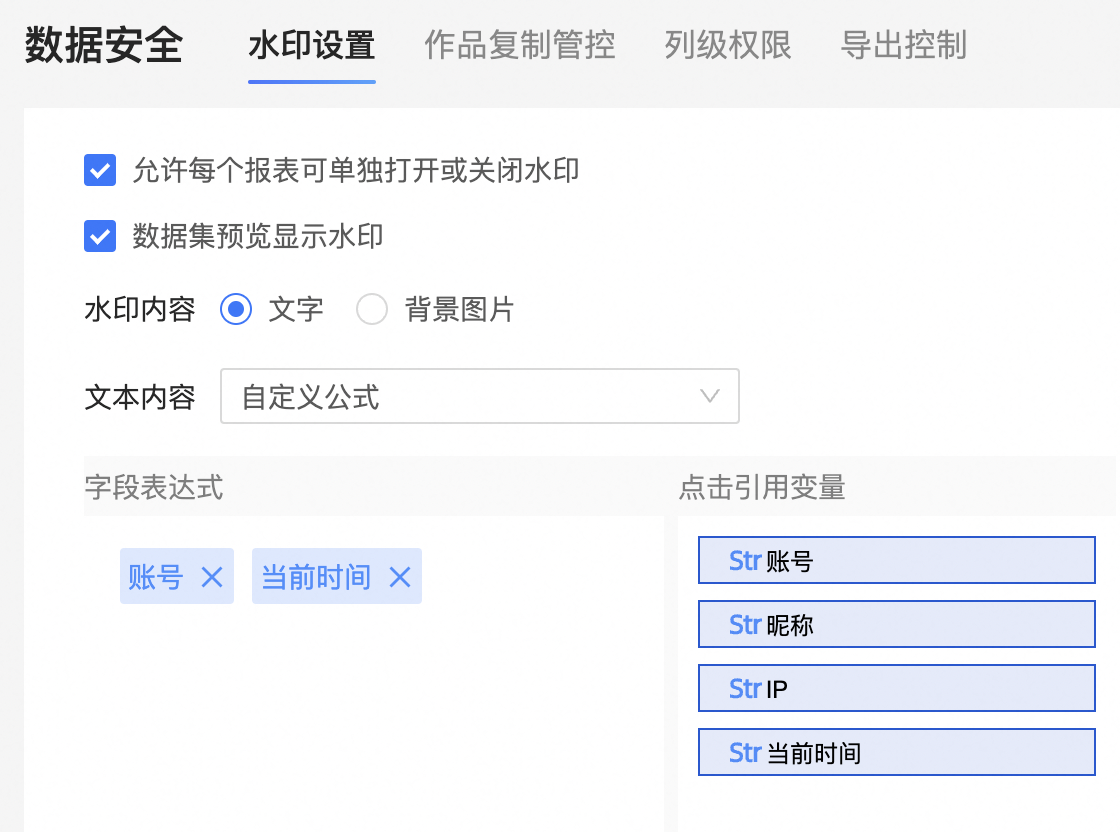
For example, if the watermark rule is set to display the user account and the current time, the exported file will be watermarked with that information.
3.2 Export audit log
The statistics and analysis features in Quick BI provide user action logs that can be filtered to show different types of activities, including Access, Operation, Permission, and Logon events. Exporting data is an access-related action that is recorded in the audit log.
For example, the following images show how both the resource action log and user action log can track two types of data export activities: standard exports and self-service data retrieval.
3. Conclusion
Data security and collaboration are deeply connected to an organization's structure and business processes. This article outlines various export control solutions available at different stages of the data export workflow.
Quick BI also offers more granular features, such as using custom roles to manage permissions or applying workspace-level module controls. These features let you design a tailored export governance strategy that balances security with collaboration. To learn more about Quick BI, visit our website.
For questions or additional requirements, contact us through the official Lingyang website.