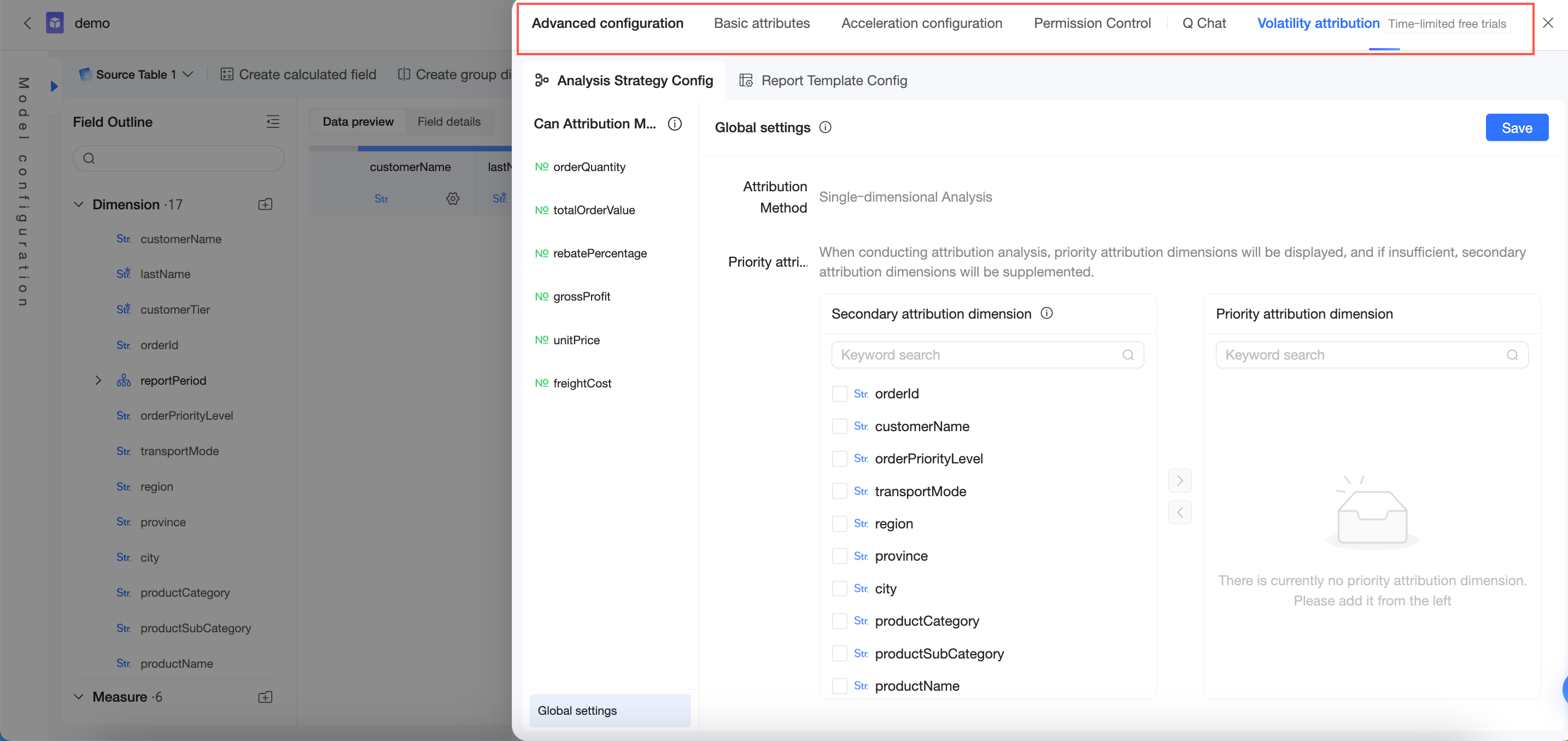
On the dataset edit page, click Advanced Configuration in the top toolbar to configure basic attributes, acceleration configuration, row-level and column-level security, and Intelligent Q&A.
Basic attributes
In the Basic Attributes section, you can edit the Dataset Name (①) and Description (②), and transfer the dataset's owner (③). Click Update (④) to save the configuration.
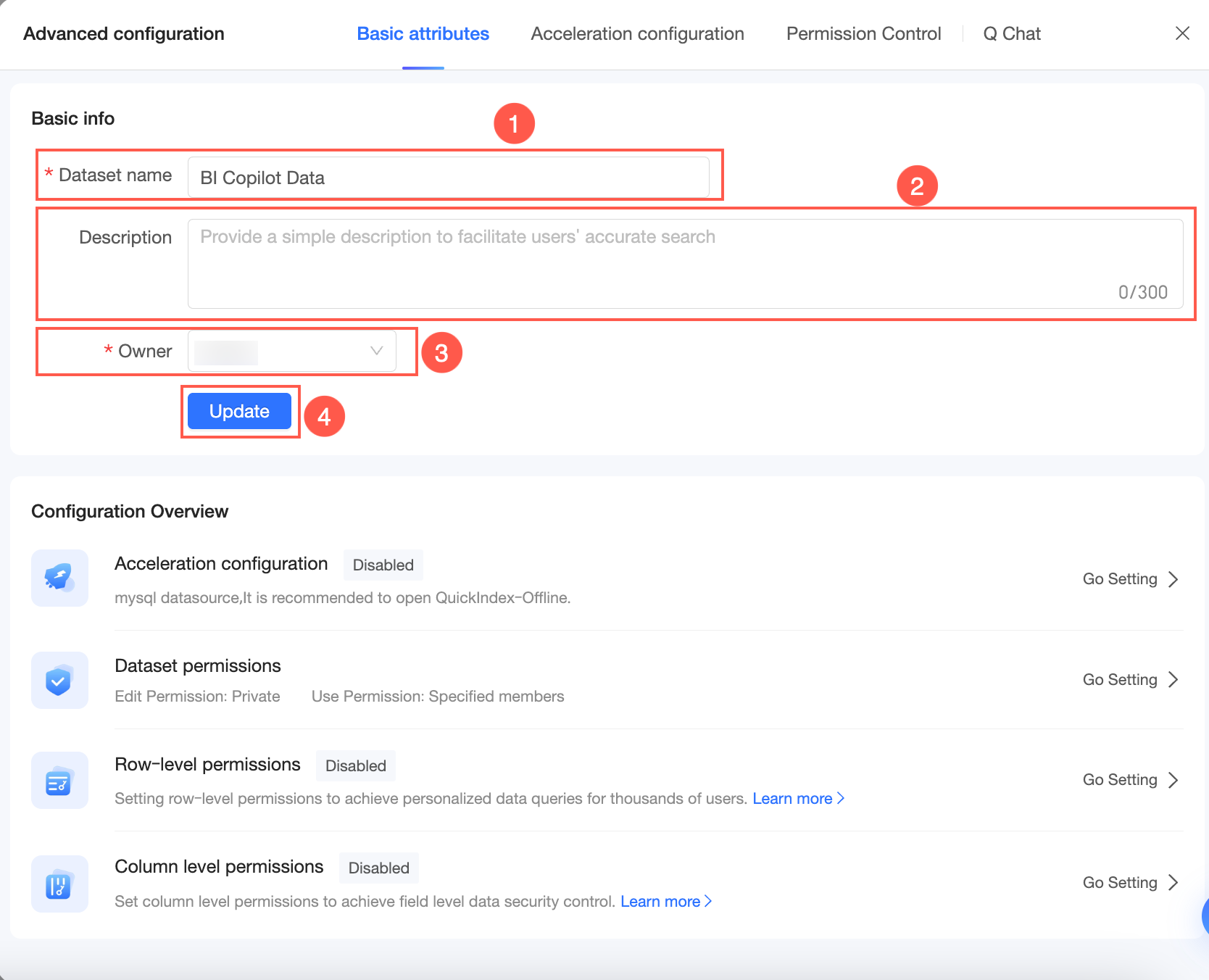
In the Configuration Overview section below, you can view the configuration status of acceleration configuration, row-level security, and column-level security. Click Enable or Set to navigate to the respective configuration pages.
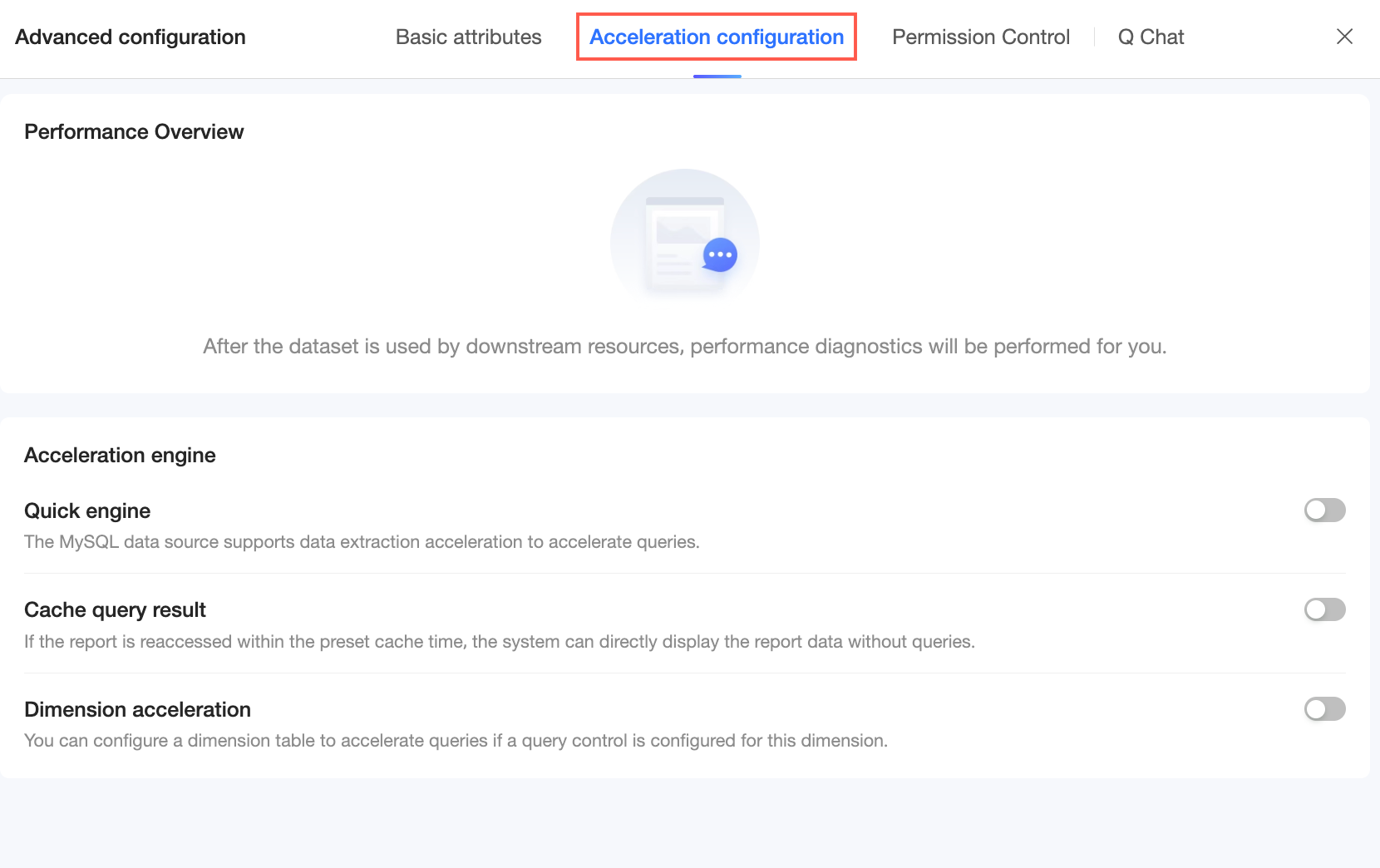
Acceleration configuration
View performance metrics and configure the acceleration engine. For more information, see Configure the Quick engine.
Permission control
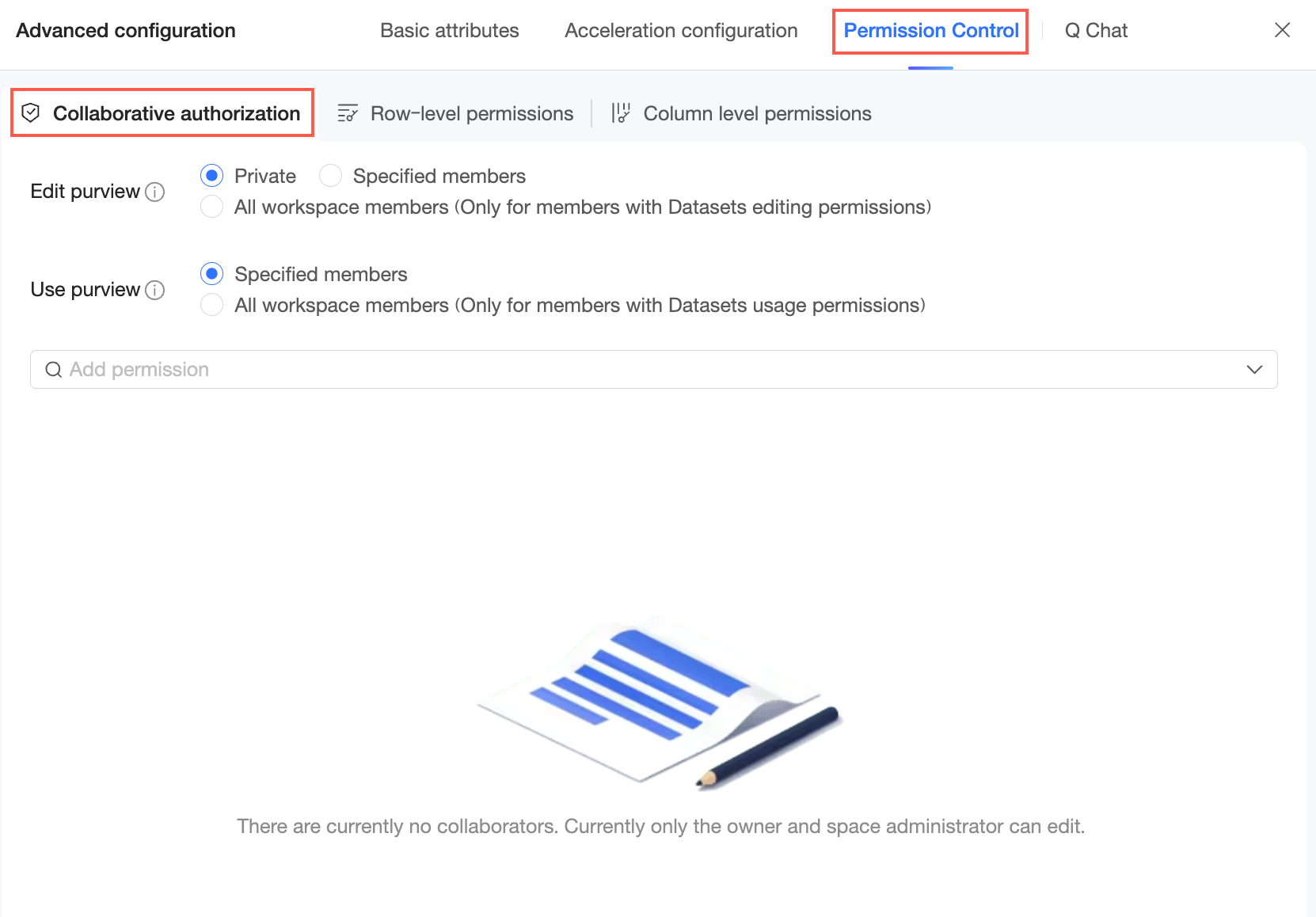
Collaborative authorization
Use this section to grant dataset permissions. For more information, see Grant dataset permissions.
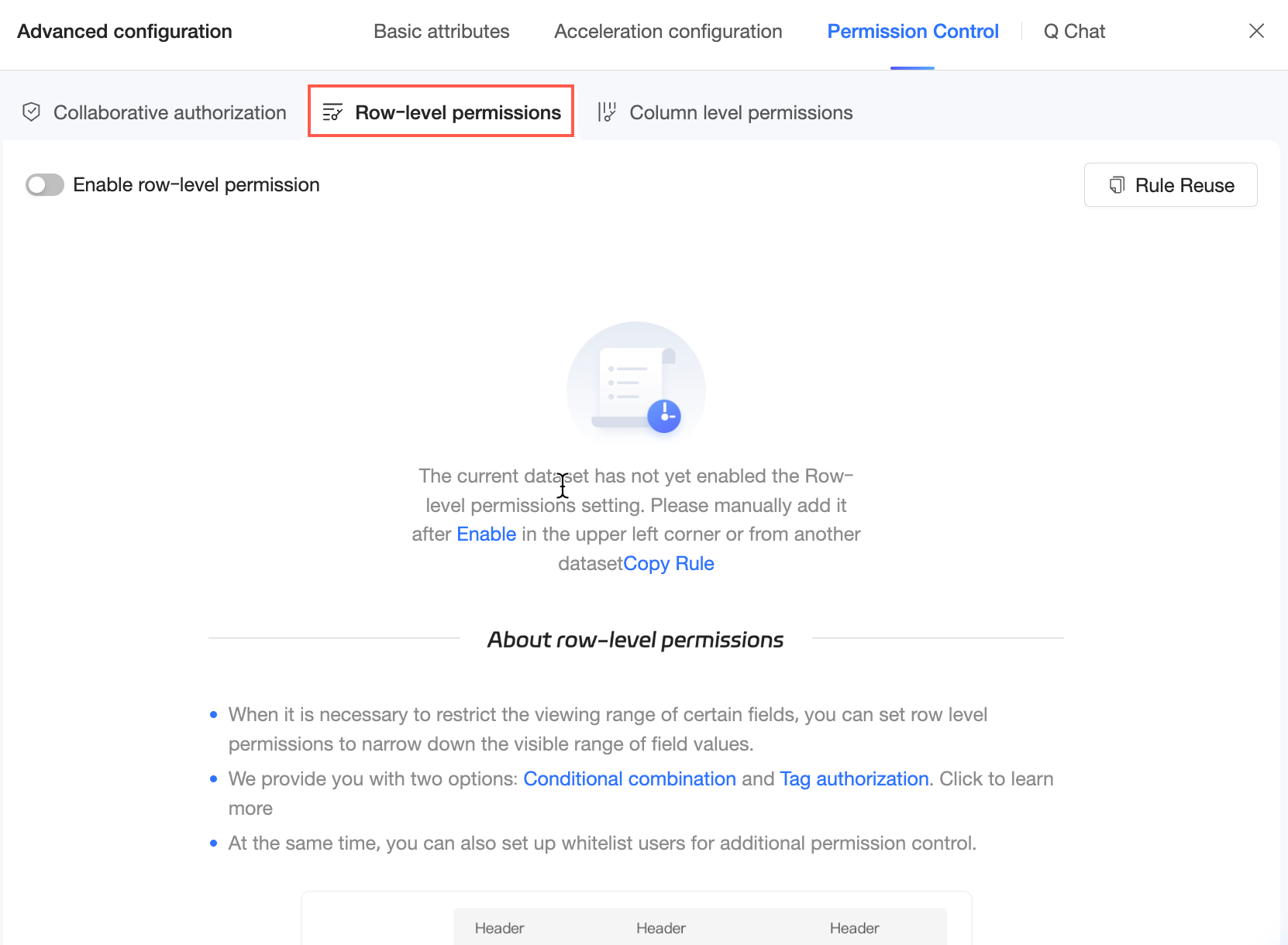
Row-level security
Configure row-level security for the dataset. For more information, see Row-level security.
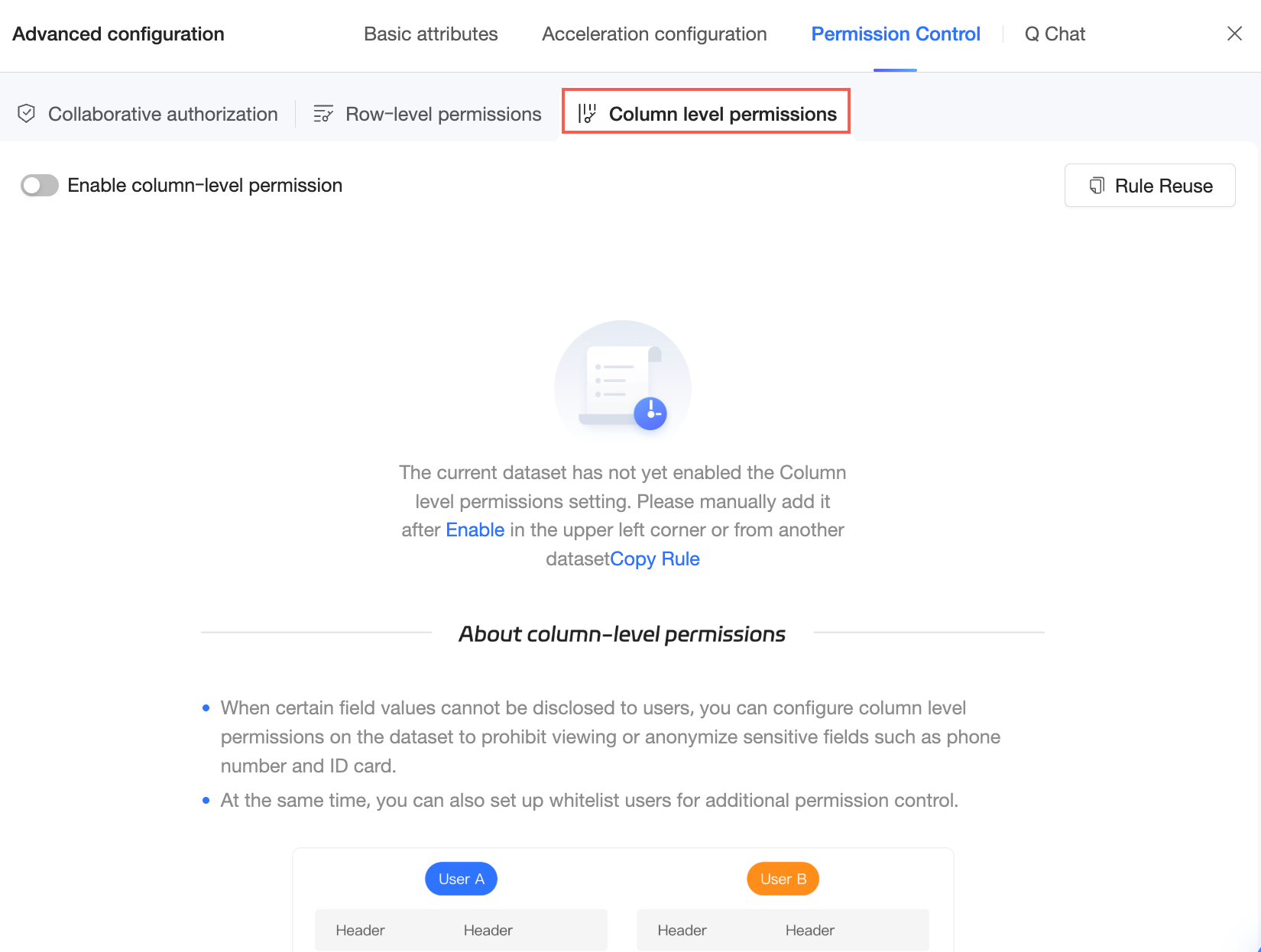
Column-level security
Configure column-level security for the dataset. For more information, see Column-level security.
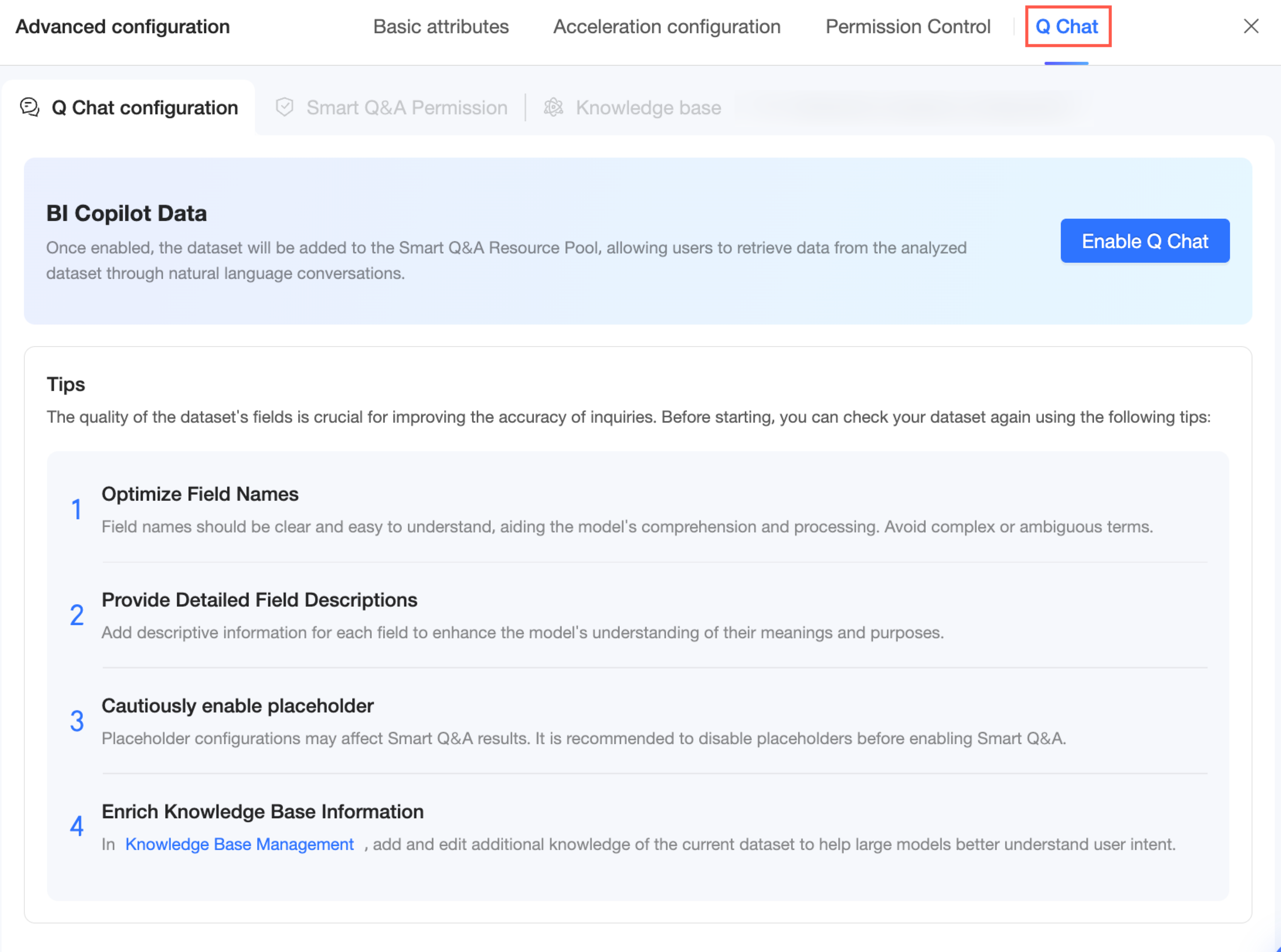
Intelligent Q&A
Intelligent Q&A is a paid, value-added module. To purchase it, contact your sales representative.
To use Intelligent Q&A, you must first configure the dataset for querying. On the dataset edit page, go to Advanced Configuration and select Intelligent Q&A to set up the Query Configuration, Query Permissions, and knowledge base management. For more information, see Data Preparation.
Metric Insights
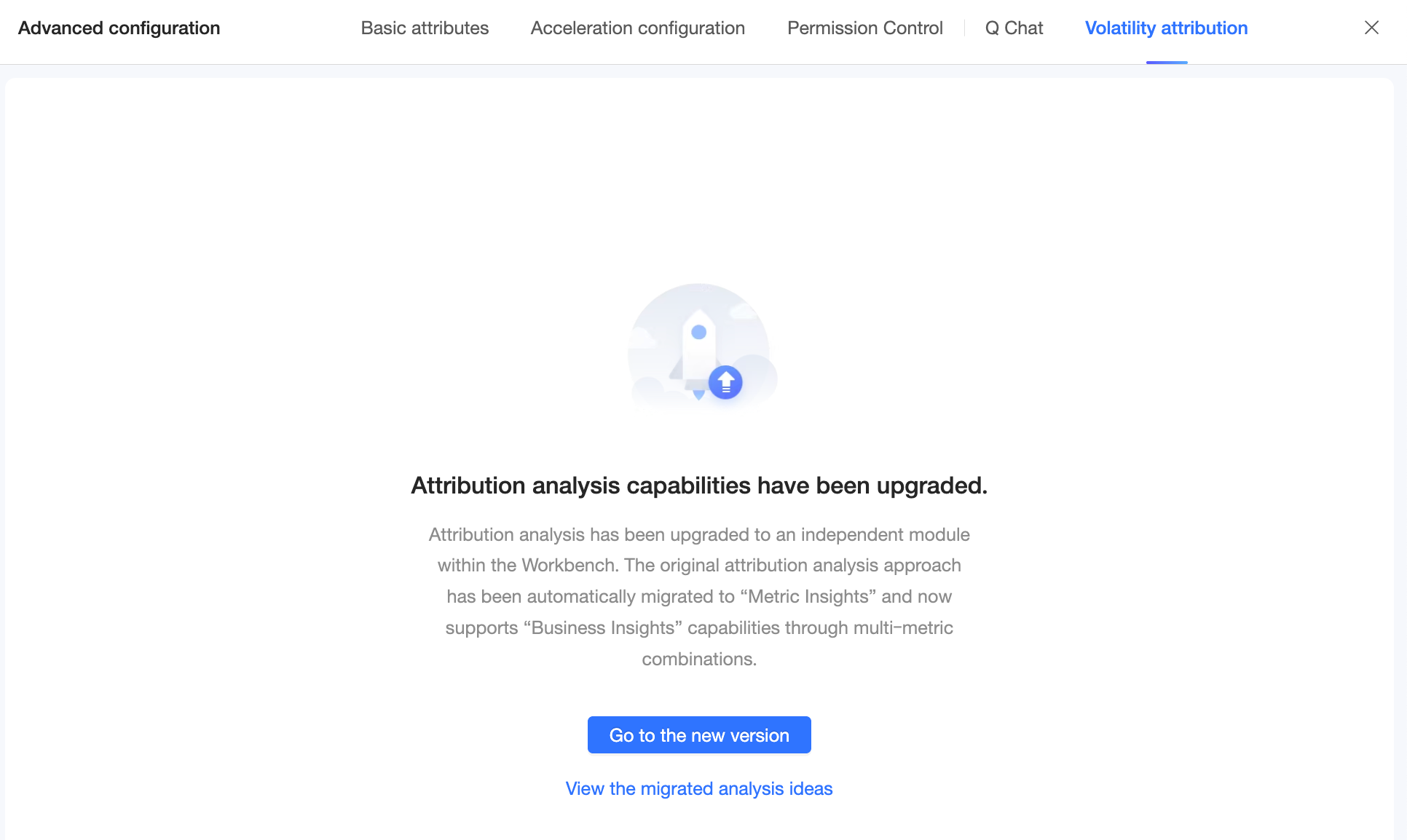
Q-Insights has been upgraded to a standalone module in the workspace. Existing attribution analysis workflows are automatically migrated to Metric Insights, which now generates business insights from multiple metric combinations.
For more information, see Metric Insights.