Loop through similar controls (window)
1. Introduction
Prerequisite: Get Window component
Use this component to control a window of a specified program on Windows and retrieve one or more similar controls.
2. Inputs
For more information about each input, see the help text in the component panel of the application flow editor.
3. Outputs
For more information about each output, see the help text in the component panel of the application flow editor.
4. Usage example
4.1. Configuration example
In the
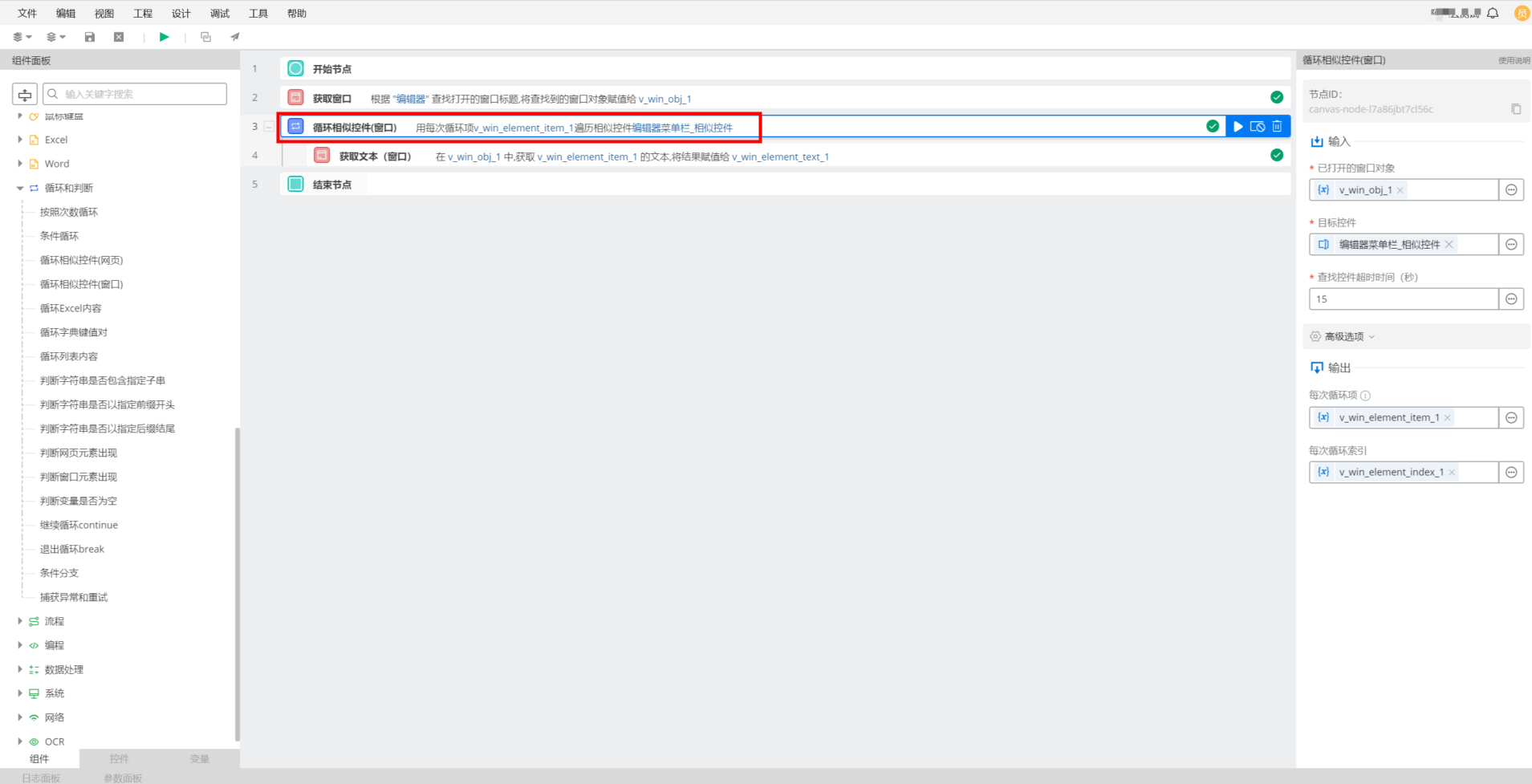
Opened window objectfield, select the output item v_web_obj_1 from the preceding Get Window component.Use the catch control feature to capture multiple similar controls in the window and name them "Control 1".
For
Target control, select "Control 1".For
Control search timeout (seconds), the default value is 15.
4.2. Example result
The component successfully retrieves the similar control objects from the v_win_obj_1 window object.
5. Example flow
Create the flow
Use the Get Window component to retrieve the Alibaba Cloud Robotic Process Automation (RPA) editor window object.
Use the Loop Through Similar Controls (Window) component to retrieve the control for each menu item in the Alibaba Cloud RPA editor window.

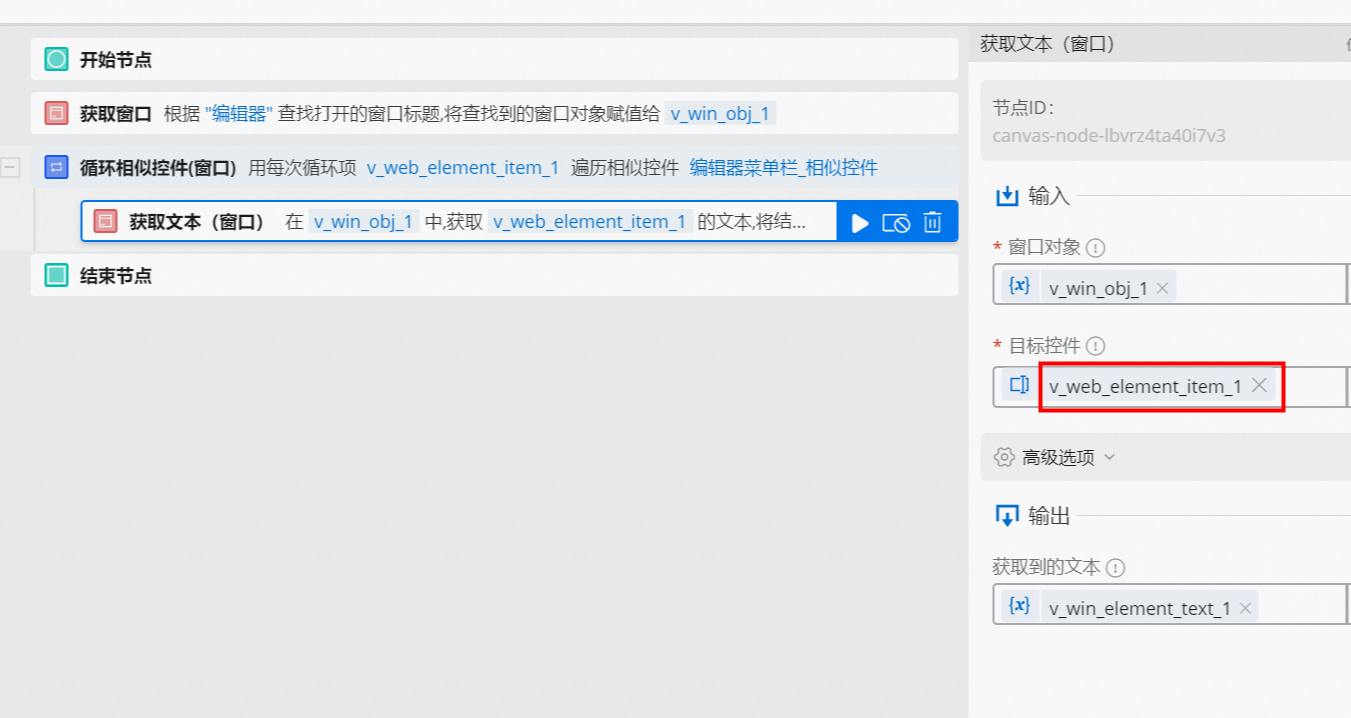
Use the Get Text (Window) component to retrieve the text of each menu item in the Alibaba Cloud RPA editor window.
To retrieve the text for each item in the loop, select v_win_element_item_1 from the Target Control drop-down list. The v_win_element_item_1 variable is the output for each iteration from the Loop Through Similar Controls (Window) component.
Result
After the flow runs, the retrieved text is displayed in the log panel, as shown in the following figure.