Get open Excel file
1. Component introduction
Prerequisites: None
Use this component to retrieve a specified open Excel file.
2. Inputs
For more information about each input, see the help information in the component panel of the application flow editor.
3. Outputs
For more information about each output, see the help information in the component panel of the application flow editor.
4. Component usage example
4.1. Component configuration example
For
Find by, select File name.In
Find content (exact match), enter "Test1.xlsx".Use the default values for the advanced options.
4.2. Example execution result
None
5. Example flow
Setup flow
Use the Get open Excel file component to retrieve the open Excel file object.
Use the Get active sheet component to retrieve the active sheet object.
Use the Append row to Excel component to write ["Xiong Er","18"] to the last row of the specified sheet.
Use the Save Excel component to save the Excel file.
Use the Close Excel component to close the Excel file.
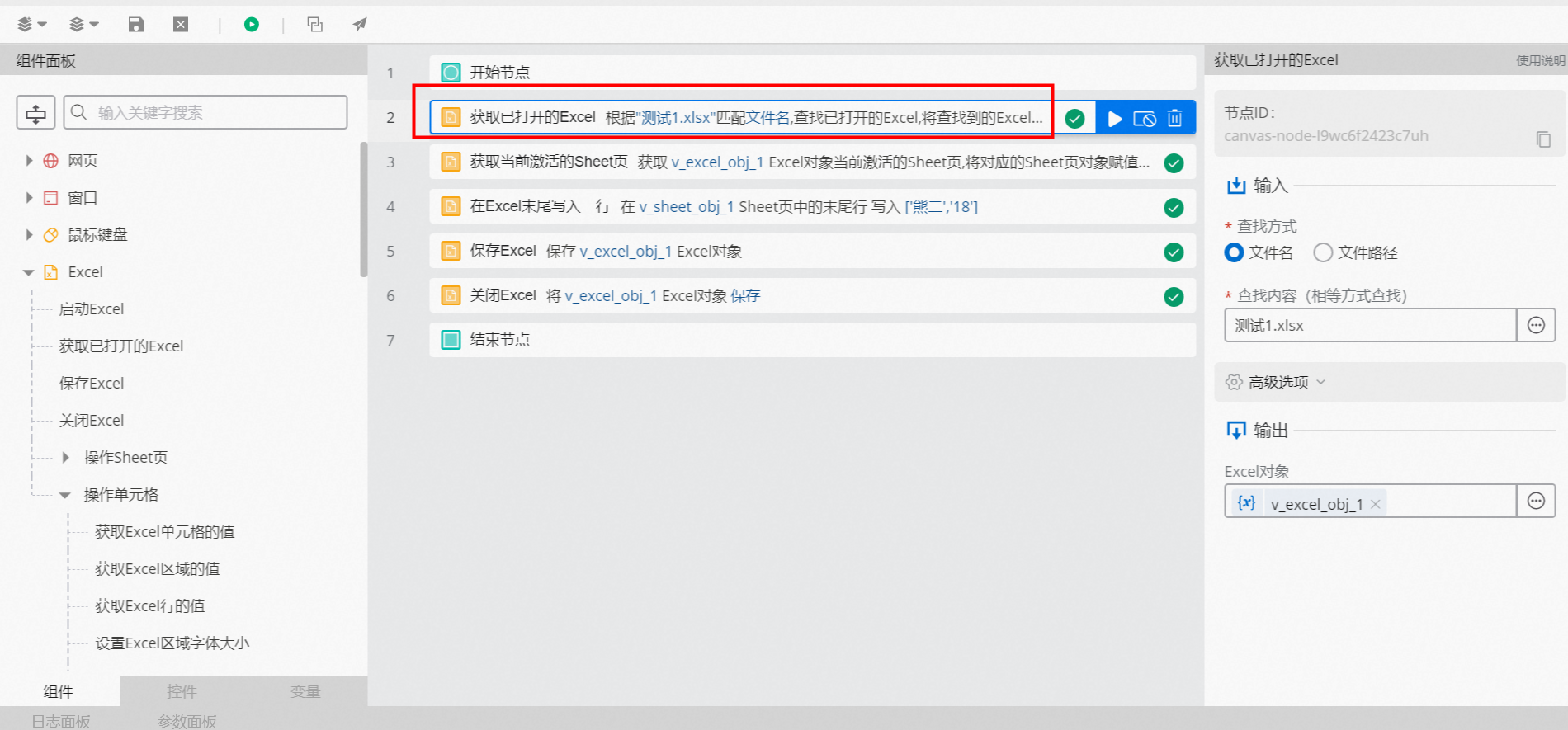
Execution result
As shown in the following figure, after the flow is executed, it retrieves the open Excel file, writes the specified values to the last row, and then saves and closes the file.