1. Component description
Prerequisites: Start Excel or Get Opened Excel.
Use this component to unhide cells in a specified area.
2. Inputs
For more information about the input parameters, see the help text for the component in the ROS Visual Editor.
3. Outputs
For more information about the output parameters, see the help text for the component in the ROS Visual Editor.
4. Component usage example
4.1. Component configuration example
Set
Opened Sheet Objectto v_Sheet_obj_1, which is the output of the Get Active Sheet or Activate Sheet component.In the
Hidden Area, select Column.Set
Area Start Columnto A.Set
Area End Columnto B.Advanced option defaults
4.2. Example execution result
None
5. Flow creation example
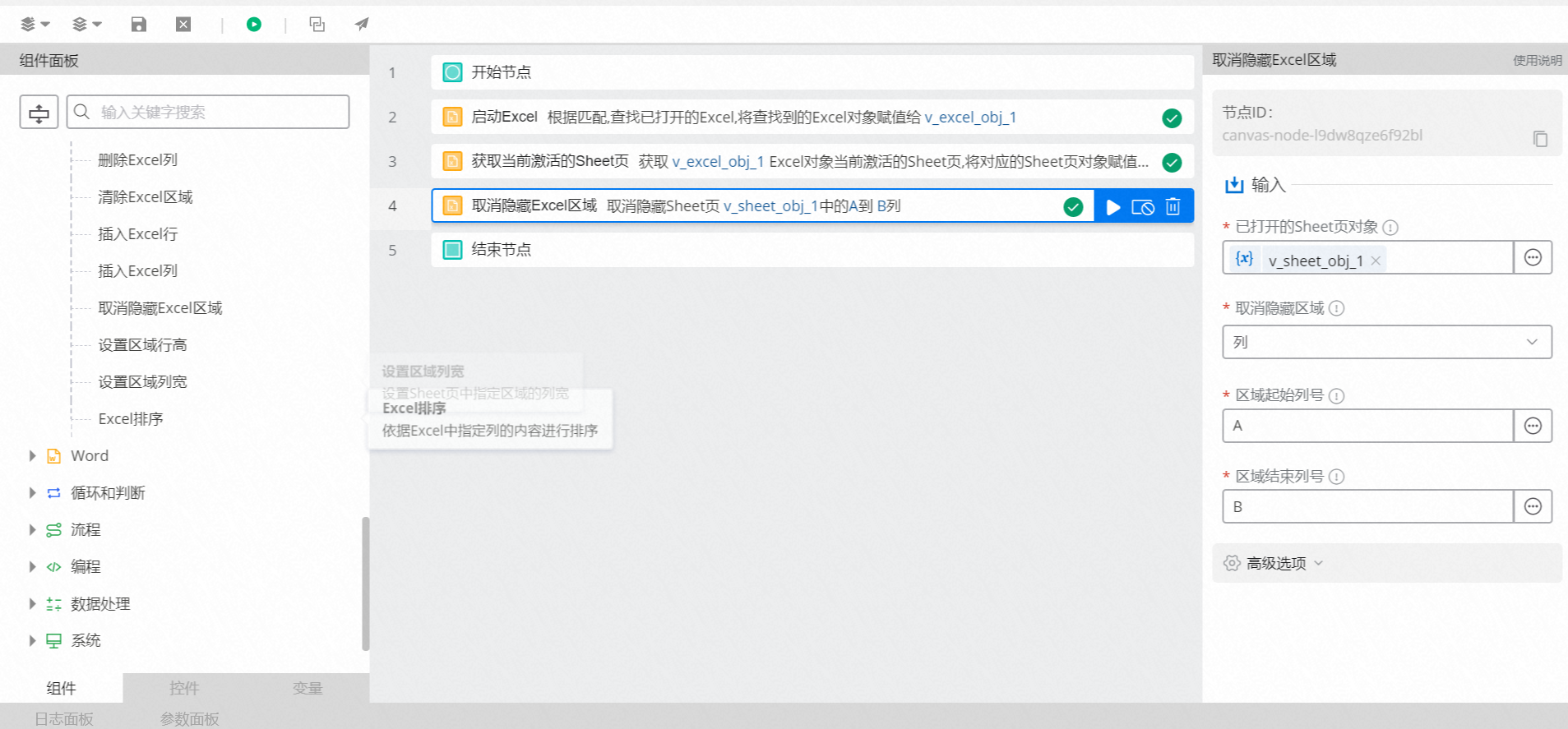
Setup flow
Use the Start Excel component to start the specified Excel file.
Use the Get Active Sheet component to obtain the current active sheet object.
Use the Unhide Excel Area component to unhide the cells in a specified area.
Execution result
After the flow runs, the cells in the specified area are unhidden, as shown in the following figures.