
开启调试路径
初始化卡片引擎时,在 config 中加入 setEnableDebugPath(true),表示开启调试路径。
CubeEngineConfig.obtain()
  .setEnableDebugPath(true)
重要
正式包建议关闭调试路径。
自定义一个扫码页面
自定义扫码页面,并在按钮中调用 MPCube.scan 方法。
@Entry
@Component
struct ScanPage {
  @State instance: CubeCard | null = null;

  aboutToAppear() {
  }

  aboutToDisappear() {
    if (this.instance) {
      this.instance.destroy();
    }
  }

  build() {
    Stack() {
      Column() {
          Button("扫码")
            .width('100%')
            .height('60')
            .fontSize(30)
            .onClick(() => {
              MPCube.scan((card,errorMsg)=>{
                if(null!==errorMsg){
                  prompt.showToast({
                    message: errorMsg,
                    duration: 2000
                  });
                  return
                }
                if(null!=card){
                  this.instance = card;
                }
              })
            })
        if (this.instance) {
          CubeCardComponent({ instance: this.instance })
        }
      }
      .justifyContent(FlexAlign.Center)
    }
  }
}
说明
若扫码成功,返回不为空的
card实例,给到CubeCardComponent即可渲染。若扫码失败,返回的
card为空,errorMsg不为空。
如何本地化扫一扫
下载 Visual Studio。
单击 打开文件夹,并选择一个英文的文件夹。
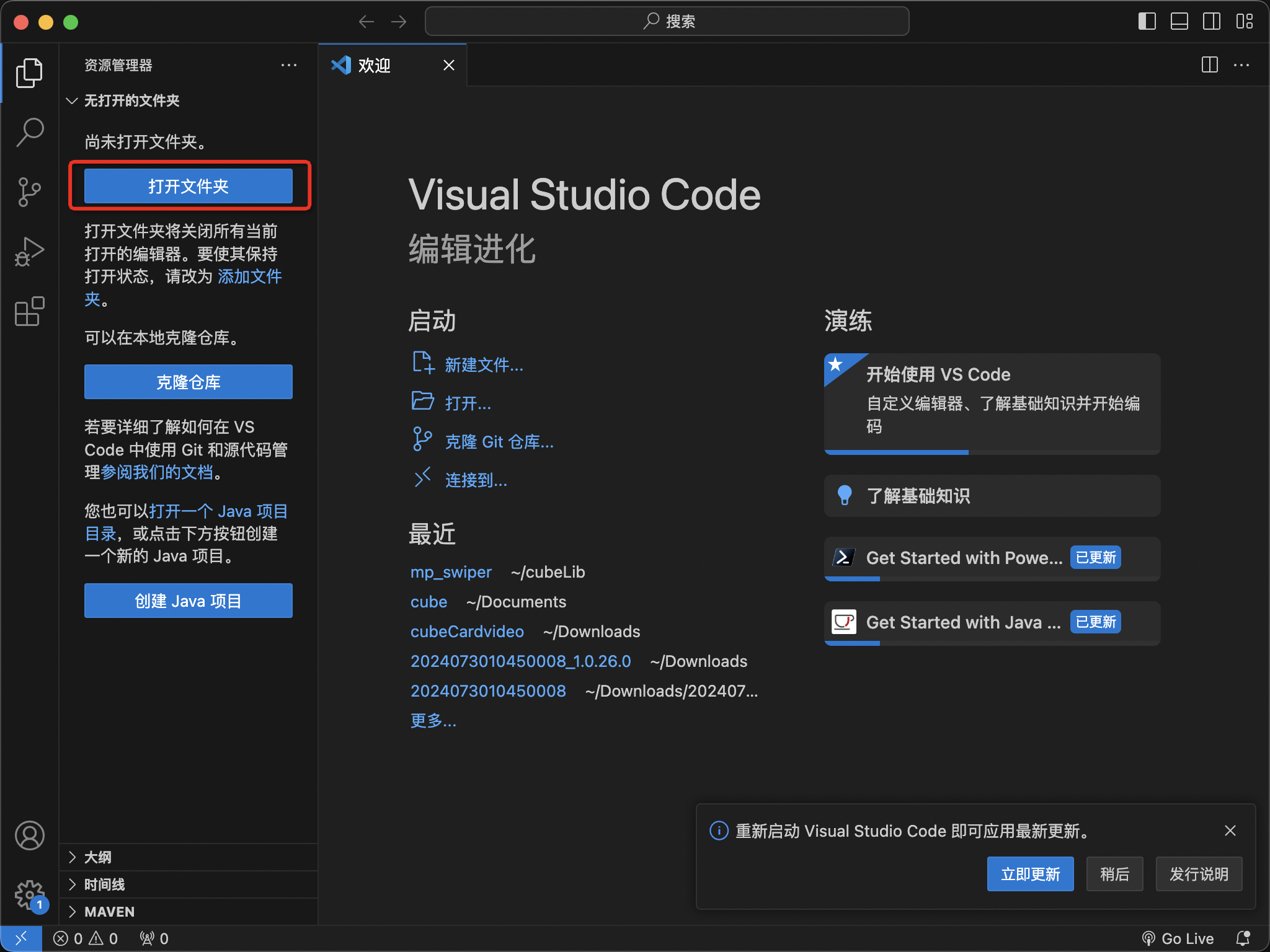
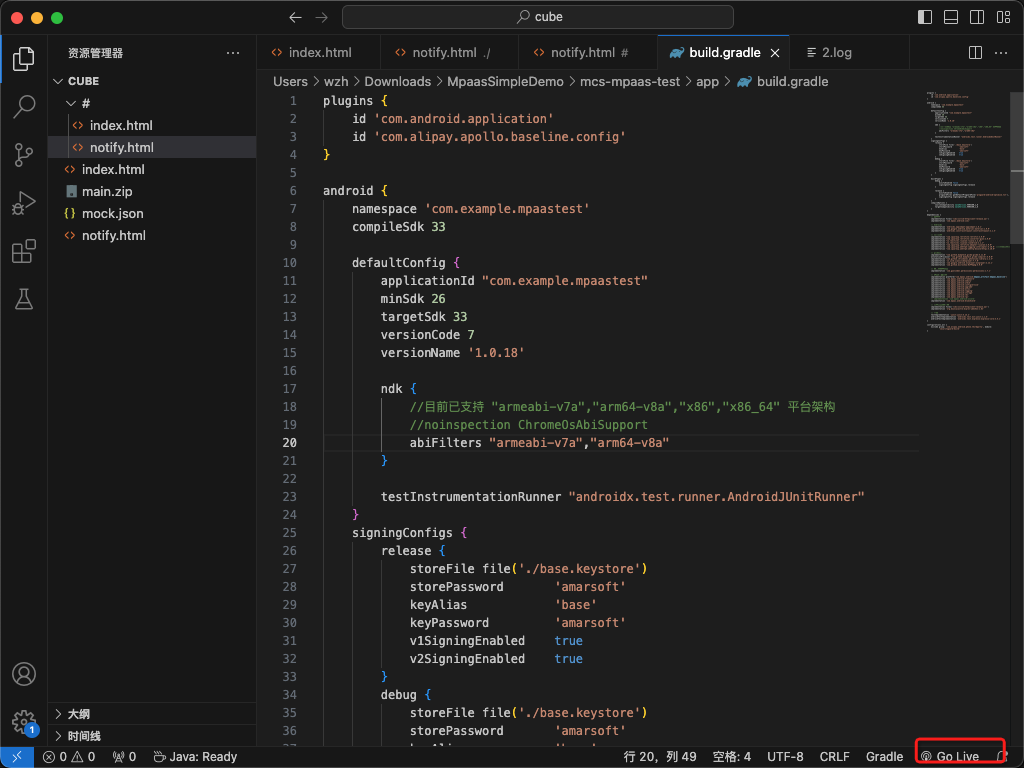
在该文件夹下写入
index.html,index 中可以随意编写。单击如图所示的 Go Live,发布。
将生成的产物
main.zip和mock.json复制到上面打开的英文文件夹中。生成二维码。
二维码链接如下,将 URL 中的 IP 地址及端口号改为本机的 IP 地址和 Go Live 使用的端口号。
cid=aaa@cver=1.0.X.X@url=http://30.172.XX.XXX:8082/main.zip@jsonUrl=http://30.172.82.148:8082/mock.json不替换发布文件下文件的情况下,如何在卡片工程中发布。
在卡片工程中新建
cd.sh文件,并复制以下代码到文件中。#!/bin/bash cubePath="/Users/wzh/cubeLib/mp-video" #本地卡片地址 cardName="mp-video" # 卡片的名称 outPath="/Users/wzh/Documents/cube" # 输出地址,即发布文件夹 cd $cubePath act build cp "$cubePath/mock.json" "$outPath/" cp "$cubePath/dist/$cardName/main.zip" "$outPath/"修改以上文件中的 cubePath、cardName 和 outPath。
执行 sh 命令,会自动 build。
将 build 后的文件复制到发布文件夹下。
说明鸿蒙应用需要杀进程后重新扫描。
该文章对您有帮助吗?