
Rule系统
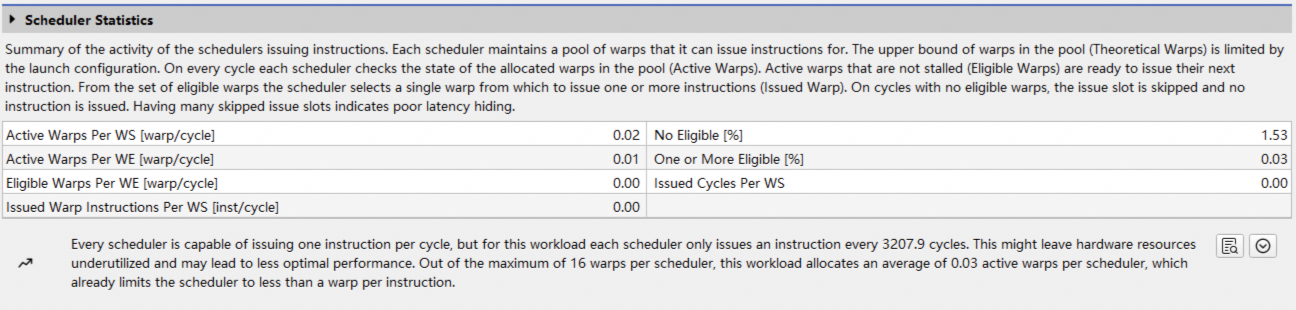
Asight Compute提供了一个基于Python的rule系统,用于在报告中自动检测潜在的性能问题并给出优化建议。Rule基于采集到的metrics进行分析,当满足设定条件时,会在报告中生成提示、警告或错误信息,如下图所示:
1. 管理Rule文件
每个rule都是一个py文件,位置在当前用户的文档目录下,例如:
C:\Users\<用户名>\Documents\Asight Systems\2.0.0.0\Sections\
除了内置的标准rule外,还可以通过py文件自定义rule,灵活指定rule名称、依赖的metrics以及触发条件和改进建议等。Sections Info窗口中展示了所有的rule,可以通过View->Show Section Tool打开:
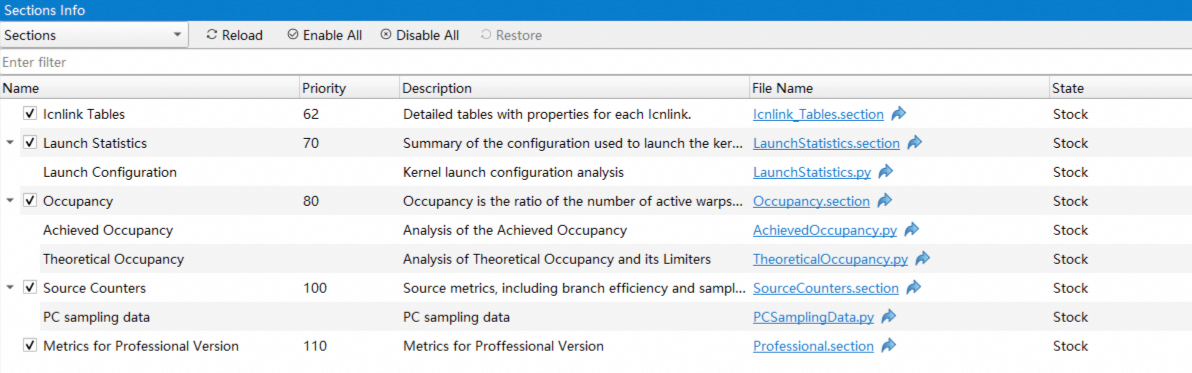
上述窗口中rule显示在其所属的section节点下,State列展示了当前rule的状态:
Stock:内置的rule,未经修改
User Modified:用户修改过的rule
User Created:用户添加的rule
User Deleted:用户删除的rule
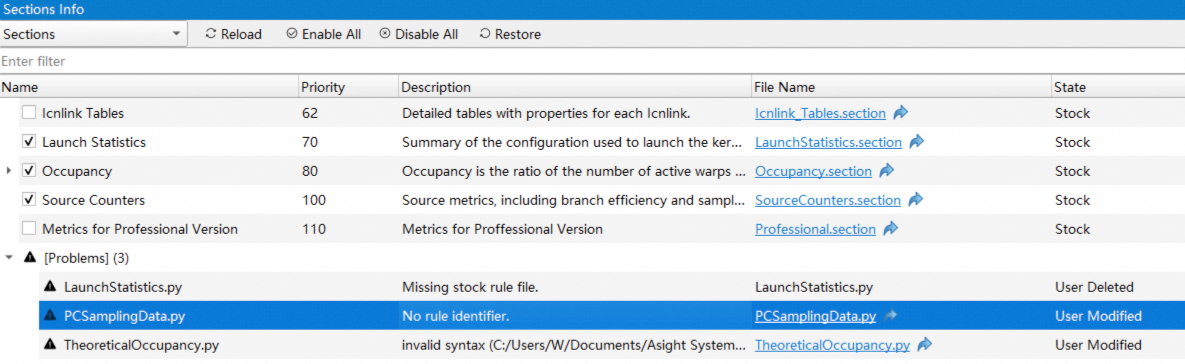
可以通过点击File Name列快速跳转到rule所在文件夹。修改完rule后,可以点击上方的Reload按钮,重新加载rule,对于加载失败的rule,表格中会显示相应的错误信息,例如:
点击上方的Restore按钮可以将选中的rule文件恢复成初始状态。
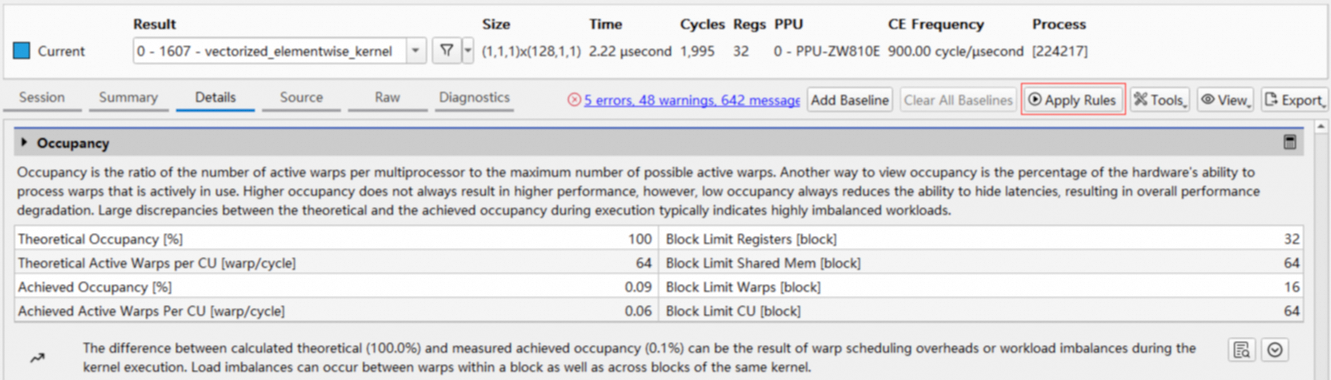
可以点击Details Page中的Apply Rules按钮应用rule:
2. 内置Rule
Asight Compute已经内置了如下rule,用来分析和定位采集报告中潜在的性能、计算资源和内存资源利用率等问题。
LaunchStatistics:内核启动配置分析,比如grid和block配置分析等。
TheoreticalOccupancy:分析理论占用率及其影响因素,比如CU可管理的最大block数、寄存器和共享内存使用大小、block大小等。
AchievedOccupancy:分析实际占用率。
IssueSlotUtilization:基于调度器指令发射机制的warp停滞类型原因分析。
PCSamplingData:分析当前PC采样事件为零计数的原因。
3. 编写自定义Rule
Asight Compute通过HgRules模块提供了对外的Python接口。所以每个自定义rule都需要import HgRules。
参照下面的“自定义rule示例”,每个rule均需要实现如下的方法:
get_identifier():该rule的内部标识符。
get_name():该rule的可读性描述名称,比如
Basic Template Rule。get_description():该rule的描述信息,比如
A rule template, demonstration basic HgRules functionality。get_section_identifier():该rule所对应的
section的标识符,比如LaunchStats。apply():该rule的主处理函数,其中参数
handle用于获取rule的上下文
实现了上述方法之后,请将自定义rule文件放在和内置rule相同的目录下面。
自定义rule示例:
import HgRules

def get_identifier():
    return "TemplateRule1"

def get_name():
    return "Basic Template Rule"

def get_description():
    return "A rule template, demonstration basic HgRules functionality"

def get_section_identifier():
    return "LaunchStats"

def apply(handle):
    # get the rule context, which provides all remaining functions, access to actions, metrics etc.
    ctx = HgRules.get_context(handle)

    # select the first action (CUDA workload) from the first range (CUDA stream)
    action = ctx.range_by_idx(0).action_by_idx(0)

    # get the frontend object, which interacts with the UI and profiler report
    fe = ctx.frontend()

    # get two metrics from this action
    grid_size = int(action.metric_by_name("launch__grid_size").as_double())
    block_size = int(action.metric_by_name("launch__block_size").as_double())

    # post a message to the frontend
    fe.message(HgRules.IFrontend.MsgType_MSG_OK, "Workload launch config: " + str(grid_size) + "x" + str(block_size))

    # post a warning message to the frontend
    fe.message(HgRules.IFrontend.MsgType_MSG_WARNING, "This is what a warning of the analysis might look like")