Purchase the Cloud Business Opportunities (formerly Enterprise Procurement CRM) service
This topic describes how to purchase the Cloud Business Opportunities service. The procedure differs depending on whether you have a 1688.com account.
For users with a 1688.com account
Log on and attach your account
If you have a 1688.com account that has completed enterprise identity verification and is registered with Enterprise Procurement, you can follow these steps to authenticate.
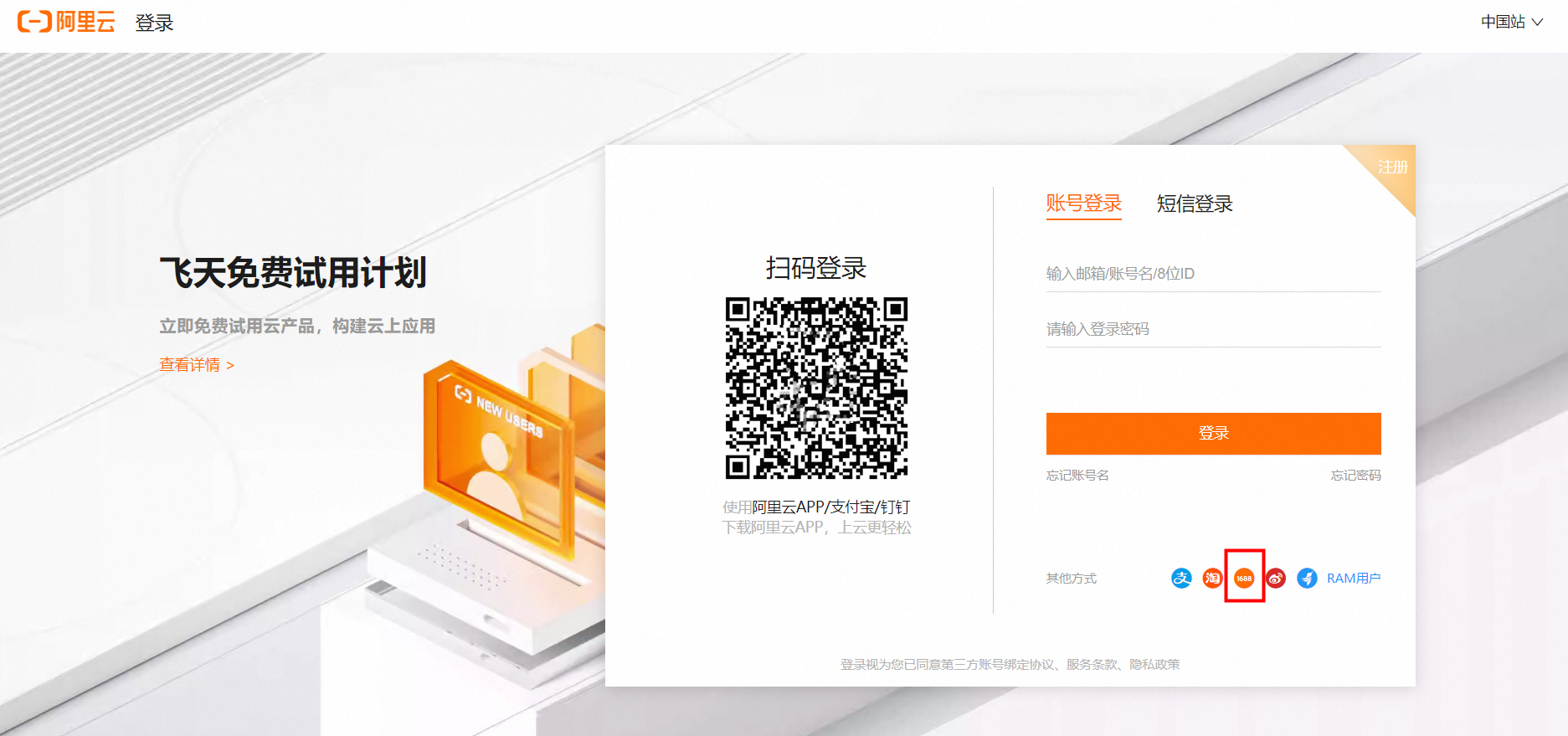
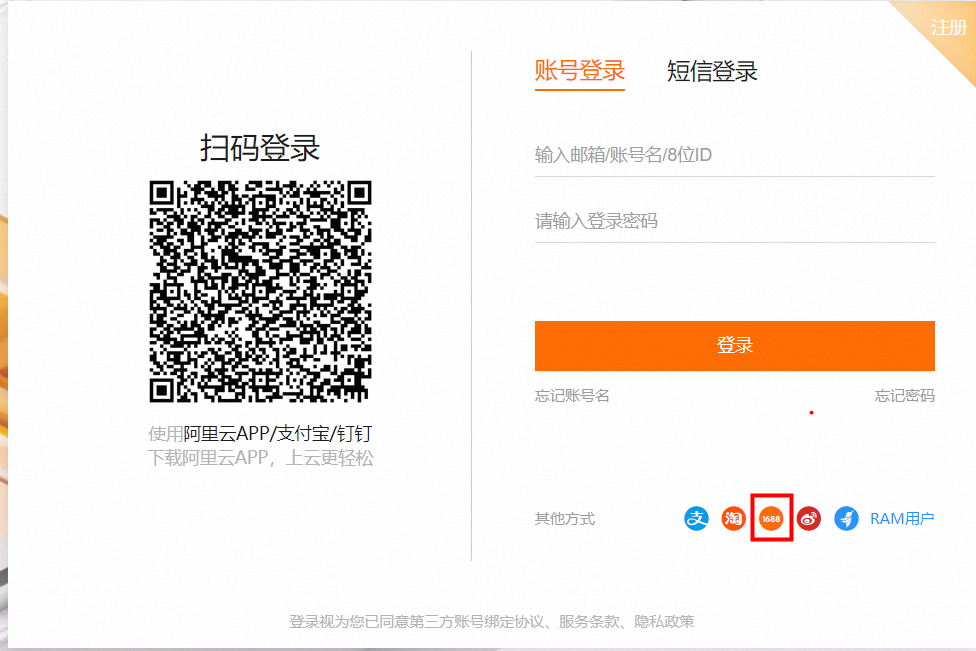
Log on to the Alibaba Cloud official website. Select Other Methods and click the 1688 icon.
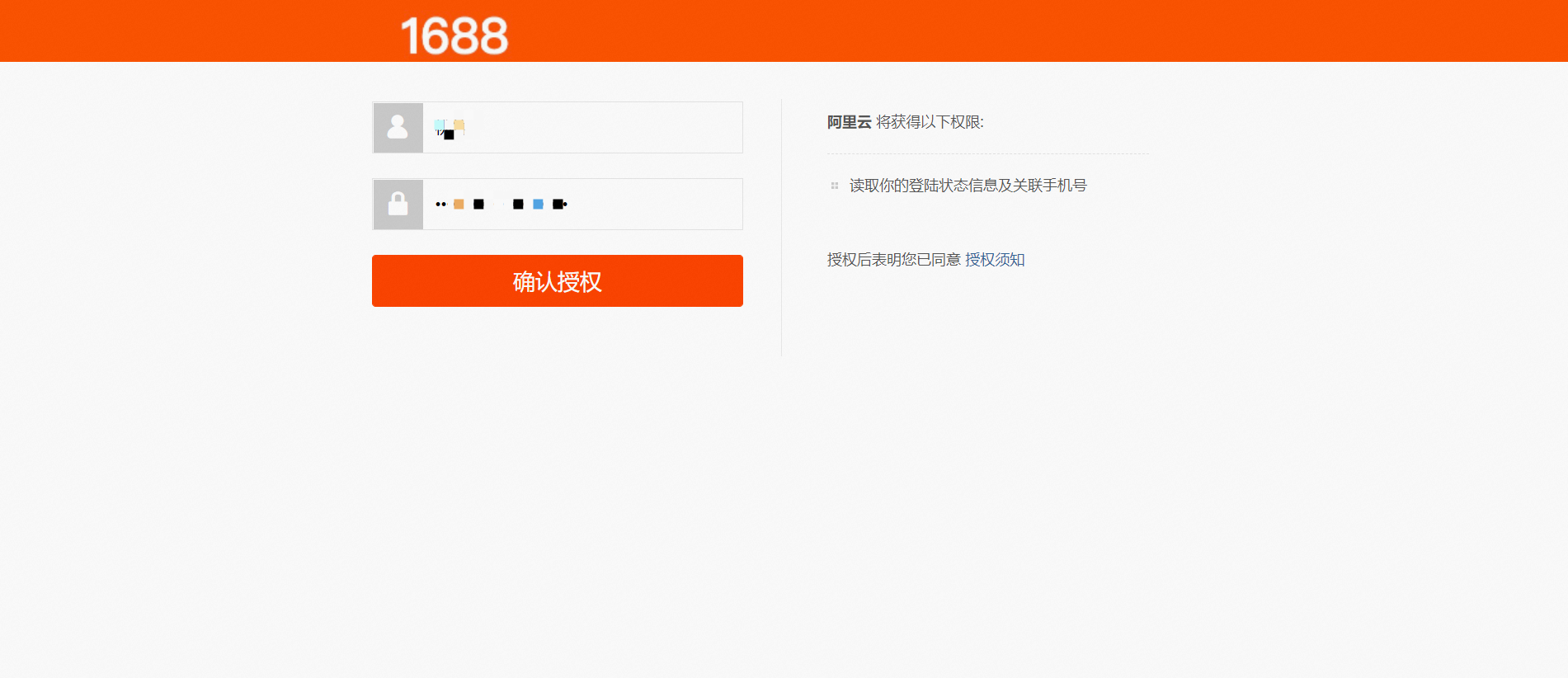
On the next page, enter your 1688.com account name and password, and click Confirm Authorization.
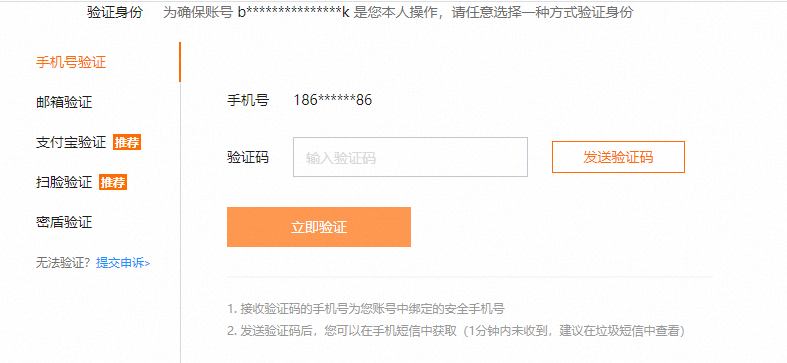
For security, Alibaba Cloud requires identity verification. Choose a verification method from the options on the left.
Note:
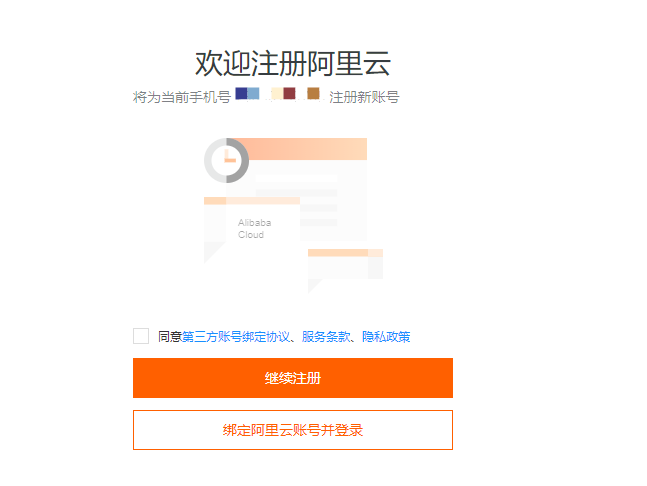
If your 1688.com account is already attached to an Alibaba Cloud account, the logon is completed automatically.
If this is your first time, you must attach an Alibaba Cloud account. After you complete the verification, you can select Continue Registration to use your current phone number. If you already have an Alibaba Cloud account, click Attach Alibaba Cloud Account and Log On to attach your 1688.com account to your Alibaba Cloud account.
After you log on, go to the Third-Party Account Binding page in the Account Center and confirm that your account is attached to your 1688.com account.
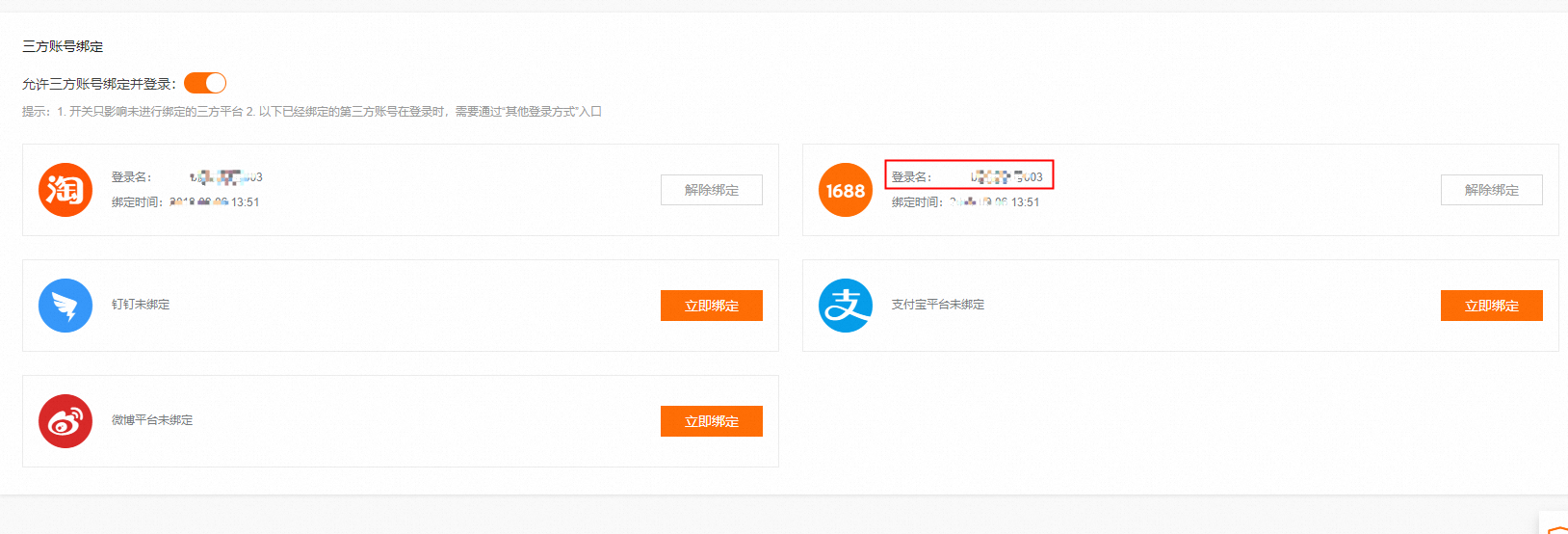
A 1688.com account and an Alibaba Cloud account must have a one-to-one attachment. After an account is attached, do not detach it or attach it to a different account. Otherwise, you may be unable to create quotations.
If you have multiple 1688.com accounts, you must register multiple Alibaba Cloud accounts and attach them accordingly.
Alibaba Cloud account identity verification
Because Alibaba Cloud accounts and 1688.com accounts are separate systems, you must complete enterprise or individual business identity verification again on Alibaba Cloud. If you completed the previous steps, you can select 1688 Authorization on the identity verification page.
Note: Some customers may not be able to use the 1688 Authorization method because their identity verification data on 1688.com is incomplete. In this case, you can use other methods to complete the verification. For more information, see How to complete enterprise or individual business identity verification.
Purchase the product
Go to the Cloud Business Opportunities product page to view product editions and other details.
Select the product edition that you want to purchase. The following figure shows an example. The options on the official website prevail.

Click Buy Now for the selected product edition. On the next page, read and agree to the Terms of Service, and then click Pay to complete the purchase.
After you place the order, go to the Orders page to check if the purchase was successful. If you have not paid but an order was generated, you can also go to this page and click Details to continue the payment.
Use the product
After you purchase the product, go to the workbench. We recommend that you log on with your Alibaba Cloud account. After you click Alibaba Cloud Logon, you can also use your 1688.com account for authorization.
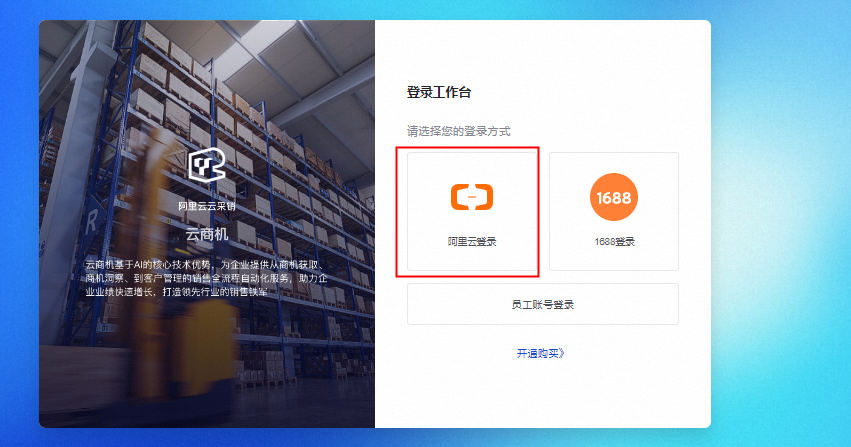
After you log on, check the upper-right corner of the homepage to confirm that your purchased product is active and to view its current usage, as shown in the following figure. If the displayed edition is not the one you purchased, confirm that you are logged on with the correct Alibaba Cloud account.
After you confirm this, the purchase process is complete. You can perform business operations on pages such as Find Business Opportunities, Find Bids, and Find Companies.
For users without a 1688.com account
Alibaba Cloud account registration and identity verification
For more information, see How to register an Alibaba Cloud account.
For more information, see How to complete enterprise or individual business identity verification.
Purchasing the Cloud Business Opportunities product requires enterprise or individual business identity verification. Do not select individual user verification. If you have already completed individual identity verification, you can upgrade it. For more information, see How to upgrade your identity verification.
Purchase the product
Go to the Cloud Business Opportunities product page to view product editions and other details.
Select the product edition that you want to purchase. The following figure shows an example. The options on the official website prevail.
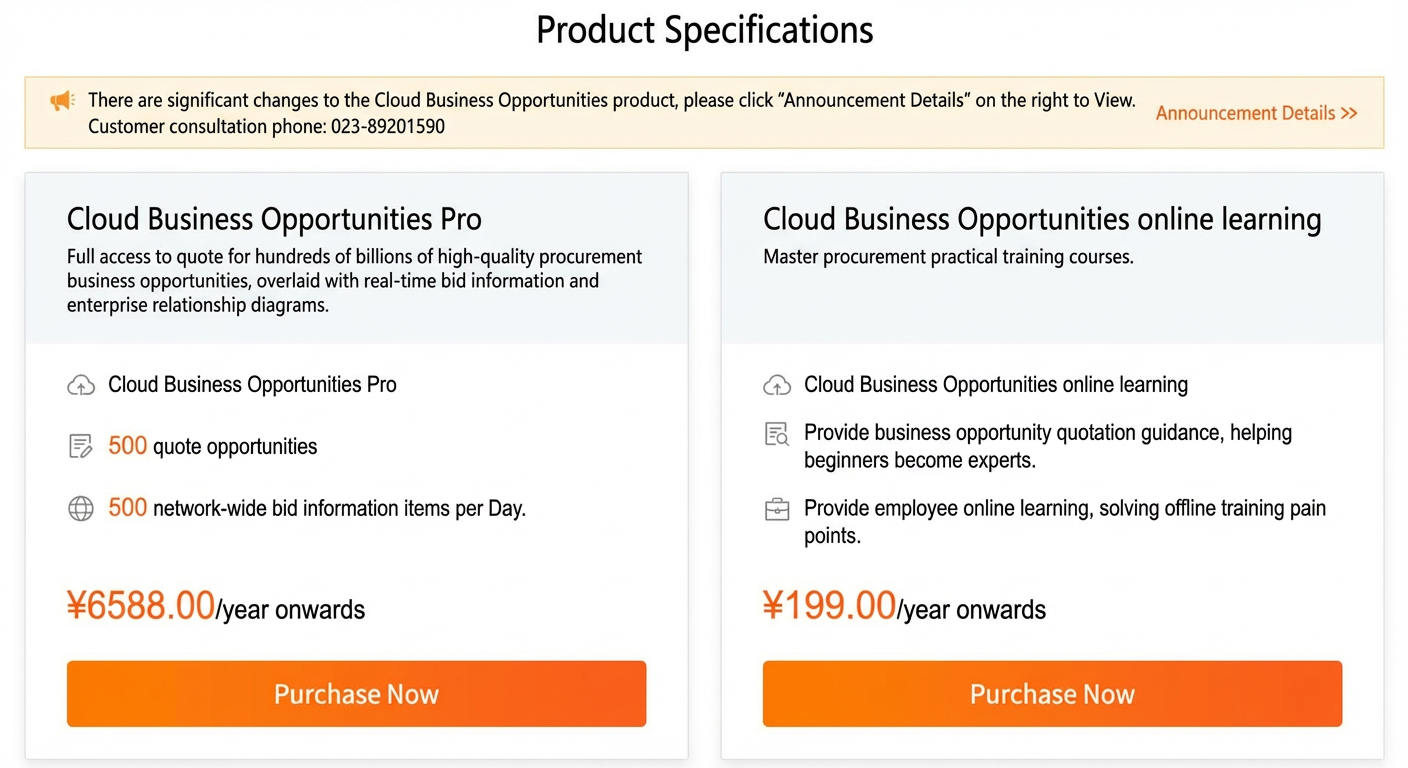
Click Buy Now for the selected product edition. On the next page, read and agree to the Terms of Service, and then click Pay to complete the purchase.
Use the product
After you purchase the product, go to the workbench. Log on with your Alibaba Cloud account. After you click Alibaba Cloud Logon,
On the page that appears, enter your enterprise name and Unified Social Credit Code. This information must be consistent with your Alibaba Cloud enterprise identity verification. Submissions with inconsistent information will be rejected. After you enter the information, agree to the protocol and click Join Now.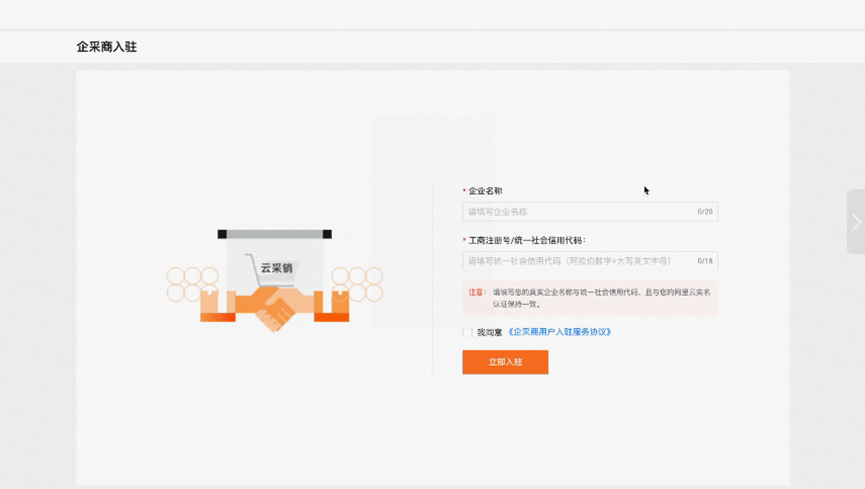
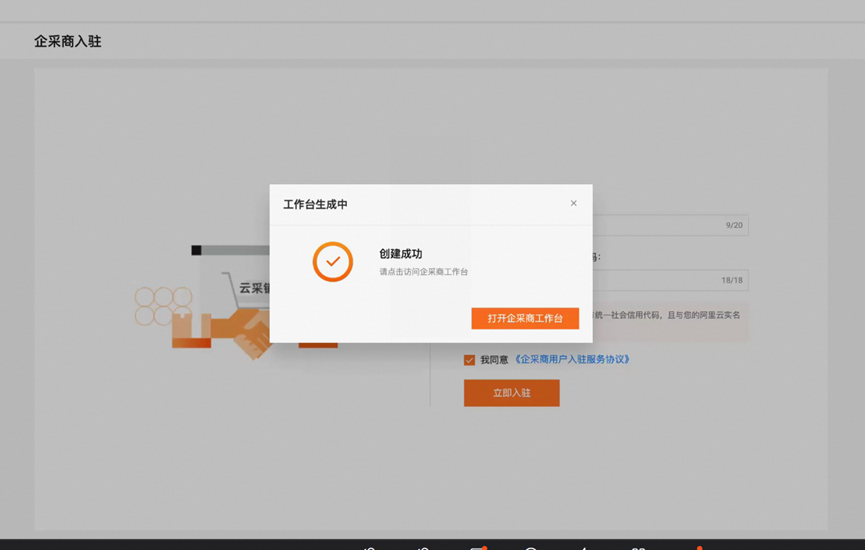
After the workbench opens, check the upper-right corner of the homepage to confirm that your purchased product is active and to view its current usage, as shown in the following figure. If the displayed edition is not the one you purchased, confirm that you are logged on with the correct Alibaba Cloud account.
After you confirm this, the purchase process is complete. You can perform business operations on pages such as Find Business Opportunities, Find Bids, and Find Companies.