Create a product and define its features
A product is a collection of devices of the same type. Devices in the same product share the same features. You can create multiple products in each project. After you create a product, you can define its features to represent the physical device as a data model. This data model consists of properties, services, and events, which simplifies cloud management and data interaction.
Create a product
On the project homepage, click Create New Product.
Configure the product parameters.
For more information, see Create a product.
This topic provides an example of a Bluetooth mesh smart lamp. The following figure shows the parameter settings.
Click Confirm.
After the product is created, the Define Features page appears.
Define product features
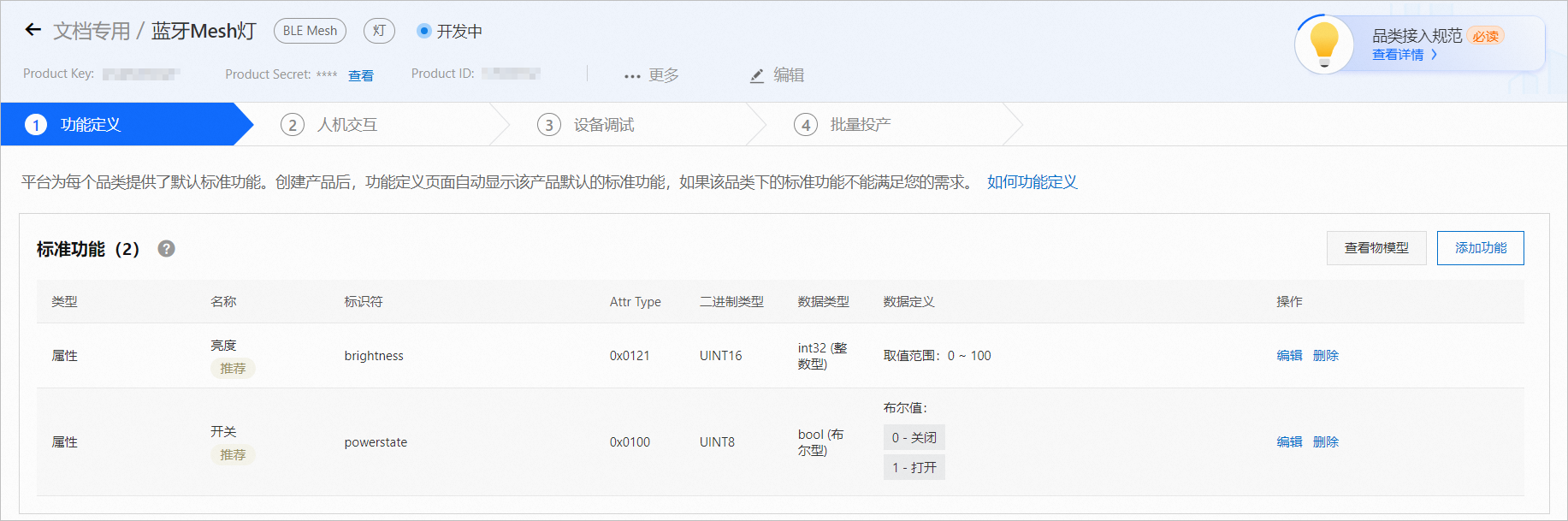
The platform provides standard features for each product category. After you create a product, the Define Features page automatically displays the standard features for the product.
If the standard features meet your requirements, click Next to skip the following steps.
If the features do not meet your requirements, you can add or modify them.
On the Define Features page for the product, click Add Feature.
In the Select Features area on the left, click a feature type. The system automatically adds it to the Selected Features area on the right.
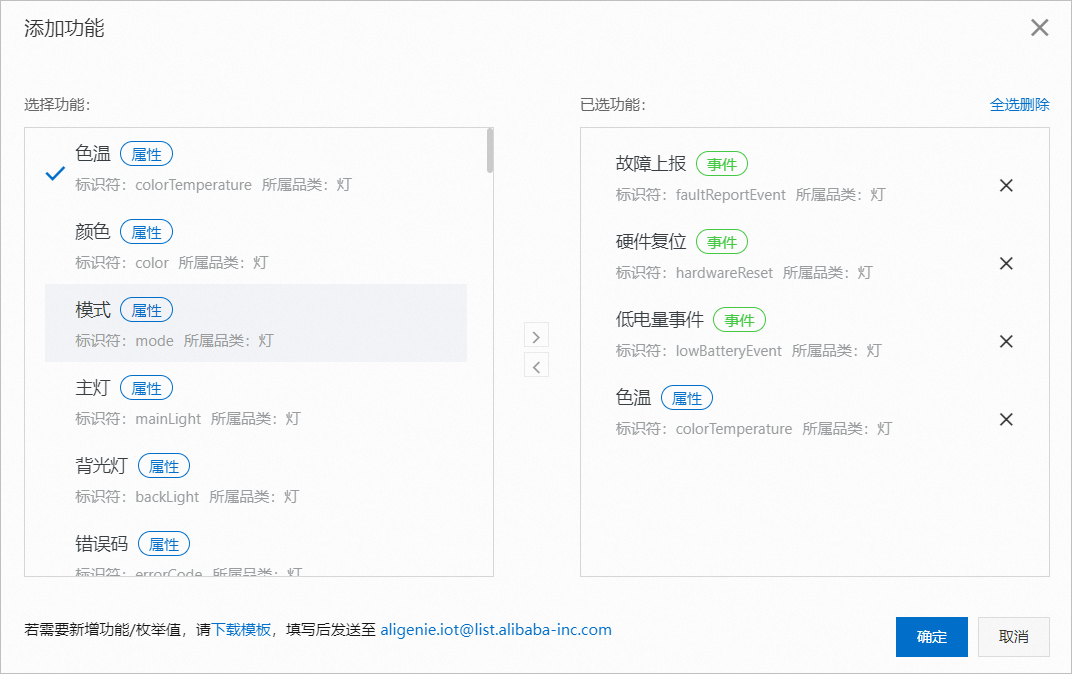
Click OK.