Cumulative layout shift (CLS)
Cumulative Layout Shift (CLS) is a stable Core Web Vitals metric for measuring visual stability. It is an important, user-centric metric that quantifies how often users experience unexpected layout shifts. A low CLS score helps ensure a pleasant browsing experience.
What is CLS
CLS (Cumulative Layout Shift) is the cumulative score of all unexpected layout shifts that occur during the entire lifecycle of a page. A layout shift occurs when a visible element changes its position from one rendered frame to the next.
How is the CLS score calculated?
To calculate the layout shift score, the browser analyzes the size and movement of unstable elements in the viewport between two rendered frames. The layout shift score is the product of two measurements for the moving element: the impact fraction and the distance fraction.
layout shift score = impact fraction * distance fractionImpact Score
The impact fraction measures how an unstable element affects the viewport area between two frames. The impact fraction is the union of the visible areas of all unstable elements in the current and previous frames, expressed as a fraction of the total viewport area.
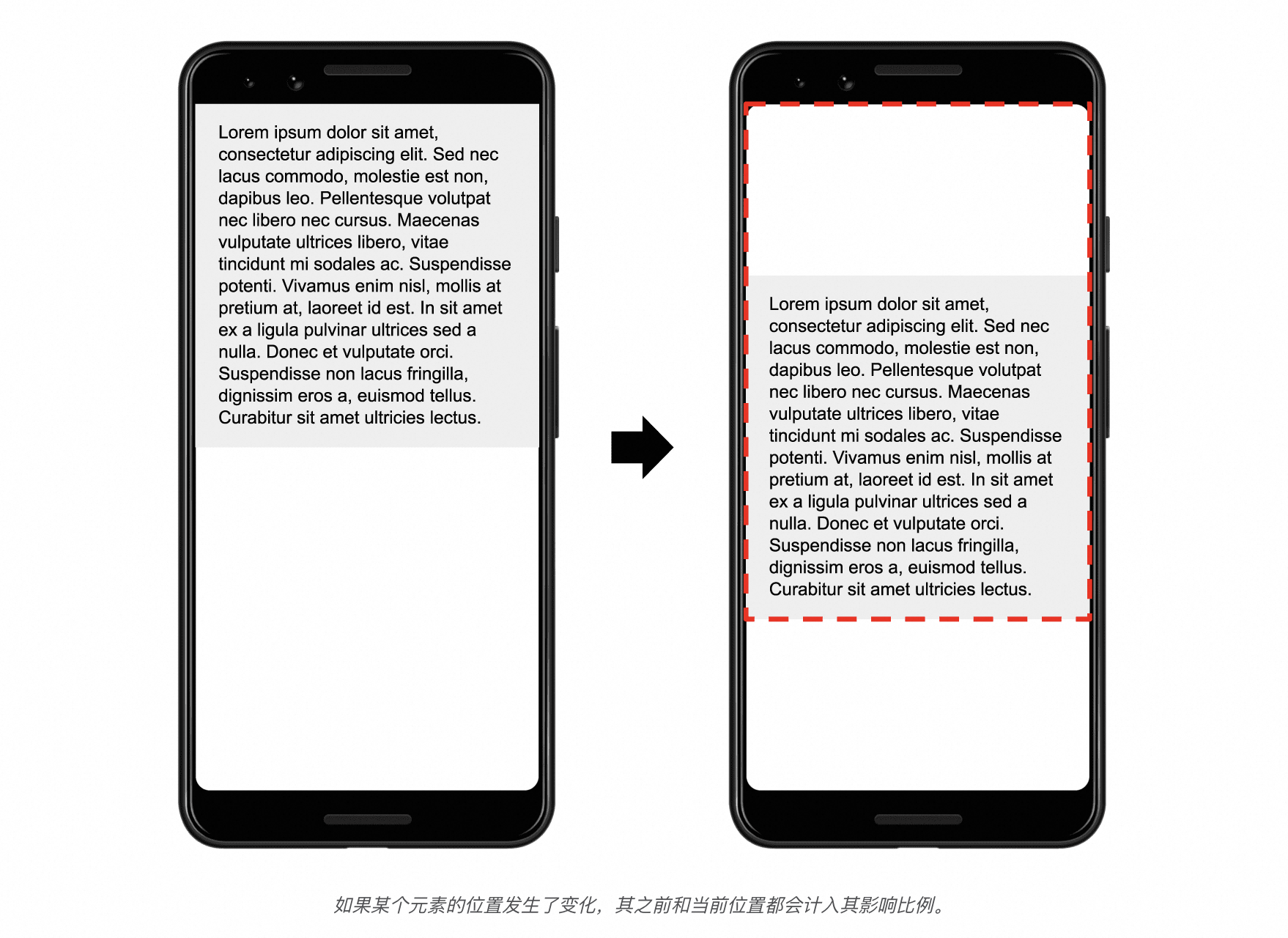
In the image above, an element occupies half of the viewport in one frame. In the next frame, the element moves down by 25% of the viewport height. The red dashed line rectangle shows the union of the element's visible area across both frames. In this example, this area is 75% of the total viewport, so its impact fraction is 0.75.
Distance fraction
The other component of the layout shift score formula measures the distance that an unstable element has moved relative to the viewport. The distance fraction is the greatest distance any unstable element has moved in the frame (either horizontally or vertically) divided by the viewport's largest dimension (either width or height).
In the previous example, the largest viewport dimension is the height. The unstable element moved 25% of the viewport height. This makes the distance fraction 0.25.
In this example, the impact fraction is 0.75 and the distance fraction is 0.25. The layout shift score is 0.75 × 0.25 = 0.1875.
CLS score reference values
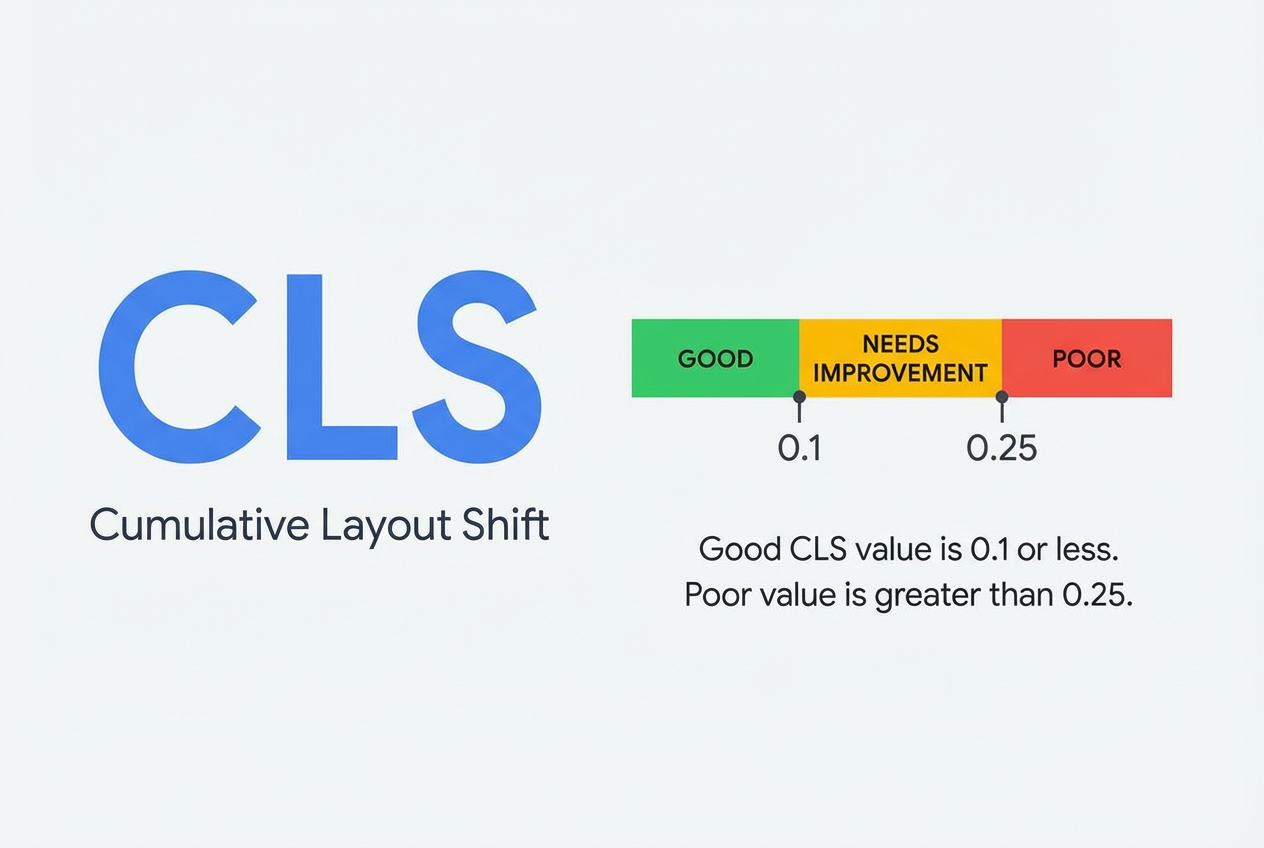
To provide a good user experience, a website should have a CLS score of 0.1 or less. A CLS score less than 0.1 is considered good, and a score greater than 0.25 is considered poor. To assess if this target is met for most users, a good threshold to measure is the 75th percentile of page loads.
How to get CLS
In JavaScript, you can use the Layout Instability API to measure layout shifts. The following example shows how to create a PerformanceObserver to log layout-shift entries to the console:
new PerformanceObserver((entryList) => {
  for (const entry of entryList.getEntries()) {
    console.log('Layout shift:', entry);
  }
}).observe({type: 'layout-shift', buffered: true});
In most cases, the CLS value when the page is unloaded is the final CLS value for that page. However, there are some important exceptions. For more information, see Differences between the metric and the API. These exceptions are handled by the plugin implementation.
Note: In some cases, such as cross-origin iframes, you cannot measure CLS in JavaScript. For more details, see the Limitations section of the web-vitals library.
Reference links
Introduction to CLS: https://web.dev/articles/cls?hl=zh-cn
Optimizing CLS: https://web.dev/articles/optimize-cls?hl=zh-cn