You can modify the name, ID, usage, introduction, description, and logo of an H5 app on the Mini Program Open Platform.
-
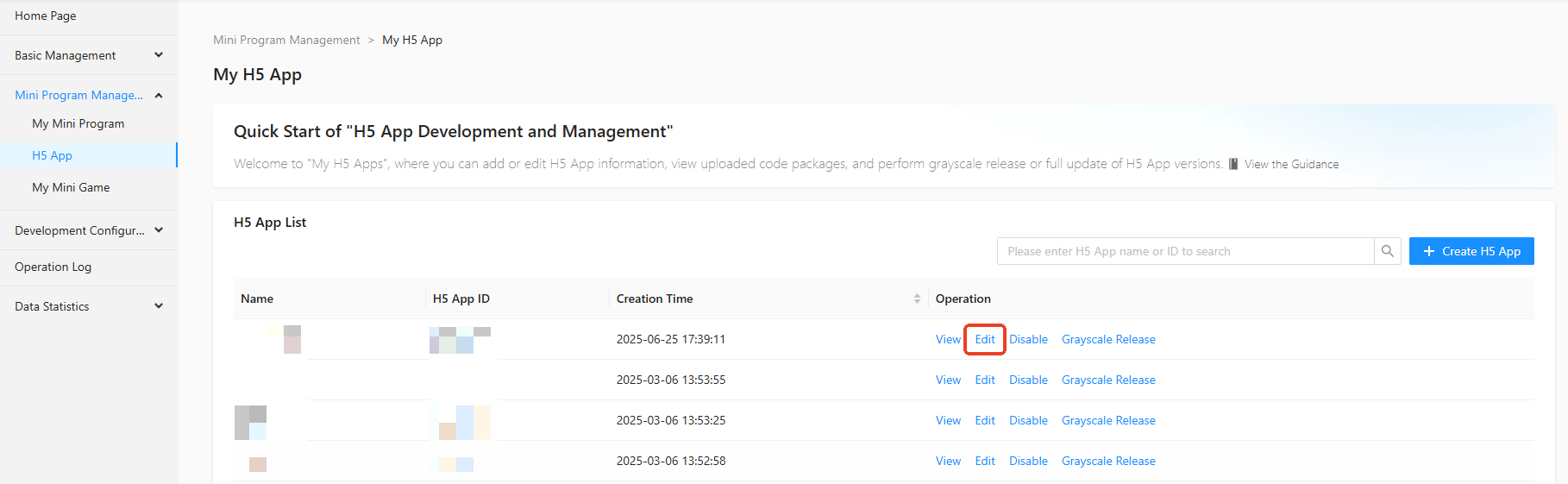
In the navigation pane on the left of the Mini Program Open Platform > Developer Backend, click Mini Program Management > My H5 App to access the My H5 App page.
-
On the My H5 App page, click Edit in the operation column of the mini program list.
-
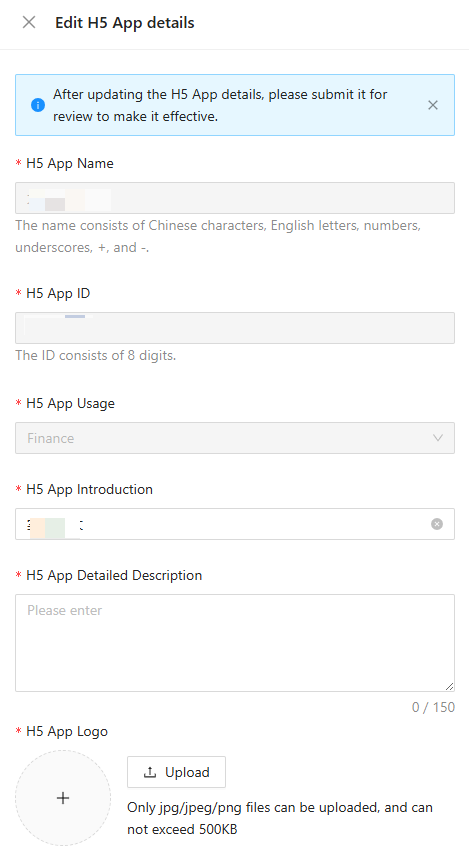
In the Edit H5 App details side panel, set the H5 App Name, H5 App ID, H5 App Usage, H5 App Introduction, H5 App Detailed Description, and H5 App Logo.
-
Click Confirm to save the H5 App information.
Note
After you edit the H5 app information, submit the app for review to apply the changes.
该文章对您有帮助吗?