Push overview
View basic data on the homepage of the Mobile Push console.
Prerequisites
Create a Resource Access Management (RAM) user. For more information, see Create a RAM user.
Activate the EMAS service, and create a project and an application. For more information, see Multiexperience Development Platform EMAS > Getting Started.
Procedure
Log on to the EMAS console. Select the Mobile Push product.
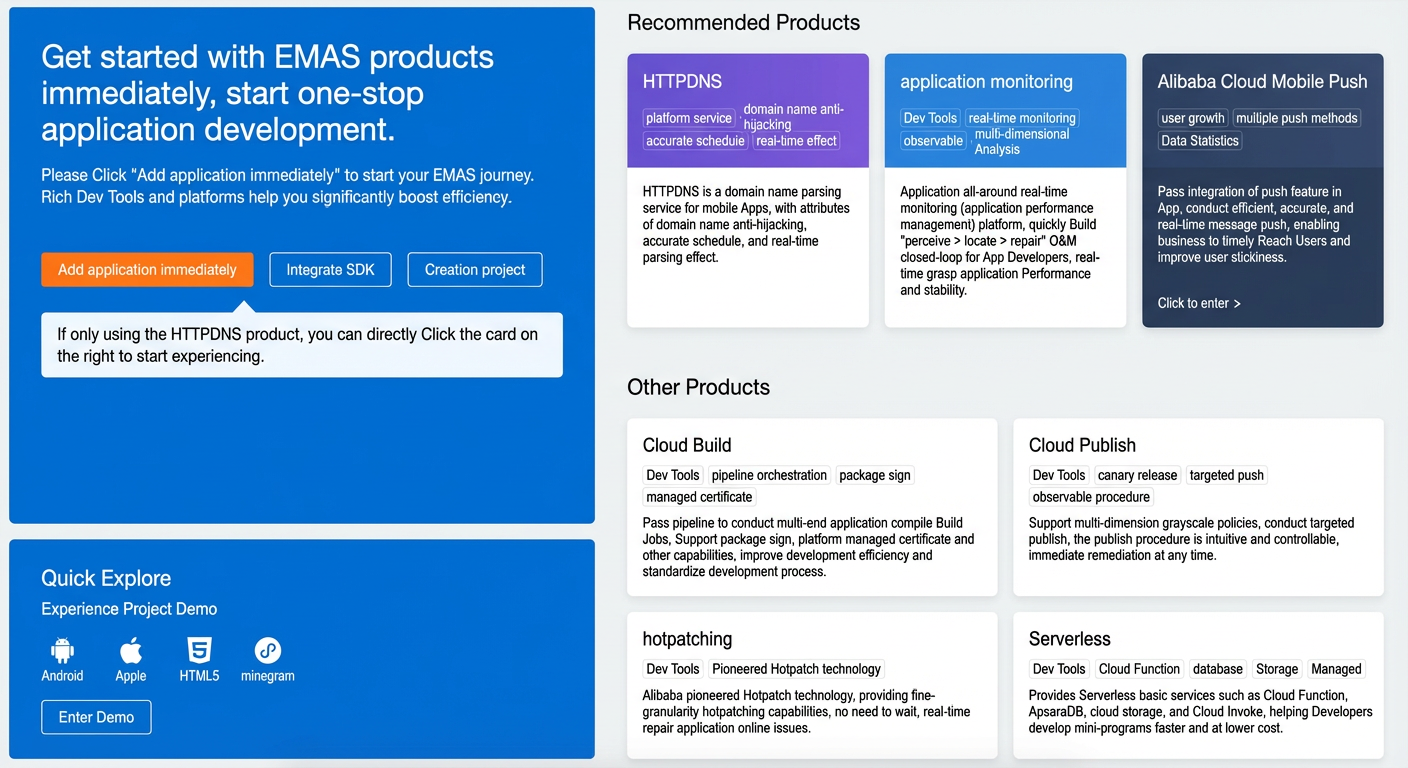
You are directed to the Mobile Push welcome page.
Item
Description
1
Click the drop-down list to switch between applications.
2
Click Get Started to go to step 5.
3
Click Help Documents to go to the help documents homepage.
4
The main features of the product are listed here.
Go to the overview page. At the top of the page, select a timestamp range. You can also specify a custom time range as needed.
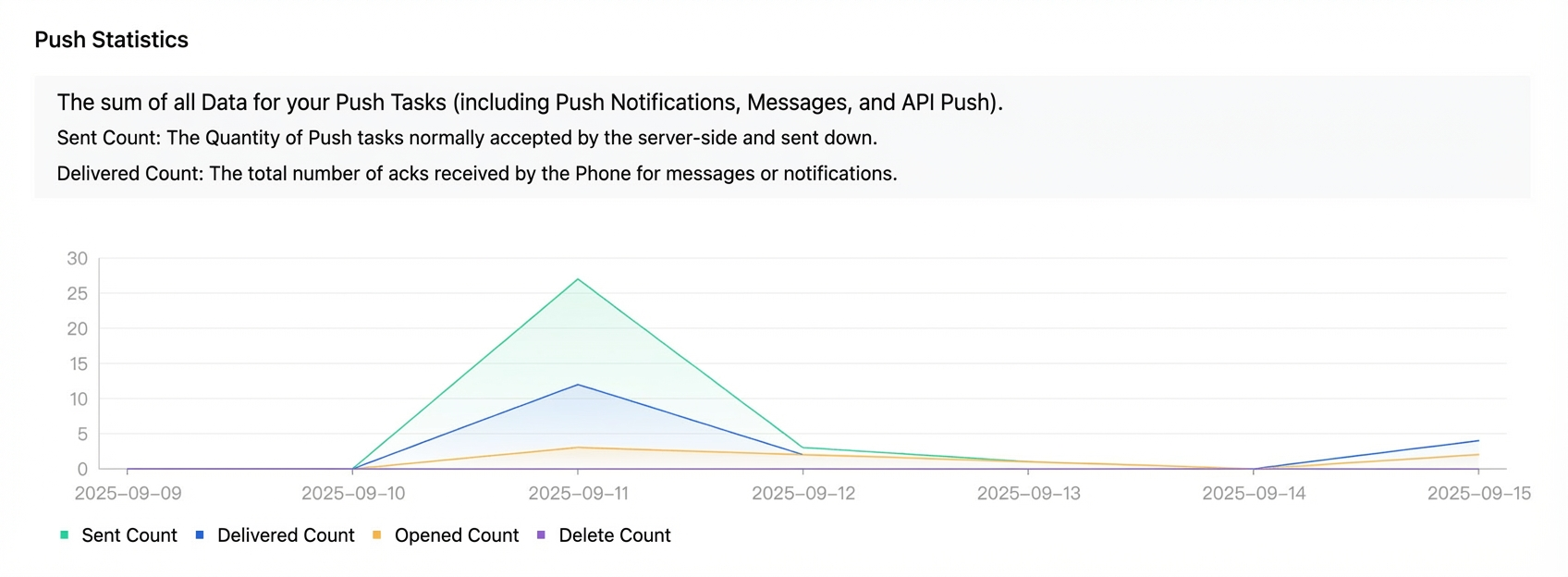
View the Push Statistics data
NotePush statistics include all data from console pushes and API pushes.
Parameter
Description
Sent
The number of pushes that are accepted and sent by the server.
Arrival Count
The total number of acknowledgments (ACKs) for messages or notifications received by devices.
Opened
Opened
Number of deletions
The number of notifications that users successfully received and manually cleared.
The total number of notification deletion receipts reported within the specified period. To configure the reporting of notification deletion receipts, see the Android SDK API documentation and the iOS SDK API documentation.
Note• The deleted count is not supported on systems earlier than iOS 10.
• For iOS users, clicking Clear All in the notification bar is not counted as a deletion.
• For Android, the deleted count is the sum of notification deletion receipts from the Alibaba Cloud push channel and the vendor channel.
• Deletion receipt statistics are not currently supported on HarmonyOS.
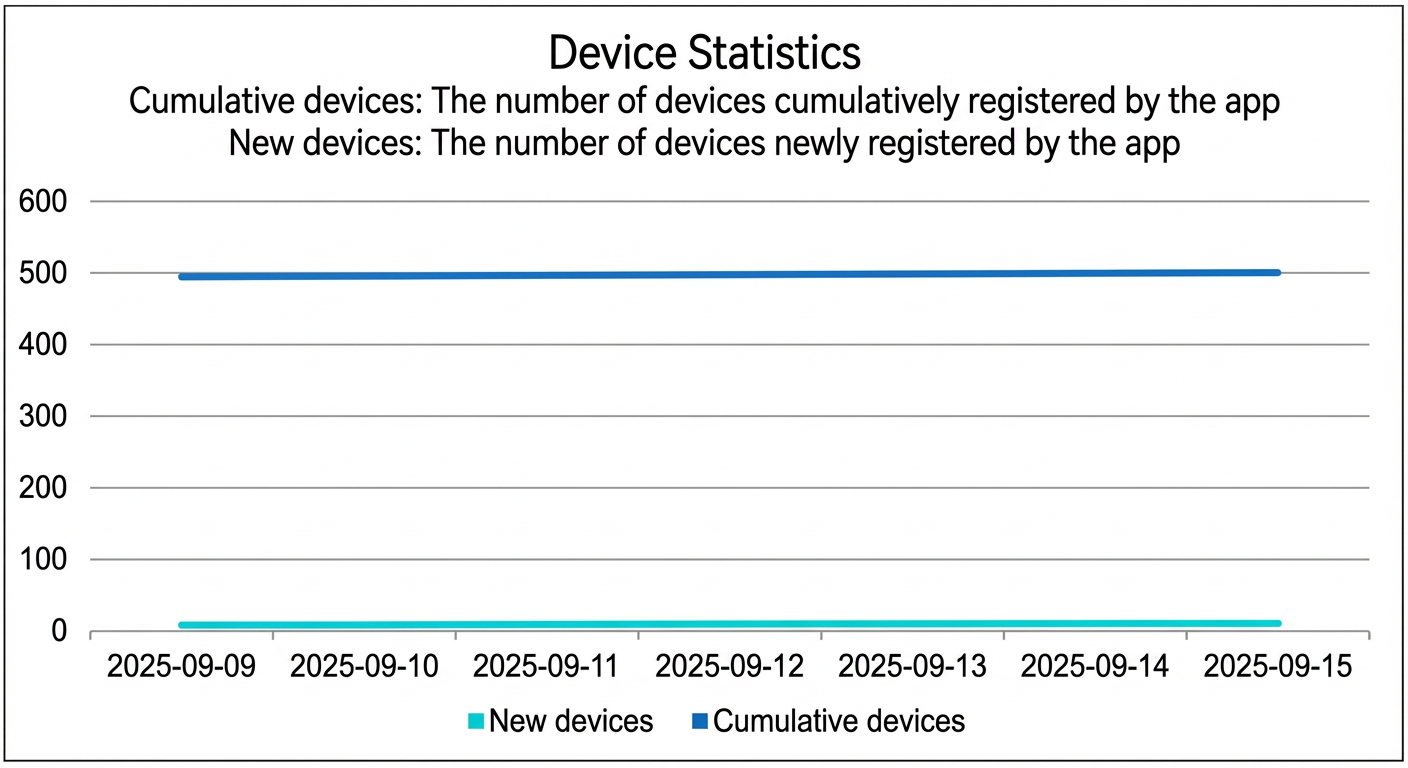
View device statistics.
Parameter
Description
New devices
The number of new devices registered for the application in the Mobile Push system.
Total devices
The total number of devices registered for the application in the Mobile Push system.