Push history
Query push record details for a specific time period.
Push history
Log in to the EMAS console and select Mobile Push.
On the Mobile Push page, in the left navigation pane, select Push History to view your push records. Click the tabs to view records for different push types.
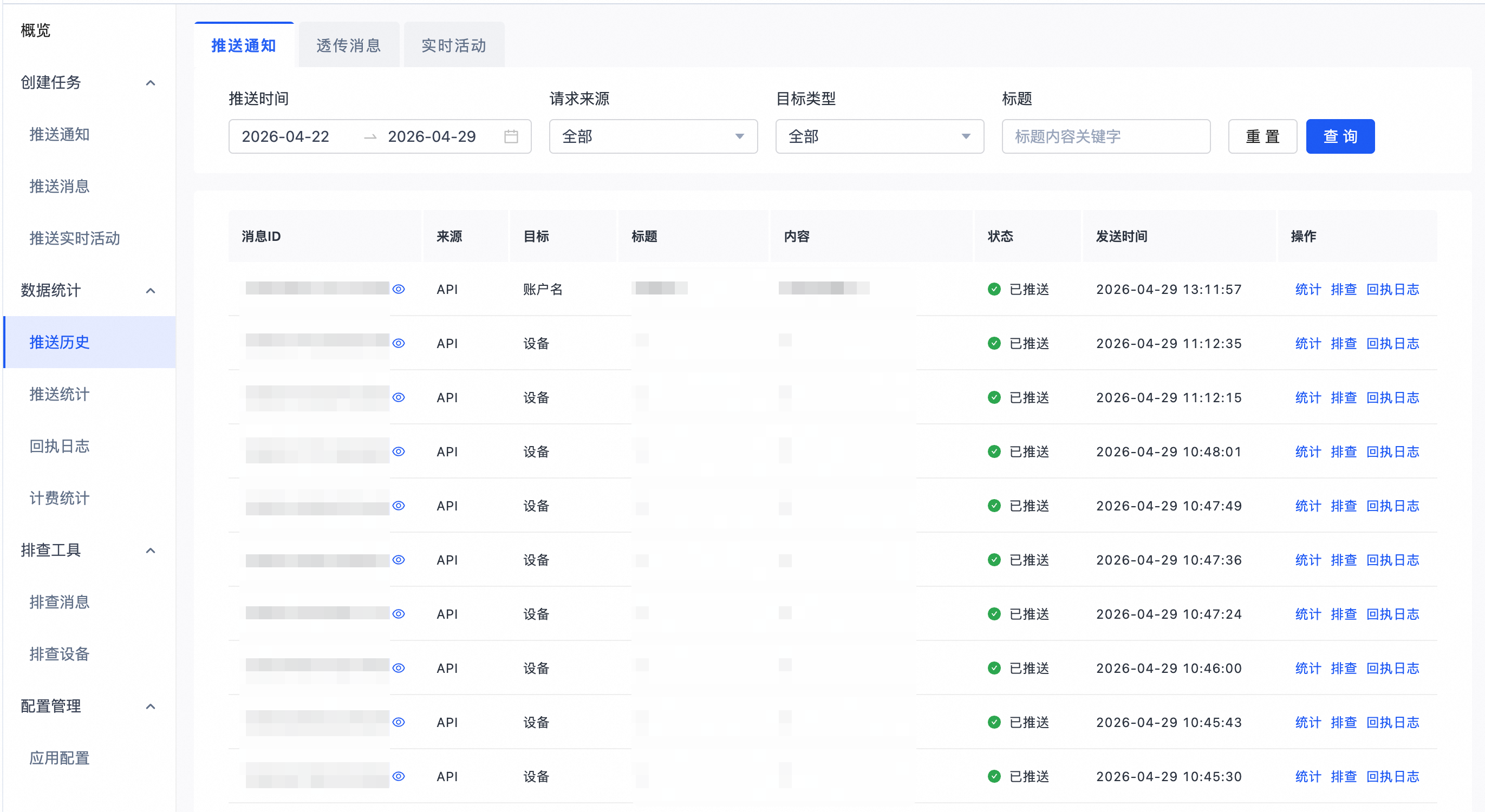
Parameter | Description |
message ID | The unique ID that identifies a push task. |
Source | The source of the push, which can be the console or an API call. |
Target | The target audience defined for the push. Targets include All, Account, Alias, Device, Tag, File, and continuous push. |
Title | The title of the push. |
Content | The content of the push. |
Send time | The scheduled time for the push. |
Status | The current status of the push task. |
Push history data is available for the last 14 days only.
Alternatively, call the QueryPushRecords OpenAPI to retrieve this data.
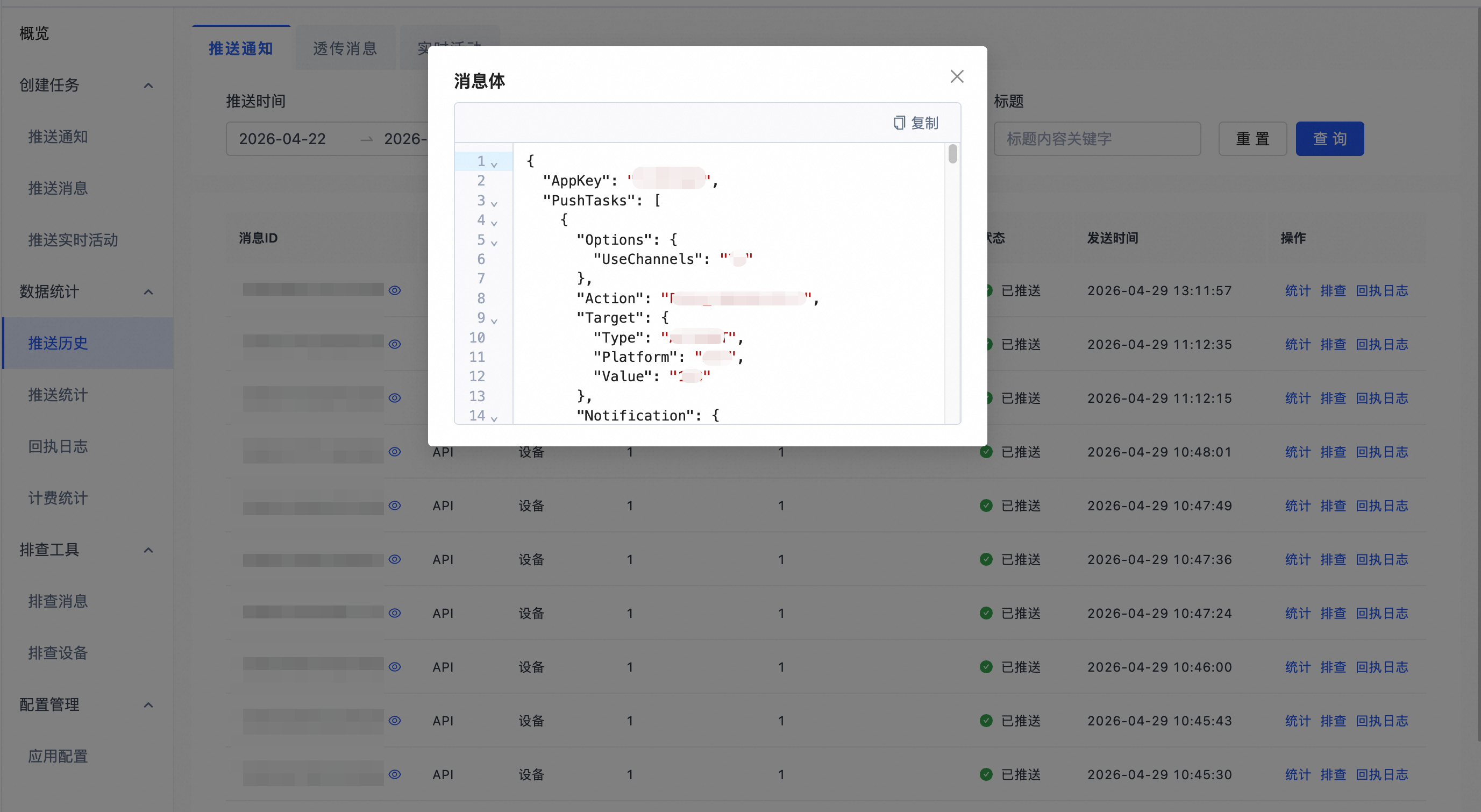
Click the icon next to a message ID to view the original request for that push.
In the Actions column, click Statistics to view detailed statistics for the push.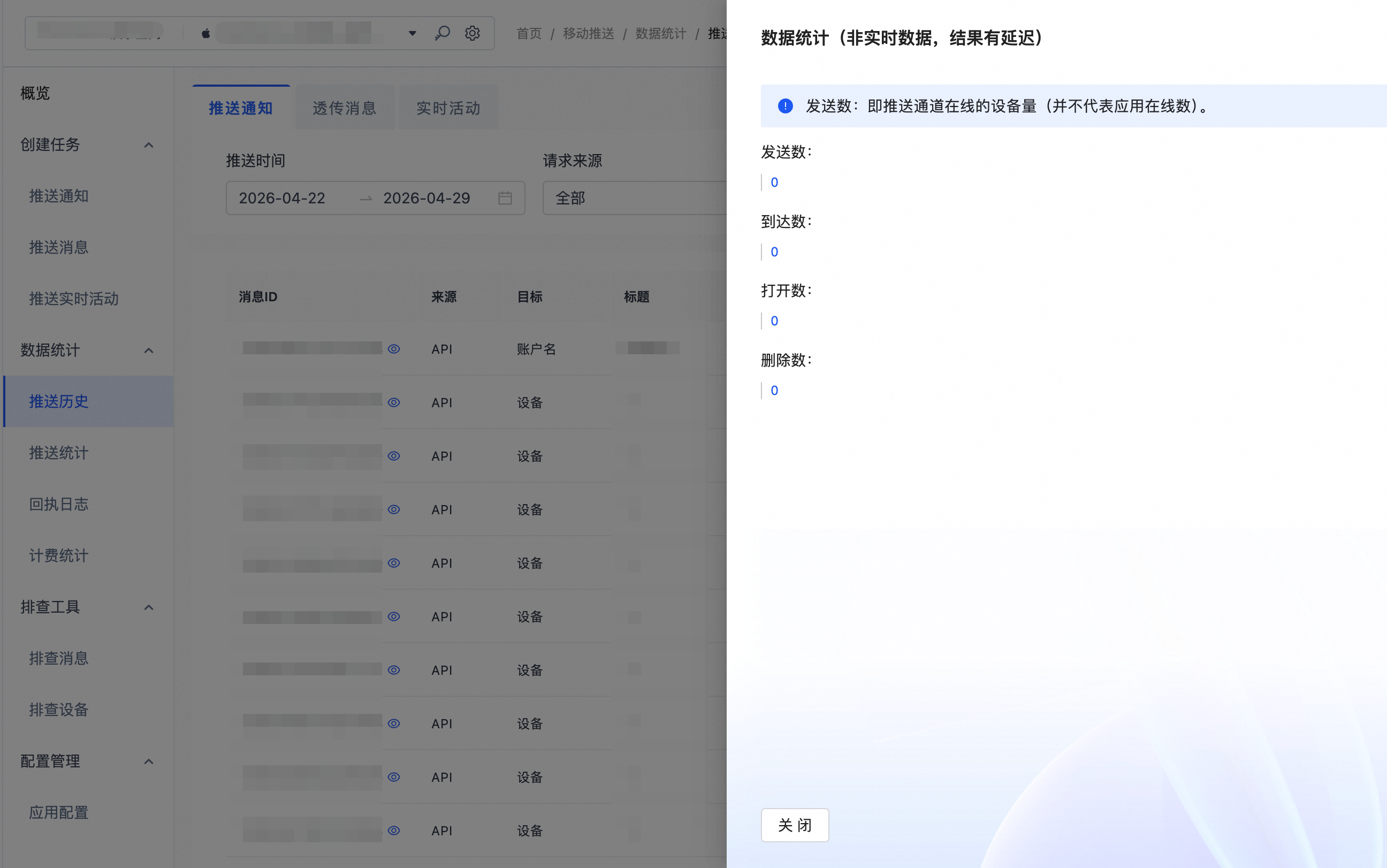
Push statistics
Log in to the EMAS console and select Mobile Push.
On the Mobile Push page, in the left navigation pane, select Push Statistics to view your push statistics.
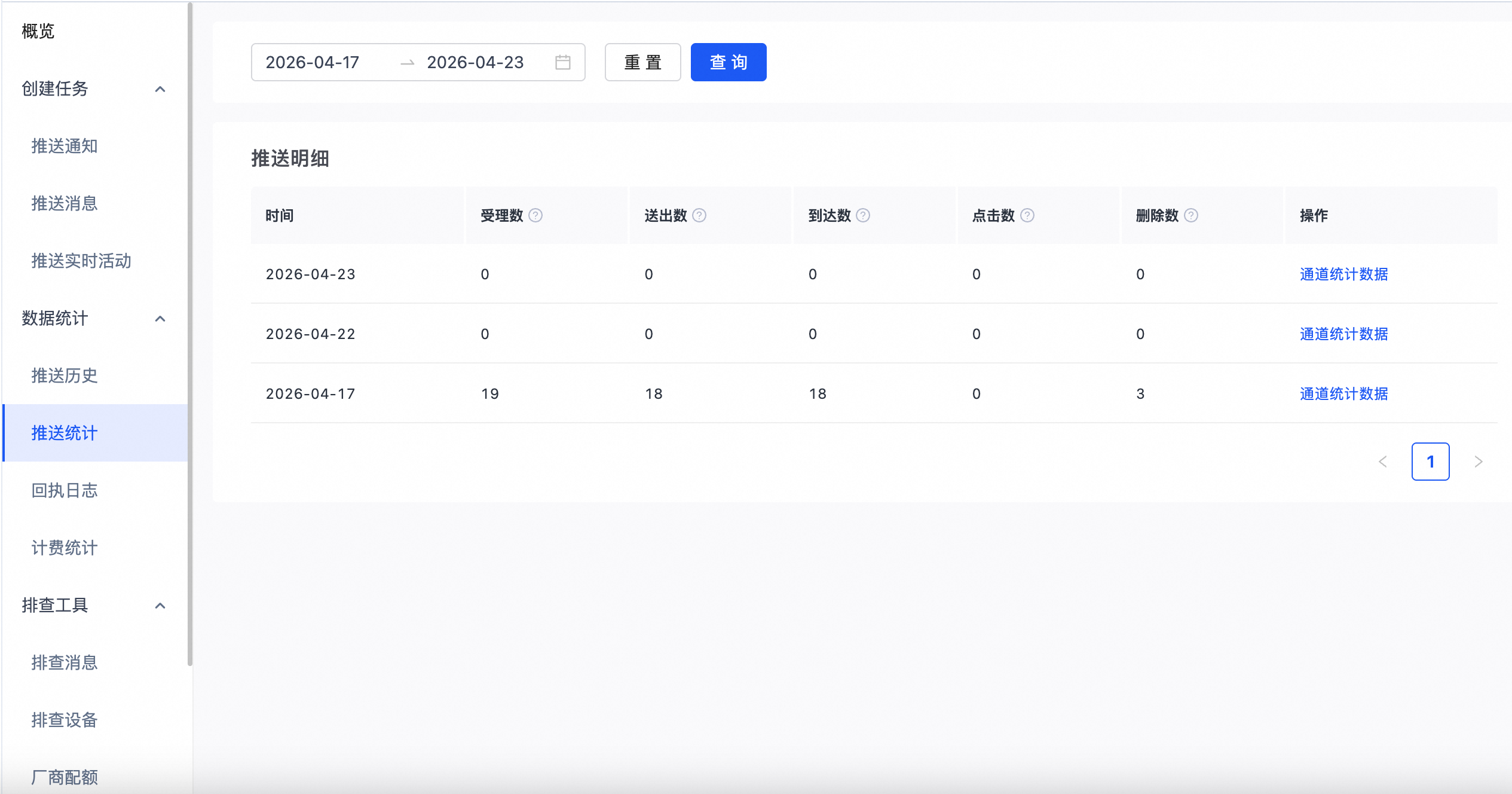
Parameter | Description |
accepted count | Definition: The number of push requests accepted by the server. A request is accepted when the target device meets all sending conditions. Technical requirements:
Requests are rejected if push permissions are disabled, the device token has expired, or the push target does not exist. |
sent count | Definition: The number of messages that the server successfully sent to the target channel. Channel differences:
|
delivery count | Definition: The number of messages that successfully reached the device application during the daily reporting period. This includes both notification messages and in-app messages. |
clicks | Definition: The number of times users tapped a push notification during the daily reporting period. |
deletes | Definition: The number of times users cleared or deleted a push notification during the daily reporting period. |
Push statistics are available for the last 30 days only. To retrieve data from an earlier period, use the QueryPushStatByApp OpenAPI.
Metrics for multi-day pushes are attributed to the day the push was accepted. To ensure data consistency, the system recalculates the data for the past 7 days during each daily update.
Statistics are delayed by one day.
Click Channel Statistics next to a daily push statistics entry to view a detailed breakdown by channel.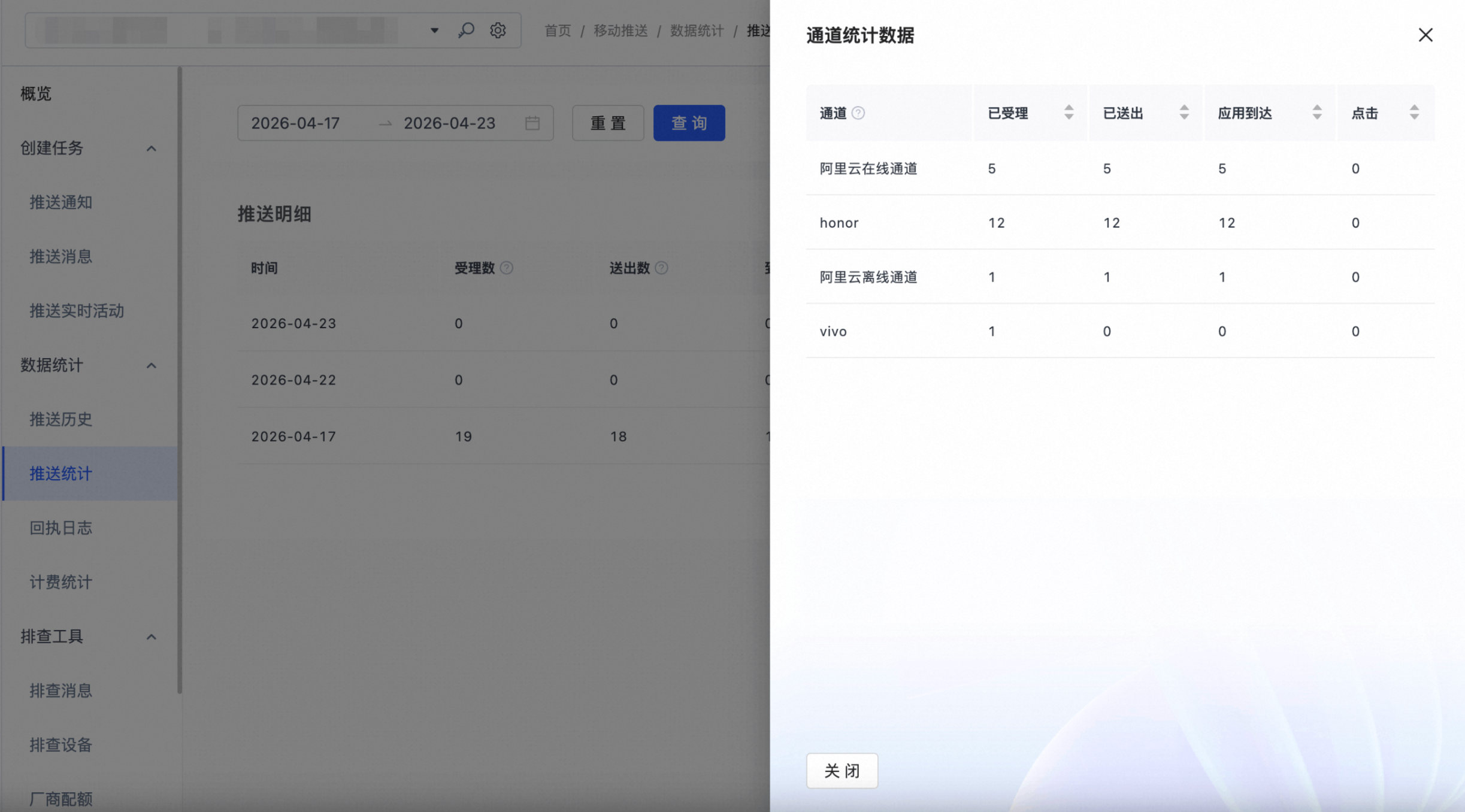
Channel statistics are broken down into self-hosted and third-party channels.
Alibaba Cloud online channel: This self-hosted channel is prioritized for delivery when a device is online.
Alibaba Cloud offline channel: If a device is offline and does not meet the conditions for a third-party channel, or if an API call to a third-party channel fails, the system attempts to use this channel. The offline channel stores the message and waits for the device to establish a persistent connection to deliver it. Consequently, the delivery rate for this channel is typically lower.
To improve the delivery rate, some messages are sent through both a third-party channel and a self-hosted channel simultaneously. The client application handles deduplication. A message might also be rerouted to the Alibaba Cloud offline channel if the third-party channel fails. For these reasons, the sum of sent counts across all channels may not equal the total sent count for the day.
The data in this table reflects the accepted, sent, delivery, and click counts for the current day only. For pushes that span multiple days, the metrics may be split across those days.
Statistics are delayed by one day.