Configure voice interaction
IoT Platform for Smart Living lets you connect your products to voice platforms such as Amazon Alexa and Google Assistant. After you connect a product, you can control the device with your voice.
Background information
Products created on IoT Platform for Smart Living must be bound to a skill to connect to a voice platform. The skill integrates your product with the voice platform, which enables cross-platform device control.
When you connect to a voice service, you must identify the required platform and verify that the service is available in your users' regions.
To connect to a voice platform, you can use your own app or the Cloud Intelligence App. Only the Cloud Intelligence App (public version) can connect to the Tmall Genie voice platform.
Tmall Genie.
Use the Cloud Intelligence App to control devices with Tmall Genie
For the Amazon Alexa and Google Assistant voice platforms, you must create and connect skills in IoT Platform for Smart Living. For more information, see Create and manage skills.
Connect to a voice platform
Currently, only connections to the Alexa and Google Assistant voice platforms are supported.
Log in to the IoT Platform for Smart Living.
Go to the Human-Computer Interaction page of the product.
Choose .
Select a voice platform and configure the skill.
Connect to the Tmall Genie voice platform.
If the Cloud Intelligence App is the interaction client, turn on the button under . This connects the product to Tmall Genie and lets you control the device by voice using a Tmall Genie speaker.
Connect to the Alexa or Google Assistant platform.
If the Cloud Intelligence App is the interaction client, you do not need to create a skill. Click Add Configuration to attach the product to the default skill of the Cloud Intelligence App.
If your own app is the interaction client, click Add Configuration to go to the Voice Service management page. On this page, you can create a skill and bind the current product to it. For more information about binding products, see Manage products for a voice skill.
After the configuration is complete, you can view the skills bound to the current product and their statuses in the Voice Service section. You can also perform operations on the bound skills.
Name
Description
Bound Skill
Associated Skills
Status
The status of a bound skill can be:
Binding
Bound
Operations
For a skill with the Binding status, click Operations to go to the Voice Service management page to bind and configure the skill.
For a skill with the Bound status, click Manage to view the skill information.
Additional information
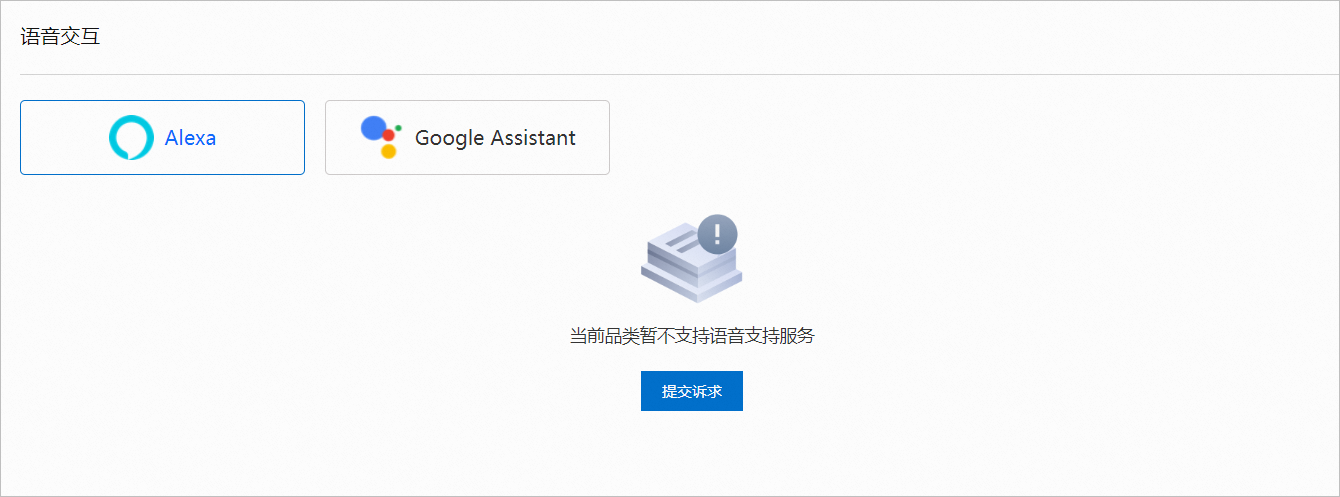
If a product category is not supported or a Thing Specification Language (TSL) model does not meet the requirements, the page displays a message as shown in the following figure. If this happens, submit a ticket or contact your business representative. In the ticket, explain that the product category or TSL model is not supported for the Voice Service.