Certificate of change
If your company is the ICP filing entity and its name changes, you must provide a certificate of change issued by the local Administration for Industry and Commerce. After you obtain the certificate, upload it to the Alibaba Cloud ICP Filing system to update your company information. This topic describes how to obtain a certificate of change and provides details about uploading the document.
During the initial review by Alibaba Cloud, if your new company name is not associated with the company name in the existing filing, you must submit a new ICP filing application. An unassociated name is a completely new name that has no relation to the previous one. In this case, you cannot directly modify the existing ICP filing information.
How to obtain
When a company name changes, you must report the change to the local Administration for Industry and Commerce to update your company information. To do this, you must provide a certificate of change. The certificate can be an electronic version, a paper version, or a screenshot from the National Enterprise Credit Information Publicity System. You can obtain the certificate in one of the following three ways.
Method 1: Obtain the certificate from the local Administration for Industry and Commerce.
The format of this certificate is not fixed. The format depends on the document issued by the certificate-issuing authority. The certificate can be a paper or an electronic version.
ImportantElectronic certificates of change are currently supported only in provinces such as Henan and Zhejiang.
Method 2: Click Certificate of Change to download the template.
NoteThis template is for reference only. If the Administration for Industry and Commerce provides its own template, use that template. Otherwise, you can use this template.
After you download the certificate of change, print it and complete it using a black pen. Then, have the certificate stamped with the official seal of the certificate-issuing authority. For specific instructions, see the following sample image.
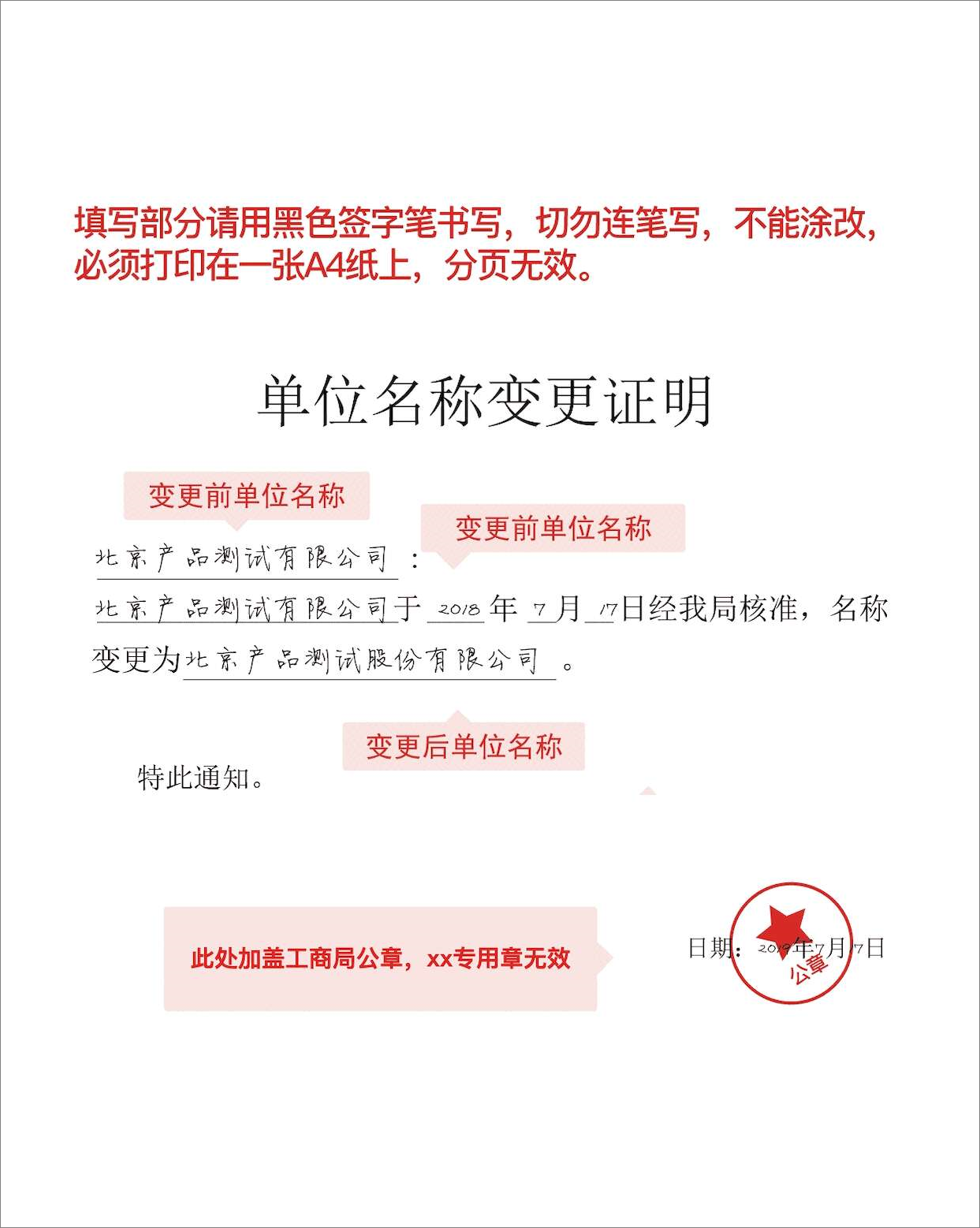
Method 3: Log on to the National Enterprise Credit Information Publicity System, query your company's information, and upload a screenshot to the Alibaba Cloud ICP Filing system.
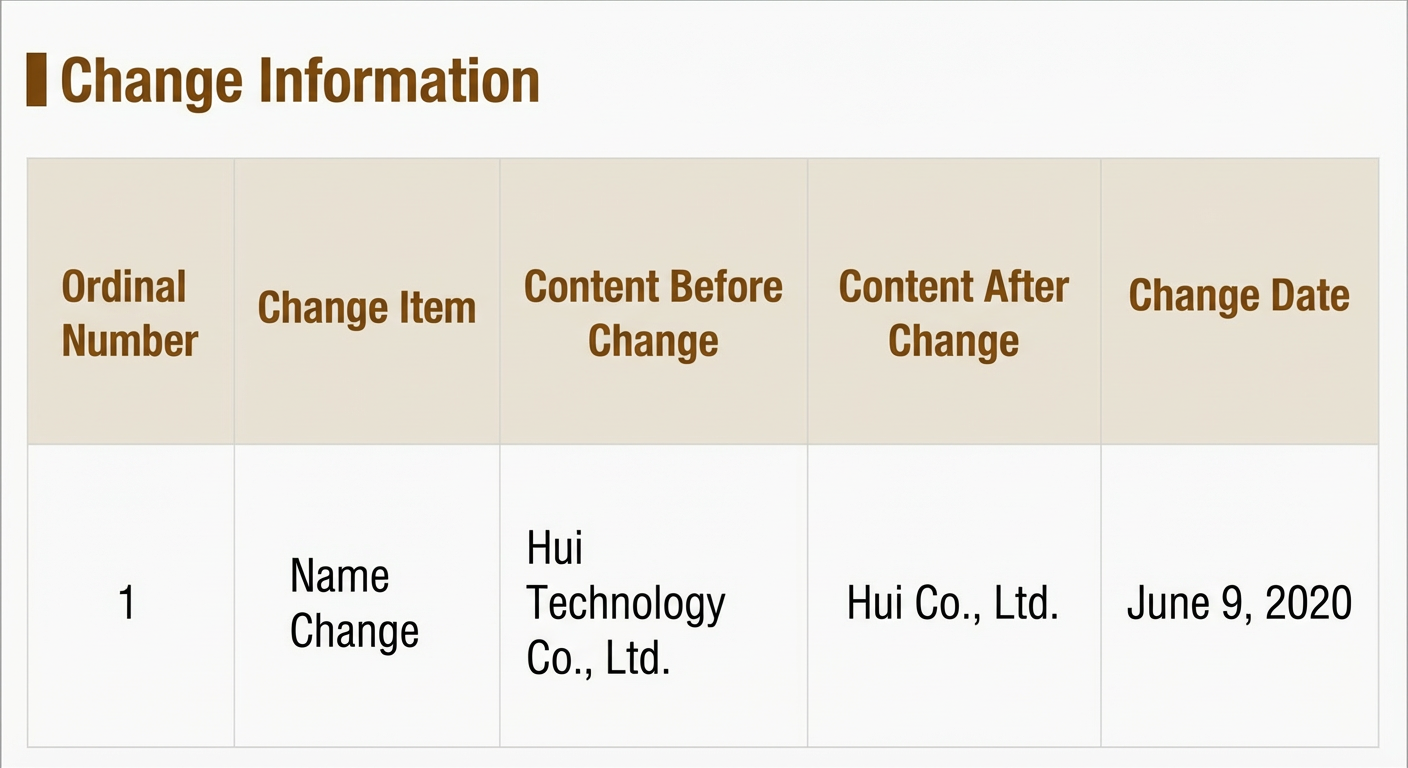
NoteThe provinces that currently accept screenshots from the National Enterprise Credit Information Publicity System include Shandong, Shanghai, Shaanxi, and Tianjin. For Shaanxi province, you must print the screenshot and affix your company's official seal. The screenshot must include the changed items, the company name before and after the change, and the date of the change.
The following image is a sample screenshot from the National Enterprise Credit Information Publicity System.
Upload documents
If your ICP filing application has not been submitted for initial review:
Fill in your ICP filing information in the Alibaba Cloud ICP Filing system until you reach the document upload stage. For more information, see Upload documents and verify authenticity.
ImportantIf the document upload page does not have a field to upload a specific document, use an image editing tool, such as Photoshop, to combine the photo of the required document and the certificate of the ICP filing entity into a single image. Then, upload the combined image.
If your ICP filing application has already been submitted for initial review:
During the initial review, if your uploaded documents are incomplete or non-compliant, follow the instructions from the reviewer. You may need to email the documents to the address provided by the reviewer or re-upload them in the Alibaba Cloud app.