Onboarding guide for enterprise distributors
Alibaba Cloud account registration and enterprise verification
Alibaba Cloud account registration
Securely store important information, such as the usernames and passwords for your Alibaba Cloud account and Resource Access Management (RAM) users. The LinkedMall team cannot view logon names, reset passwords, or retrieve passwords.
For more information about how to register an Alibaba Cloud account, see Account registration (PC).
Go to the Alibaba Cloud official website and click the Register Now button in the upper-right corner.
Registration methods include Register with QR Code, Register with Email, and Register with Mobile Number. You can choose a registration method based on your needs.
Enterprise identity verification for an Alibaba Cloud account
A distributor's Alibaba Cloud account must pass enterprise identity verification.
For more information about how to verify an Alibaba Cloud account, see Enterprise identity verification.
Configure a RAM user
Enterprise distributors must use Resource Access Management (RAM) users for integration development. You must configure RAM users with the required permissions for your developers.
Log on to the Alibaba Cloud Management Console using your Alibaba Cloud root account. On the page that appears, choose , and then click Create User.
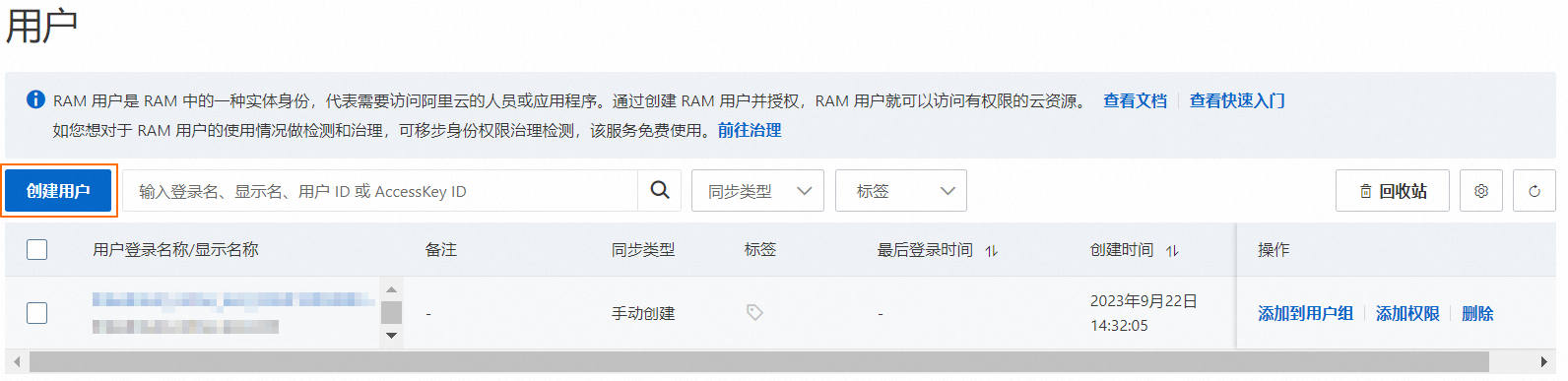
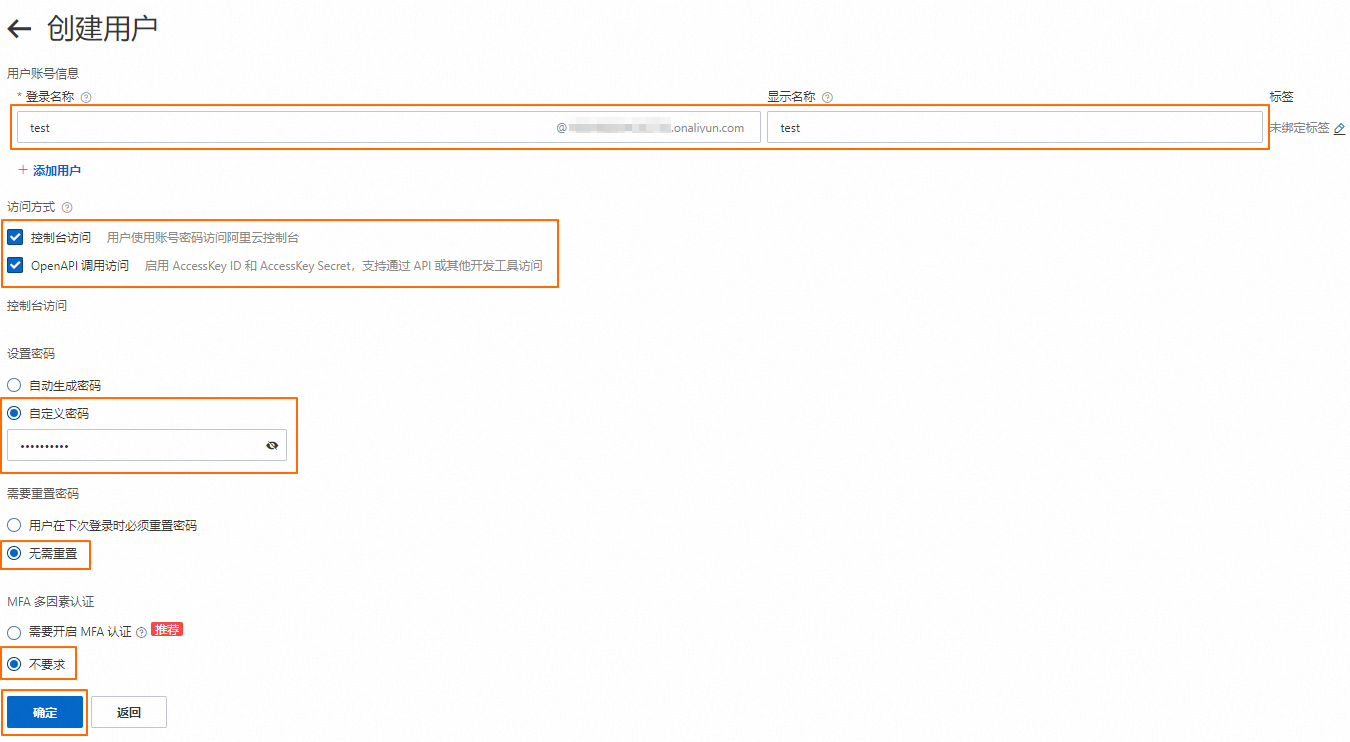
User Account Information: Enter the user account information as needed.
Access Mode: Select the Console Access and OpenAPI Call Access permissions.
Console Access: Configure the console access settings as needed. For more information, see the following figure.
For more information about RAM users, see Create a RAM user.
Grant permissions to a RAM user
After you create a RAM user, you must grant the user permission to access LinkedMall.
Go to the page in the Alibaba Cloud console. Find the RAM user to which you want to grant permissions and click Add Permissions.
In the Add Permissions dialog box, search for the LinkedMall access policy (for policy details, see AliyunLinkedMallFullAccess). Select the policy and click OK.
Go to to view the authorization result or revoke the authorization.
ImportantRevoking authorization revokes the RAM user's access to LinkedMall. Proceed with caution.
For more information about granting RAM permissions for the LinkedMall enterprise mall, see Authorization information.
AliyunLinkedMallFullAccess
AliyunLinkedMallFullAccess is a system policy managed by Alibaba Cloud. You can grant the AliyunLinkedMallFullAccess policy to a RAM identity, such as a RAM user, a RAM user group, or a RAM role. This policy grants full access to AliyunLinkedMall.
Policy details
Type: System policy
Created: 2022-07-29 07:57:28
Updated: 2022-07-29 07:57:28
Current version: v1
Policy content
{
    "Version": "1",
    "Statement": [
        {
            "Effect": "Allow",
            "Action": "linkedmall:*",
            "Resource": "*"
        }
    ]
}
Onboard as an enterprise distributor
Log on to the Alibaba Cloud LinkedMall Multi-role Onboarding Console using your Alibaba Cloud root account. Choose to open the LinkedMall Distributor Workbench (hereinafter referred to as the Distributor Workbench).
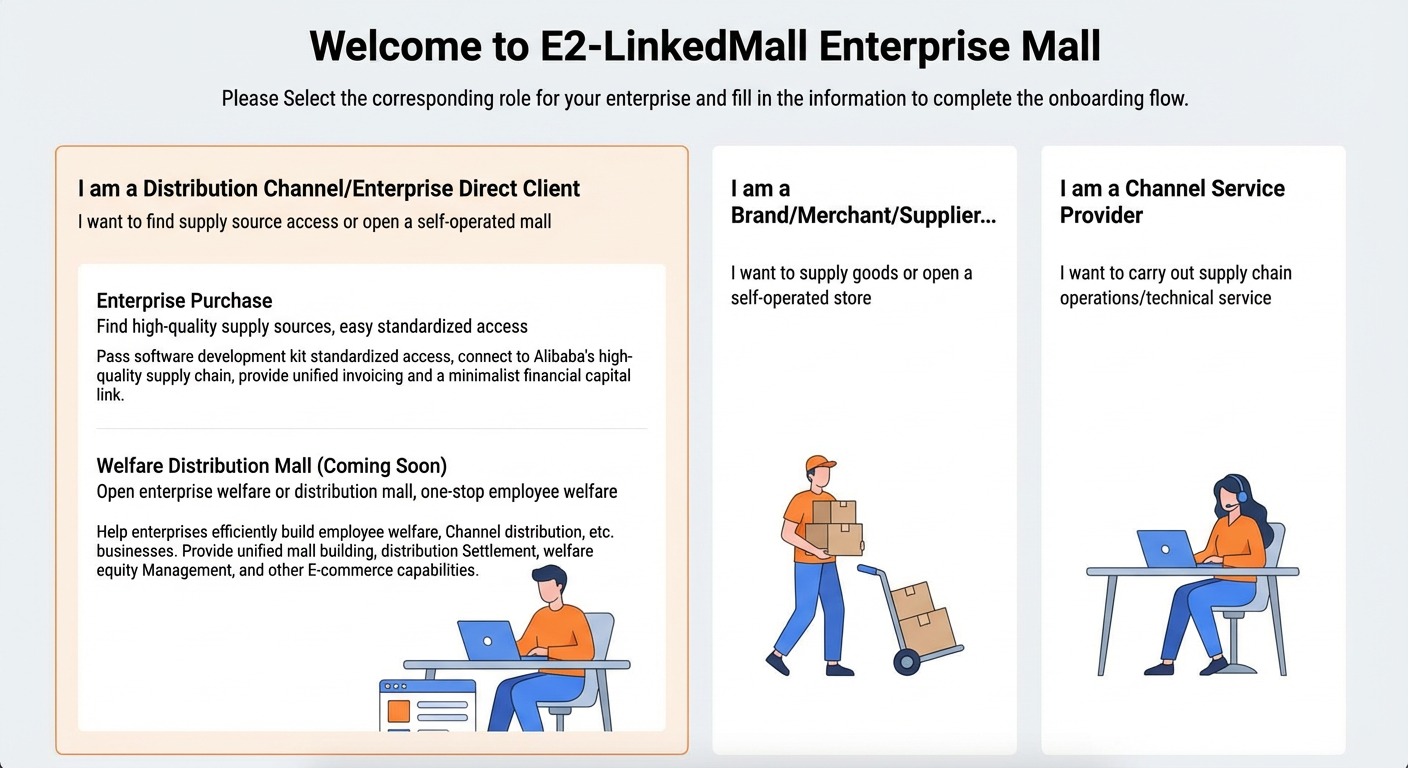
On the Overview page, click Activate Service to start the onboarding process for enterprise distributors.
Enter the enterprise and contact information. Read the LinkedMall Platform Service Agreement, select Agree, and then click Activate LinkedMall.
Wait for approval from the Alibaba Cloud operations team.
NoteThe Alibaba Cloud operations team completes the approval within 3 business days. If your application is not approved within this timeframe, contact the LinkedMall operations team.
Configure the basic information for contract signing. For more information, see Maintain contract signing information.
ImportantThe contract signer's name and mobile number must match the information that your enterprise used to register with e-Sign. Otherwise, the signer cannot receive text messages or sign the contract. The provided email and address must also be authentic.
If your distributorship does not have an e-Sign account, you must register one first.
After your application is approved by the Alibaba Cloud operations team, click Activate Store, Configure Business to open the distributor store activation guide.