Batch instance operations
Use OOS to batch-operate ECS instances: run remote commands (Shell, Bat, PowerShell), download files, perform lifecycle operations (start, stop, restart, initialize or replace system disks), or modify instance attributes (name, hostname, description).
Procedure
-
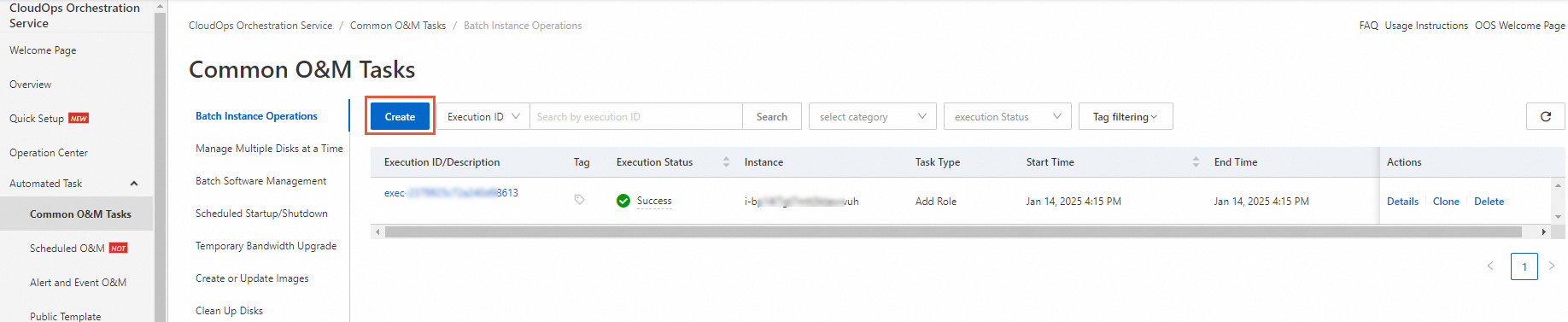
Go to Automated Tasks > Common O&M Tasks > Batch Instance Operations and click Create.
-
On the Create Task for Batch Instance Operations page, in the Select Task Type section, select a task type and configure its parameters.
Parameters vary by task type.
Run remote commands
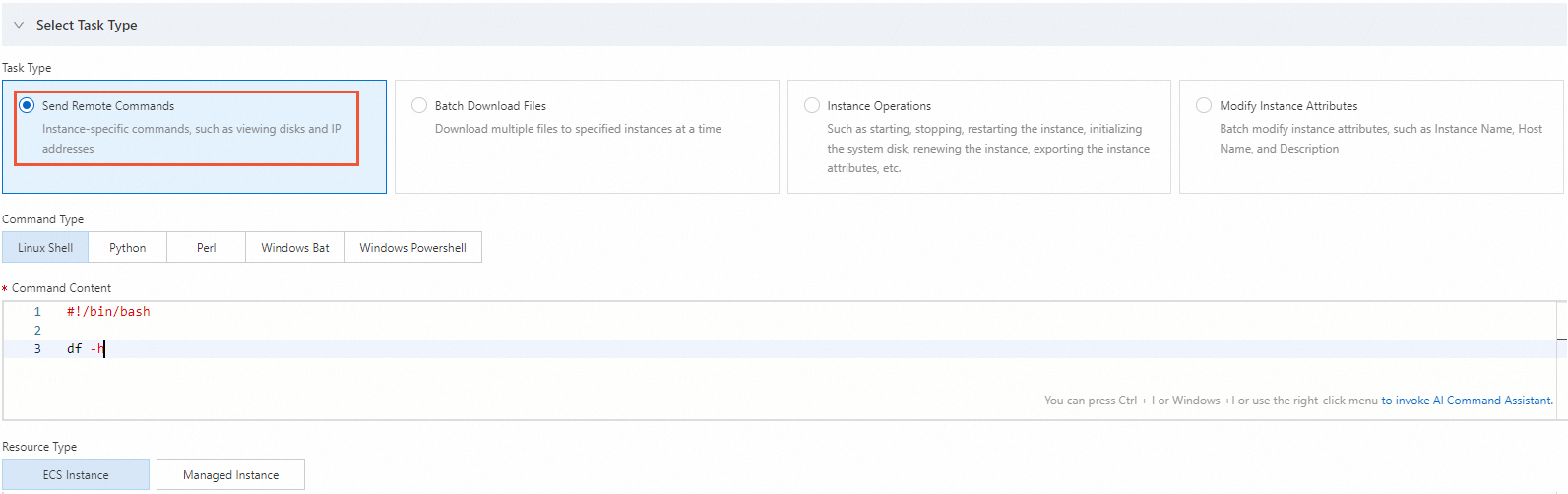
If you select Task Type for Send Remote Commands, for example, to check disk usage or IP addresses, also select a Command Type, enter the Command, and select a Resource Types.
-
Command Type: Supported types include Linux Shell, Python, Perl, Windows Bat, and Windows PowerShell.
-
Command: Enter the command to run, such as
df -h. -
Resource Types: Supported types are ECS instance and managed instance.
Download files
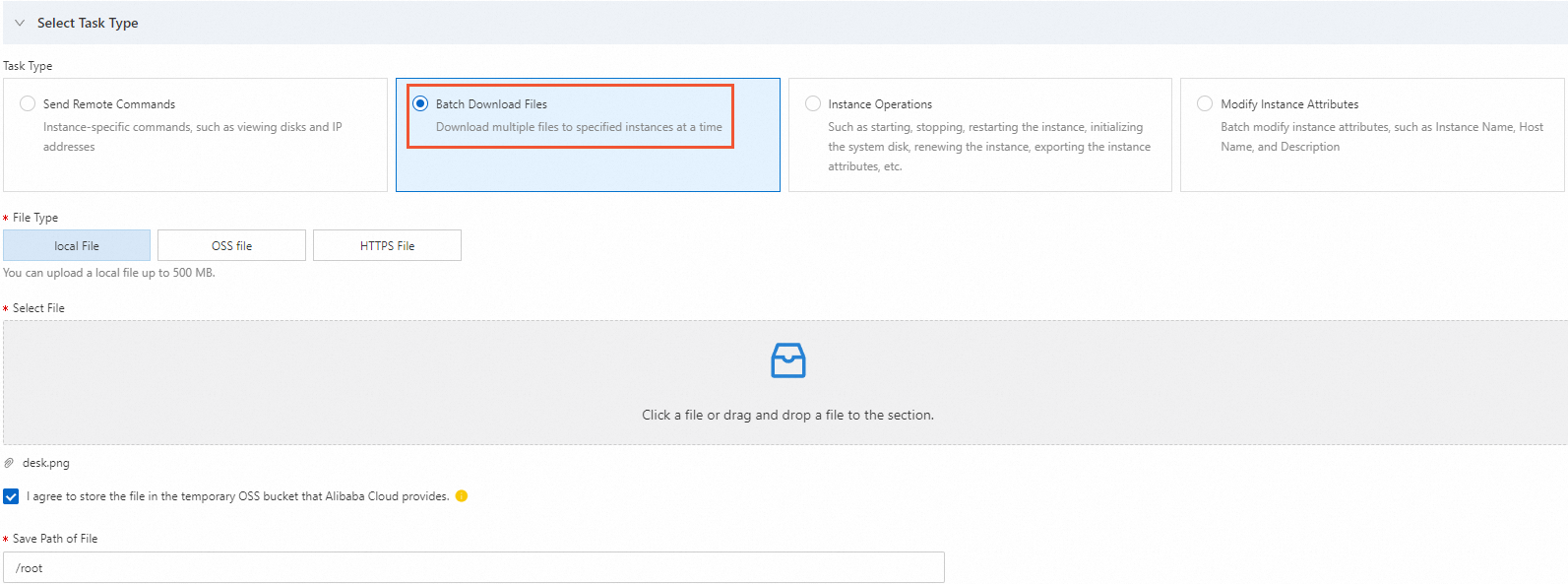
If you select Task Type for Batch Download Files to download files to ECS instances, also select a File Type, choose the file, and specify the File Save Path.
-
File Type: You can select Local File, OSS File, or HTTPS File.
NoteThe size of a local file cannot exceed 500 MB.
-
Select a file: Select the file to download and agree to store it in a temporary OSS bucket provided by Alibaba Cloud.
-
Save Path of File: The path where the file is saved. Default:
/root.
Instance operations
If you select Task Type for Instance Operations to start, stop, or restart ECS instances, or initialize a system disk, you must also select the Operations to Be Performed.
Parameters vary by operation. For example, the Renew operation requires a Renewal Duration.

Modify instance attributes
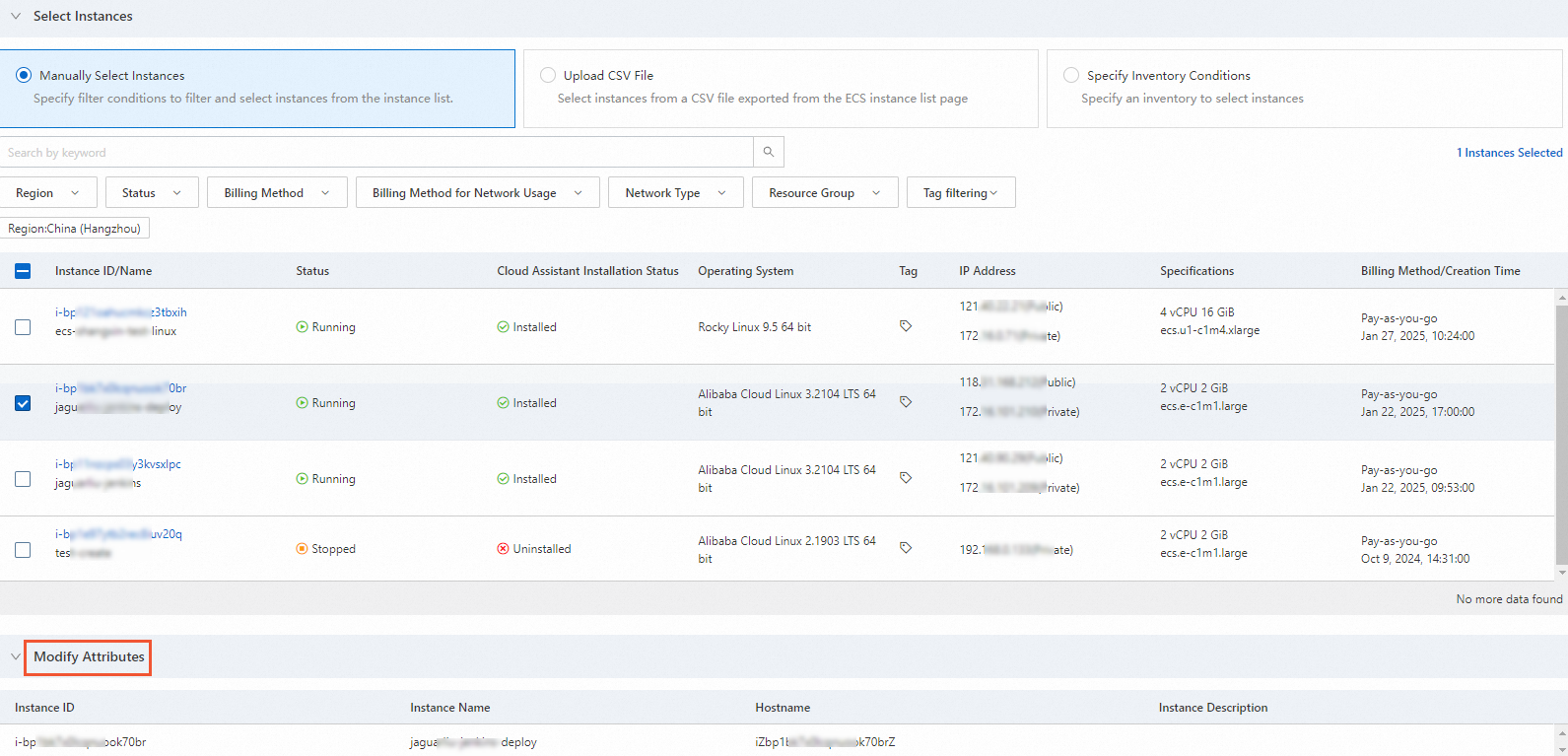
If you select Task Type for Modify Instance Attributes, you can modify the attributes of multiple instances at once, such as the instance name, hostname, or description.

-
-
In the Select Instances section, select the target instances.
-
If you set Task Type to Send Remote Commands, Batch Download Files, or Instance Operations, you can select instances in one of five ways.

-
If you set Task Type to Modify Instance Attributes, you can select instances in one of three ways and modify the corresponding attributes.
-
-
(Optional) Configure the parameters in the Advanced Options and Execution Settings sections.
-
In the Advanced Options section, select a Rate Control type (concurrency control or batch control) and set the Error Threshold.
NoteConcurrency control and batch control concepts are explained in loop.
-
In the Execution Settings section, configure tags, resource group, execution mode, and whether to save the task as a template.
-
-
Click Create. In the Parameter Confirmation dialog box, verify the information and click OK.
After creation, the task appears in the batch instance operations task list. Click its execution ID to view details.