Application Management integrates the pipeline publishing capabilities of Apsara Devops. You can configure a Continuous Integration/Continuous Deployment (CI/CD) pipeline to compile, test, and deploy source code to an application group. The default pipeline templates start by compiling source code, which requires you to grant Apsara Devops access to your source code. If you already have CI/CD processes and tools, you can still deploy to an Alibaba Cloud Application Management environment. This topic uses Jenkins and GitHub Actions as examples to demonstrate two solutions.
Deploy to an application group environment using SSH
Most build and deployment tools support deployment to remote hosts using the Secure Shell (SSH) protocol. The following steps describe the general process for deploying to Application Management using this method.
In the ECS console, create a key pair for remote deployment and export the private key file to your local machine.
In the ECS console, go to Key Pairs. Batch-attach the dedicated deployment key pair to the ECS instances in the application group environment. Then, restart the instances for the change to take effect.
In Application Management, go to Resource Management to retrieve the public IP addresses of all ECS instances.
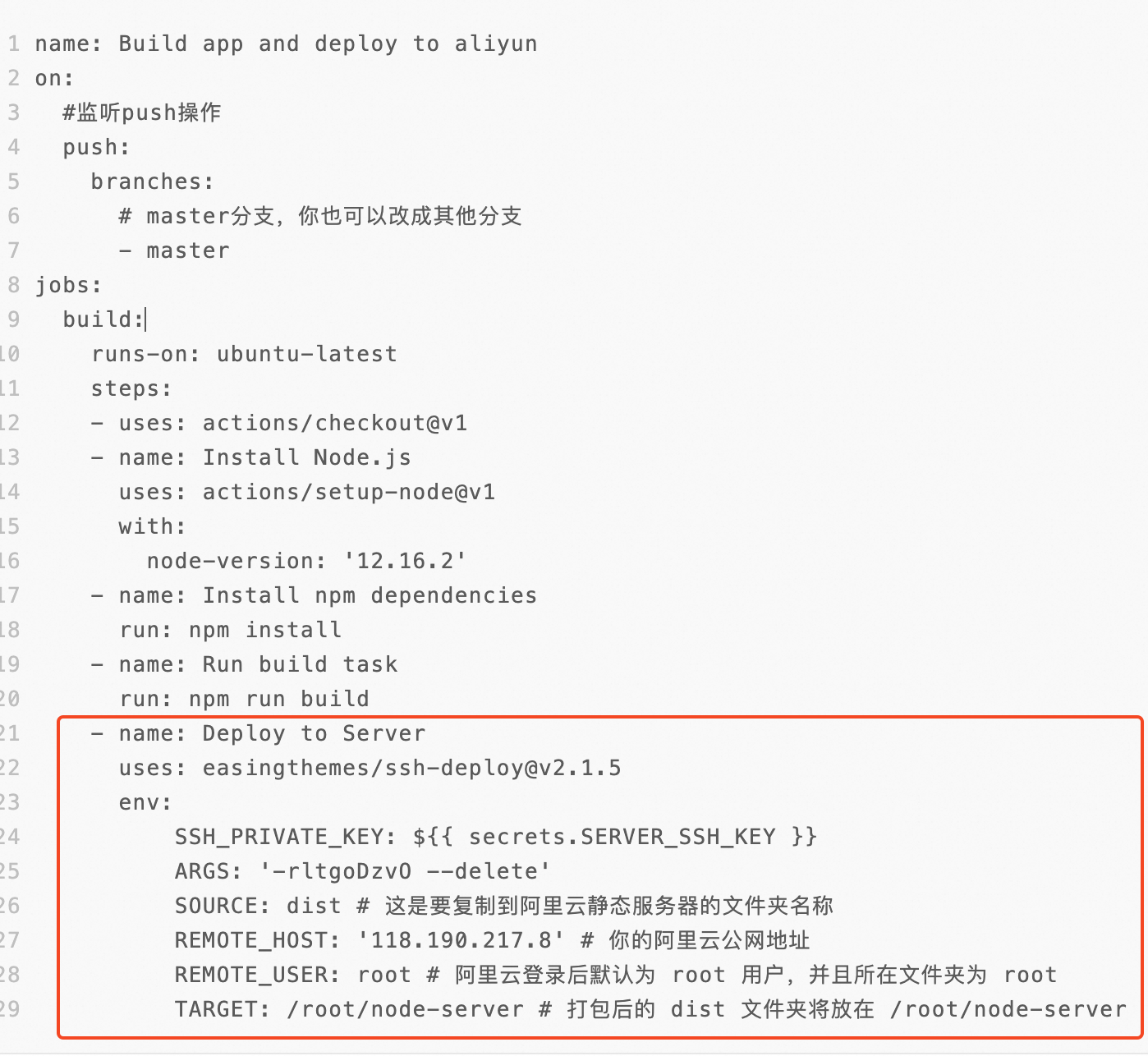
In Jenkins or GitHub Actions, configure the public IP addresses of the ECS instances and the SSH private key to enable remote deployment. The following are two plugins that support file transfer and command execution over SSH:
This GitHub Action lets you deploy files to a remote server using an SSH private key and execute commands before or after the deployment.
This Jenkins plugin lets you deploy files to a remote server and execute commands using an SSH private key.
The advantage of this solution is that it has a minimal impact on your existing development workflow. Jenkins only needs access to the public network and does not require a dedicated public IP address.
The disadvantage is that you cannot use the dynamic grouping and elastic scaling features of Application Management. If resources in a group change, you must modify the tool's configuration accordingly.
Use existing CI/CD tools as an Apsara Devops pipeline source
Apsara Devops supports integration with Jenkins and GitHub. This integration requires you to grant Apsara Devops access to your Jenkins and GitHub accounts. Your Jenkins server must have a public IP address.
Jenkins
Configure your Jenkins job to archive the build output. A successful Jenkins build produces the helloworld-web-0.0.1-SNAPSHOT.jar file.
Configure the deployment in Application Management. In Deployment Management, create a new pipeline. Then, set the pipeline source to Jenkins. After you add a Jenkins service connection, select the Jenkins build job and deploy using the default version. To create the service connection, enter the public network address, username, and password for your Jenkins service. Modify the build step to only upload the build output. Because the build is executed in Jenkins, the Apsara Devops pipeline pulls the build output directly from Jenkins. Modify the ECS application deployment step as needed based on the contents of the artifact package.
GitHub
Apsara Devops pipelines can use code from GitHub as a pipeline source. For more information about how to configure this feature, see the Apsara Devops documentation. The pipeline then downloads, builds, and deploys the code from GitHub.