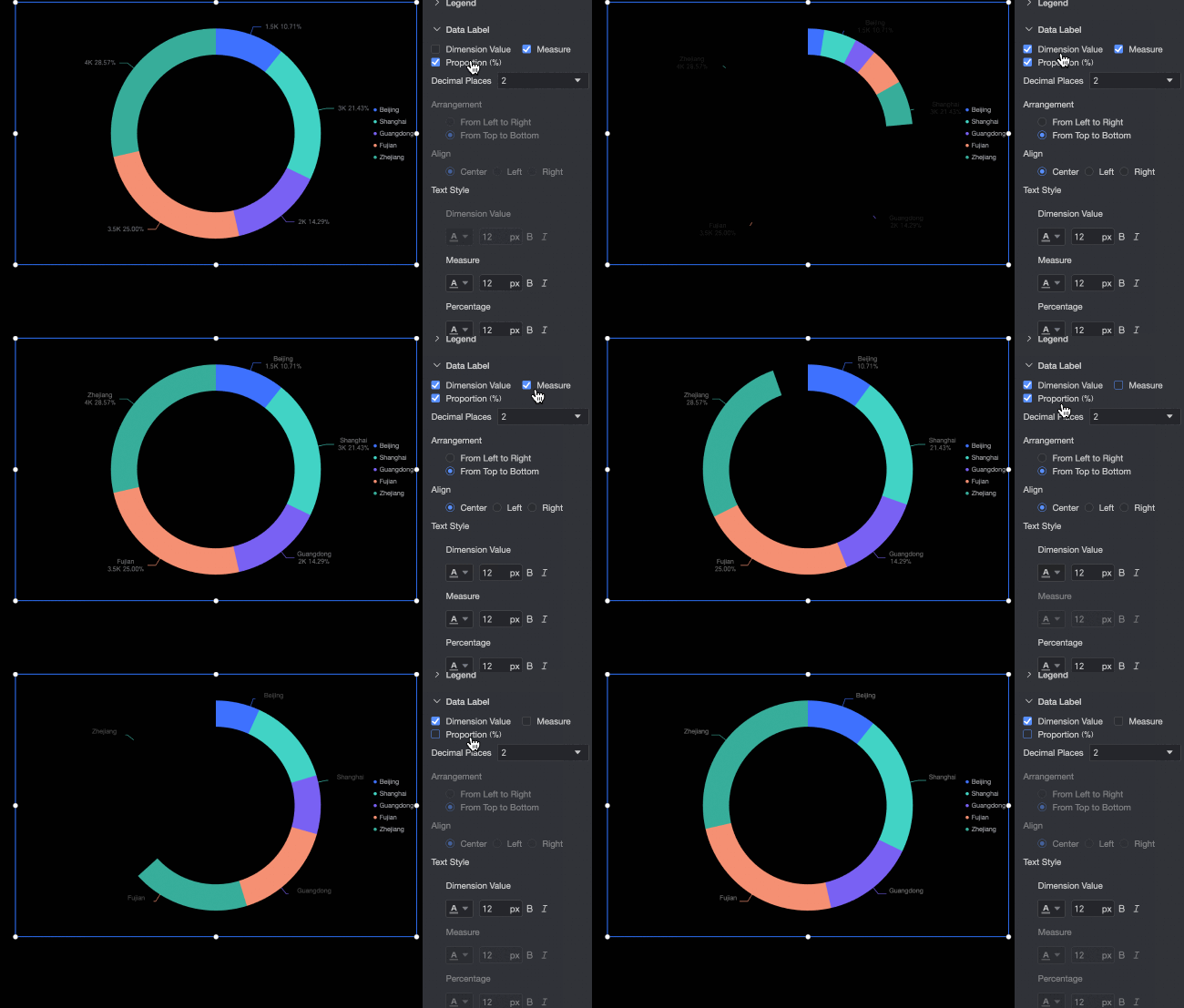
Doughnut chart
A doughnut chart shows data as proportions of a whole, providing an at-a-glance view of how each part contributes to the total.
Prerequisites
You have created a data dashboard. For more information, see Create a data dashboard.
Example
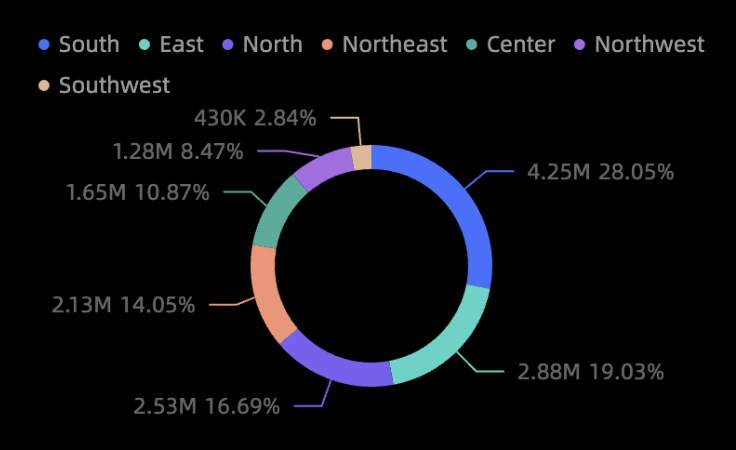
Configure data
-
In the Charts section of the component library, find the doughnut chart and drag it to the canvas.
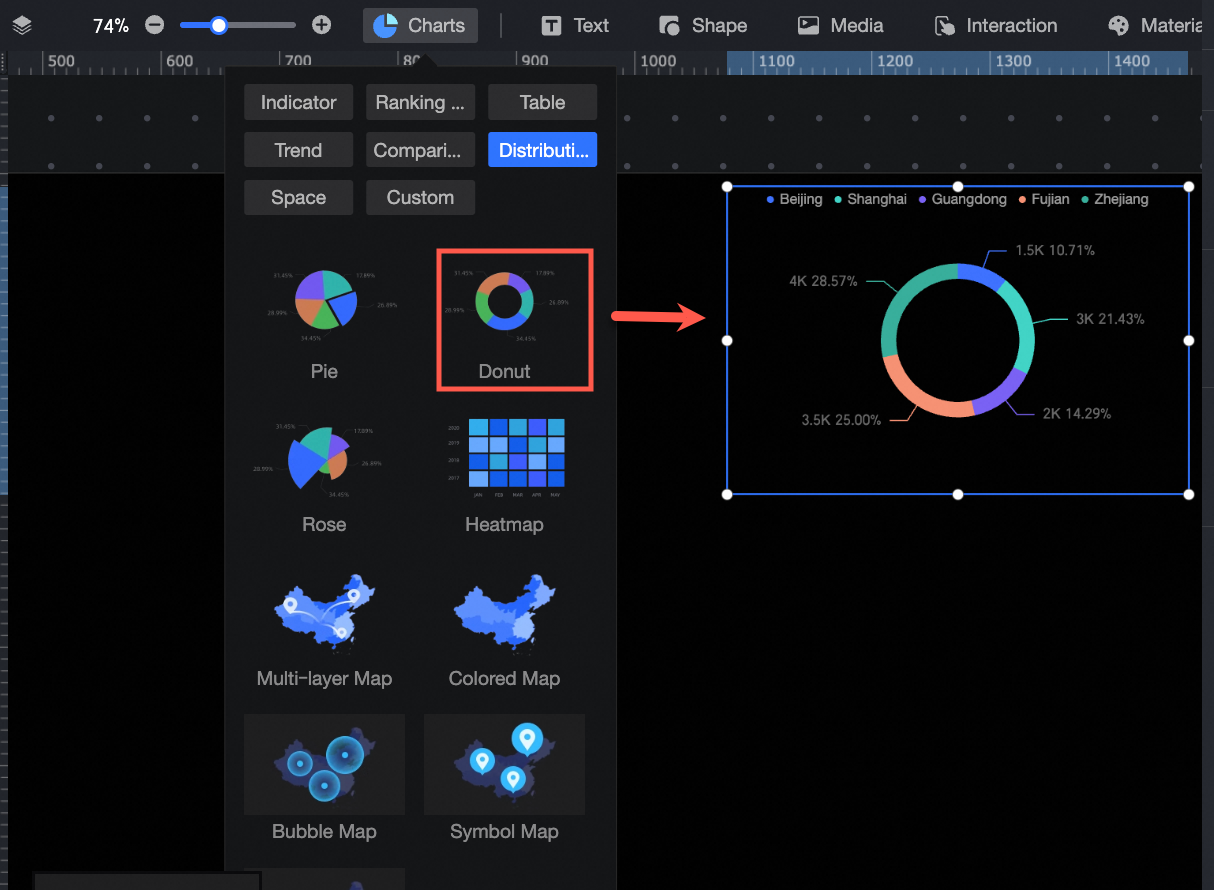
-
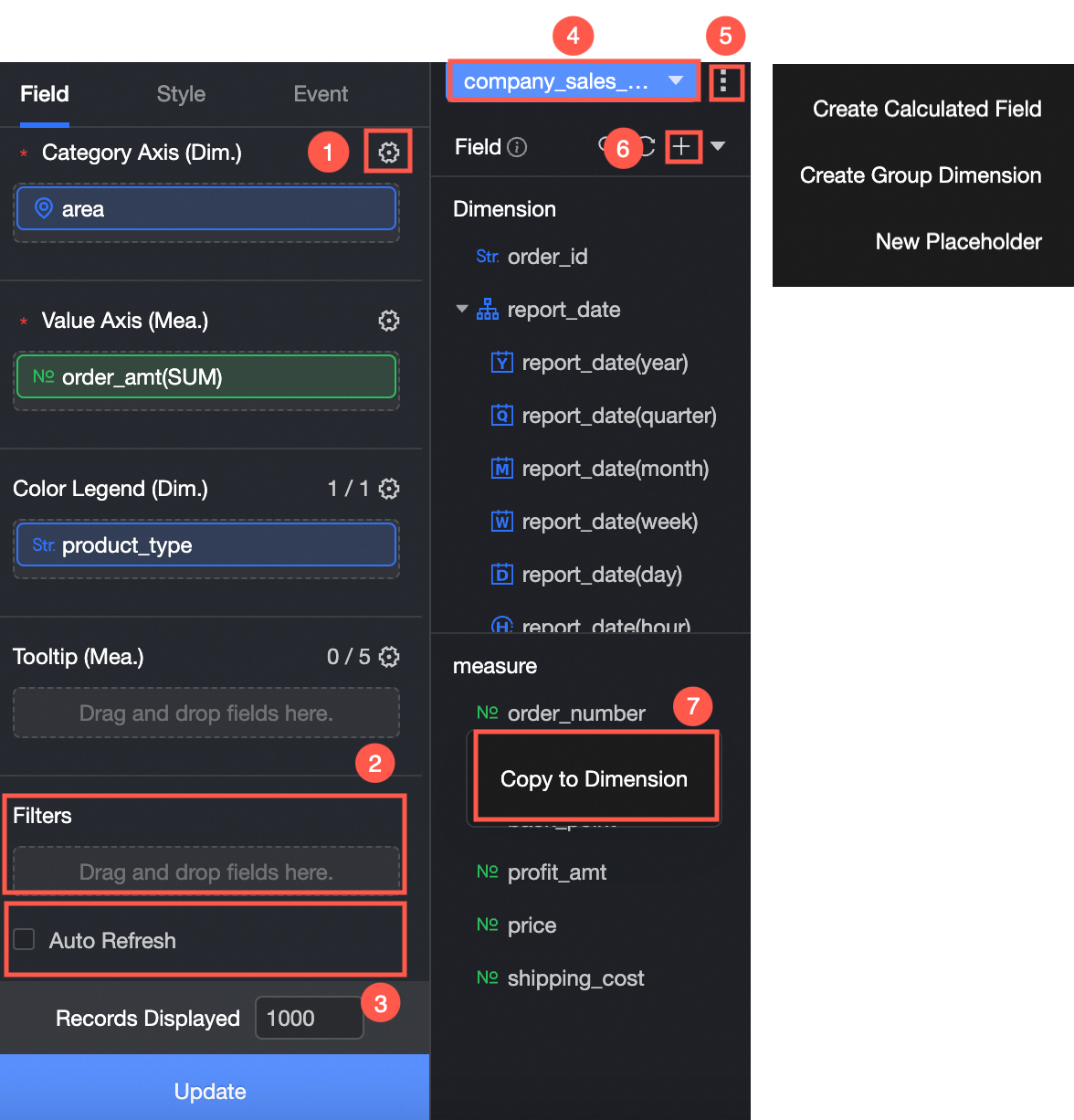
Click Select a dataset and add data. The icon is updated as shown in the following figure.
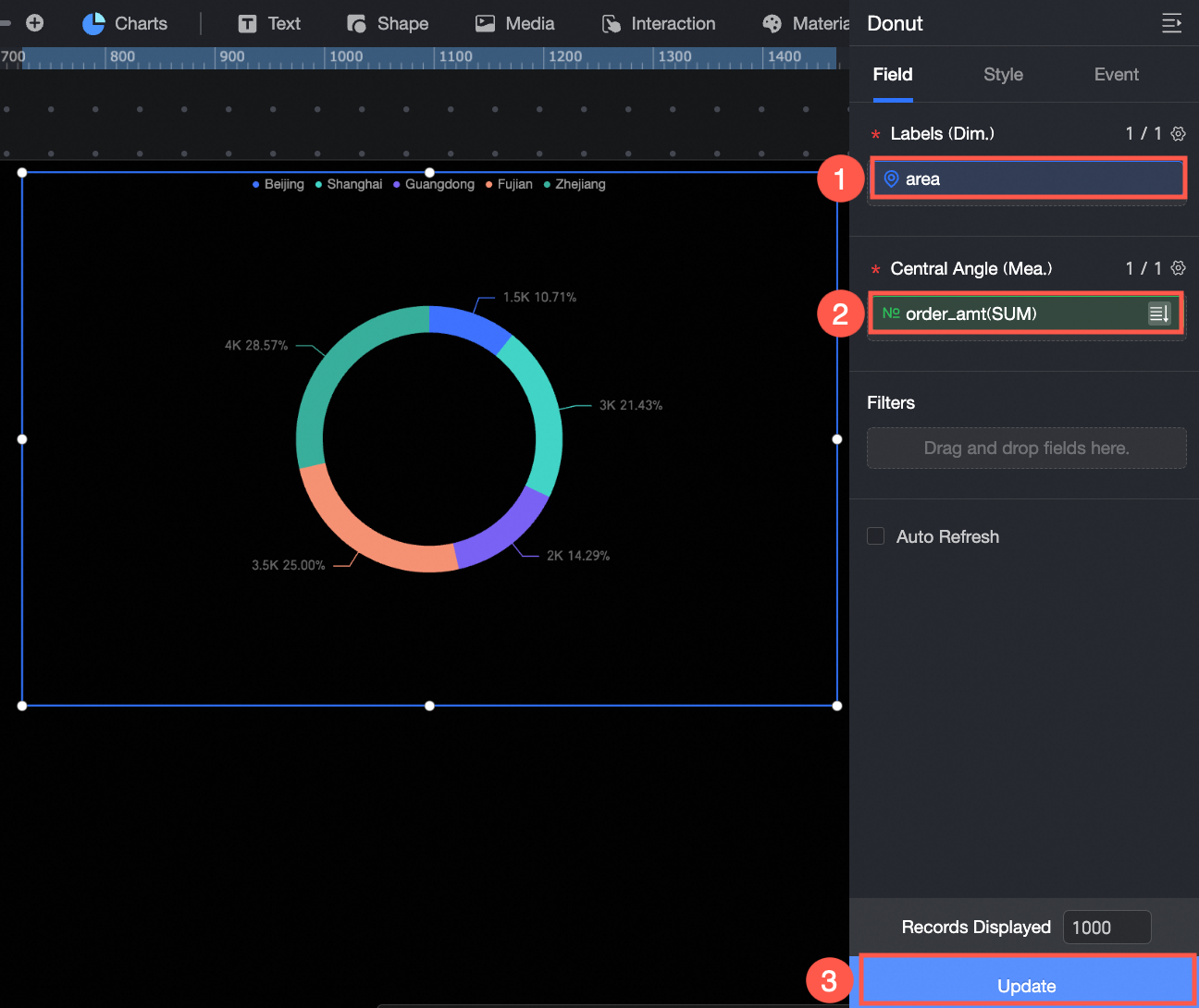
The following data operations are also available:
-
Configure styles for multiple fields in batches (①). For more information, see Configure field styles in batches.
-
Apply field filtering (②). For more information, see Filter data.
-
Set up automatic data refresh (③). For more information, see Set up automatic data refresh.
-
Switch the dataset (④). For more information, see Switch a dataset.
-
Edit the dataset (⑤). For more information, see Edit a dataset.
-
Process the data (⑥). For more information, see Create a calculated field, Create a dimension group, and Create a placeholder.
-
Duplicate a field (⑦). For more information, see Duplicate a field to a dimension.
Chart style
Position and size
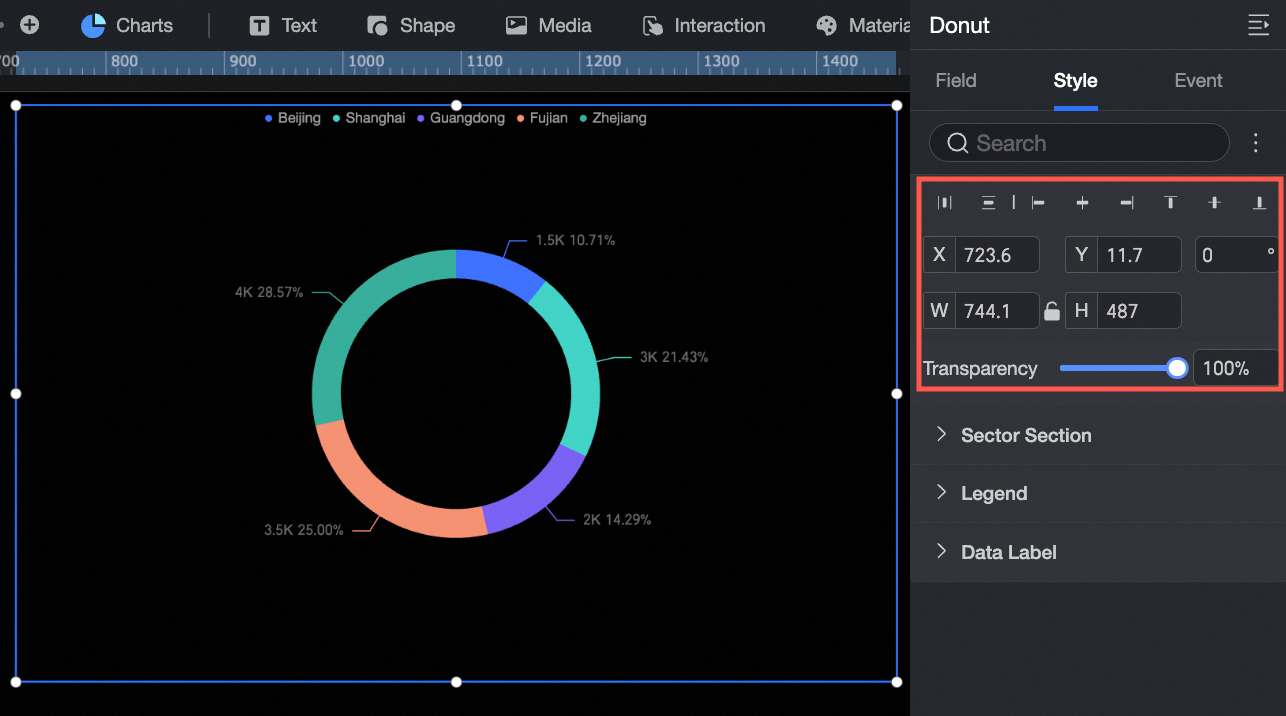
Configure the following position and size options:
-
Adjust the component's alignment. Options include Align Left, Center, and Align Right.
-
Set the component's position (X and Y coordinates) relative to the top-left corner of the canvas.
-
Set the rotation angle of the component.
-
Set the component's width (W) and height (H).
-
Lock the component to prevent changes to its size and position.
Slices
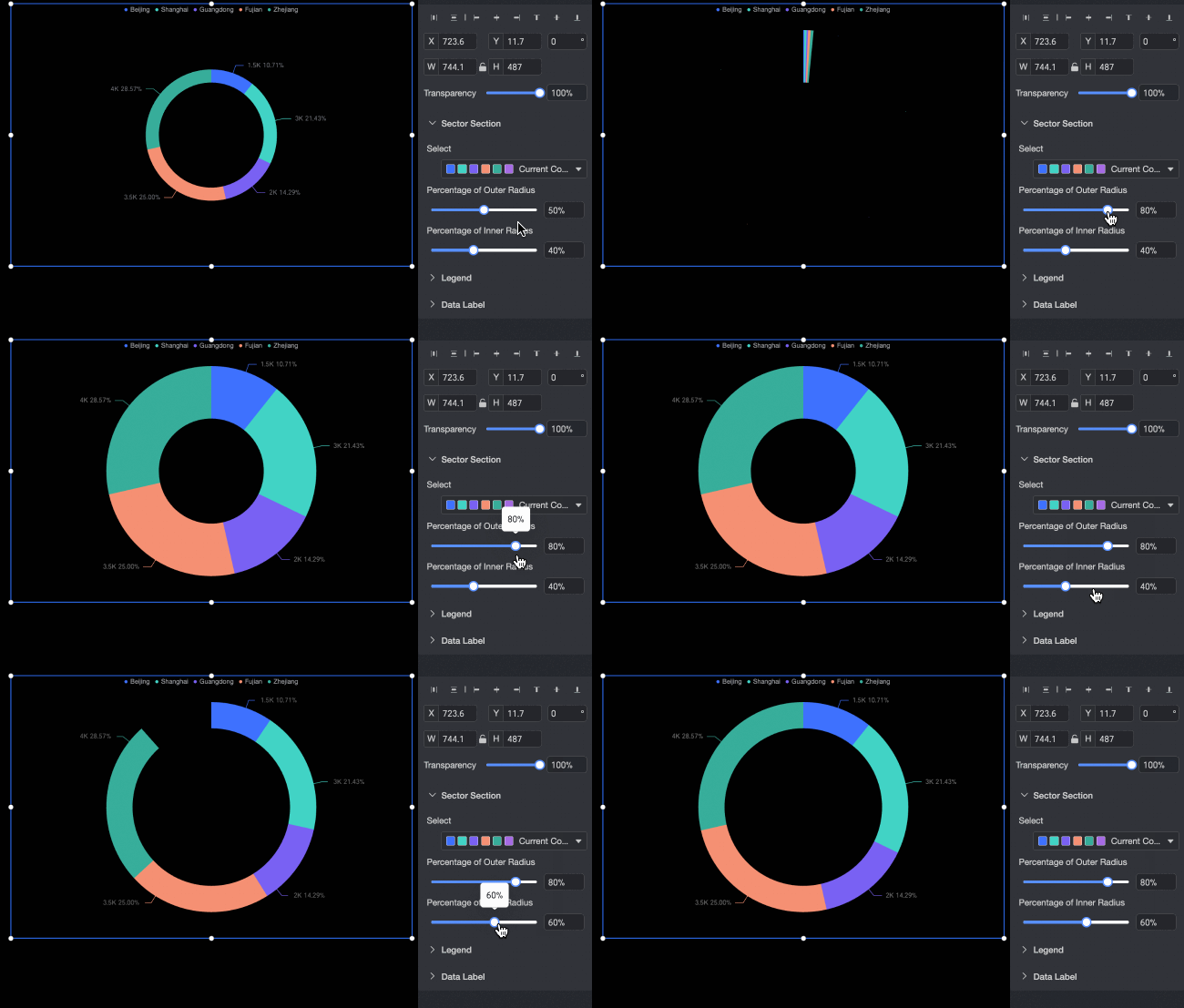
Configure the following slice options:
-
Set the color for each slice.
-
Adjust the inner and outer radius of the slices.
Legend
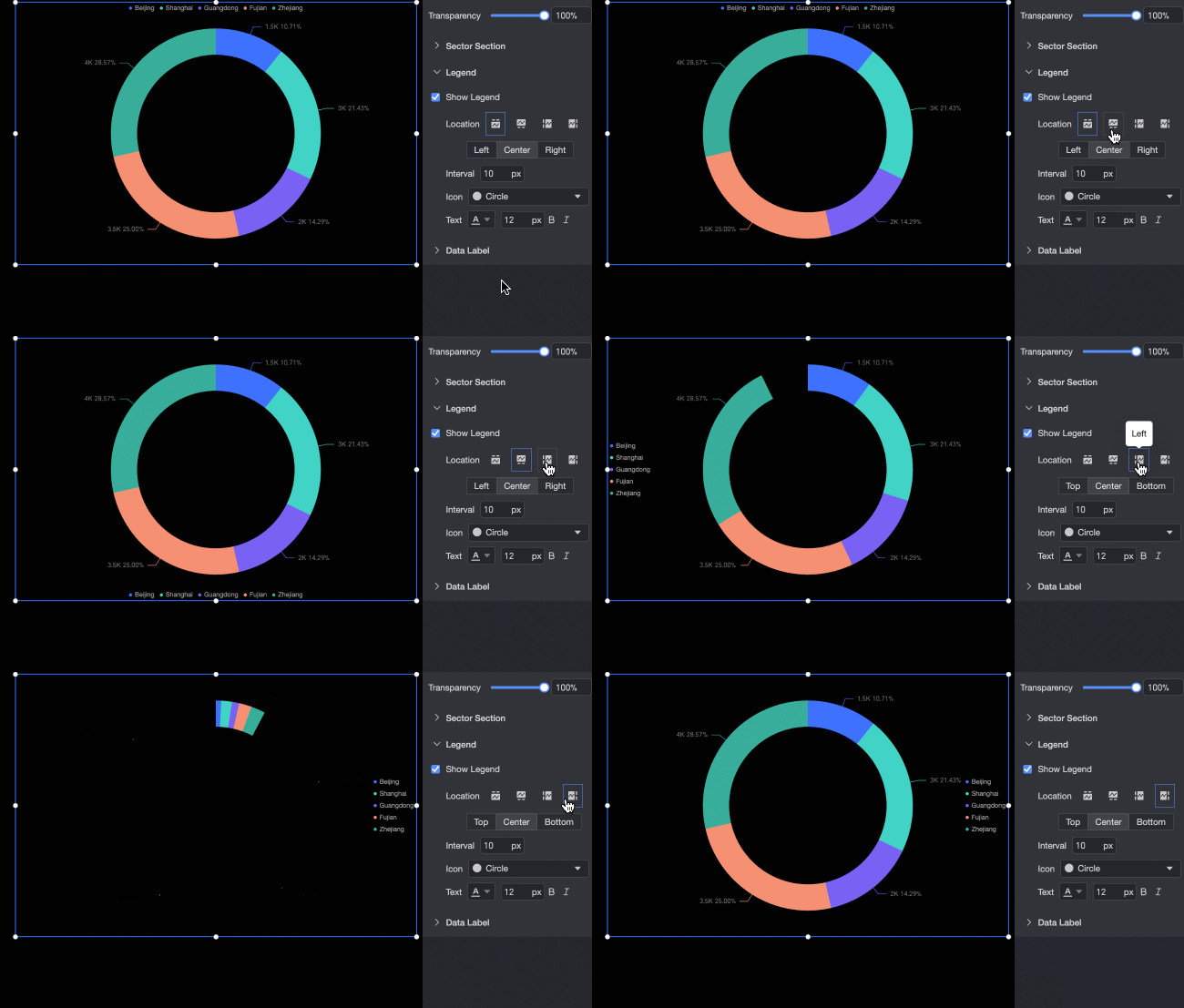
Configure the following legend options:
-
Set the position of the legend. Options include Top, Bottom, Left, and Right.
-
Set the spacing between legend items.
-
Set the shape of the legend icons. Options include Circle, Rectangle, Rounded Rectangle, and Triangle.
-
Configure the text style for the legend, including color, font size, and font style (Bold or Italic).
Data labels
Configure the following data label options:
-
Select the information to display on each slice. You can show one or more of the following: dimension values, metric, and percentage.
-
Set the number of decimal places for percentages. You can select 0, 1, or 2.
-
Set the layout of the data labels. Options are Horizontal and Vertical.
-
Align the data labels. When the layout is set to Vertical, you can align the text to the Center, Left, or Right.
-
Configure the text style for the data labels, including color, font size, and font style (Bold or Italic).