My charts
The My Charts page displays the custom charts that you have installed from the Chart Marketplace. On this page, you can view chart information, manage its availability for creating and editing visualization reports, and remove unused charts.
Prerequisites
Permissions: You must have permissions for at least the basic features of Quick BI AIPro.
Chart installation: Custom charts must be installed from the Chart Marketplace. For instructions, see Chart Marketplace.
Entry point
In Quick BI AIPro, go to the My tab. In the left-side navigation pane, click My Extensions, and then click the My Charts tab.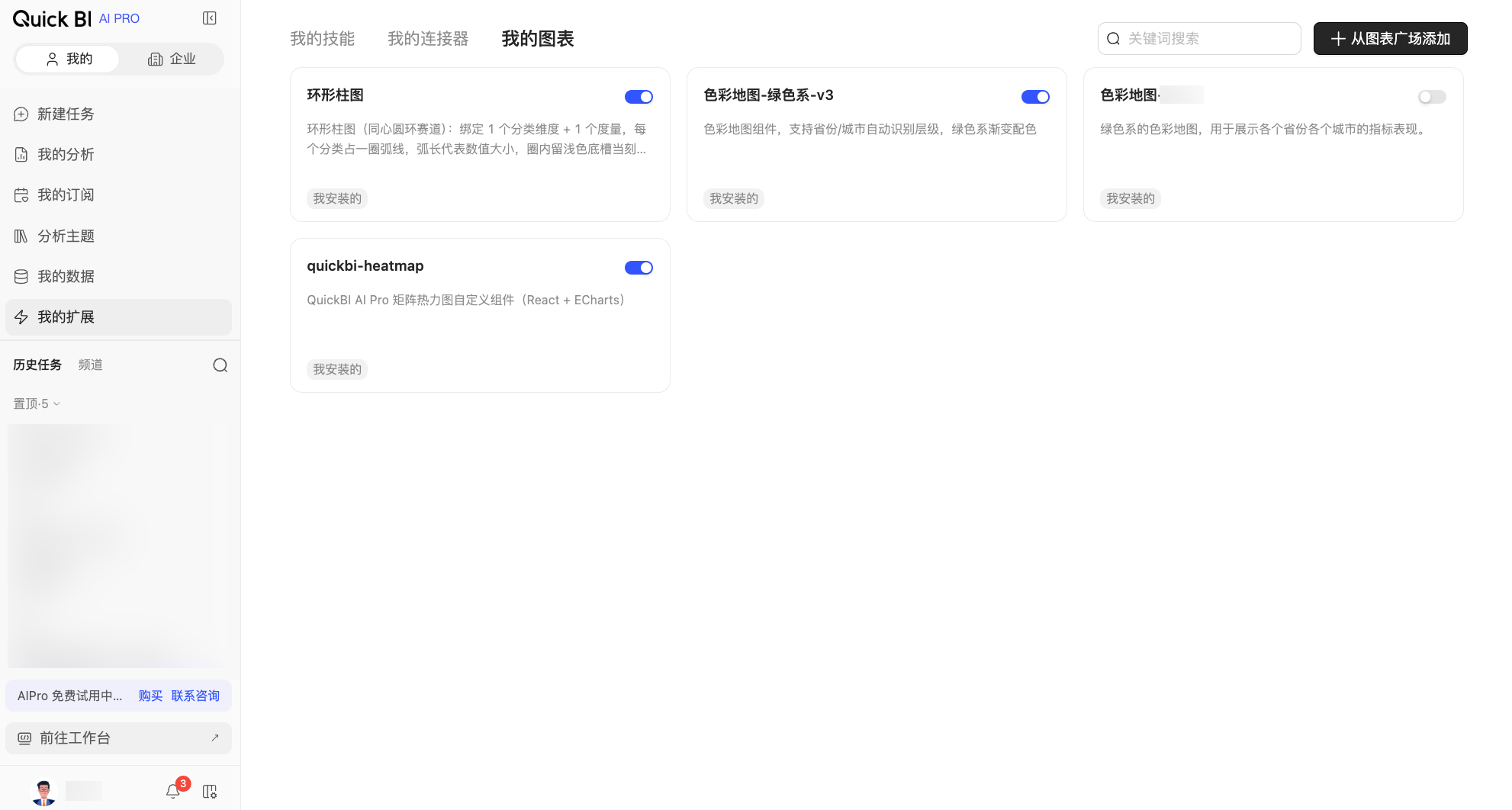
Operations
The My Charts page displays the name, description, and source type of each chart on a card. You can perform the following operations.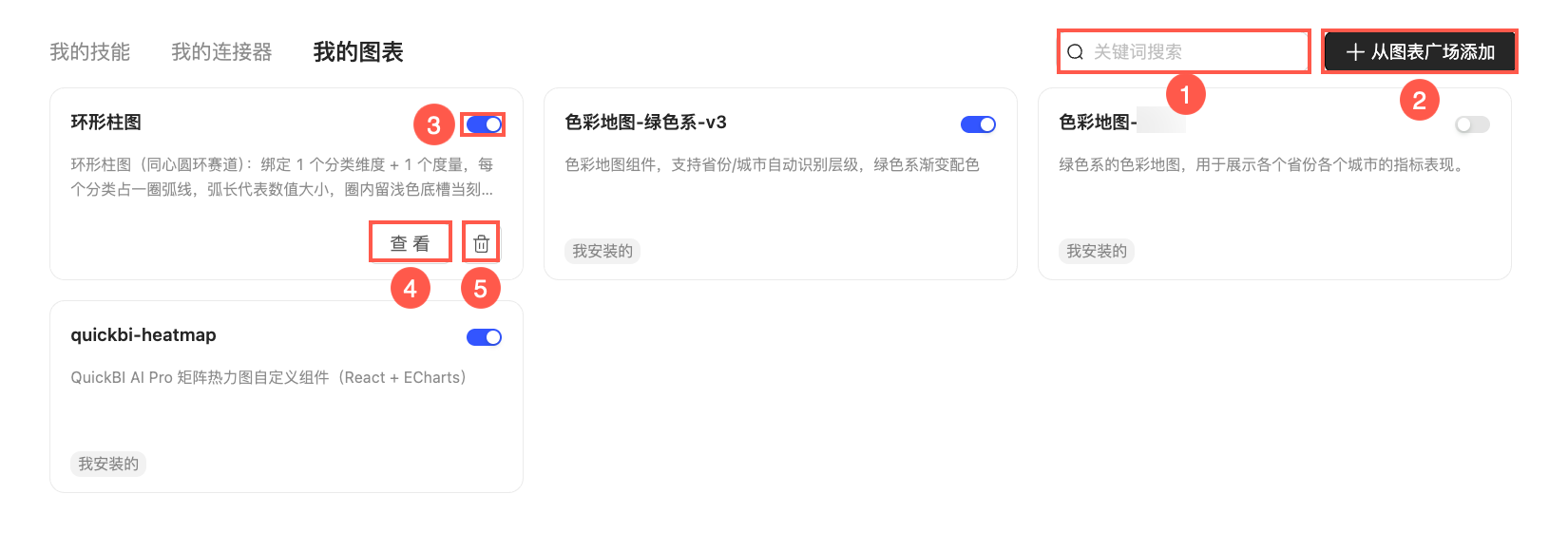
Actions | Description |
① keyword search | If you have many charts, enter keywords from a chart's name in the search box to quickly find a specific chart. |
② Add from Chart Marketplace | Click this button to open the Chart Marketplace, where you can find and add custom charts published within your organization. |
③ enablement status | Use the toggle switch in the upper-right corner of a chart card to control its availability. When enabled, the chart is available for creating and editing visualization reports. Disabling a chart prevents it from being used in new reports but does not affect existing reports that use it. |
④ View | Hover over a chart card and click the View button to see details such as its name and description. |
⑤ Delete | Hover over a chart card, click the More icon, and then select Delete. |
Usage
Deleting a chart only removes it from your My Charts list. To use it again, you can reinstall it from the Chart Marketplace. Existing reports that use the chart are unaffected.
When an administrator updates a chart code package, the new version takes effect immediately. Reports that use the chart are automatically updated to the new version.
If an administrator deletes a chart, it is also removed from your My Charts list. Existing reports that use the deleted chart will no longer display correctly.
Related operations
Chart Marketplace: Find and install custom charts published within your organization.
Conversational BI: Generate visualization reports using custom charts.