Topic Square
The Topic Square displays published Analysis Topics in your organization. You can view topic information, start a conversation using topics you have permission to use, or apply for permission to use other topics.
Prerequisites
You are logged in to Quick BI AIPro.
You have at least the basic features permission for Quick BI AIPro.
An organization administrator has created and published Analysis Topics.
Access
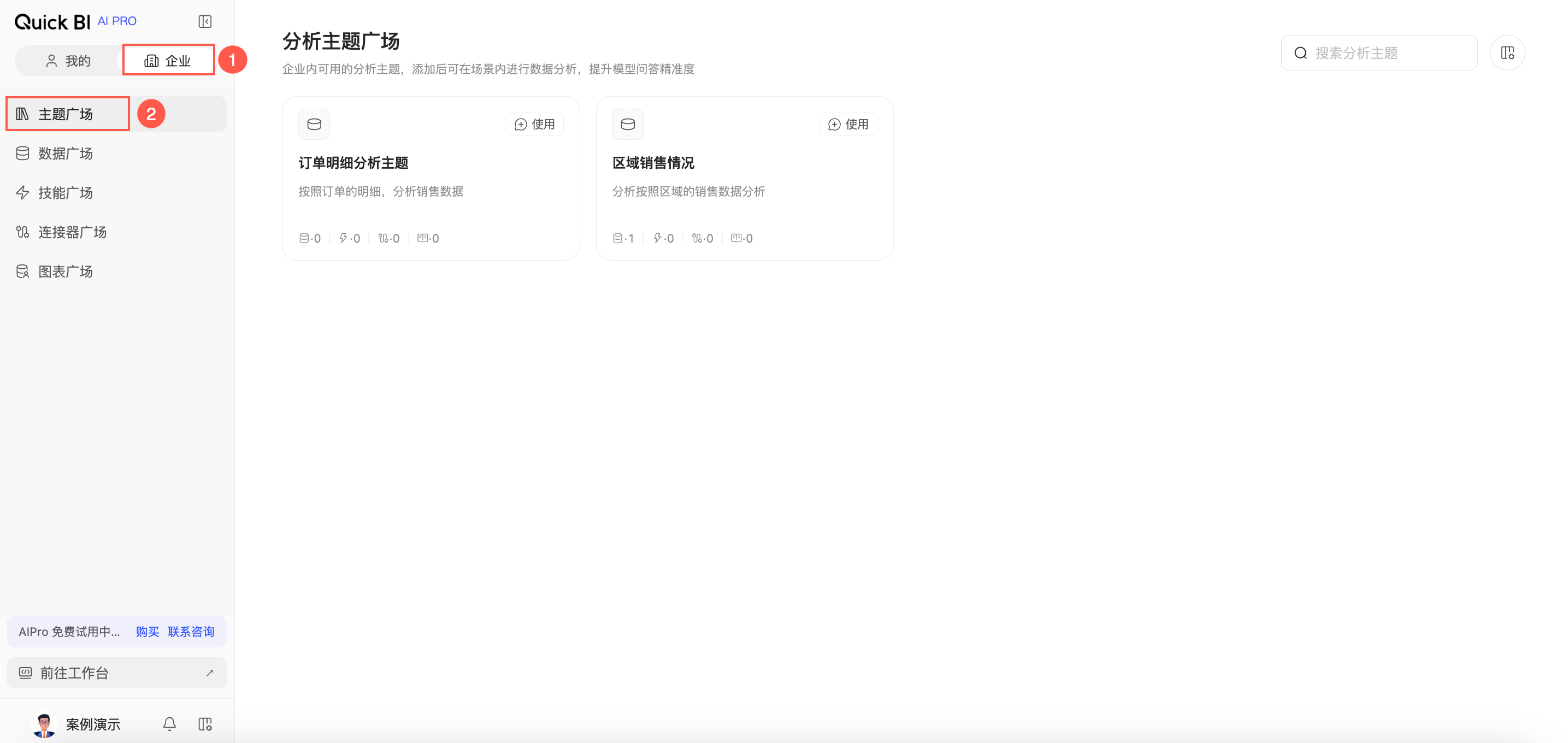
In Quick BI AIPro, on the Enterprise tab, go to Topic Square.
View topics
In the Topic Square, you can view published Analysis Topics.
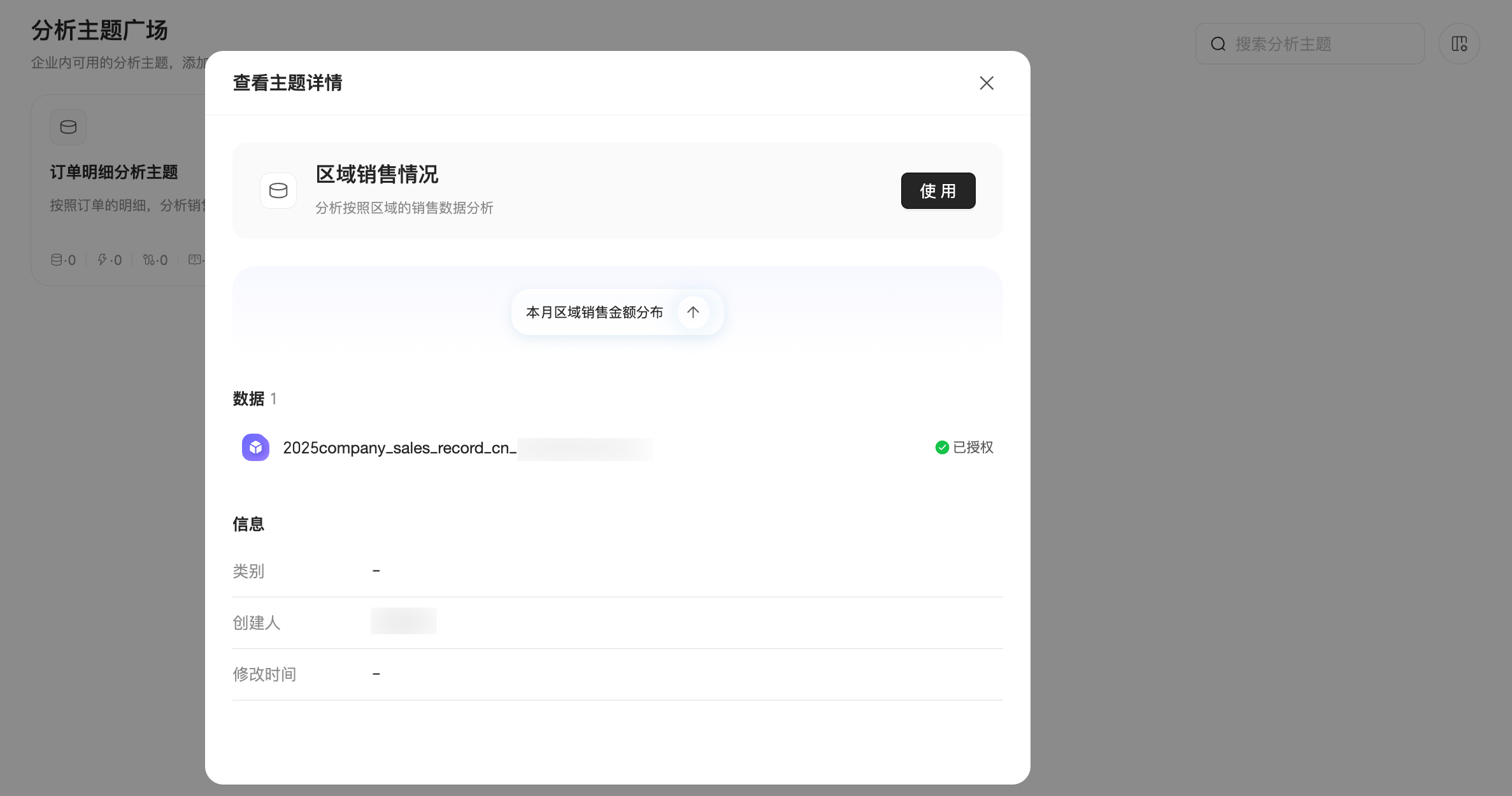
Click a topic card to view its details and check whether its business scope and available context meet your analysis needs.
Use a topic
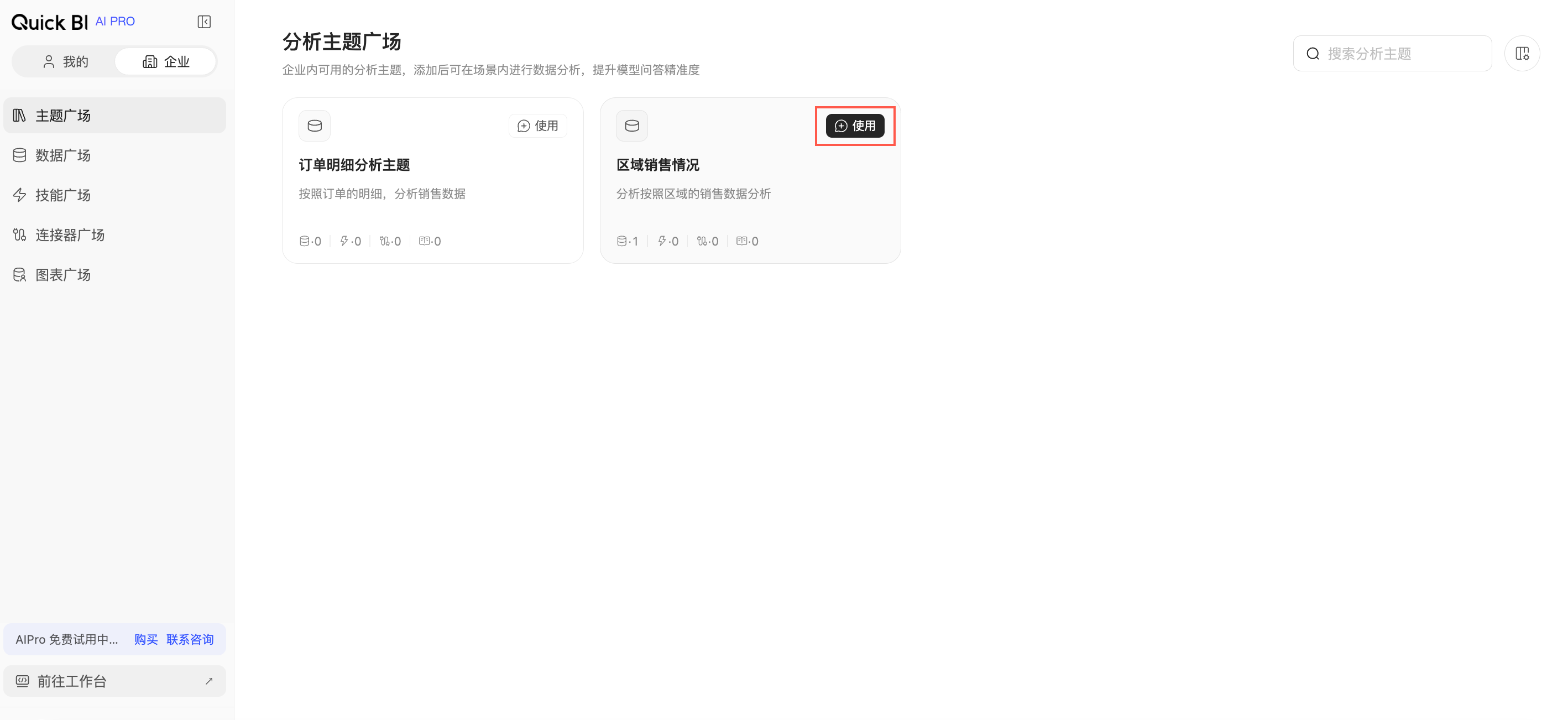
You can use a topic in two ways: click Use in the upper-right corner of the topic card, or open the topic details and click Use. Both actions open the main conversation and automatically select the topic. You can also click a recommended question to start the conversation immediately.
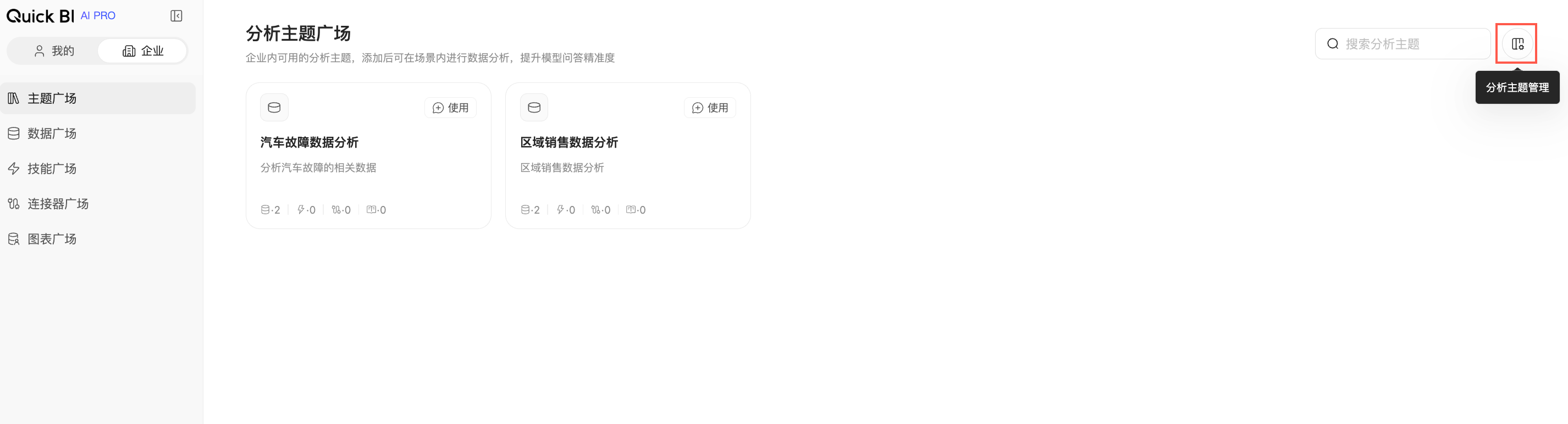
An organization administrator can also click Analysis Topic Management in the upper-right corner of the Topic Square to go to the Analysis Topic Management page and maintain topics. For an organization administrator, hovering over a topic card reveals a shortcut to the topic's configuration page.
Request permission
If you cannot use a topic, click Apply for Permissions on the topic card to request access. After your request is approved, you can select the topic in the conversation for analysis.
An organization administrator handles requests for topic usage permission. The permission request workflows for topics and datasets are separate. If you can access a topic but lack permission for a specific dataset it uses, apply for the required dataset permission as prompted in the conversation.
Usage
By default, the Topic Square lists topics from newest to oldest. You can reorder them.
The topic selector in the main conversation matches the order in the Topic Square.
Topics taken offline no longer appear in the Topic Square and cannot be used to start conversations from there.
Related operations
Analysis Topic Management: Create, configure, publish, and take Analysis Topics offline.
Analysis Topics: View the topics you can use and set a default topic.
Conversation Mode: Select a topic in the main conversation and run analysis.