This topic demonstrates how to develop a SKILL for operating enterprise software and use it in Wukong.
Background, challenges, and solution approach
Enterprise customers face the following challenges when using desktop agents:
Low accuracy fails to meet enterprise requirements. When an agent operates enterprise software, it cannot guarantee accurate results, and errors can lead to direct financial losses. Examples include supply chain customs declaration processes and e-commerce product listing workflows.
Slow execution makes agents unsuitable for production workflows. An agent relies on a "sense-plan-act" loop, which can lead to prolonged, ineffective attempts or significant delays when operating enterprise software.
High token consumption and low cost-effectiveness. The agent requires continuous model involvement even for repetitive tasks, which results in high operational costs.
This topic provides the following solution approach:
First, use Robotic Process Automation (RPA) to develop standard operating procedures within the enterprise into a repeatable automated process. This process can then be integrated as a SKILL that the agent can use.
When employees use the agent, it can invoke these SKILLs to deliver real business value.
Use case
Business requirement
Operations staff need to analyze product sales data daily. They face two issues: first, data is scattered across multiple platforms and must be downloaded manually from each store for analysis; second, parts of the analysis are repetitive, but performing the analysis and summarization manually each time is tedious.
Implementation approach
Develop a SKILL that combines data collection and analysis. Data collection is handled by an automated process developed with Alibaba Cloud RPA, and the analysis requirements are explicitly defined within the SKILL.
Operations staff use this SKILL in Wukong.
Runtime architecture

Procedure:
Develop an automated process by using Alibaba Cloud RPA and publish it as an MCP Tool.
Use a service-based RPA robot as the SKILL runtime.
Add an MCP to Wukong.
Write a SKILL and add it to Wukong.
Procedure
Install Wukong
For information about installing and using Wukong, see https://wukong.dingtalk.com/. This topic uses Wukong v0.9.18.
Develop an automated process into an MCP tool
For more information about developing an automated process with Alibaba Cloud RPA, see Develop an automated process.
The following table describes the process input and process output for the automated process in this example:
Automated process
Parameter
Output
Automatically retrieve product sales data from stores
statis_date: The date for which to query product sales data.
The retrieved product data is in JSON format and includes details for each store, such as product ID, product name, style tags, sales quantity, unit price, and the number of favorites.
The automated process saves the retrieved data by using task_result.
ImportantThe implementation in this example is not universally applicable because enterprises use different platforms and have unique data requirements. See Develop an automated process for instructions on creating a process tailored to your business.
Publish the automated process as an RPA application. For more information, see Publish and manage applications.
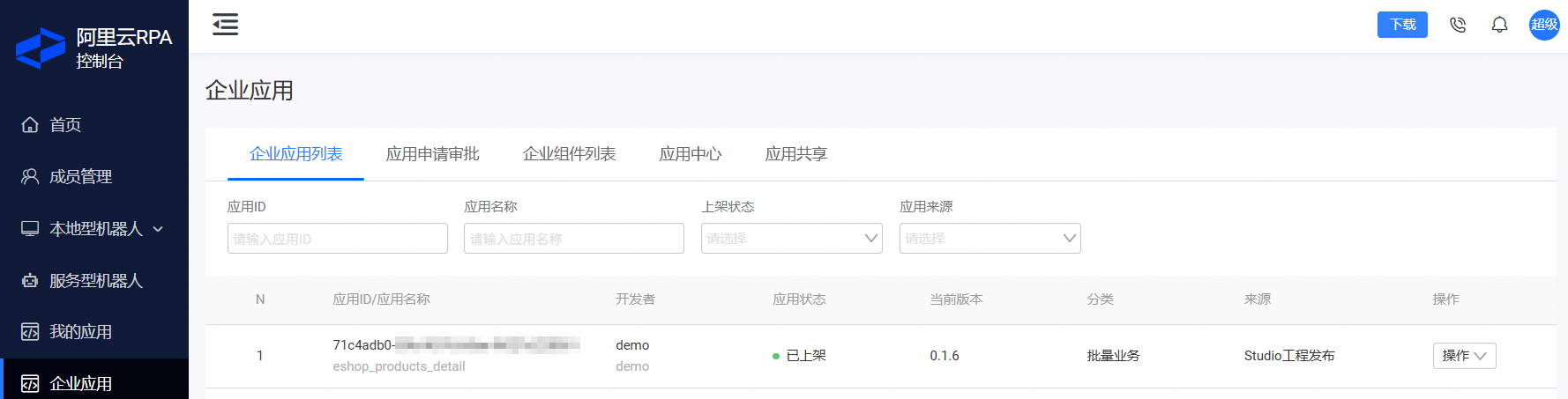
Publish the process as an MCP Tool. For more information, see Publish as an MCP Tool. The following figure shows the information about the published MCP Tool.
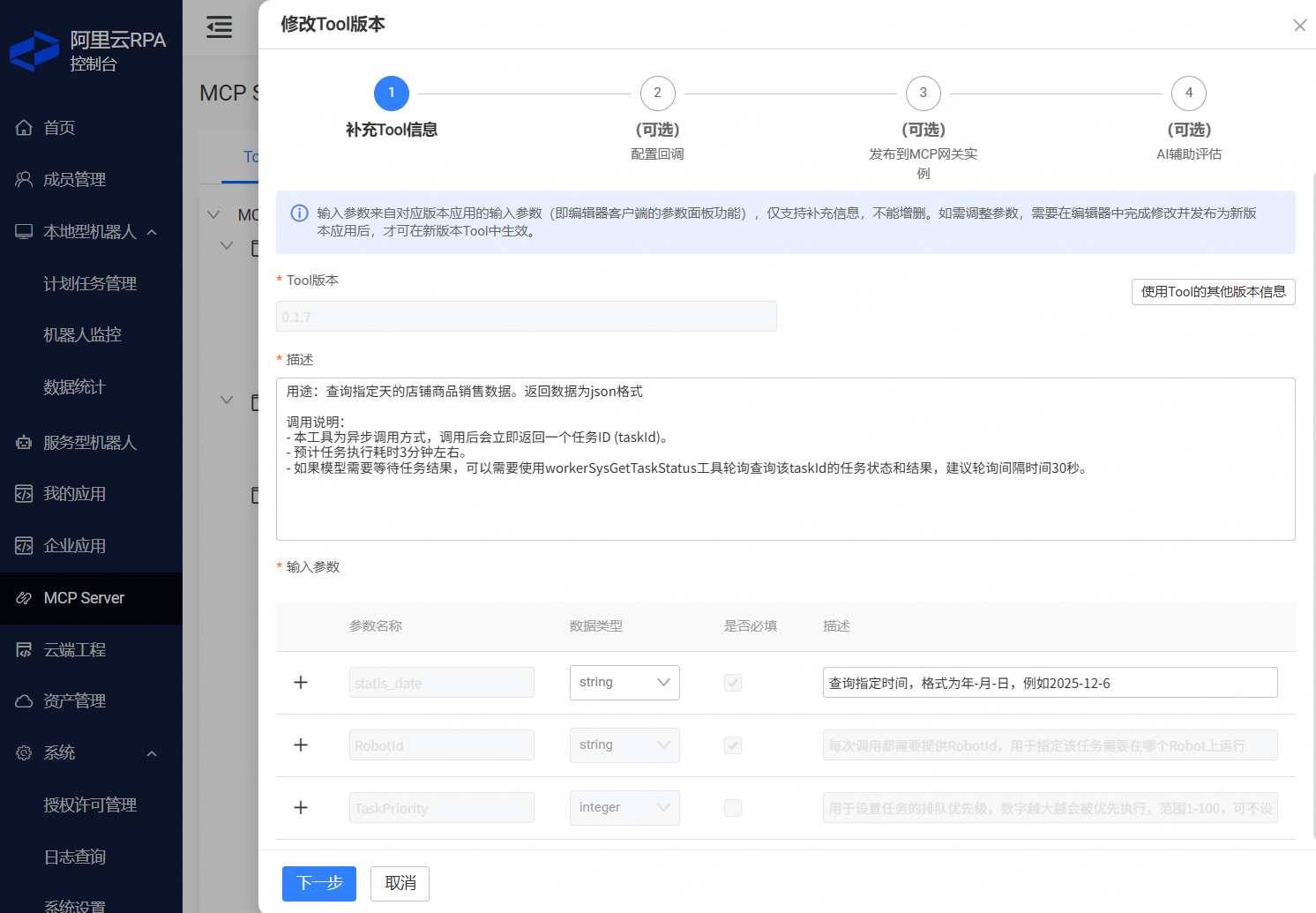 Important
If the automated process takes a long time to run, specify the estimated duration and the agent polling interval in the Tool Description.
Prepare the SKILL runtime
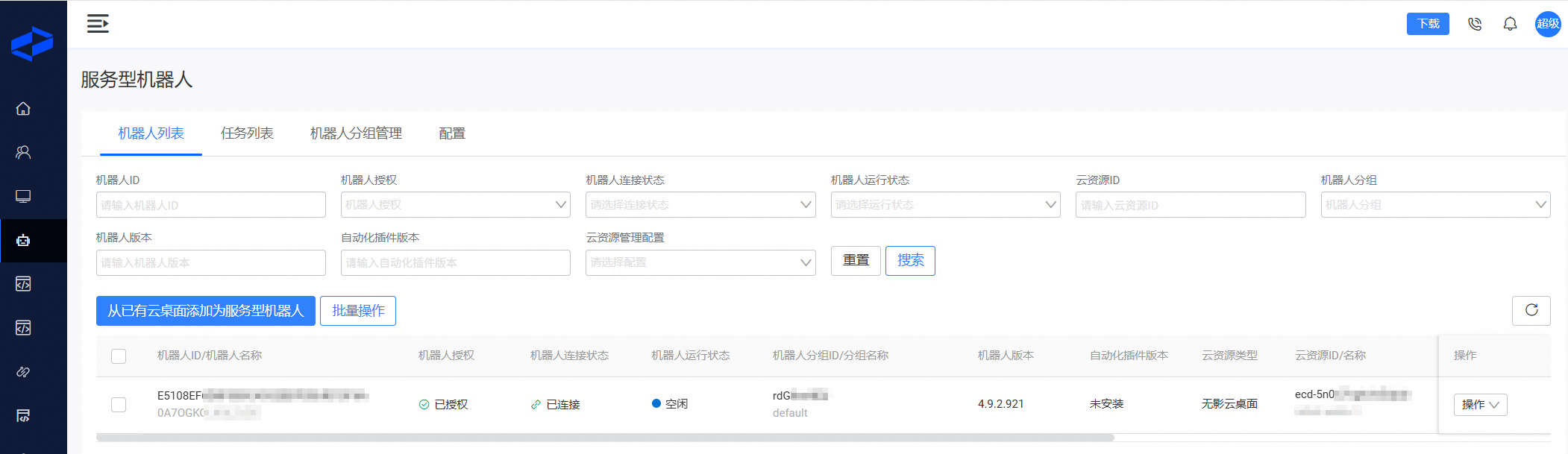
This example uses a service-based RPA robot as the SKILL runtime.
A service-based RPA robot requires Wuying Workspace. For configuration instructions, see Run an automated process as a service. After the robot is created, it appears as shown in the following figure. You will use this service-based RPA robot to run the SKILL in subsequent steps.
Add an MCP to Wukong
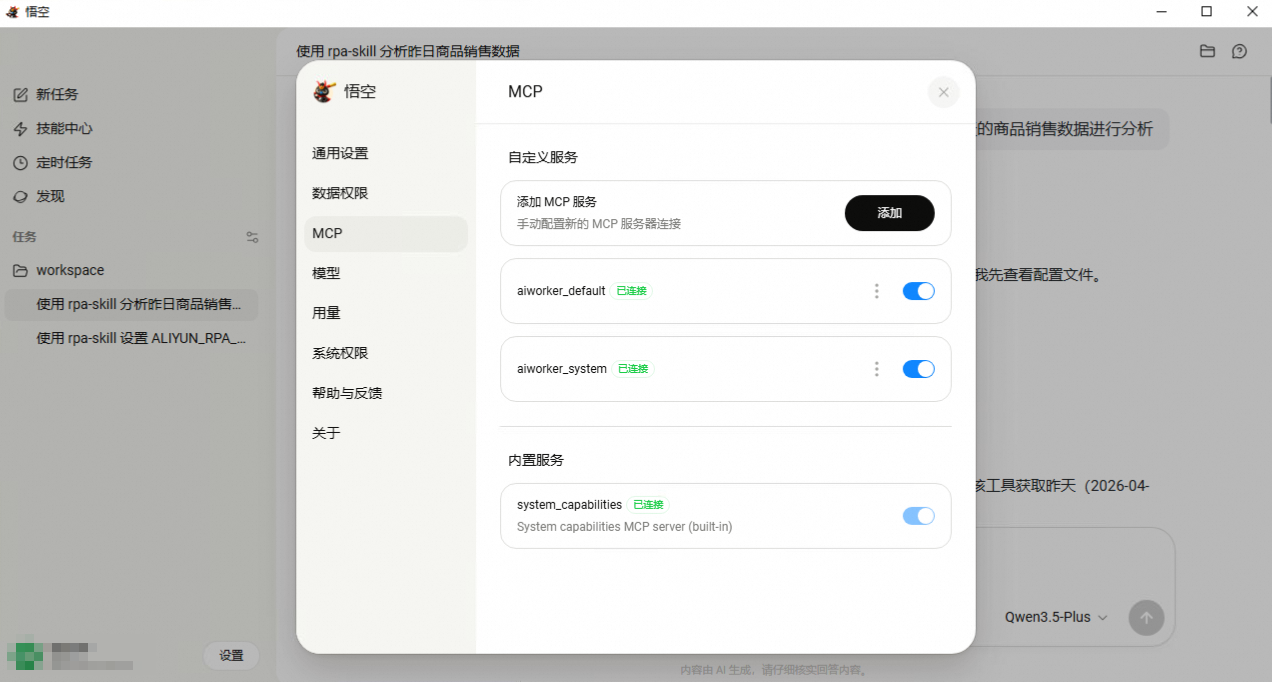
In the RPA console, navigate to the MCP Server menu to obtain the MCP Server configuration. This configuration may contain information for multiple MCP Servers, as shown in the following figure.
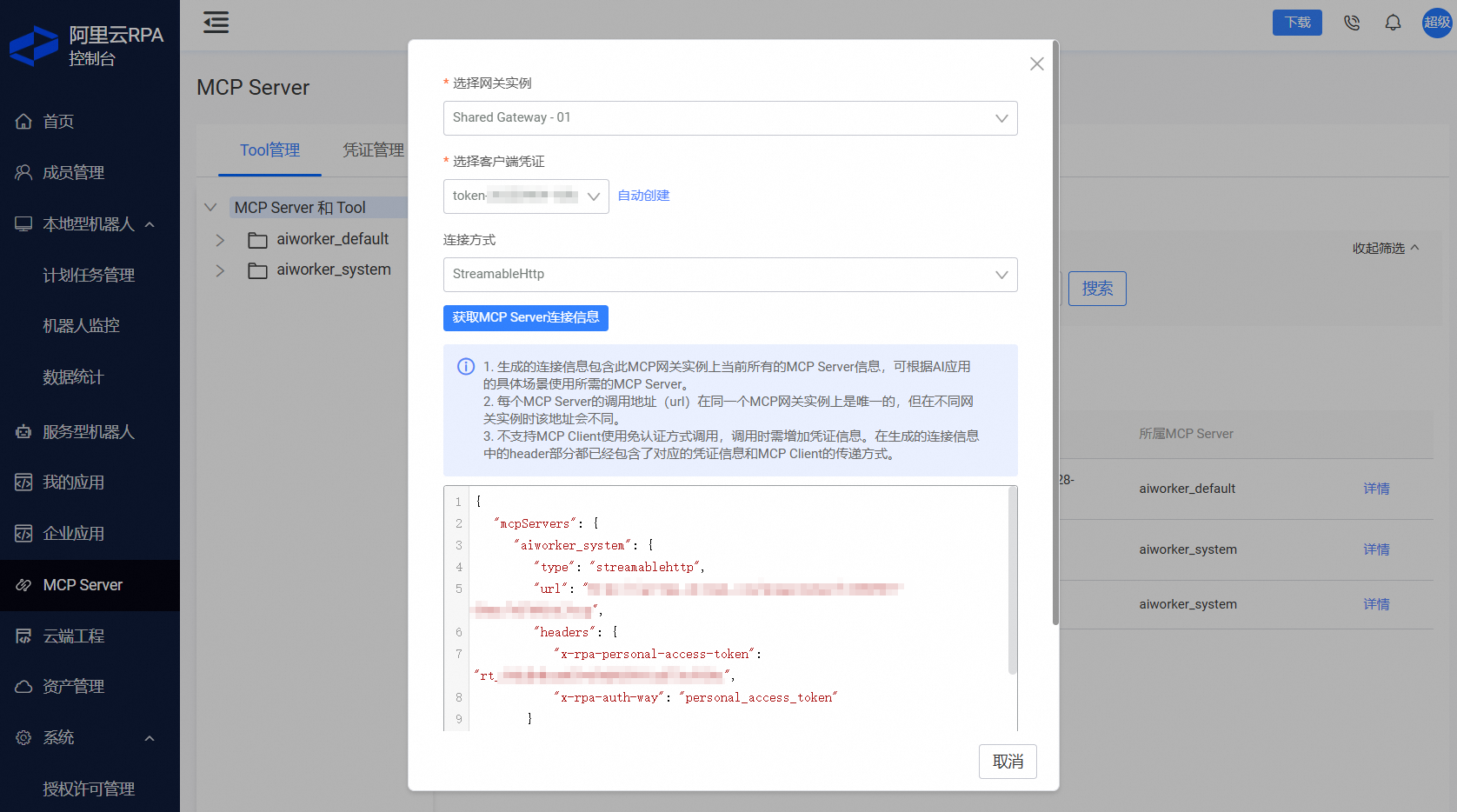
In Wukong, navigate to the Settings > MCP menu. Paste the JSON content in two separate entries to create two MCP services.

Add a SKILL to Wukong
This allows the agent to better understand user intent and complete tasks more accurately.
Prepare the SKILL.md file.
NoteThe SKILL content in this topic is for reference only. You must modify it based on your specific business scenarios.
---
name: rpa-skill
version: 1.0.0
description: An operations assistant. Use this SKILL to analyze product sales data, or to set and use a robot ID.
---

# Product sales data analysis

## Analysis process

1. The user must provide a date in YYYY-MM-DD format, for example, 2025-10-02.
2. Call list_product_metrics through MCP to obtain the product sales data for the specified date.
3. Generate an analysis report in Markdown format that includes:
   - Overall sales overview
   - Sales performance by store
   - Top 10 products by sales revenue
   - Best-selling products by store
   - Conversion rate analysis
   - Price range analysis

# Pre-use setup

## Set and use a robot ID

1. Before use, the user must set a robot ID. The robot ID is an alphanumeric string that can be found in the Alibaba Cloud RPA console.
2. The robot ID is stored as `ALIYUN_RPA_RobotId` in the config/rpa-skill.json file.
3. If `ALIYUN_RPA_RobotId` is empty, prompt the user to provide it. After it is provided, save it.
4. If `ALIYUN_RPA_RobotId` exists, it is used by default in all conversations.
5. If the user requests to set the robot ID, update the `ALIYUN_RPA_RobotId` in the config/rpa-skill.json file.
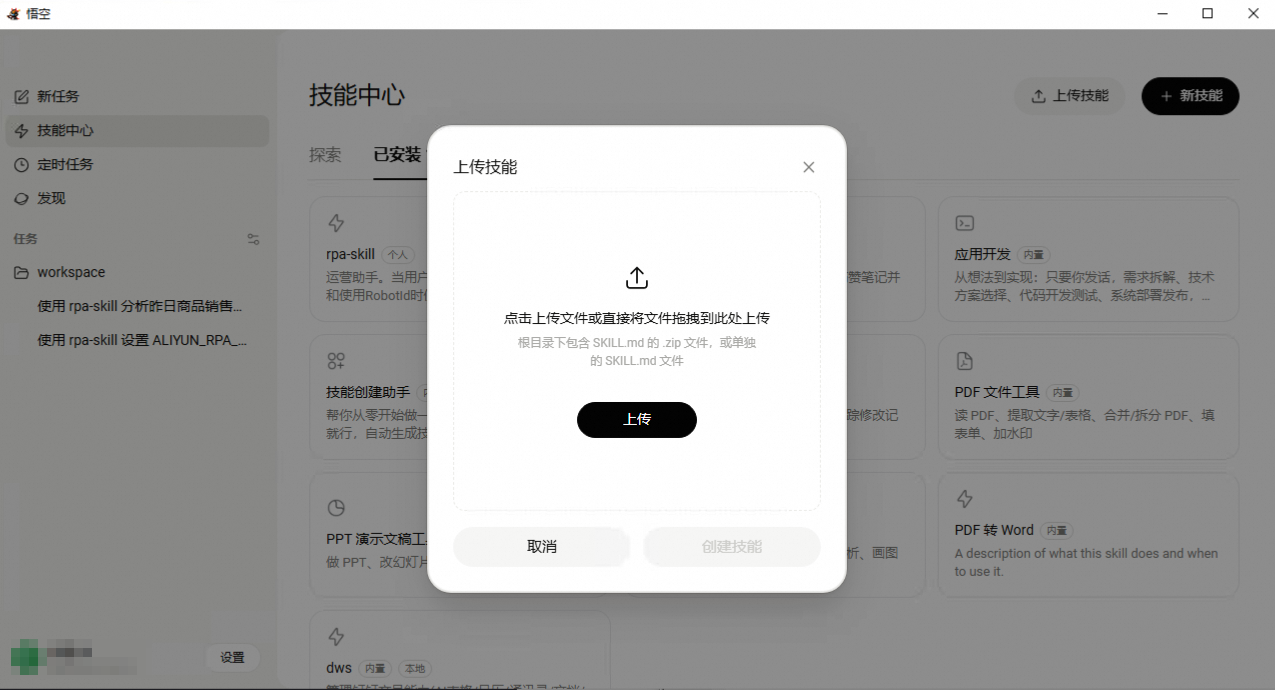
Upload the SKILL.md file to Wukong.
Configure the robot ID.
To avoid providing the robot ID for each request, set it once. In a Wukong conversation, set the robot ID to the ID of the service-based RPA robot that you created earlier. The following figure shows an example:
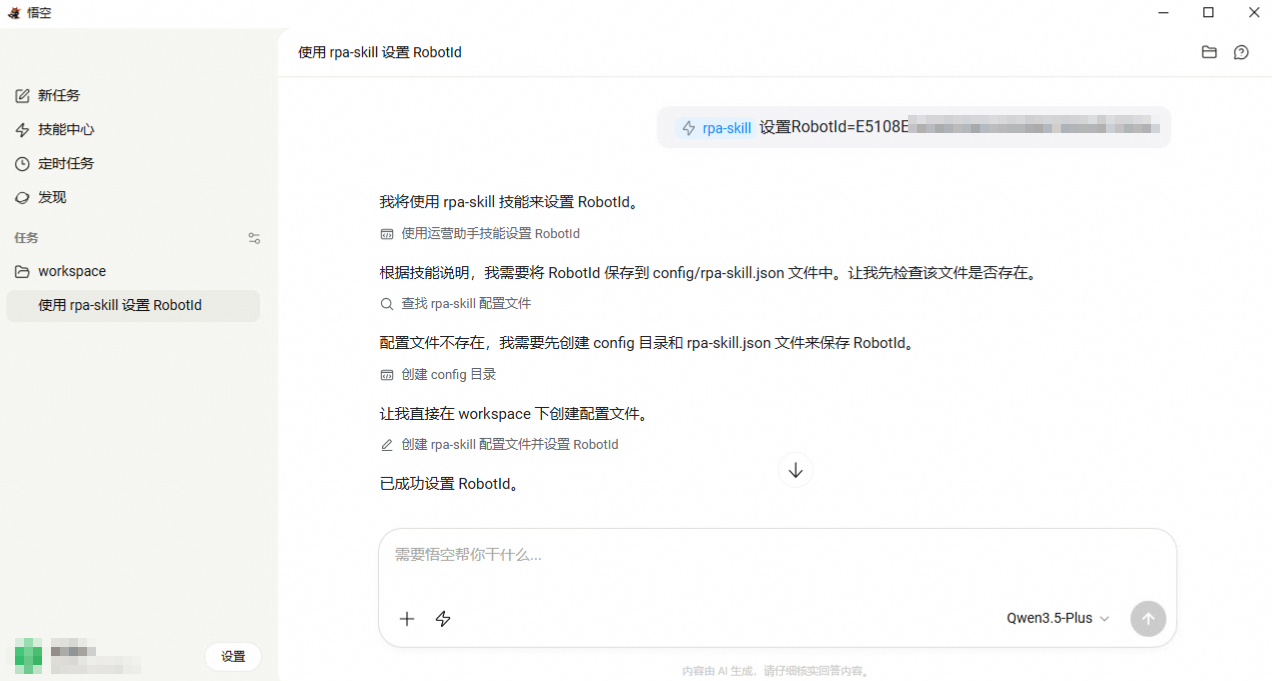
The configuration is complete.
Example usage
In a Wukong conversation, enter a request to analyze the product sales data for a specific day. The following figure shows an example.
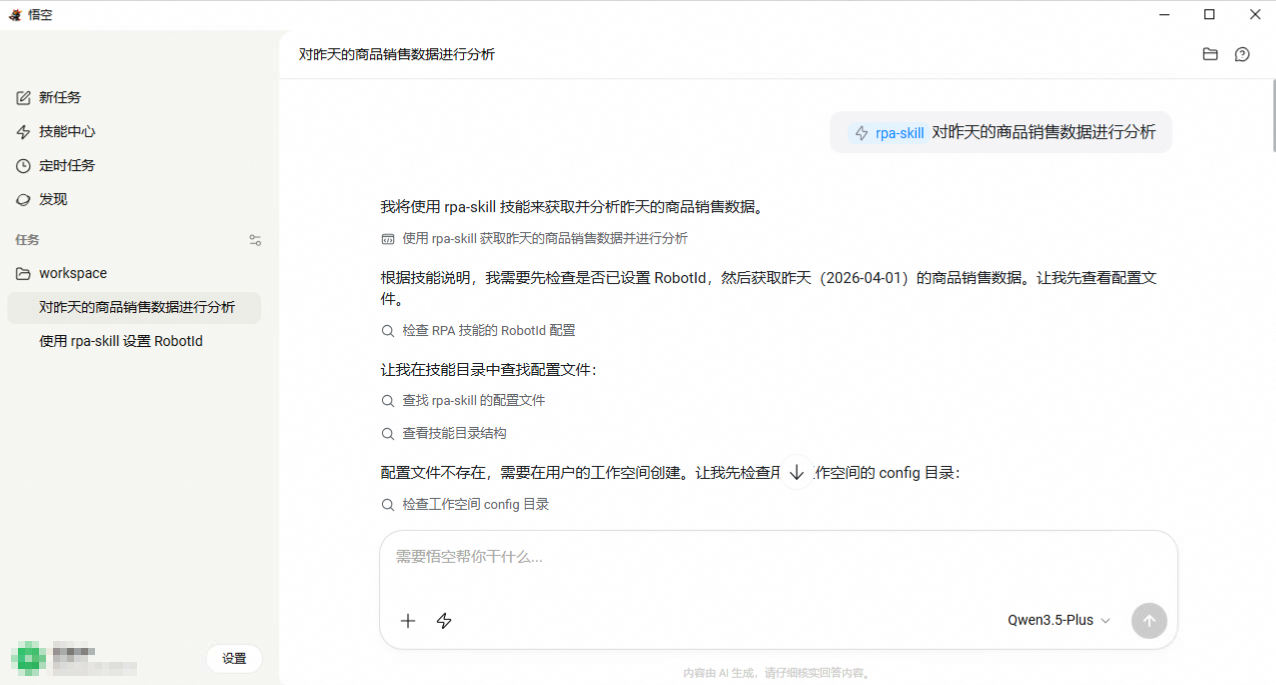
The product sales data in this topic is simulated.