Manage security deposits
A security deposit is a financial guarantee required from partners and service providers to begin a partnership with Alibaba Cloud. This deposit is a prerequisite for collaboration. It protects the interests of both parties, reduces performance risks, and maintains market order.
Scenarios
When you partner with Alibaba Cloud, the required security deposit is determined by your company's qualifications. You must pay this deposit to begin business activities with Alibaba Cloud. For information about Alibaba Cloud Marketplace categories that require a security deposit, see Security deposit rules for service providers.
Alibaba Cloud security deposits are managed online. You can pay, query, and withdraw your security deposit in the Expenses and Costs Console on the Alibaba Cloud website.
Access the security deposit management page
Go to the page to manage your security deposit.
You can view required deposits and paid deposits on this page.
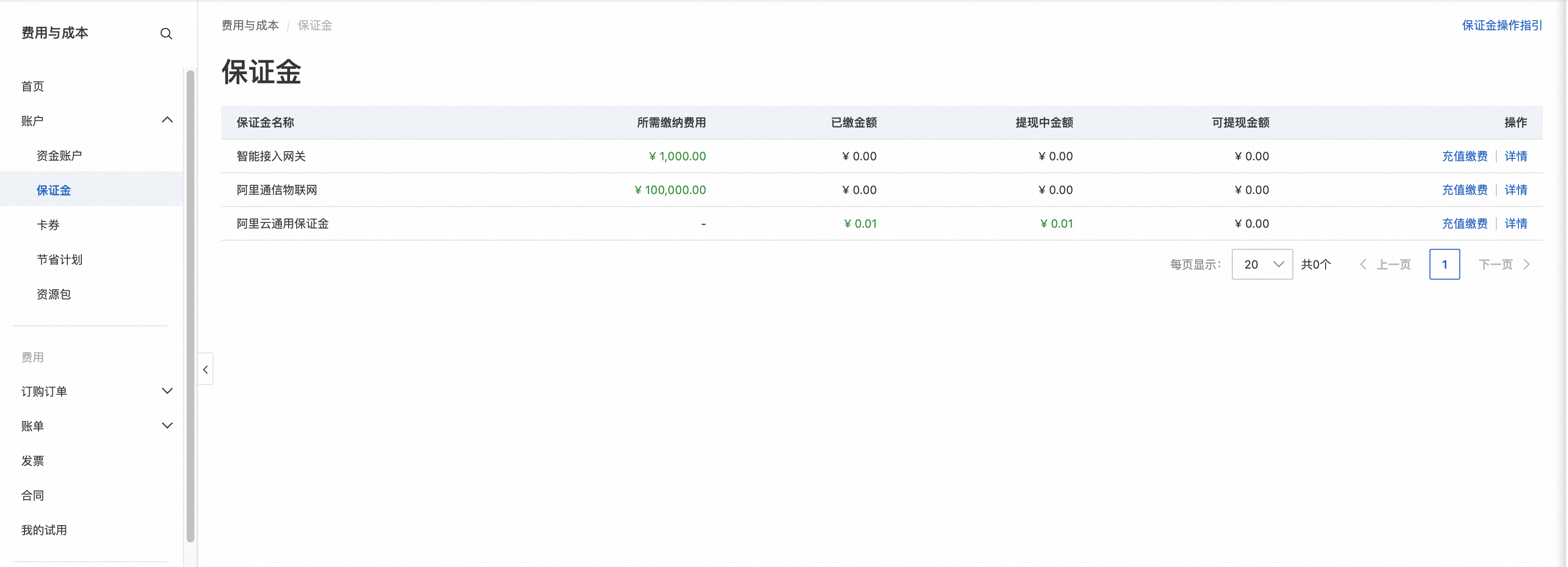
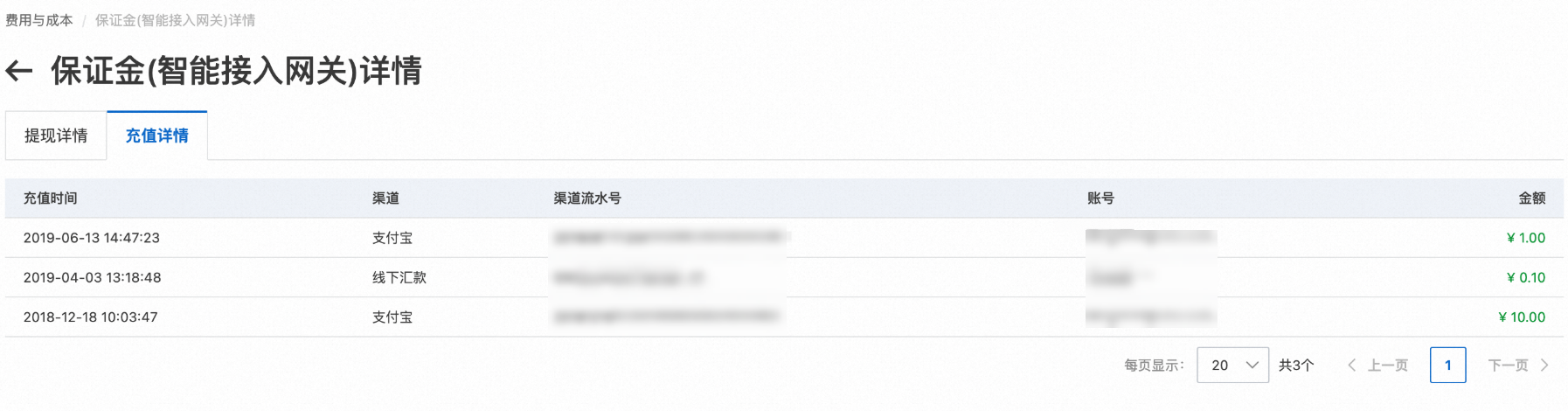
Click Details on the right to view the top-up and withdrawal details for the deposit.
Pay a security deposit
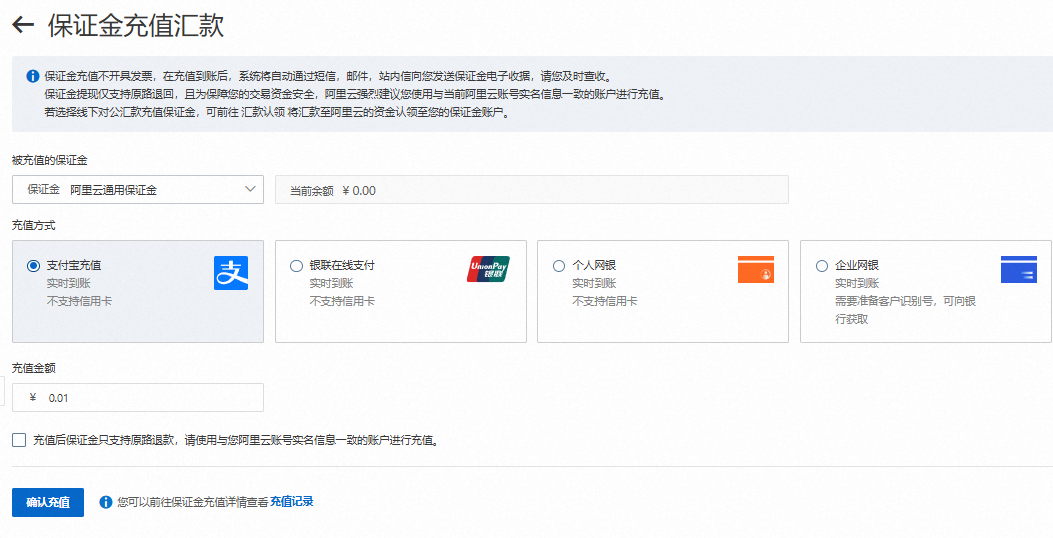
Find the deposit item you need to pay and click the Top-up and Pay button. You are redirected to the top-up page. Confirm that the deposit item is correct, select a payment method, and make the payment.
If you transfer funds to an Alibaba Cloud public receiving account by bank transfer, you must claim the remittance for your security deposit one hour after the transfer. For more information, see Claim a remittance.
Withdraw a security deposit
If your partnership with Alibaba Cloud has ended, you can withdraw your security deposit. The relevant business team reviews the withdrawal request. After approval, the funds are transferred to your specified account.
Alibaba Cloud refunds deposits to the original payment account. If you do not see a withdrawal option for your security deposit, see What do I do if there is no withdrawal option for my security deposit?.
For detailed instructions, see the Withdrawal to Original Payment Source Guide for account balance withdrawals.
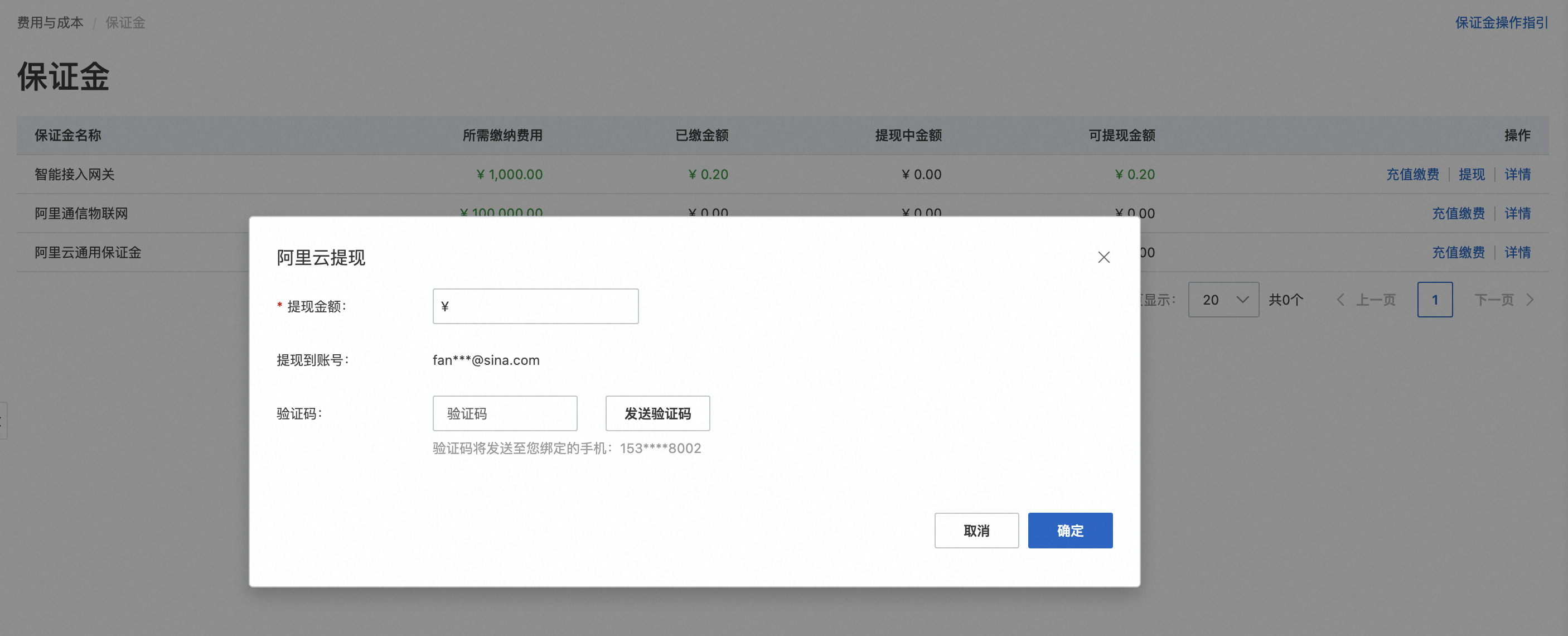
Click the Withdraw button on the security deposit page. A dialog box appears with your original top-up order records.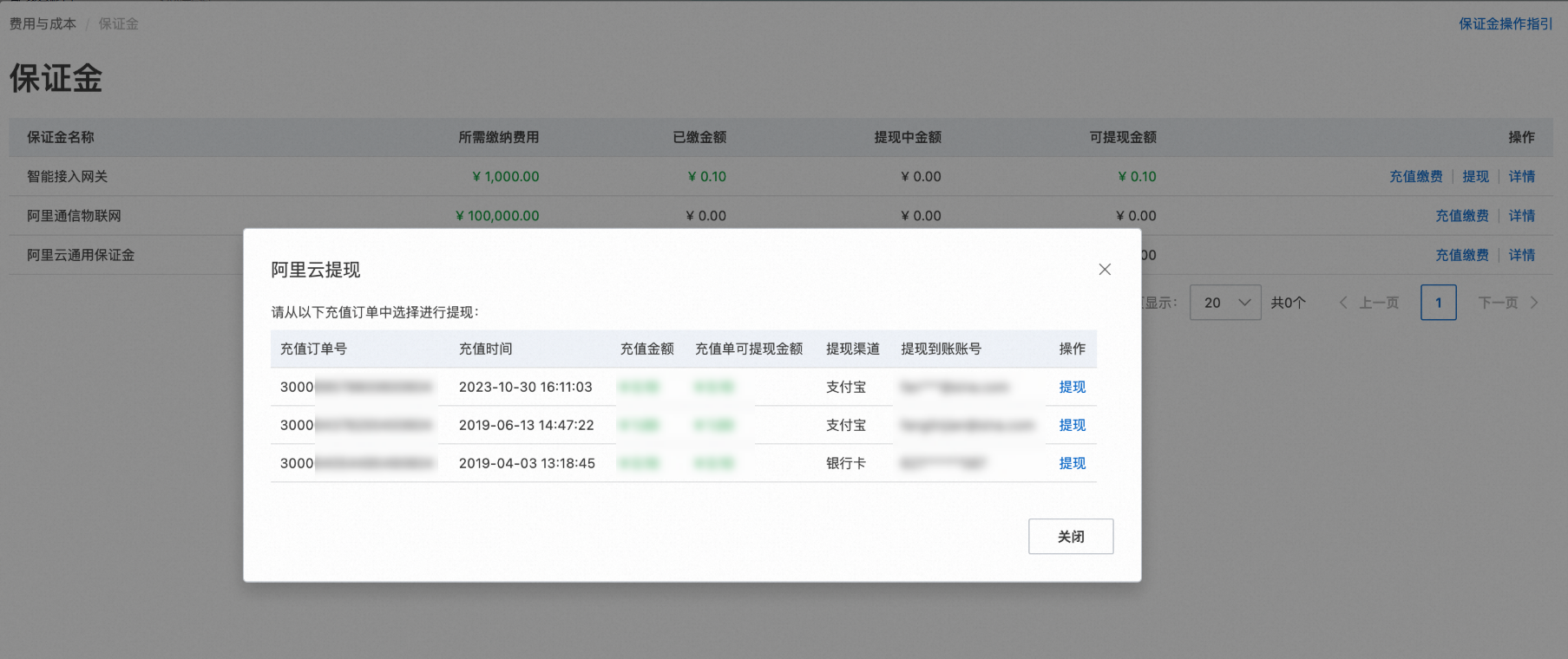
Find the correct top-up order and click Withdraw on the right. Select a refund method, enter the withdrawal amount, and confirm the channel information. After you submit the request, the funds are typically credited to your account within 5 business days.
Security deposit receipts
-
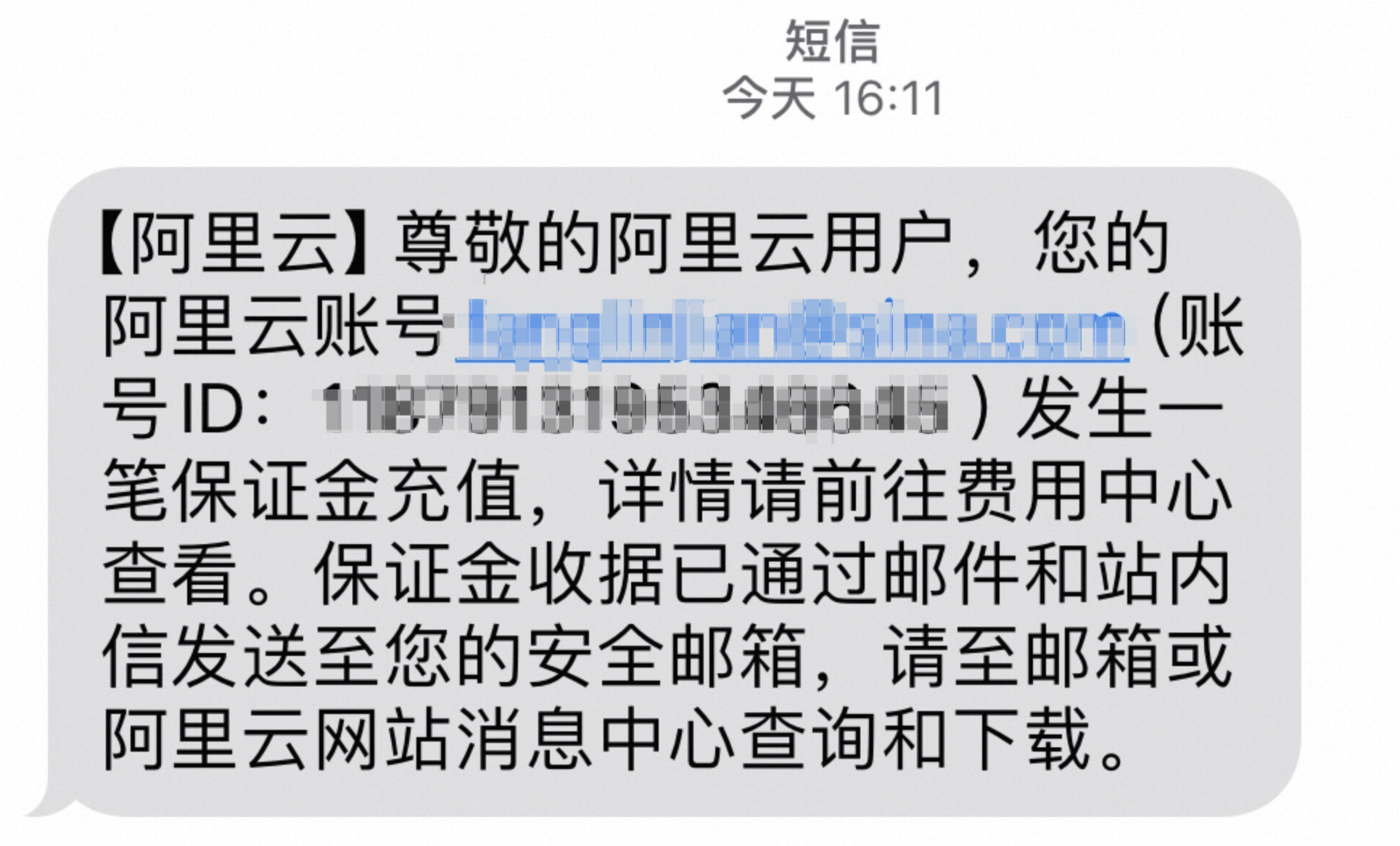
Starting April 29, 2021, after your security deposit top-up is credited, Alibaba Cloud automatically issues an electronic receipt. A download link is sent with the success notification by text message, email, and internal message to the phone number and email address associated with your Alibaba Cloud account.

-
You can download the receipt directly from the email attachment or from the download link in the internal message.
-
Download the receipt promptly after you receive the notification. Keep the electronic receipt in a safe place after downloading. If you lose the receipt, you can download it again from the email attachment or the link in the internal message. The re-downloaded receipt will have the same number as the original.
-
The receipt amount serves only as proof of payment to Alibaba Cloud. The actual refundable deposit amount is based on the recorded balance of the security deposit.
-
For security deposit top-ups made before April 29, 2021, submit a ticket to request a receipt if you need one.
FAQ
How do I top up by bank transfer?
Security deposits cannot be topped up by transferring funds to a dedicated account. If you transfer funds to a dedicated account, the amount is credited to your account balance by default. If you do not have access to Alipay or online banking top-up channels, you can also top up by bank transfer. However, make sure not to use a dedicated account. After the bank transfer is credited, go to the Claim Remittance page to find the transfer and claim it for the intended security deposit item. For detailed instructions, see Claim a corporate bank transfer.
What do I do if there is no withdrawal option for my security deposit?
If there is no withdrawal option for your security deposit, this indicates that the business rules do not permit a withdrawal. If you must withdraw the deposit, submit a ticket to request it.
Does withdrawing an Alibaba Cloud general business security deposit affect my current products?
No. Withdrawing an Alibaba Cloud general business security deposit does not affect your current products. The withdrawal only involves refunding the deposit amount and does not impact the normal use of your subscribed Alibaba Cloud products and services.
Can I get my Alibaba Cloud security deposit back?
Yes, your security deposit is refundable if you meet the following conditions:
-
No violations: If you have not violated any Alibaba Cloud or Alibaba Cloud Marketplace regulations during the partnership and have no outstanding payments or other unresolved issues, the deposit can be refunded after the partnership ends.
-
Complete the exit process: You must formally exit the Alibaba Cloud Partner Program or Alibaba Cloud Marketplace partnership program according to the specified procedure.
I used the wrong account for the transfer. How can I request a refund of the security deposit?
Please confirm that the remittance has been credited. If so, refer to the following information to request a security deposit refund:
-
Claim the remittance to the security deposit ledger.
-
Unclaimed remittance: On the Claim Remittance page in the Expenses and Costs Console, view the remittance record and submit a claim request. In the request, specify that the funds should be allocated to the security deposit ledger. After submission, the system automatically approves the request and tops up the specified security deposit item.
-
Claimed remittance: If your remittance was mistakenly claimed to your account balance instead of the security deposit ledger, submit a ticket to request that the balance be transferred to the security deposit ledger. After the ticket is processed, Alibaba Cloud support staff will manually transfer the balance to the security deposit ledger.
-
-
Initiate a security deposit withdrawal request. For detailed instructions, see Withdraw a security deposit.
Can I use a security deposit to top up customer accounts or for daily spending?
No. Security deposit funds are used exclusively as financial guarantees for ecosystem partnerships and cannot be used to top up customer accounts or for daily spending. The security deposit balance and Alibaba Cloud cash balance are maintained in separate ledgers and serve different purposes.