Design Assets Overview
Updated at:
Design assets enhance the visual effects of applications that you build in DataV. You can use design asset management to classify, reuse, and share assets, which improves the efficiency and quality of visual application design.
Terms
Design assets are design elements that enhance the visual effects of visual applications, such as images, videos, and mockups.
Note Users of the Professional Edition or higher can manage and use model-type design elements.
Design the asset usage interface
When you add a component that supports design assets to the canvas and configure its asset settings, a design asset dialog box appears. In this dialog box, you can upload, search for, and select assets. For more information, see Use interface function description. 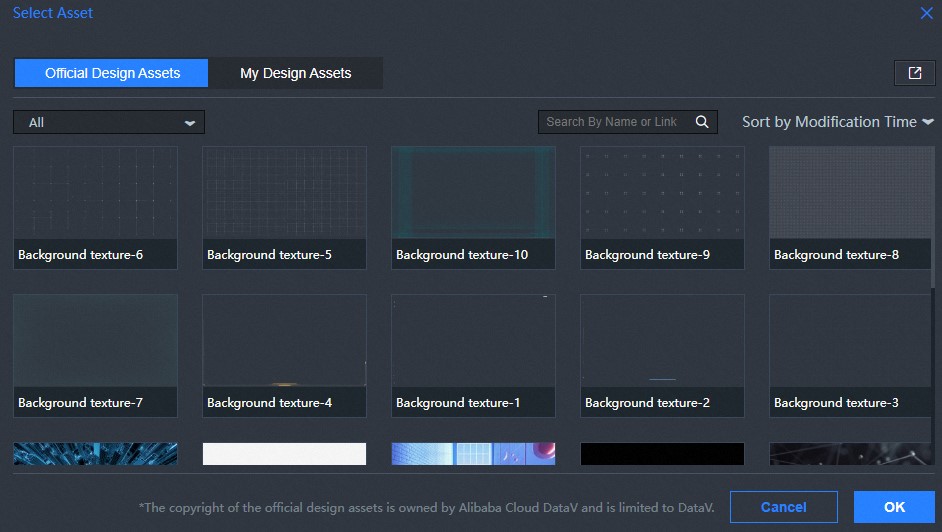
The following table describes the components and style configurations that support design assets.
| Component assets | Version | Parameter | Design Asset Type |
| All components | Any version | Image upload settings in the component. | Image |
| Video component | V2.5.10 and later | Video URL settings. | Video |
| Model Viewer Components | Any version | Model URL settings. | Model |
Design the asset management interface
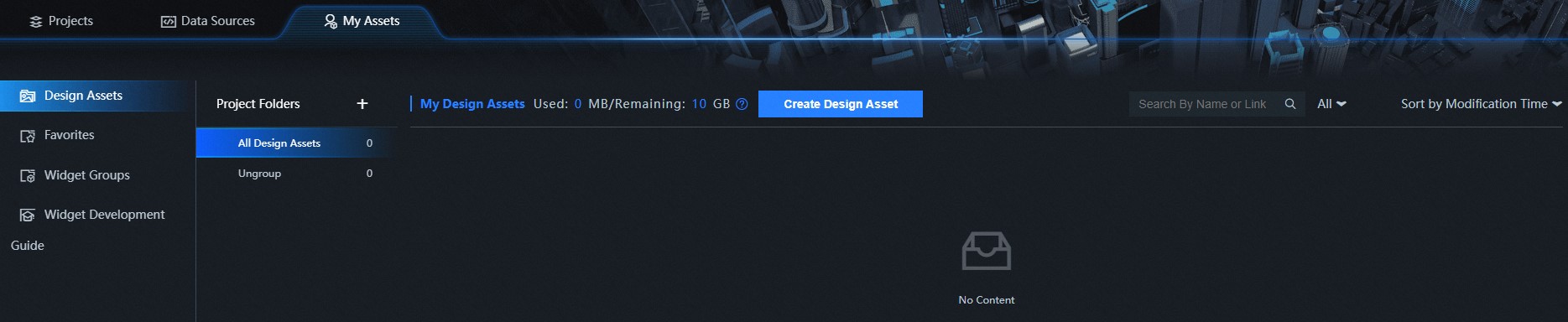
In addition to using design assets in visual applications, DataV provides the Design Assets page in the My Assets console. On this page, you can view, rename, and group design assets. For more information, see Design Resources Management.
Comparison of conventional and functional approaches to design assets
- General method: You upload local image or video assets, or paste the asset URL, in the Configuration panel on the right side of the widget. Important This approach requires you to manage all assets locally. Each time you use an asset, you must upload it or paste its URL again. This creates redundancy on your local storage and does not support synchronization across different working environments.
- Design asset function: In the configuration panel on the right side of the widget, you can select assets directly from the design asset dialog box. For more information about how to use the design asset function, see Material or Model Call Design Asset Action Example. Note You do not need to store assets locally. Upload your assets to the asset management page, and they become available in any working environment where you sign in with your account.
Is this page helpful?