DataV provides two categories of built-in assets — materials and models — in the Asset Library panel for visual application design. You can add these assets to the canvas and replace design asset content by using the Change Design Asset feature.
On the My Visualizations page, click Edit above the project that you created.
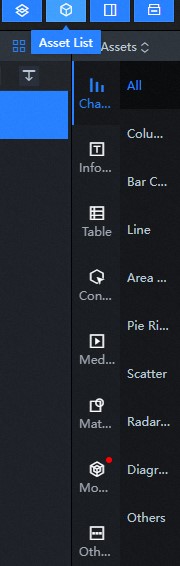
On the Canvas Editor page, click the icon in the upper-left corner to expand the Assets List.
In the Assets List section, the All Assets section is displayed.
In the All Assets section, click Materials or Model in the left-side navigation pane.
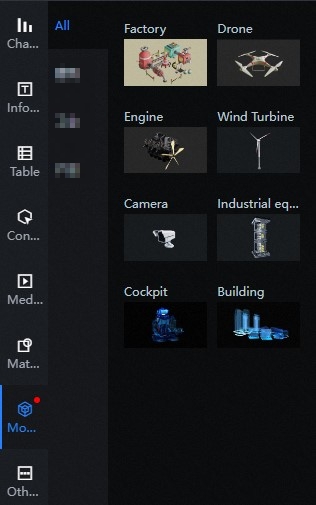
Figure 1. Model Module Sample Content Classification Panel Style
The Materials and Model sections display official DataV design assets, which are continuously updated.
Note When design materials are updated, a red dot appears in the upper-right corner of the material icon.
In the second-level panel of the Material module, there are seven types of material: Video, Background Image, and Background Box panels, you can click the Select drop-down list to switch to the material list.
Note For more information about panel-level classification of material modules, see Search and filter assets.
In the secondary panel of the Model module, there are two model types: Building, Industrial and Product.
Note DataV updates model classifications from time to time.
Click an asset widget in the Materials or Model panel or drag an asset widget to the canvas editor to add the asset widget to the canvas.
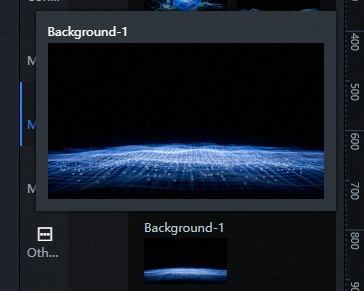
Note Move the pointer over an asset widget in the Materials or Model panel to zoom in and preview the asset before you add the asset widget.
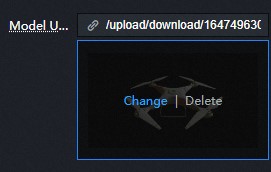
Click the asset widget added to the canvas. In the right-side configuration panel, click the configuration items associated with the design asset feature, such as Background Image, Video URL, or Change in Model URL.
In the Select Assets dialog box, select a design asset of the same type to replace the current one. For more information about how to use design assets, see Design assets.
You can also manage design assets in the current workspace from the My Assets section of the product console, on the Design Assets tab. For more information, see Design Assets.
Optional:You can add materials or models to the canvas and customize their position, scale, style, data, and blueprint configurations. For more information, see Component Guide and Asset Management.
 icon in the upper-left corner to expand the Assets List.
In the Assets List section, the All Assets section is displayed.
icon in the upper-left corner to expand the Assets List.
In the Assets List section, the All Assets section is displayed.