Overview
IoT Platform is an Alibaba Cloud service for the lifestyle sector that helps you develop smart home appliances. This topic uses a Bluetooth Mesh device as an example to outline the basic workflow of IoT Platform.
Architecture
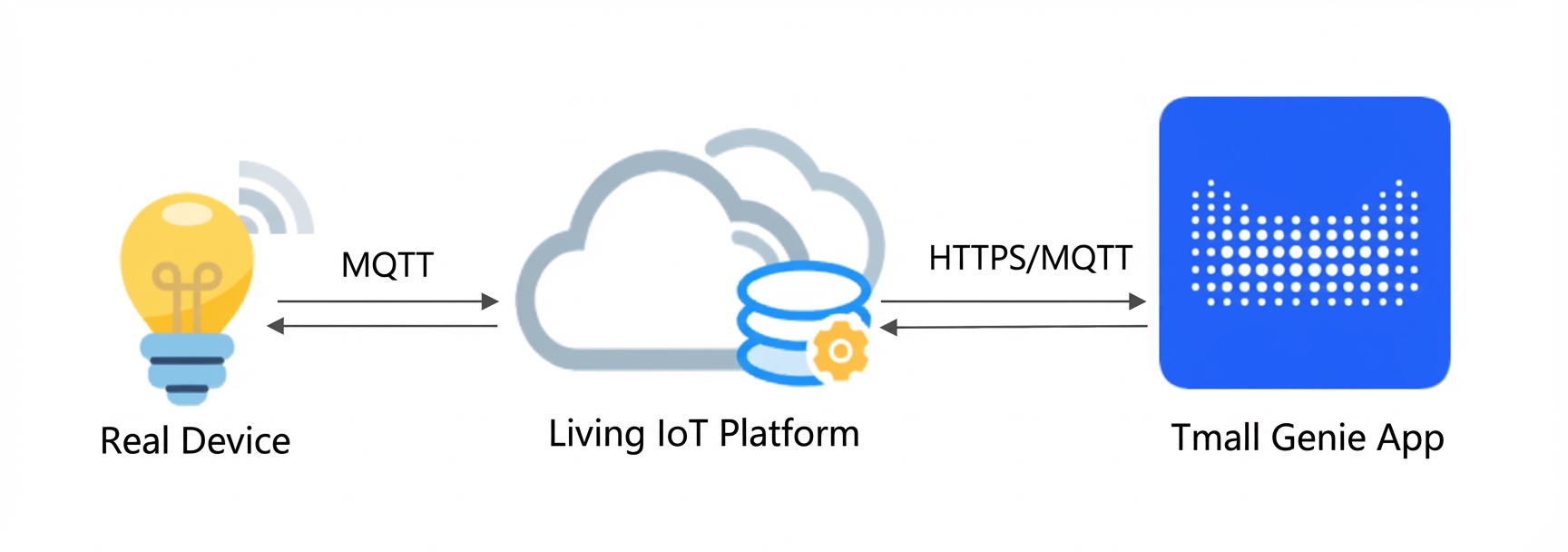
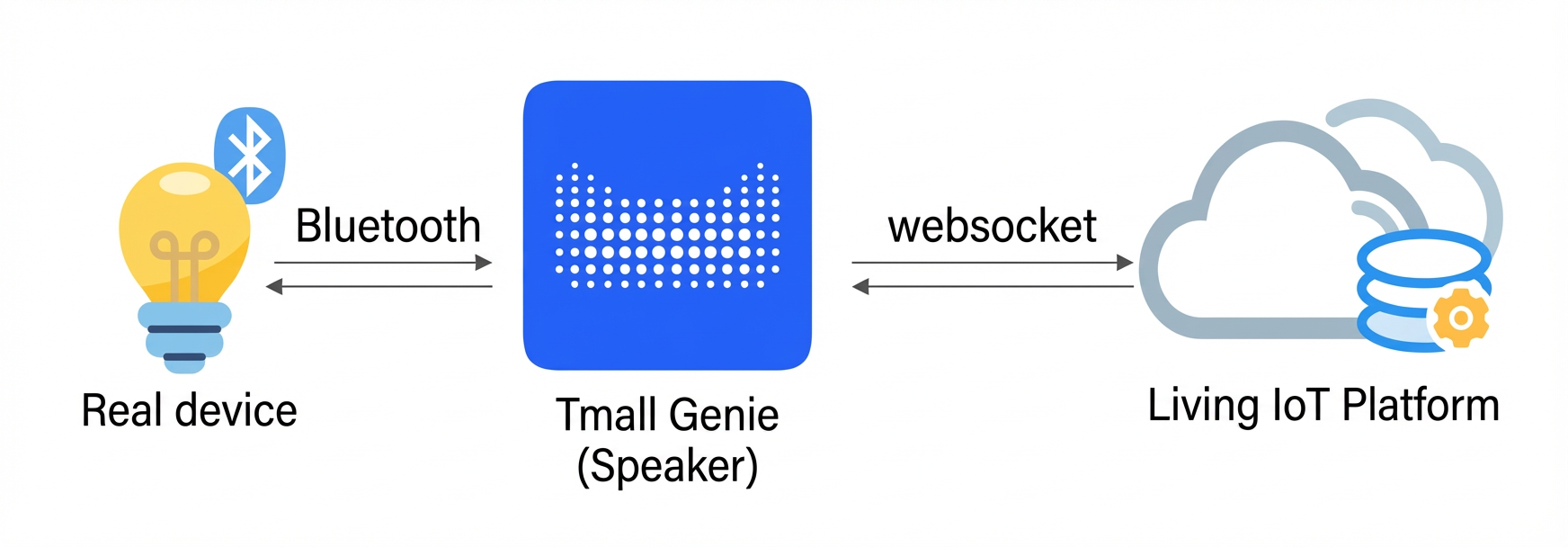
Products in a Tmall Genie ecosystem project fall into two categories depending on whether they require a gateway for network access. The following diagrams show the architecture.
- Directly connected devices
These devices connect to IoT Platform only over Wi-Fi.
- Indirectly connected devices
These devices connect to IoT Platform only through a gateway over Bluetooth (Bluetooth Mesh or Bluetooth GATT).
Preparations
This topic uses the TG7100B development board for debugging Bluetooth Mesh devices as an example. To obtain the development board and chip development resources, visit T-Head Open Chip Community. Prepare the following items:
- Register an Alibaba Cloud account and complete identity verification. For more information, see Alibaba Cloud Account Registration Process.
- Activate the IoT Platform service.
- Install a Linux development environment for device firmware development. A 64-bit Ubuntu 16.04 environment is recommended.
- Install serial port tools to flash firmware and burn device certificates. Devices use a software development kit (SDK) and device certificates to connect to IoT Platform.
The flashing method varies by device. This topic uses the platform-certified TG7100B development board as an example. Install the TG71XX Programmer serial port tool to flash firmware and the SecureCRT serial port tool to burn device certificates.
Procedure
- Create a project: Projects help you manage products and enable collaboration.
- Create a product and define its features: A product is a collection of similar devices, such as a specific device model. Define product features using properties, services, and events. The platform uses these features to build a data model for communication between the cloud and the device.
- Configure human-computer interaction: In the smart lifestyle sector, end consumers often interact with physical devices through an app or voice control. Products in a Tmall Genie ecosystem project use the Tmall Genie app for device control. Simple configuration enables this interaction.
- Add a device: A device is a specific physical unit. Each device uses a unique device certificate to connect to IoT Platform. The platform provides test devices. The certificates for these test devices are for debugging purposes only and are not intended for mass production.
- Develop the device: The platform provides a device-side SDK, which allows the device to connect to the cloud with minimal development effort.
- Debug the cloud-connected device: After the Tmall Genie app connects to the device, you can use the app and the console (cloud) to debug the physical device. Verify the uplink and downlink data communication between the device, the cloud, and the app.