This topic describes how to use the custom bidirectional channel feature for Mini Programs. It covers the following two procedures:
Call a native custom API from a Mini Program
Open Android Studio. Create the
MyJSApiPluginclass that inherits fromH5SimplePluginto implement a custom H5 API.public class MyJSApiPlugin extends H5SimplePlugin { /** * Custom API */ public static final String TINY_TO_NATIVE = "tinyToNative"; @Override public void onPrepare(H5EventFilter filter) { super.onPrepare(filter); // Add the action in onPrepare. filter.addAction(TINY_TO_NATIVE); } @Override public boolean handleEvent(H5Event event, H5BridgeContext context) { String action = event.getAction(); if (TINY_TO_NATIVE.equalsIgnoreCase(action)) { JSONObject params = event.getParam(); String param1 = params.getString("param1"); String param2 = params.getString("param2"); JSONObject result = new JSONObject(); result.put("success", true); result.put("message", "Client received parameters: " + param1 + ", " + param2 + "\nCurrent Demo package name: " + context.getActivity().getPackageName()); context.sendBridgeResult(result); return true; } return false; } }Register
MyJSApiPlugininMyApplication./* * The first parameter is the full path of the custom API class. * The second parameter is the BundleName. For aar/inside, enter "". * The third parameter applies at the page level. Enter "page". * The fourth parameter is the target API. Pass your custom APIs as a String[]. */ MPNebula.registerH5Plugin(MyJSApiPlugin.class.getName(), "", "page", new String[]{MyJSApiPlugin.TINY_TO_NATIVE});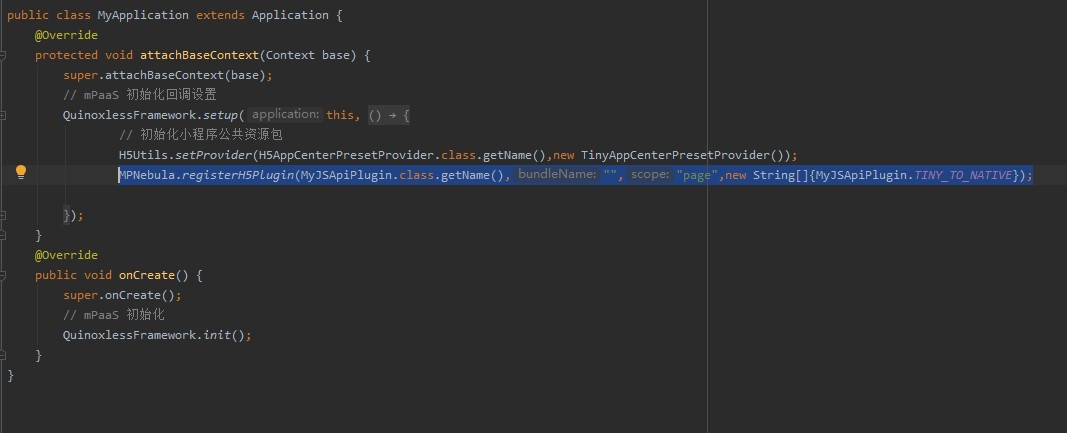
Open the Mini Program developer tools. In the
tiny-to-native.jsfile under page > API > tiny-to-native, add the following code to implement the Mini Program call.Page({ tinyToNative() { my.call('tinyToNative', { param1: 'p1aaa', param2: 'p2bbb' }, (result) => { console.log(result); my.showToast({ type: 'none', content: result.message, duration: 3000, }); }) } });Click
 to run the application on a real device.
In the application running on the real device, click Hello World! to launch the Mini Program.
Click the API tab to open the API interface.
Click Custom API to open the custom API interface.
Click Click to trigger custom API. A toast message appears, showing the parameters received by the client and the package name of the current demo.
Send a custom event from a native project to a Mini Program
Open the
app.jsfile in the Mini Program developer tools (IDE) and add the event registration code.my.on('nativeToTiny', (res) => { my.showToast({ type: 'none', content: JSON.stringify(res), duration: 3000, success: () => { }, fail: () => { }, complete: () => { } }); })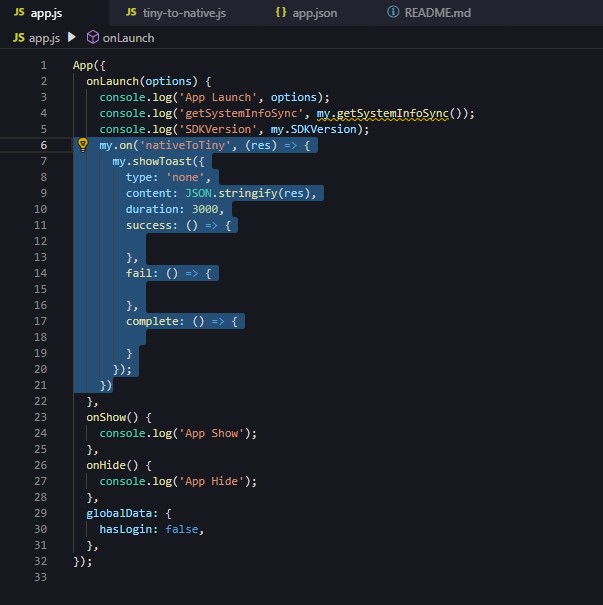
In Android Studio, modify the click event for
my_tvinMainActivityto send an event to the Mini Program.public class MainActivity extends AppCompatActivity { @Override protected void onCreate(Bundle savedInstanceState) { super.onCreate(savedInstanceState); setContentView(R.layout.activity_main); findViewById(R.id.my_tv).setOnClickListener(new View.OnClickListener() { @Override public void onClick(View v) { MPNebula.startApp("2020092900000001"); new Thread(new Runnable() { @Override public void run() { for (int index = 0;index < 5;index++){ try { Thread.sleep(5000); } catch (InterruptedException e) { e.printStackTrace(); } final int i = index; runOnUiThread(new Runnable() { @Override public void run() { H5Service h5Service = MPFramework.getExternalService(H5Service.class.getName()); final H5Page h5Page = h5Service.getTopH5Page(); if (null != h5Page) { JSONObject jo = new JSONObject(); jo.put("key",i); // Method to send an event from the native project to the Mini Program. // The first parameter is the event name, the second is the parameters, and the third defaults to null. h5Page.getBridge().sendDataWarpToWeb("nativeToTiny", jo, null); } } }); } } }).start(); } }); } }Click
to run the application on a real device.In the application running on the real device, click Hello World! to launch the Mini Program.
Every 5 seconds, the Mini Program receives an event and displays the information in a toast message.