Publish a website
After you design your website, you can publish it to make it accessible to users on the Internet. This topic describes the publishing process.
Preparations
Before you publish your website, complete the following preparations to ensure a successful deployment and that your website is accessible from the Internet.
Check item | Description | Check and operation |
Domain name preparation | The domain name used to access the website must be registered and have completed identity verification. | Identity verification for a domain name | Register a domain name |
ICP filing | If your website is hosted in the Chinese mainland, the domain name must have an ICP filing. | |
Domain name resolution | The domain name must be correctly resolved to the website service endpoint. | |
HTTPS configuration | To securely access the website over |
Procedure
After you complete the preparations, follow these steps to publish your website. The publish operation updates the live site with all designs and content from the backend.
Log on to the website backend and click Publish in the upper-right corner.
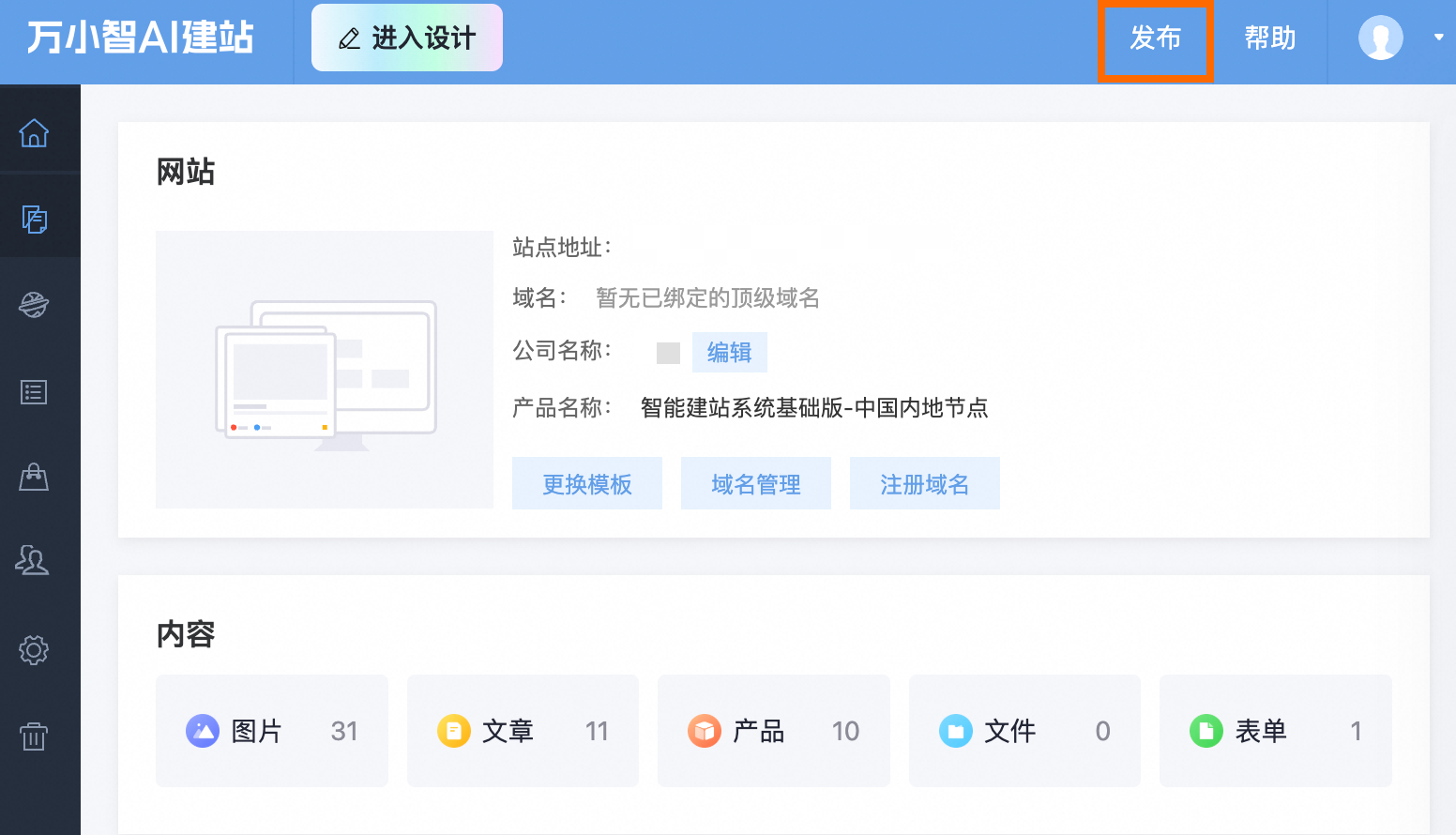
In the pop-up window, click One-Click Publish.
The system starts to build and deploy your website. This process usually takes a few minutes. After the deployment is complete, a pop-up window appears with the message "Your website published successfully".
What to do next
To help users find your website on search engines such as Baidu and Google, configure the following website promotion settings:
-
Configure Page SEO: Set a unique title, keywords, and description for each page to help search engines better understand your website content.
-
Submit a sitemap: Generate a sitemap and submit it to major search engines. This helps them understand your site's structure more comprehensively and can speed up the indexing process.
-
Site verification: Add the site verification code provided by major search engines (such as Baidu and Google) to your website's admin panel. This proves your site ownership, which allows you to use webmaster tools for advanced management.