Develop a skill and use it in QoderWork
This topic demonstrates how to develop a skill to operate enterprise software and use it in QoderWork.
Background, challenges, and solution
When enterprise customers use desktop agents, they may encounter the following issues:
Low accuracy: Agents often struggle to perform accurate operations on enterprise software. This can lead to direct financial losses, such as during supply chain customs declarations or e-commerce product listings.
Slow execution: Agents can get stuck in long, inefficient "sense-plan-act" cycles, taking a long time to complete tasks. This makes them unsuitable for production workflows.
High token consumption: Agents require constant interaction with large models, even for repetitive tasks. This results in high operational costs.
To address these issues, this topic provides the following solution:
First, use RPA to develop standard enterprise operations into reusable automated processes. You can then integrate these processes as skills for an agent.
When employees use the agent, it can leverage these skills to deliver real business value.
Use case
Business requirements
Operations staff need to analyze product sales data every day. They face two challenges: first, products are sold on multiple platforms, requiring them to manually download sales data from each store for analysis; second, some analysis tasks are routine but require manual summarization each time.
Implementation
Develop a skill that includes both data collection and analysis. An automated process developed with RPA handles the data collection, and the analysis requirements are explicitly defined within the skill.
Operations staff use this skill in QoderWork.
Runtime architecture

Procedure:
Use RPA to develop automated processes and publish them as MCP tools.
Create the corresponding skill in the RPA console.
Prepare an RPA unattended robot to serve as the skill runtime.
Add the skill and MCP server in QoderWork.
Procedure
Develop and publish an MCP tool
For more information about developing an automated process with RPA, see Develop an automated process.
The following table describes the process input and process output for the automated processes required in this example.
Automated process
Input parameters
Output
Automatically obtain store product sales data
statis_date: The date for which to query product sales data.
The retrieved product data is in JSON format, including product ID, name, style tags, sales quantity, unit price, and the number of times the product was favorited for each store.
The automated process saves the retrieved data using task_result.
Submit daily report
record_datetime: The date for the report.
content: The content of the daily report.
None
ImportantThe implementation of the automated processes in this example is specific to this scenario, as each enterprise uses different e-commerce platforms, data, and software. For more information, see Develop an automated process to create automated processes that fit your business needs.
Publish the automated process as an RPA application. For more information, see Publish and manage applications.
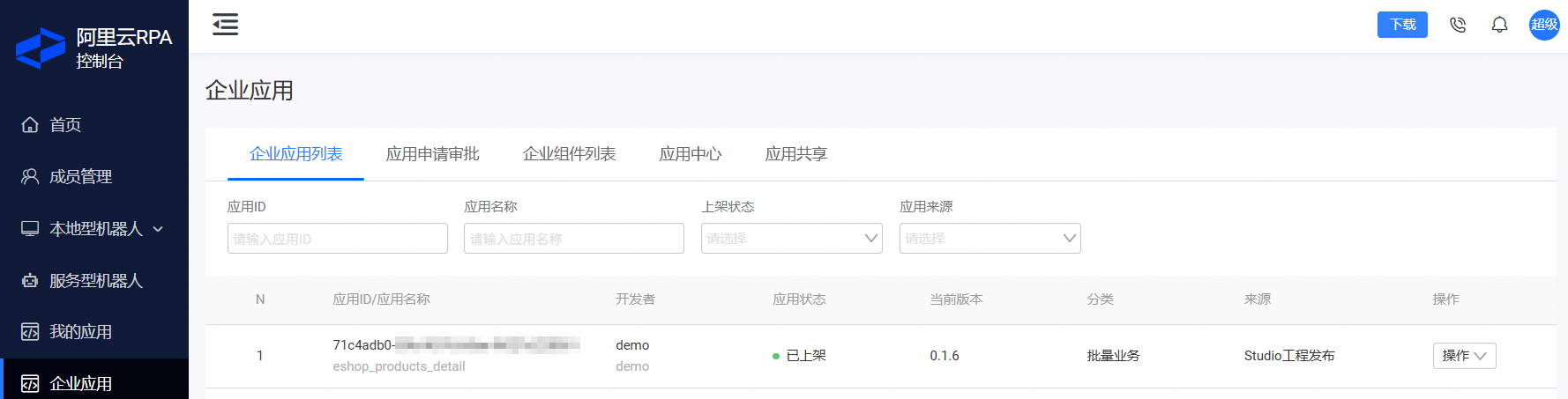
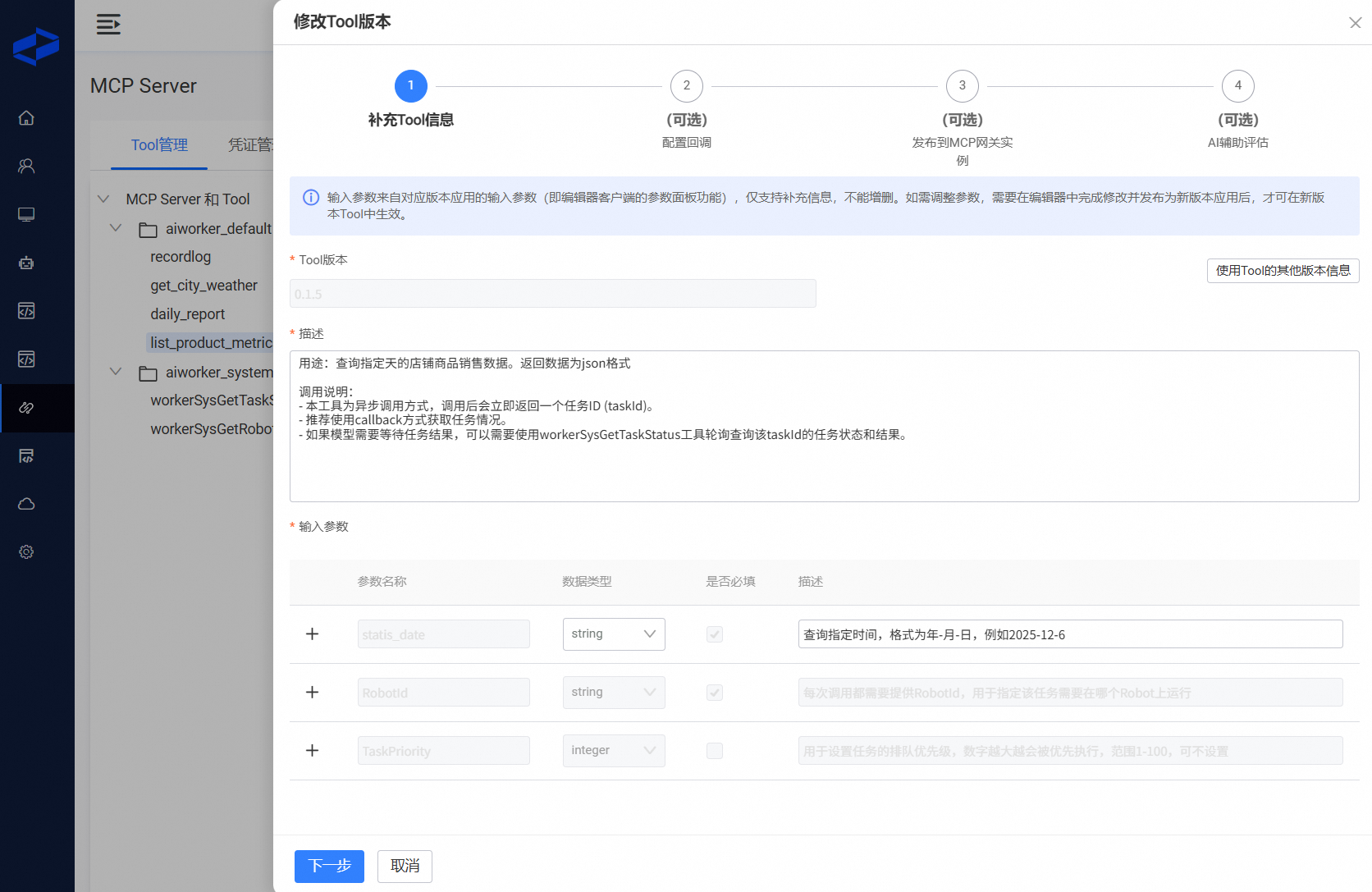
Publish the application as an MCP tool. For more information, see Publish as an MCP tool. The following figures show the published MCP tools.
Get product sales data
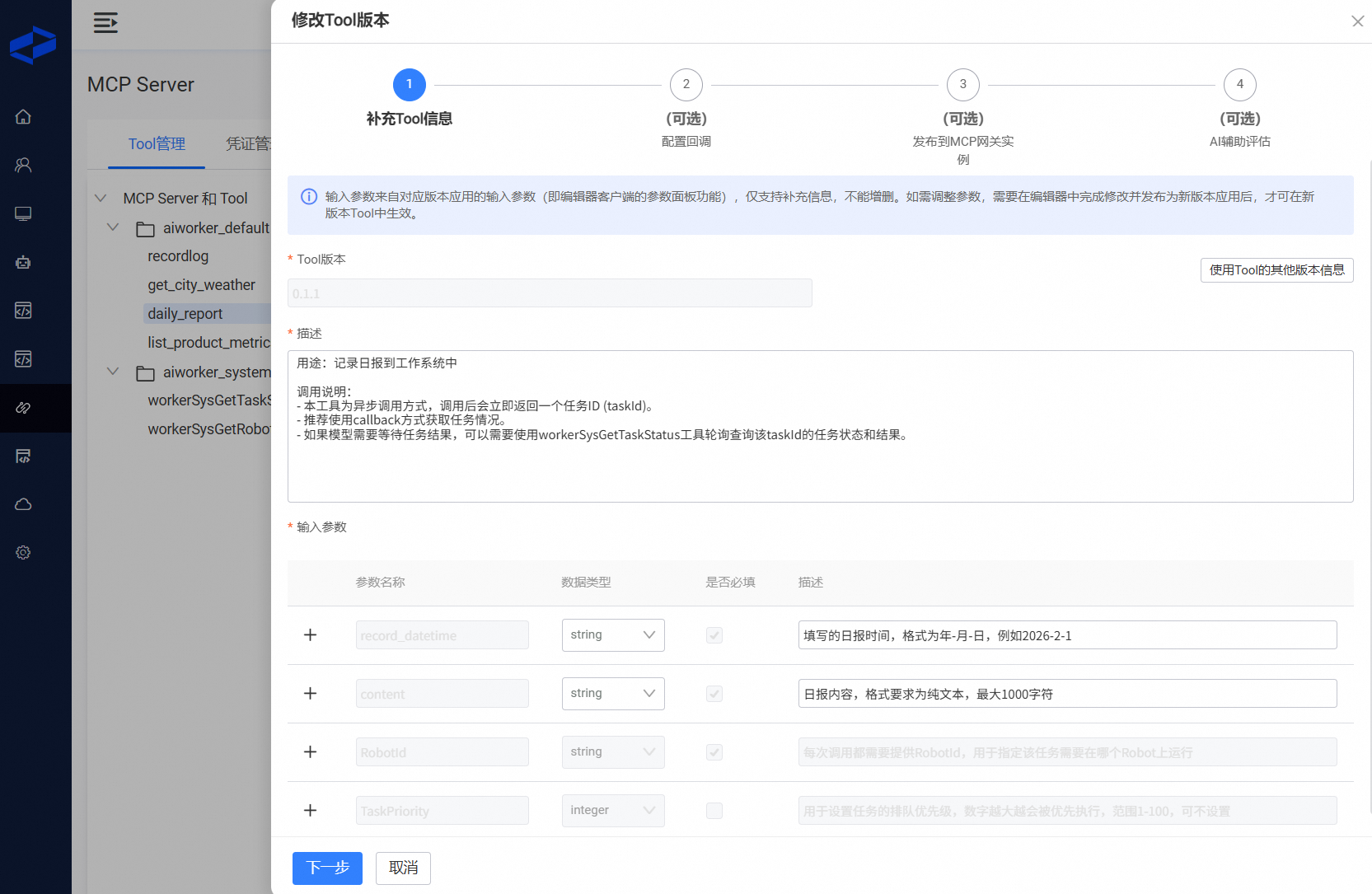
Submit daily report
 Important
If the automated application takes a long time to run, we recommend that you specify the estimated duration and the recommended agent polling interval in the tool description.
Create a skill
In the RPA console, use the skill management page to create and modify skills online.
Generate a draft version of the skill.
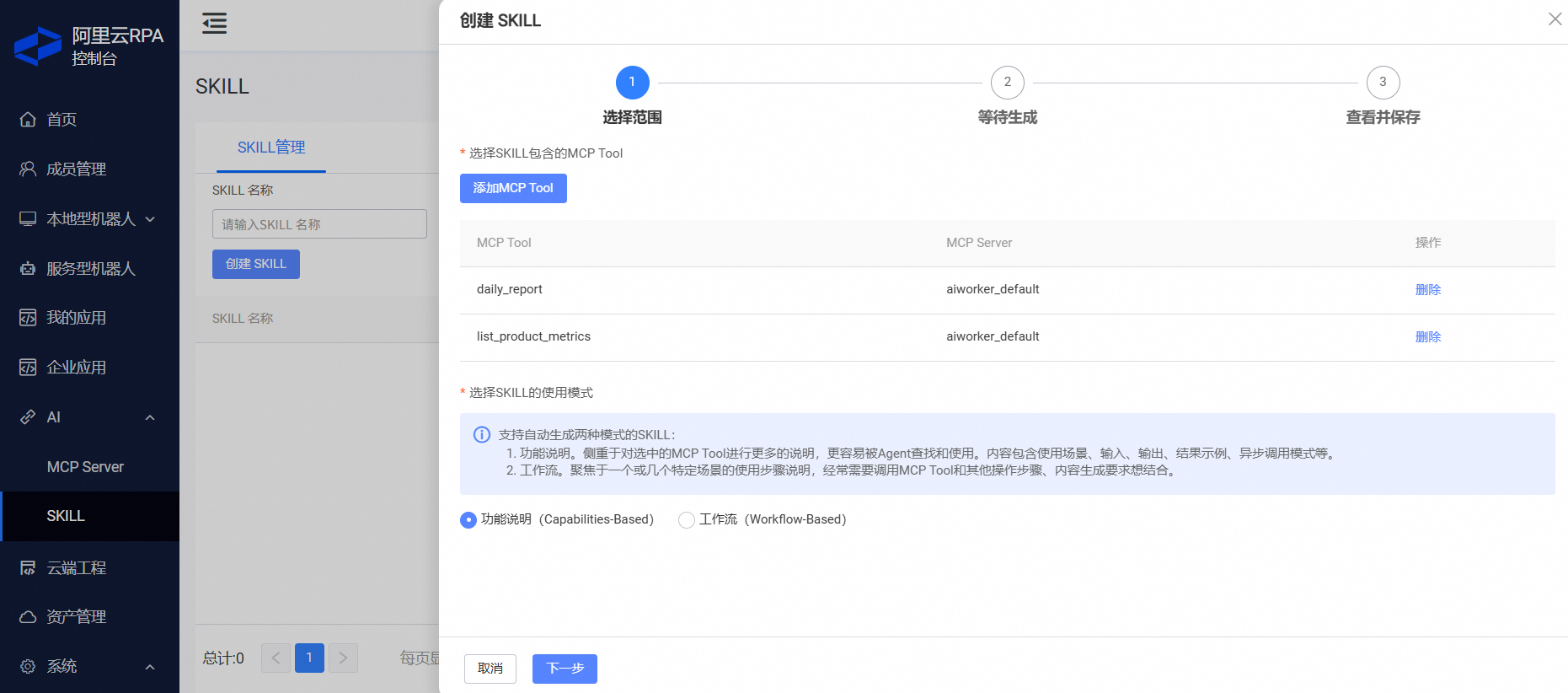
Click Create skill. In Step 1, select the two MCP tools that you published in the previous step, as shown in the following figure.
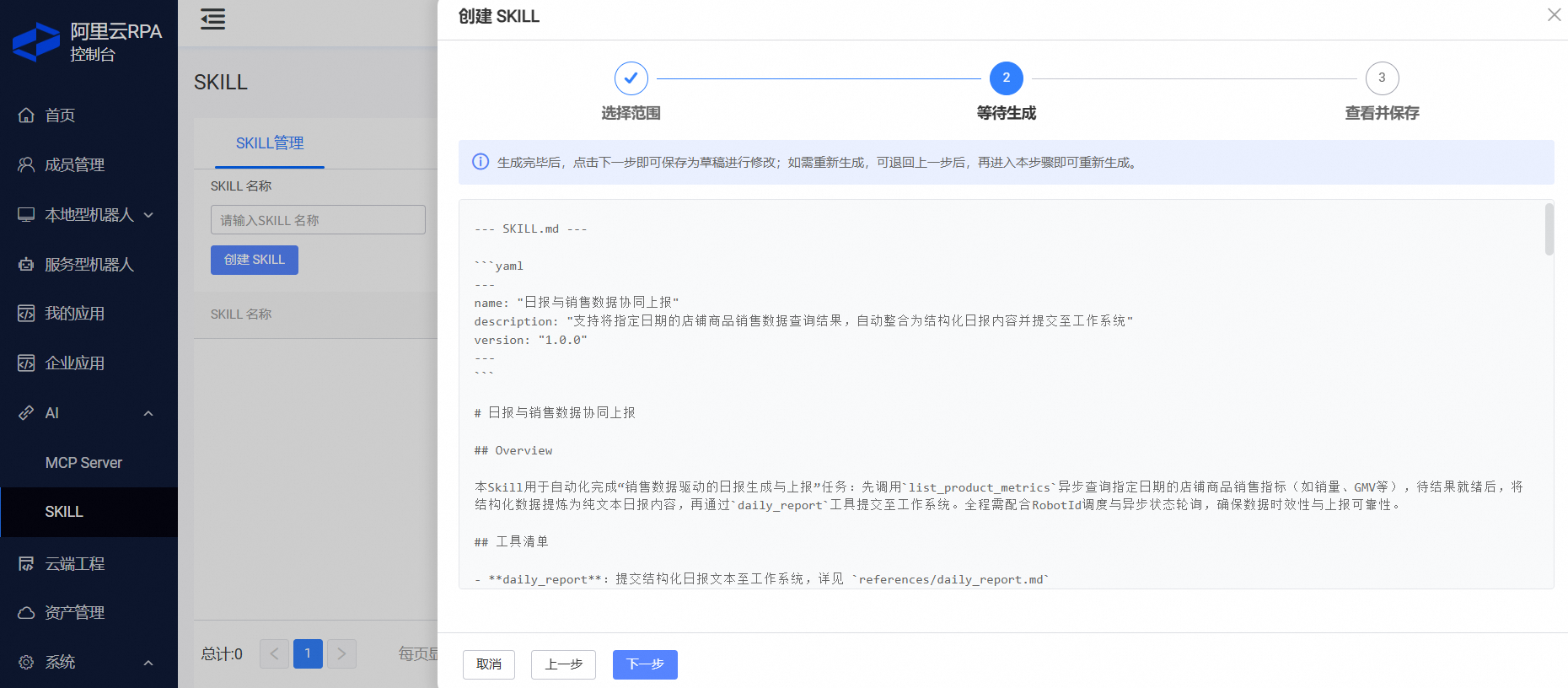
Click Next. In Step 2, the large model automatically generates the skill based on the information from the selected MCP tools and best practices.

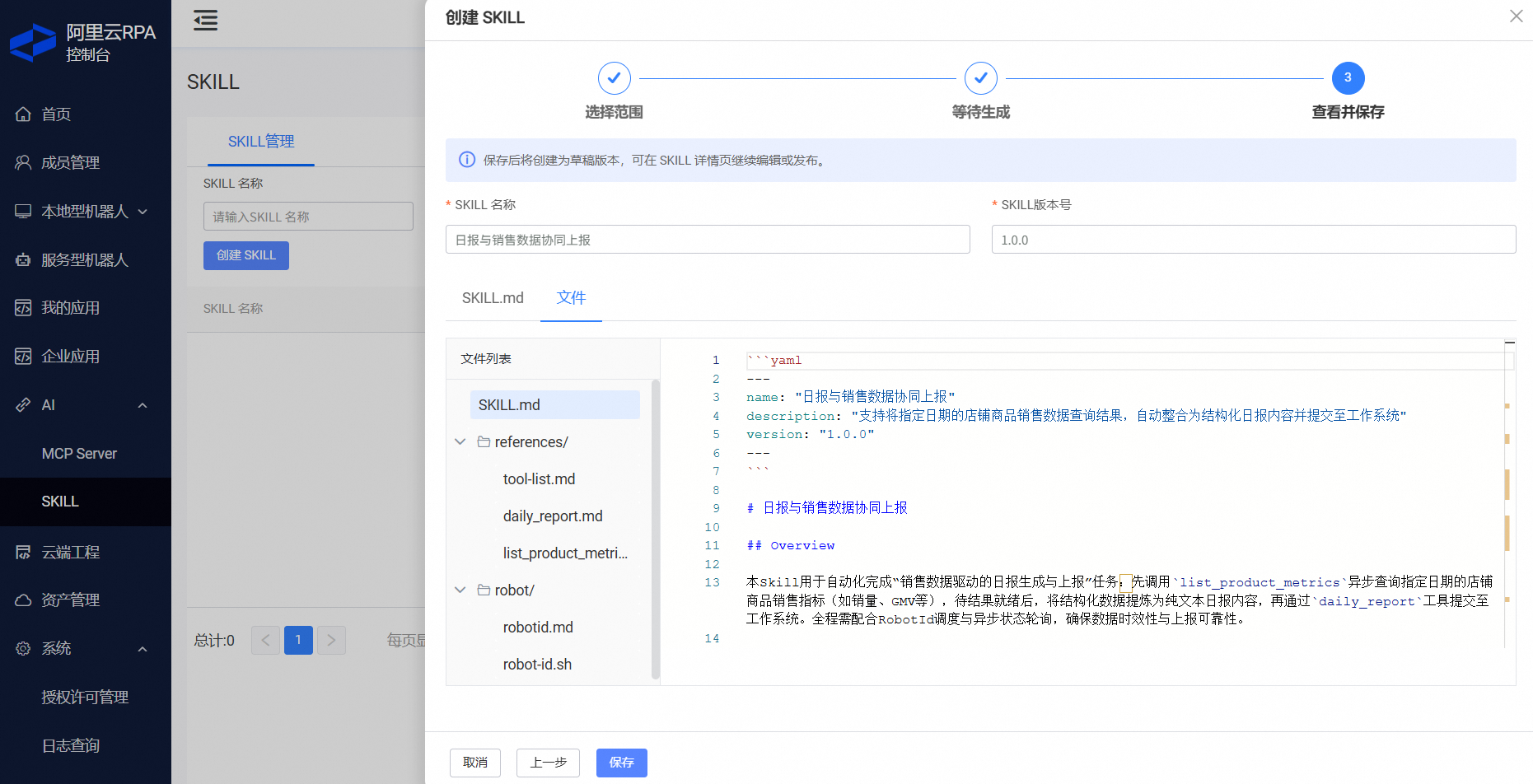
In Step 3, you can view the full content of the generated skill. You must save the draft before you can edit it further.
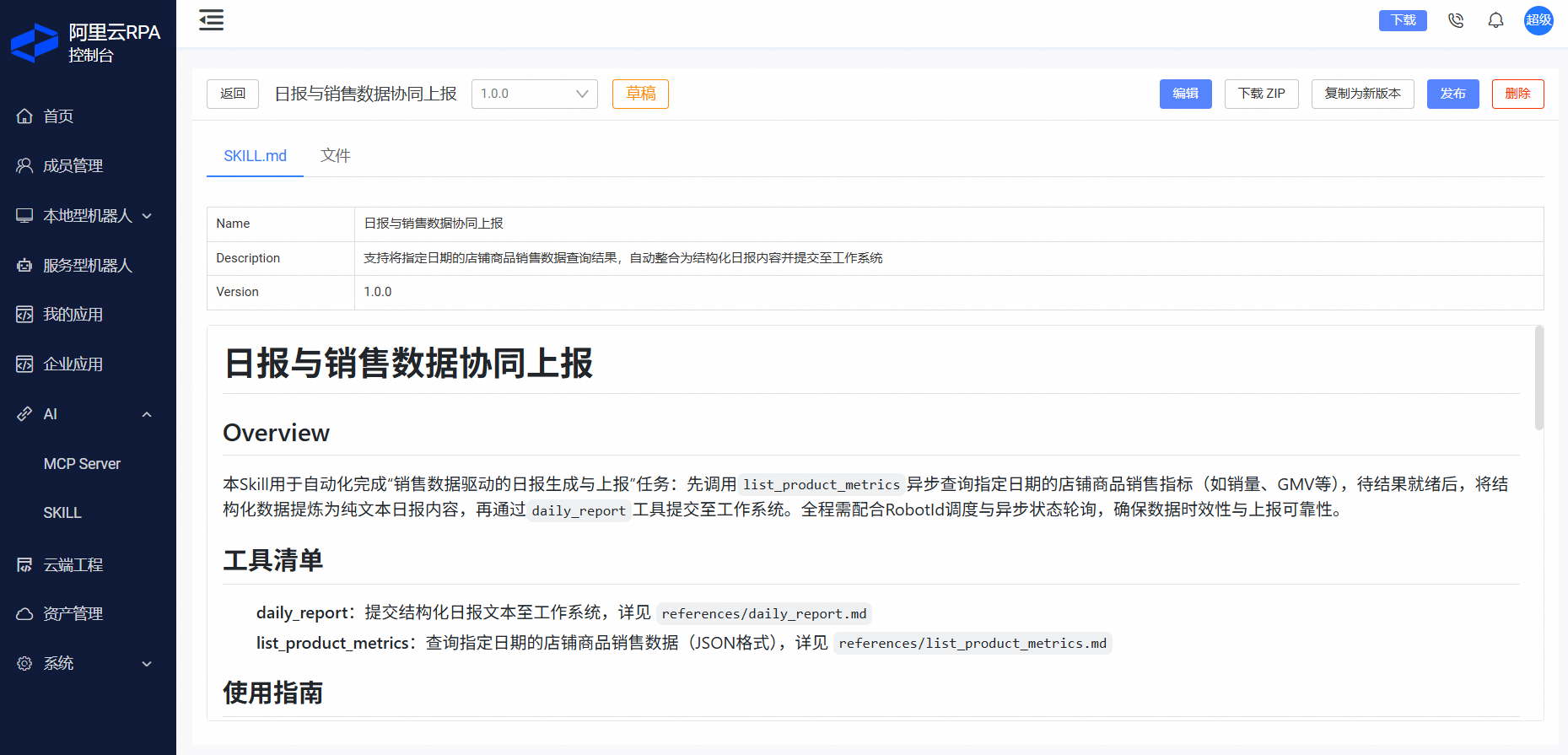
After you confirm that the draft is correct, publish this version. Before publishing, the platform reviews the skill for security. Only versions that pass this security review can be published.
Set up the skill runtime
This example uses an RPA unattended robot as the skill runtime.
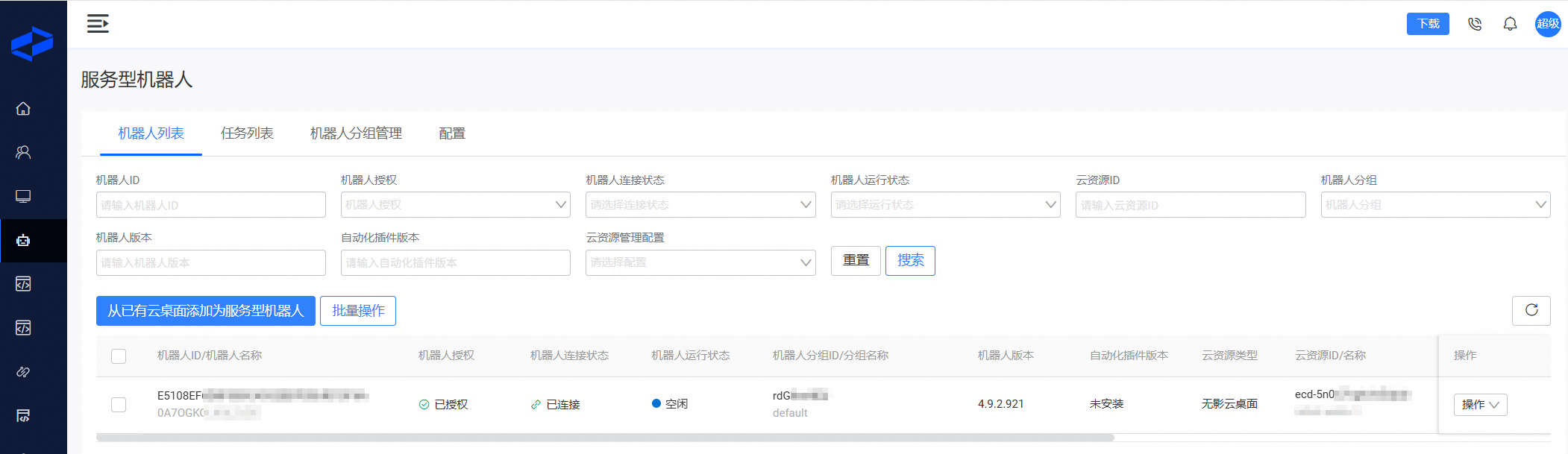
The unattended robot requires Elastic Desktop Service (EDS). For configuration details, see Run an automated process as a service. After you create the unattended robot, it appears as shown in the following figure. You will use this unattended robot to run the skill in subsequent steps.
Add an MCP server and skill
Add an MCP server.
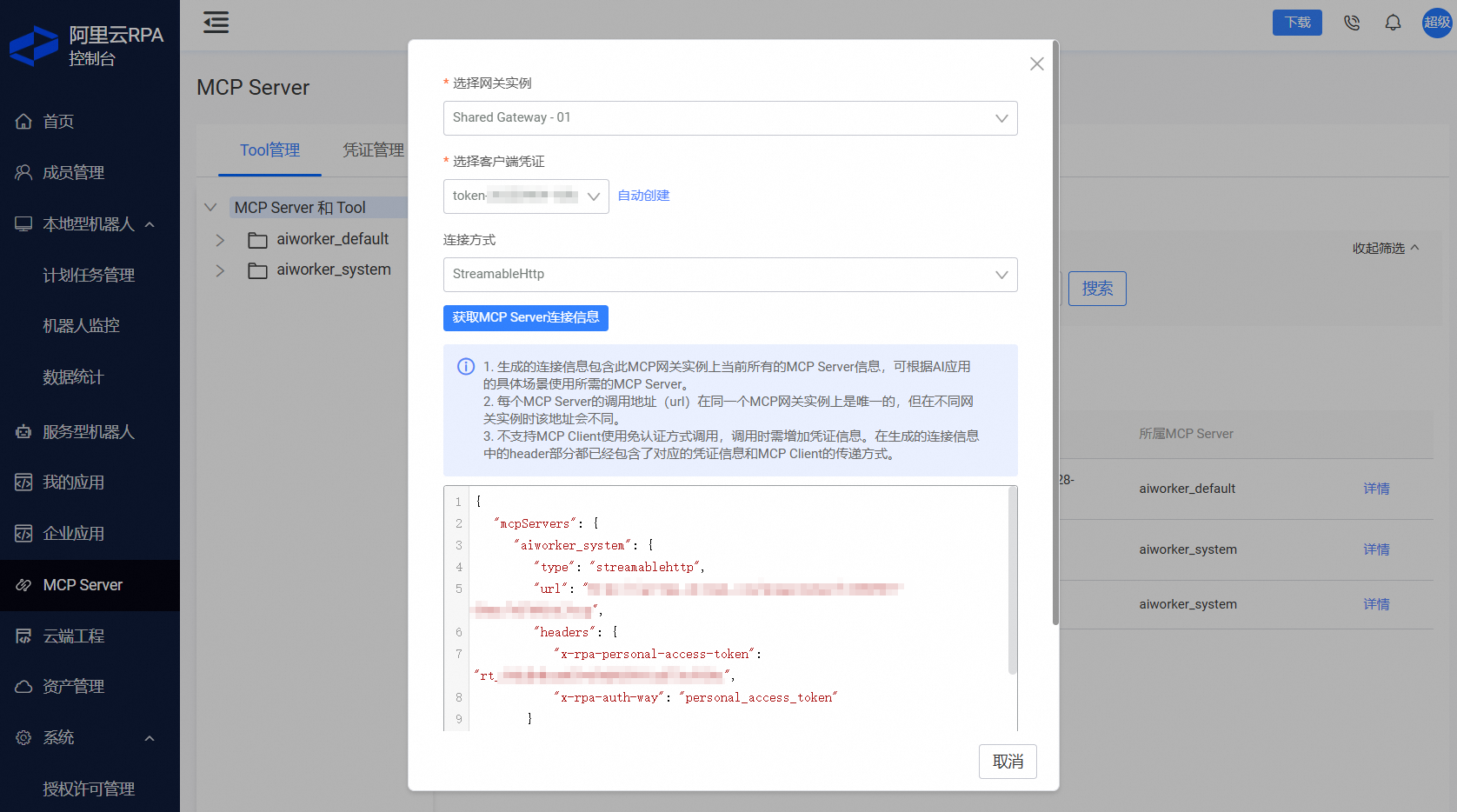
In the RPA console, get the MCP server configuration from the MCP Server menu. As shown in the following figure, this configuration contains information for multiple MCP servers.
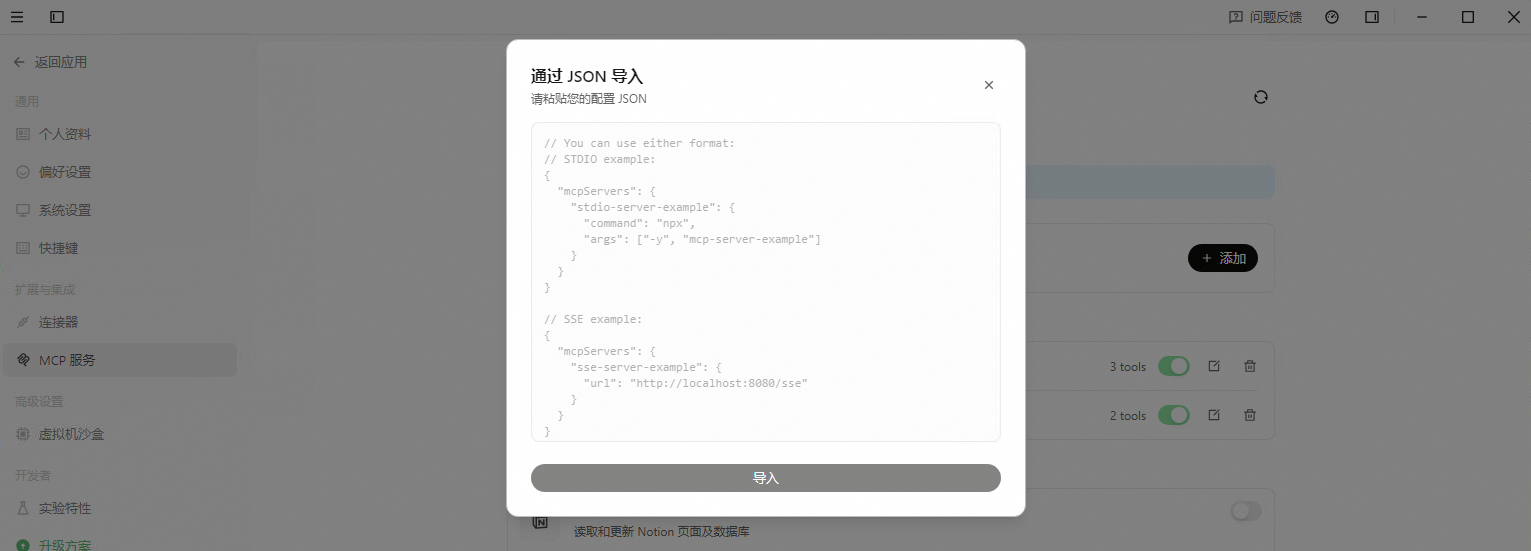
In QoderWork, go to Settings > MCP Service and select Import via JSON. After a successful import, at least two new MCP servers appear in the list.
Add a skill.
This topic demonstrates how to install the skill via an online URL. Alternatively, you can download the SKILL.zip file and install it manually.
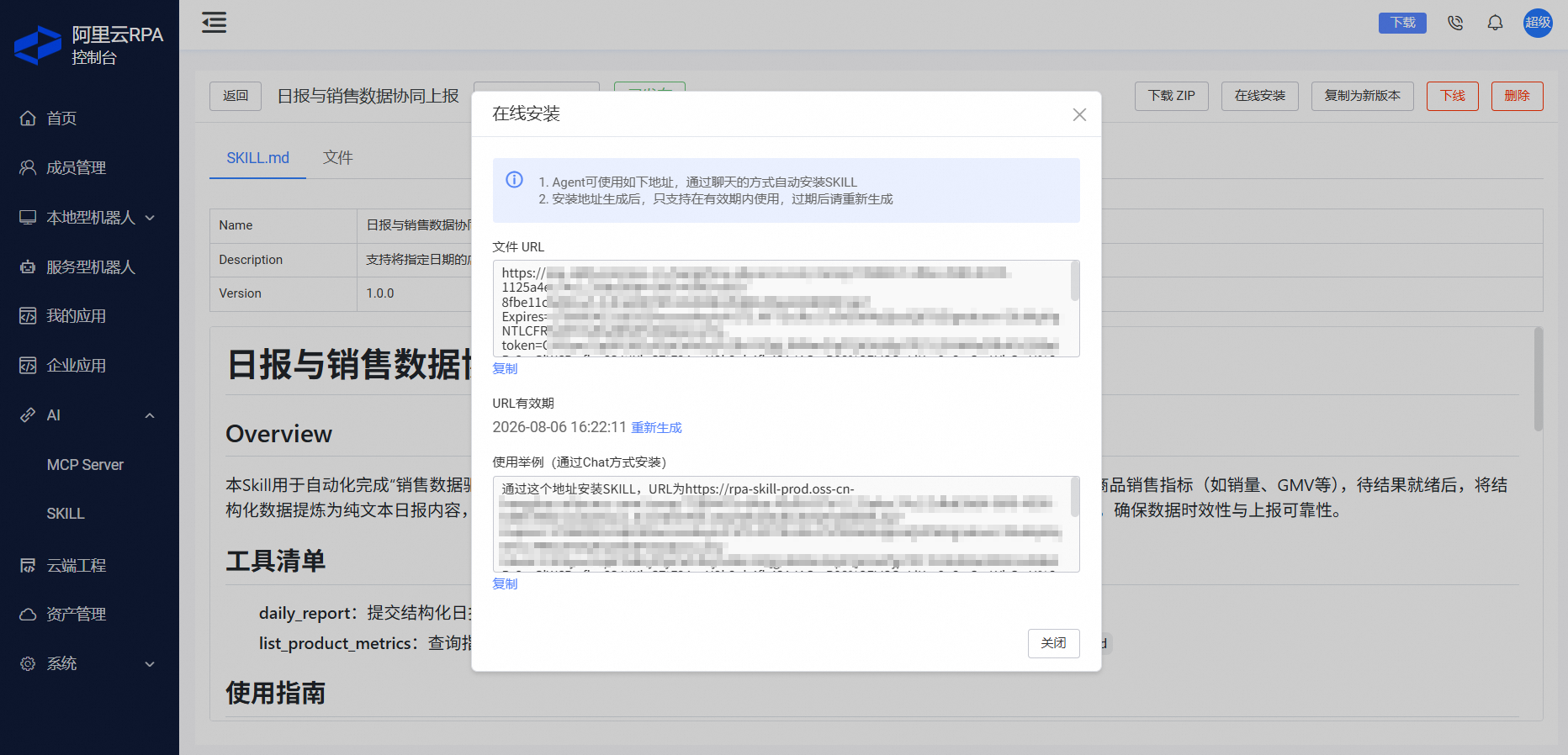
On the skill page, click Online Install to get the download URL for this version of the skill. The link is valid for one hour. If it expires, you can click Regenerate to create a new one.
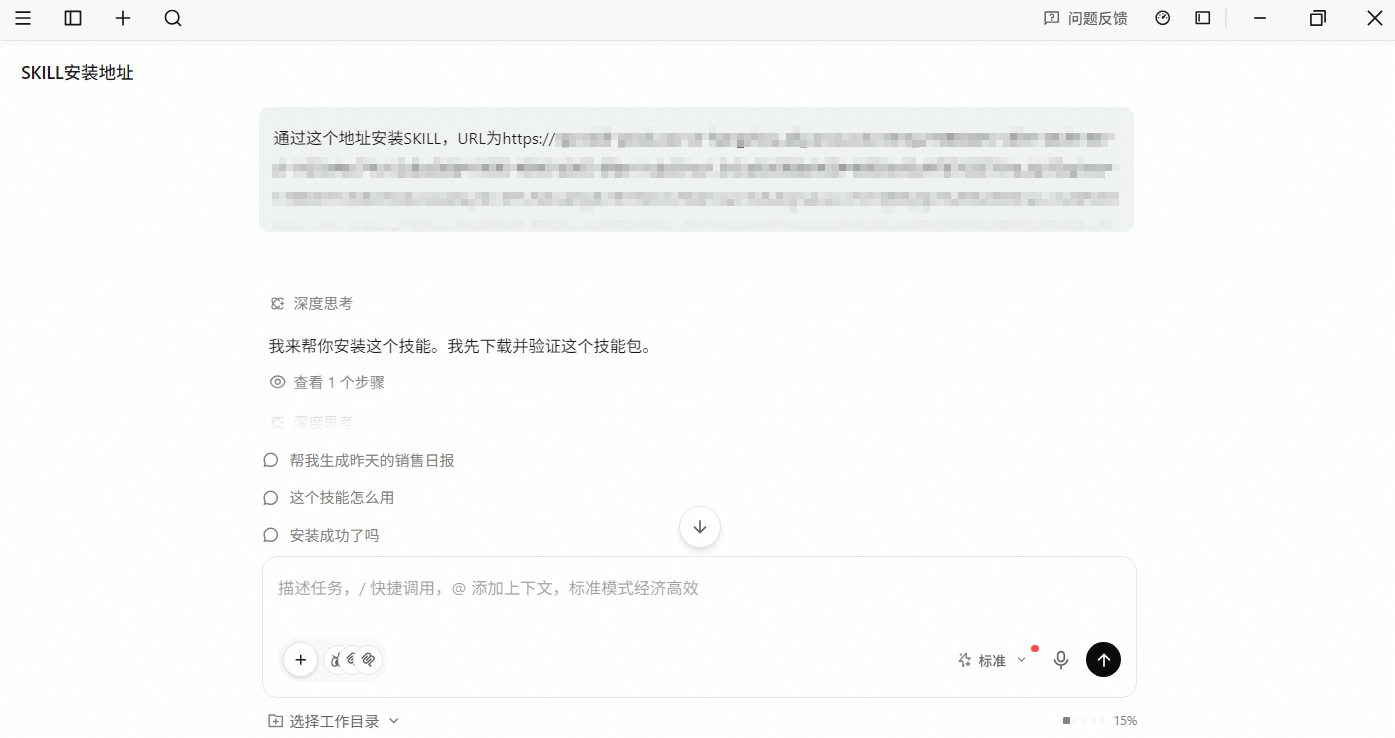
In a QoderWork conversation, add the skill. As shown in the following figure, you can install the skill online.
(Optional) Configure RobotID
WarningDuring the proof of concept (POC) testing phase, you can allow the skill to automatically retrieve an available unattended robot from the server. The server assigns an unattended robot at random.
For official integration, development, and production use, we recommend that your upper-layer system manages the allocation of unattended robots. Do not use the automatic allocation method.
Results
In a QoderWork conversation, enter a prompt to analyze product sales data for a specific day, summarize the findings, and submit a daily report. The following figures show an example.
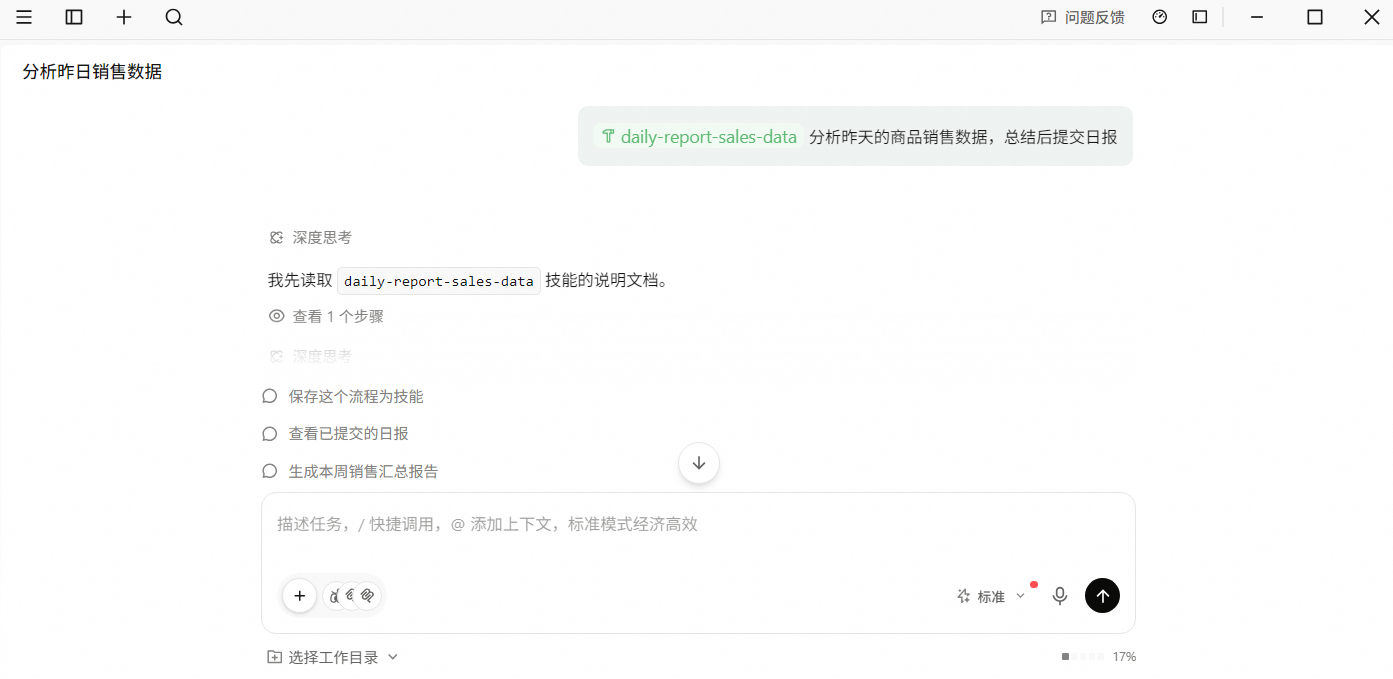
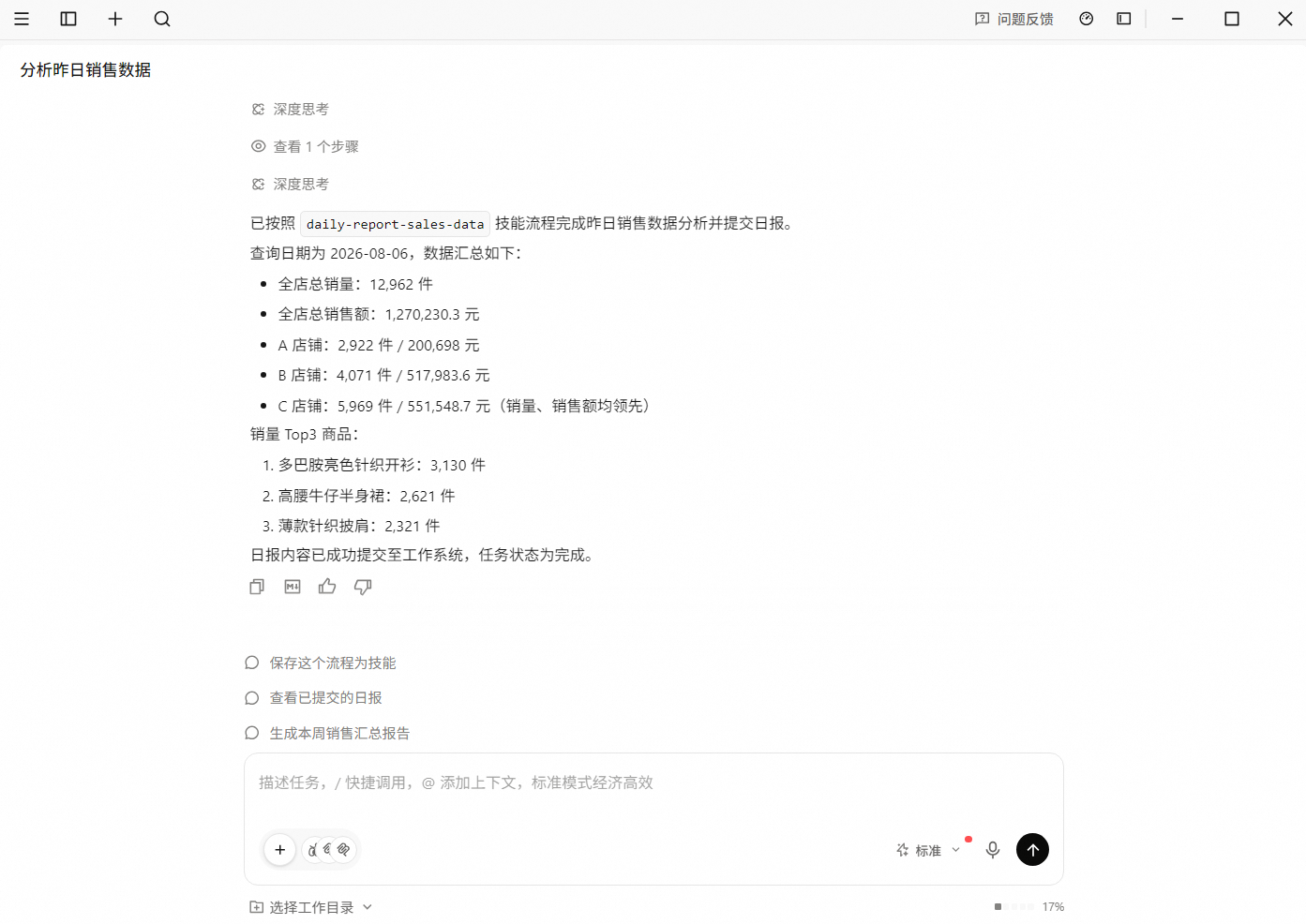
The product sales data used in this topic is for demonstration purposes only.