Paste clipboard content to cursor
1. Component overview
Prerequisite component: Set Clipboard Content
This component pastes content from the clipboard at the current cursor position.
This component simulates the Windows paste command (Ctrl+V) to paste content at the current cursor position.
Complete the following prerequisites in previous automation steps:
Copy content to the clipboard (Ctrl+C). This can be done in several ways, such as clicking a copy button on a page (see 5. Process creation example) or using the Set Clipboard Content component.
Set the cursor position by using components such as Click Mouse, Click UI Element (CV), or Click control (web).
For more information about using the clipboard for input, see Using the system clipboard for input.
When this component runs, its behavior might be affected by the Windows host where the robot is running:
Do not use this component in scenarios that involve human intervention, such as the manual execution of a local robot on a client (see Manual client execution).
When used with a server-based robot, disable clipboard sharing in the Elastic Desktop Service (EDS) policy (see Standardizing the robot runtime environment). This prevents incorrect data entry caused by sharing the clipboard between the terminal's host and the EDS instance.
2. Input items
See the help information for each input item in the component panel of the visual editor.
3. Output items
See the help information for each output item in the component panel of the visual editor.
4. Usage example
See Process creation example.
5. Process creation example
Create the process
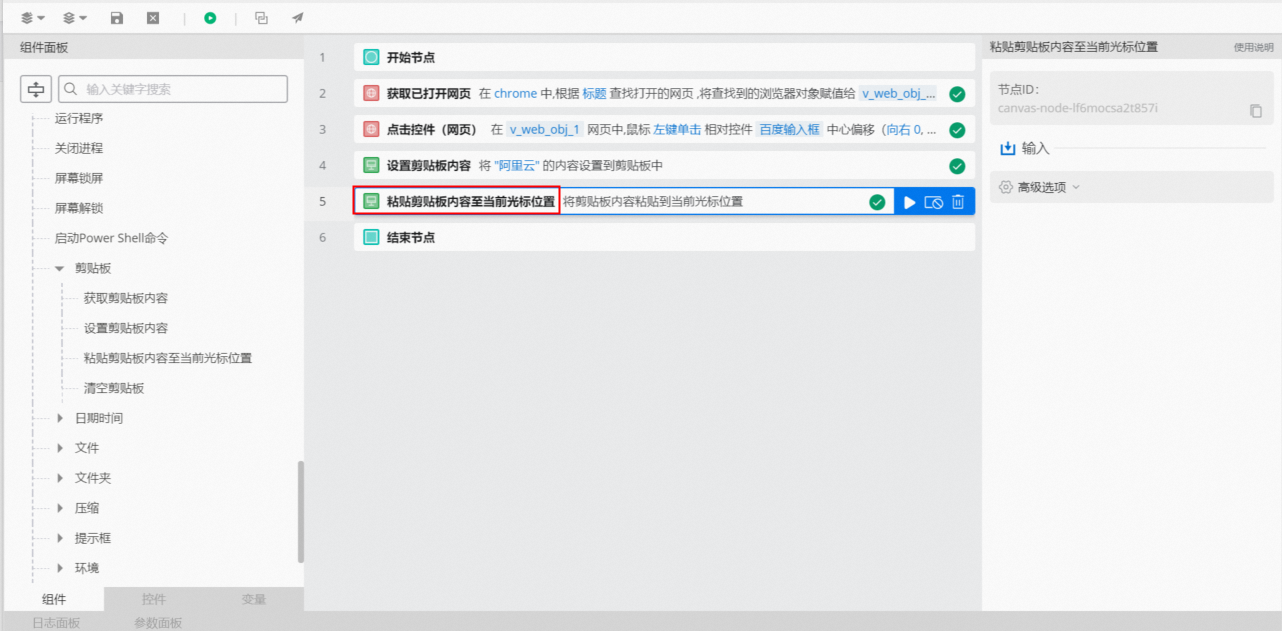
Use the Get Opened Web Page component to get the object for an opened Baidu page.
Use the Click control (web) component to click the Baidu search box, which positions the cursor inside it.
Use the Set Clipboard Content component to add content to the clipboard.
Use the Paste Clipboard Content to Current Cursor Position component to paste the content from the clipboard.
Execution result
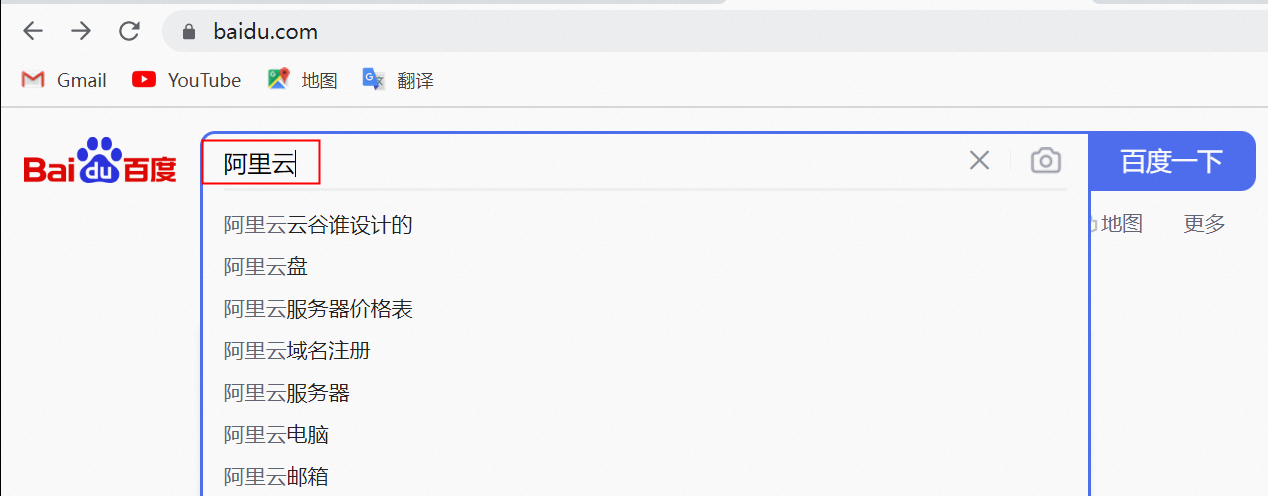
The process then pastes the clipboard content into the Baidu search box.