Normal emails in Alibaba Mail are moved to the spam folder
Resolve normal emails being incorrectly moved to the spam folder in Alibaba Mail by checking filter rules or adjusting spam settings.
Problem description
Normal emails in Alibaba Mail are incorrectly moved to the spam folder.
Causes
1. A personal or domain rule moved the email to the spam folder.
2. The system identified the email as spam and automatically moved it to the spam folder.
Solutions
Choose the solution that matches your situation.
-
Solution for cause 1:
Check your personal or domain filter rules and blacklist for rules that block legitimate emails. Disable or remove any such rules.
Personal:
How do I set receiving rules in Alibaba Mail?
How do I add a blacklist in Alibaba Mail?
Domain administrator:
How do I add or remove a blacklist?
-
Solution for cause 2:
Add the sender to the whitelist
Recommended. Add the sender's email address to the whitelist to ensure future emails from this sender go directly to your inbox without increasing spam risk.
1. Log on to the Alibaba Mail web client. Click Spam, select the specific email, and then click the More Actions button on the right. 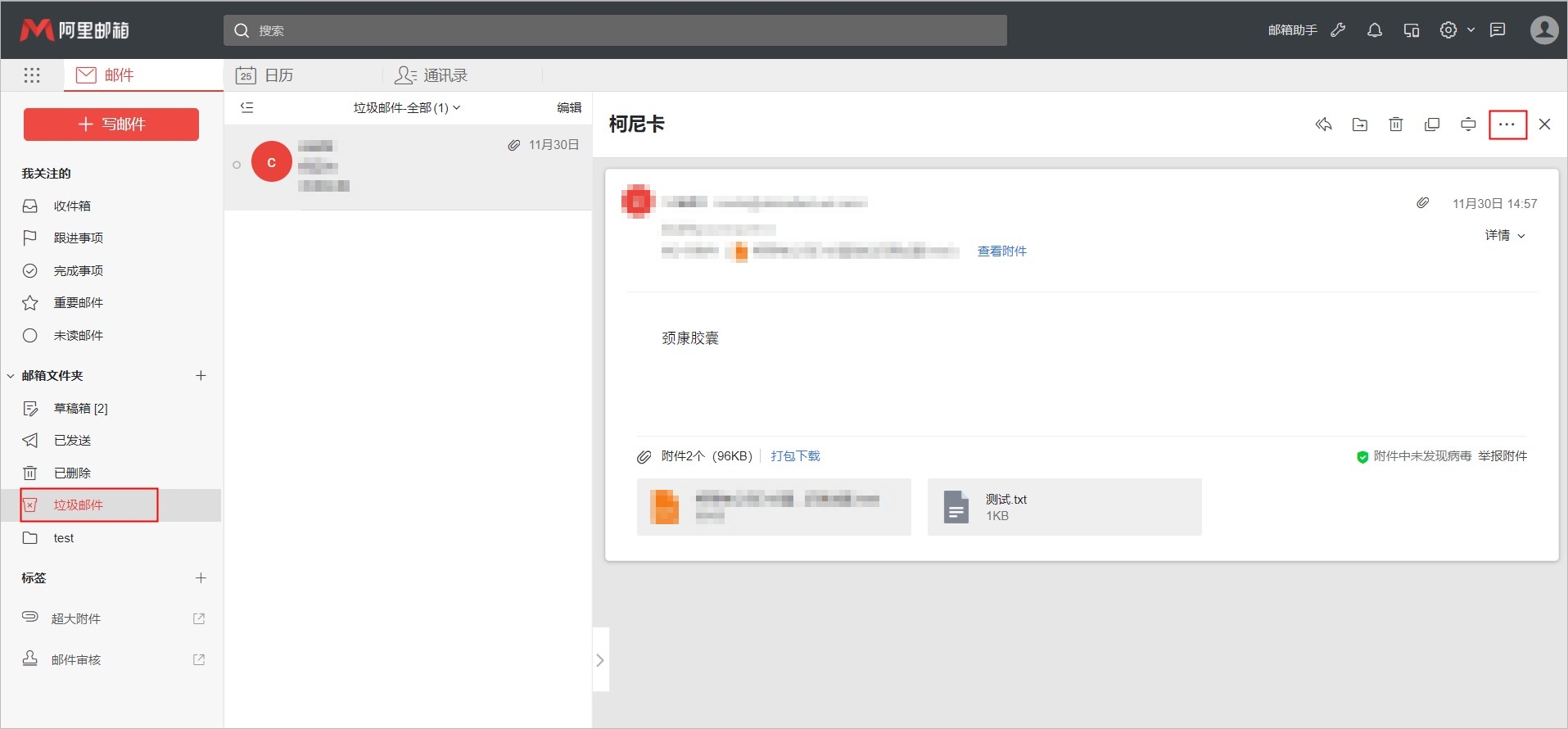
2. Click Trust > Not Spam. The email is then moved to your inbox. 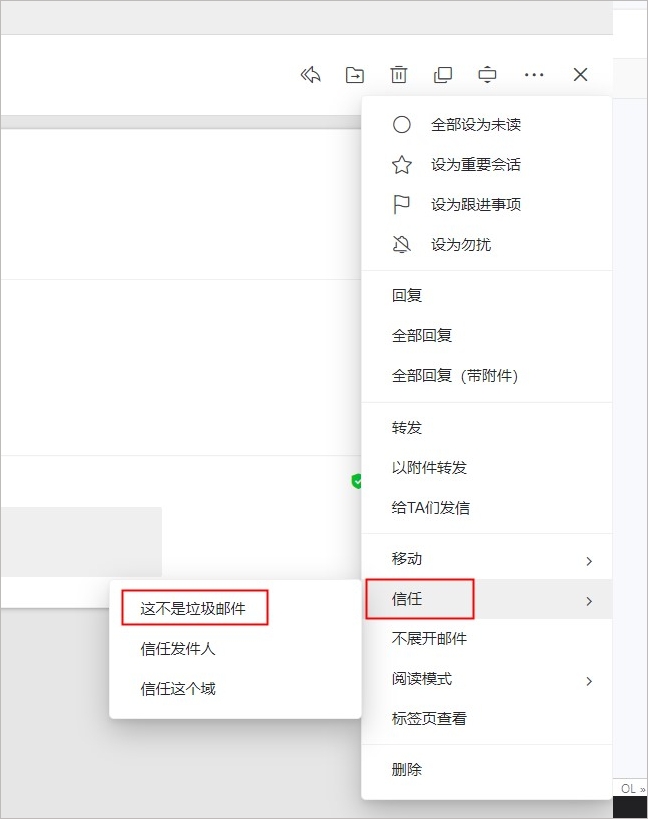
3. Click the Settings button in the top navigation bar.
4. Click Mailbox Settings > Whitelist to go to the Whitelist Management page.
5. On the Whitelist Management page, click Add Whitelist. Enter the sender's email address and click OK. Future emails from this sender will be automatically delivered to your inbox. 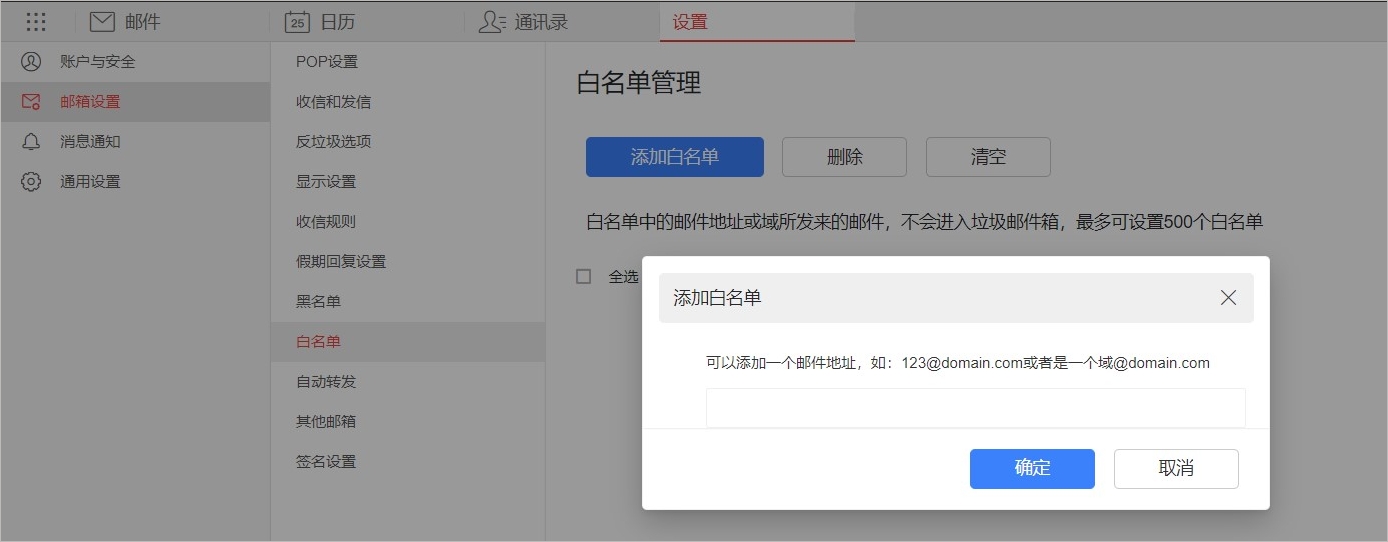
Lower the anti-spam level
Setting the anti-spam level to Low may increase the amount of spam your company receives. Use this option with caution.
1. Click the Settings button in the top navigation bar.
2. Click Mailbox Settings > Anti-spam Options. Set Anti-spam Level to Low and click Save. Future emails to all accounts will then be automatically delivered to the inbox. 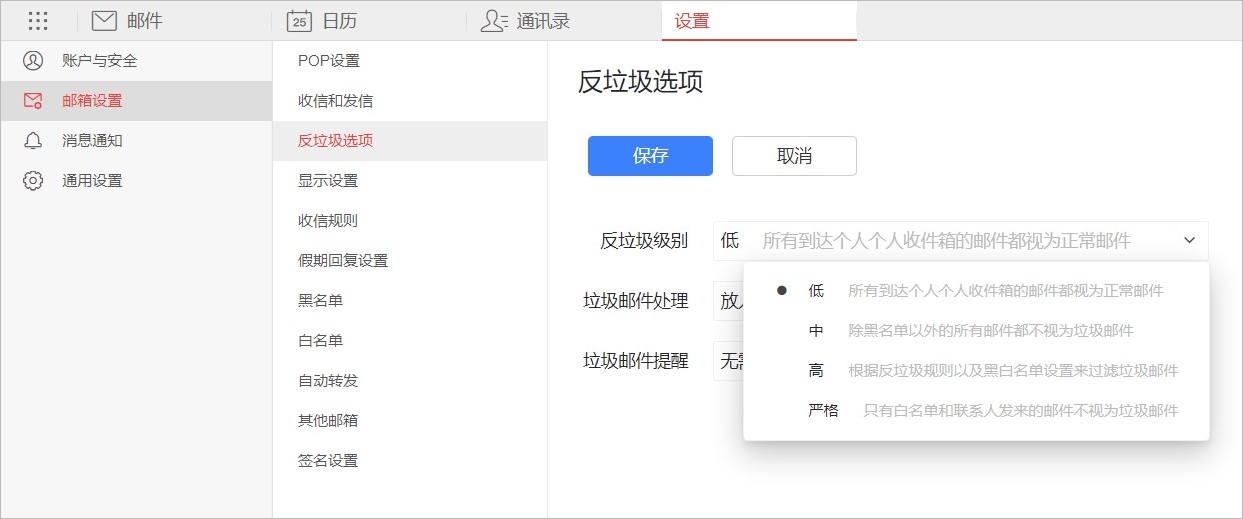
References
Incorrectly classified spam in Alibaba Mail when receiving emails through a client