PolarDB for MySQL data source
Add a PolarDB for MySQL data source to Quick BI to connect to your Alibaba Cloud PolarDB for MySQL database. Once connected, you can analyze and visualize your data. Quick BI supports connections to PolarDB for MySQL over the public network or through an Alibaba Cloud VPC.
Prerequisites
You must have a PolarDB for MySQL cluster on Alibaba Cloud. For more information, see Create a cluster.
Background
You can add your PolarDB for MySQL database as a data source in Quick BI for data analysis. For more information about PolarDB for MySQL, see What is PolarDB.
You can connect a PolarDB for MySQL data source to Quick BI using the public network or an Alibaba Cloud VPC. The configuration steps differ depending on the network connection type.
To prevent connection failures due to IP restrictions, you must add the IP addresses of Quick BI to your data source's whitelist. For more information, see Set a whitelist.
Limitations
Only workspace administrators and developers can add data sources.
Only Quick BI Professional and Advanced editions support creating PolarDB for MySQL data sources.
Supported versions: 5.6, 5.7, 8.0.1, and 8.0.2.
Procedure
Log on to the Quick BI console.
Follow these steps to add a data source:
Navigate to the data source creation page by following the instructions in Create a data source.
On the Alibaba Cloud Databases tab, select PolarDB for MySQL.
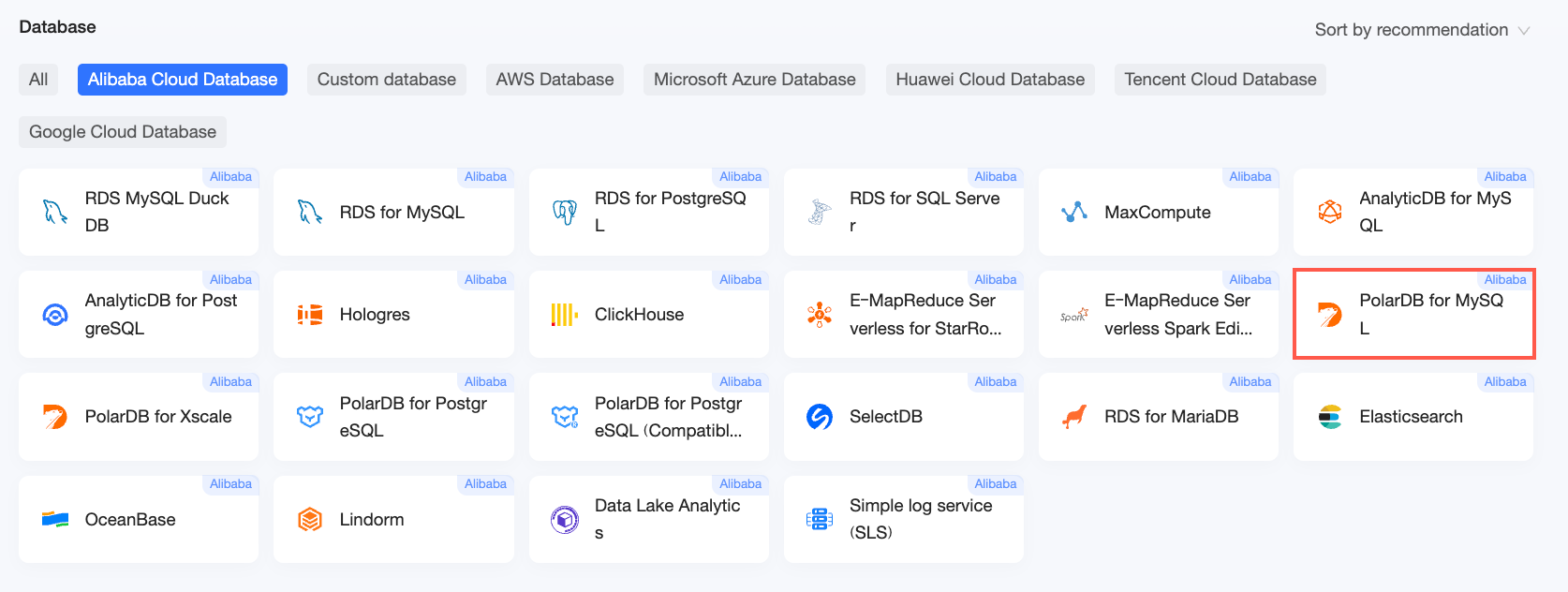
In the Configure Connection dialog box, configure the following parameters.

Parameter
Description
Display name
The name of the data source that appears in the data source list.
Enter a descriptive name. The name cannot contain special characters or leading or trailing spaces.
Database address and port
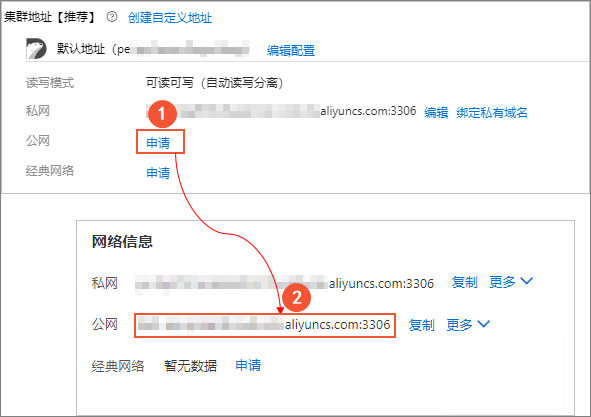
The public endpoint of your PolarDB for MySQL cluster. If you are using a VPC data source, enter the internal endpoint and port of the database.
Log on to the PolarDB console. In the Basic Information section, click Apply next to Public Endpoint to obtain the public endpoint and port number.
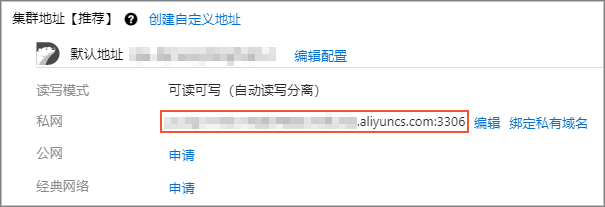
If you use a VPC data source, in the Basic Information section, obtain the private network address and its port number.
Database
The database name that you specified when you deployed the PolarDB for MySQL cluster.
Log on to the PolarDB console. On the Database Management page, find the Database Name.

Username and password
The username and password to log on to the PolarDB for MySQL cluster.
Database version
The version number of the MySQL engine in your PolarDB cluster.
Log on to the PolarDB console. In the Cluster List, find the MySQL engine version under Compatibility.
If the MySQL engine version is 5.7 or earlier, select 5.7.
If the MySQL engine version is 8.0, select 8.0.
VPC data source
If you are connecting through an Alibaba Cloud VPC, select VPC data source and configure the following parameters:
AccessKey ID and AccessKey Secret: The AccessKey ID and AccessKey Secret of a RAM user that has permissions to access the target PolarDB for MySQL database. Ensure that the account has read permissions for the target instance. If the account also has write permissions, the system automatically adds the IP addresses to the whitelist. Otherwise, you must add them manually. For more information, see Create a custom RAM policy.
Log on to the RAM console to obtain the AccessKey ID and AccessKey Secret.
Instance ID and Region: The ID of the PolarDB for MySQL cluster and the region where it resides.
NoteIf you select VPC data source, you must enter the internal endpoint and port in the Database address and port fields.
SSL
Select this option if the target data source requires an SSL connection to protect data in transit.
Initialize SQL
If enabled, you can specify SQL statements for Quick BI to execute after it establishes a connection.
Only
SETstatements are allowed. Separate multiple statements with semicolons.Enable upload file entry
If enabled, this option allows you to upload files.
Click Test Connection to verify the connection.
If the connection test is successful, click OK.





Next steps
After creating the data source, you can create a dataset to start analyzing your data.
To add tables or custom SQL queries from your PolarDB for MySQL data source to Quick BI, see Create a dataset.
To add visual charts and analyze data, see Create a dashboard and Overview of visual charts.
To perform a drill-down analysis of your data, see Step 3: Configure and show a drill-down.