Flow Analysis Chart
A flow analysis chart visualizes data flow from sources through central nodes to destinations, showing the proportion of traffic at each stage. By combining page views (PV) and unique visitors (UV), you can calculate conversion rates to evaluate overall website performance and final transaction volumes for specific products.
Prerequisites
A dashboard is created. For more information, see Create a Dashboard.
Overview
-
Scenarios
A flow analysis chart divides traffic data into source blocks, central blocks, and destination blocks. It is commonly used to analyze website traffic, providing an intuitive view of changes across dimensional metrics. You can also trace the process flow from a specific node.
-
Advantages
Automatic proportion calculation.
-
Sample chart
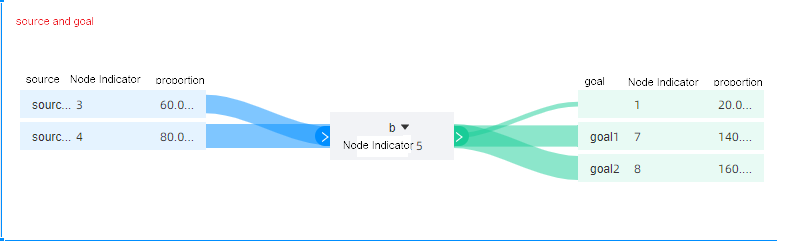
Graph data configuration
-
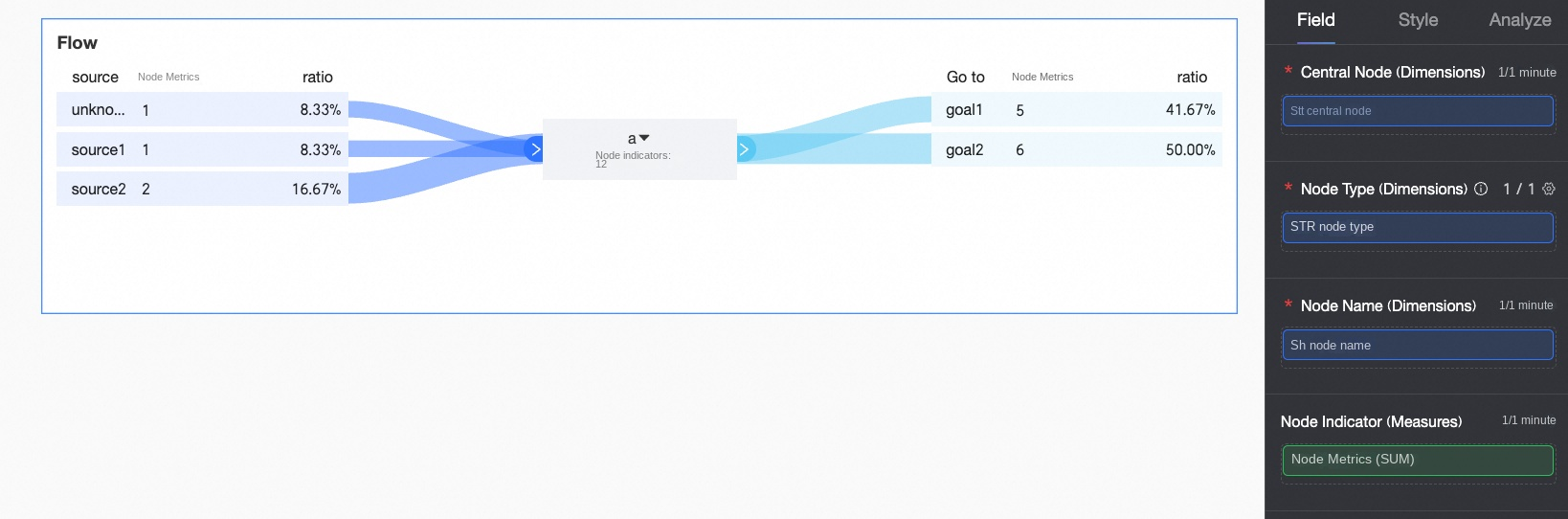
On the Data tab, select the required dimensions and measures:
-
In the Dimensions list, find Search Engine, double-click or drag it to the Central Node (Dimensions) area.
-
In the Dimensions list, find Node Type, double-click or drag it to the Node Type (Dimensions) area.
-
In the Dimensions list, find Name, double-click or drag it to the Node Name (Dimensions) area.
-
In the Measures list, find Traffic, double-click or drag it to the Node Indicator (Measures) area.
-
-
Click Update, and the system automatically updates the chart.
 Note
Note-
When the node type is source and the node name is empty, Unknown Source is displayed.
-
When the node type is goal and the node name is empty, Unknown Destination is displayed.
-
The system filters out fields whose node type values are not source, center, or goal.
-
Relationship between flow analysis tables and flow analysis charts
The following figure shows the relationship between flow analysis tables and flow analysis charts.
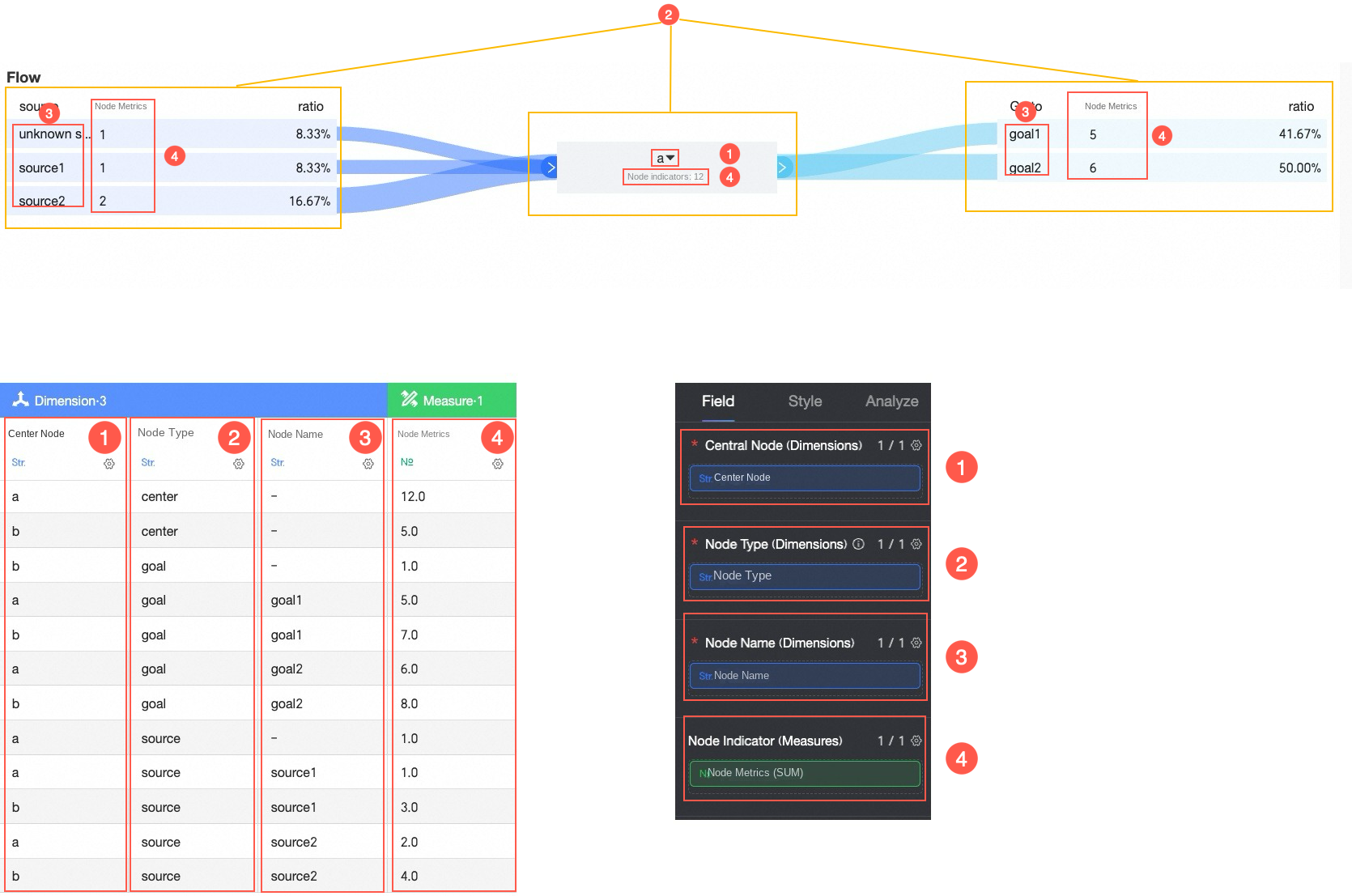
① Add central node data
② Add node type data
③ Add source and destination data
④ Add metrics for source and destination data
The values of the Node Type field must be source, center, or goal.
The following example shows how proportions are calculated when the Central Node value is Baidu.
-
When the source value is Alipay Homepage, the node indicator value is 1, and the proportion is 8.33% (calculated as 1÷12).
-
When the source value is Taobao Homepage, the node indicator value is 2, and the proportion is 16.67% (calculated as 2÷12).
Flow analysis table construction principles
A flow analysis chart built from a flow analysis table contains three blocks: source, central, and destination.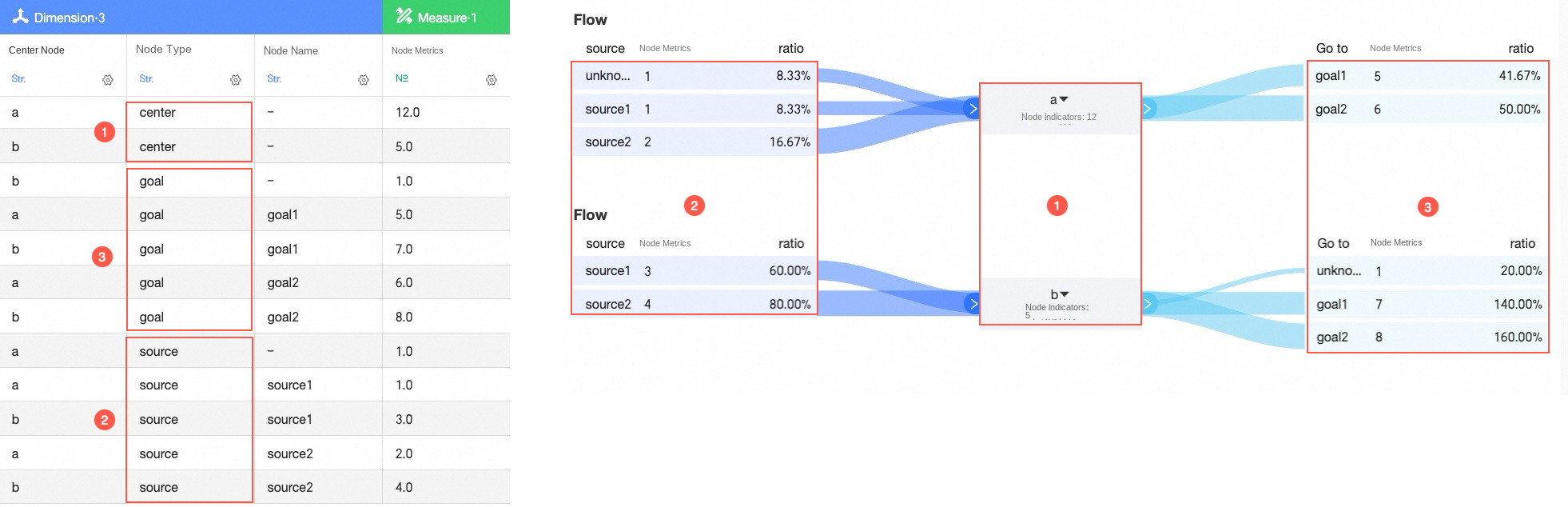
You can split a flow analysis table into source tables, central node tables, and destination tables based on the node type.
-
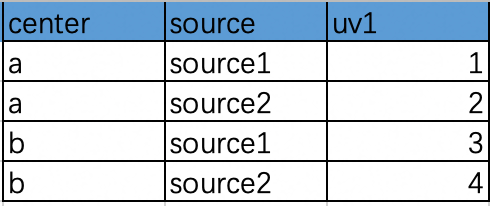
When the node type is source, the traffic from source1 and source2 to a and b is shown in the following source table:
-
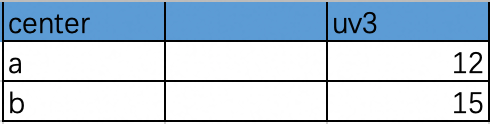
When the node type is center, the traffic from a and b to the central node is shown in the following central node table:

-
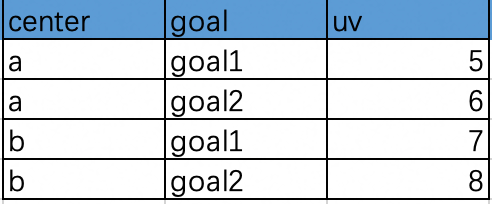
When the node type is goal, the traffic from a or b to goal1 and goal2 is shown in the following destination table:
To construct a flow analysis data table, associate data from the source table, central node table, and destination table as shown below.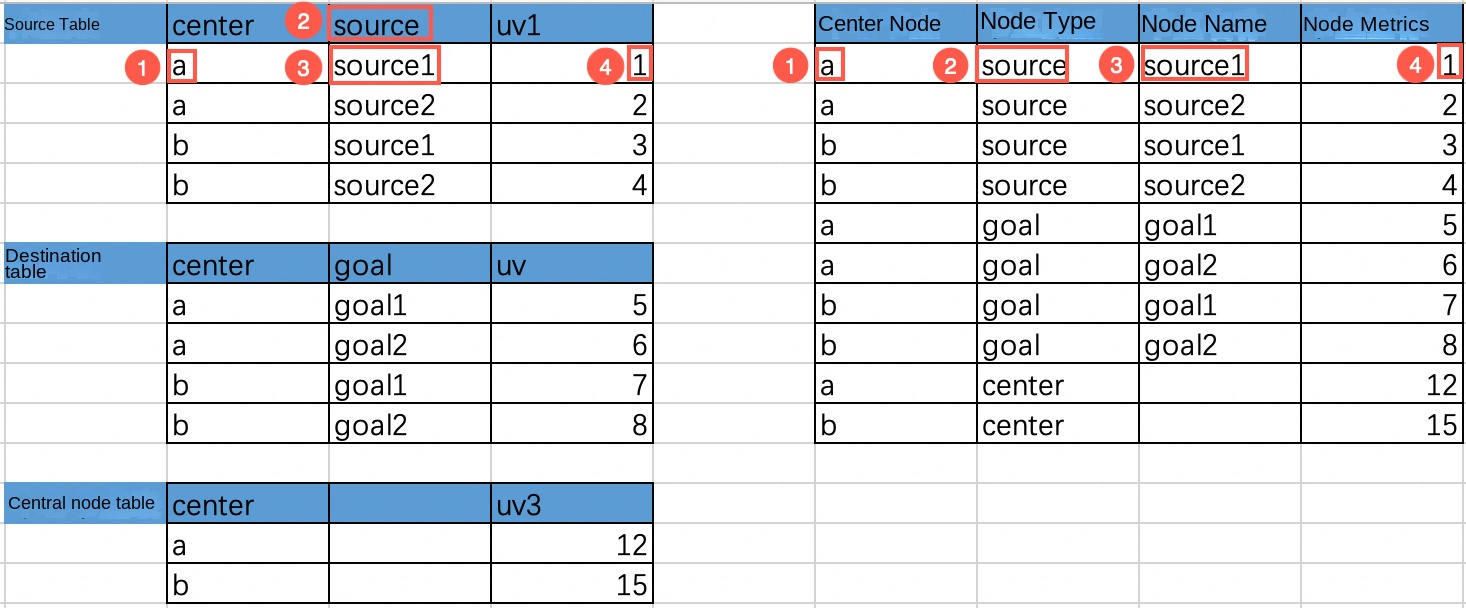
-
The central node is the value in the center column of the source table.
-
The node type is source, goal, or center.
-
The node name is the value in the source column or goal column.
-
The node indicator is the corresponding UV value.
To download a sample flow analysis table, click Source and destination table.xlsx.
Configure the chart style
-
In Title And Card, configure notes, endnotes, and other information. For general chart style configurations, see Configure the chart title.
-
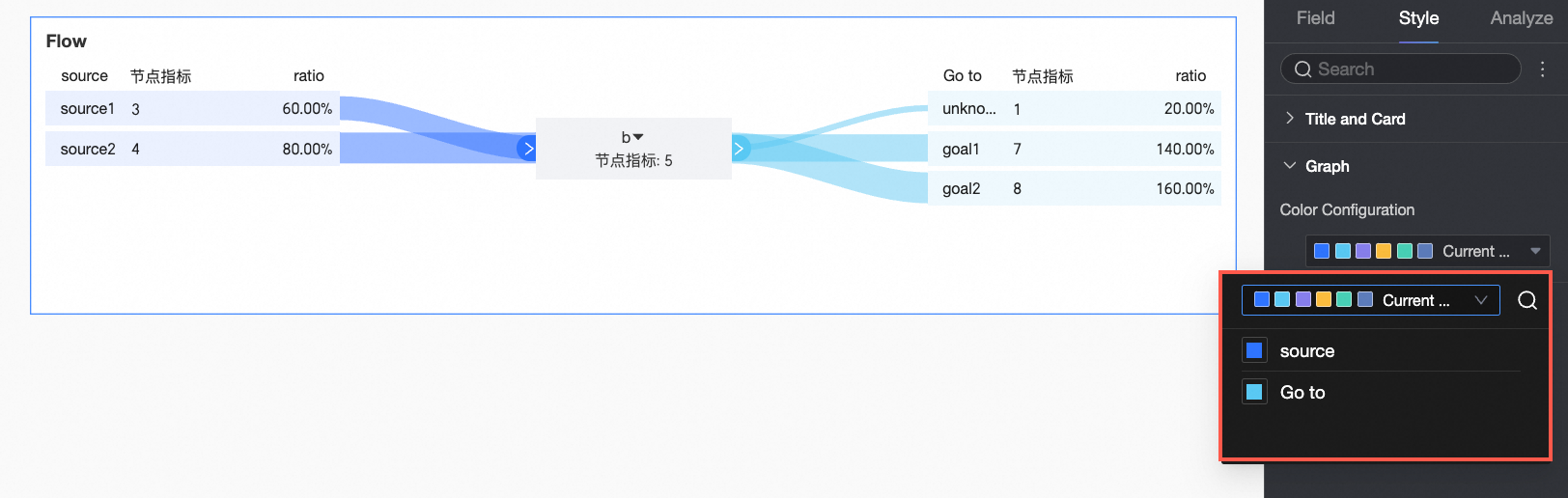
In Graph, configure Visualization Colors.
Limits
The values of the Node Type field must be source, center, or goal.
What to do next
-
To share the dashboard with others, see Share a Dashboard.
-
To create complex dashboards with navigation menus for specialized analysis, integrate dashboards into a data portal. For more information, see Create a PC data portal.