Overview
Quick BI provides a form-based data entry module for information collection, questionnaires, and data labeling. For industries such as water services, manufacturing, and finance that require table-based data entry, Quick BI also supports complex table data entry, which allows you to create tables and insert data into target data sources. This feature is available only in the Professional Edition.
Benefits
-
Flexible and efficient: Three data entry methods are available: cell entry, table entry, and dataset entry. These methods support various custom table formats and enable efficient data collection and reporting.
-
Integrated reporting and data entry: Enter data directly into complex tables. The system combines and calculates the entered data with data retrieved from datasets, providing a unified solution for data reporting and analysis.
-
Versatile applications: Basic and business-specific controls support various data entry scenarios, such as financial budgeting, manufacturing production reporting, and water utility equipment inspections.
-
Multi-user collaboration: Multiple users can collaborate on data entry, and the data is shared in real time.
Prerequisites
-
A MySQL database is created, and the account used to connect to the data source has permission to perform operations on tables in the database.
-
A workbook is created. For more information, see Create a Workbook.
Limits
-
If you embed the complex table data entry page in a third-party environment, data submission may fail. This failure can occur because some browsers block cross-origin iframes from writing cookies. For example, if you open an embedded page in the WeCom browser on iOS, data submission fails.
Therefore, we recommend that you use the complex table data entry feature directly on the Quick BI platform.
-
For a list of supported data sources, see Data Source Function Item List. The account used to connect to the data source must have create, insert, update, and delete permissions for the tables in the database.
NoteBy default, Hologres data sources do not support the delete column operation. To enable this operation, upgrade to V2.0 and change the relevant database system parameters:
-
In the corresponding database instance, run the `alter database database_name set hg_experimental_enable_drop_column = on` command to set the database-level Global User Configuration (GUC) parameter. After you execute the command, the setting takes effect for the entire database.
-
After configuring the setting, you must disconnect and reconnect for the change to take effect. This setting does not apply to new databases, which must be configured manually.
For more information about these settings, see GUC Parameters.
-
Access the feature
Access the complex table data entry feature from the Quick BI workbench.
-
Log on to the Quick BI Workbench and go to Workbooks. On the Workbooks page, click Create Workbook (③) to configure the data entry feature in a new workbook. Alternatively, click the
 icon (④) in the Actions column of an existing workbook to configure its data entry feature.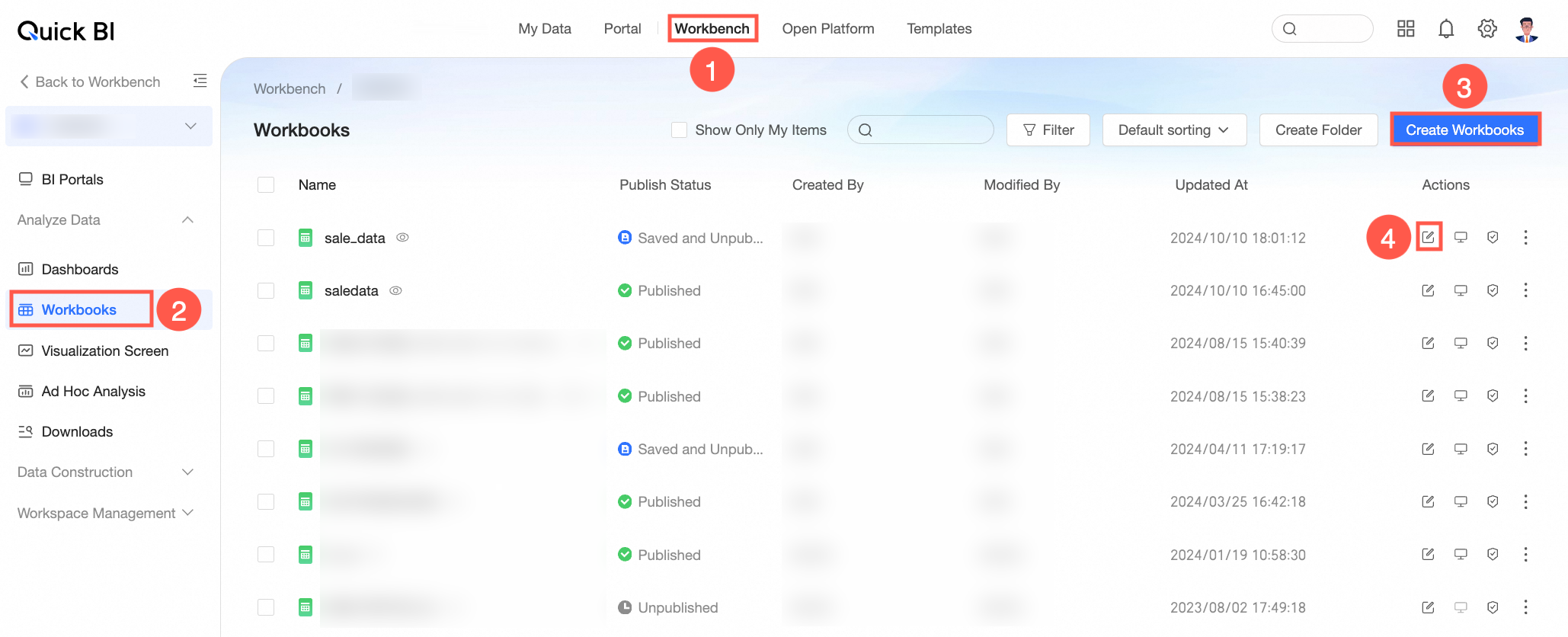
-
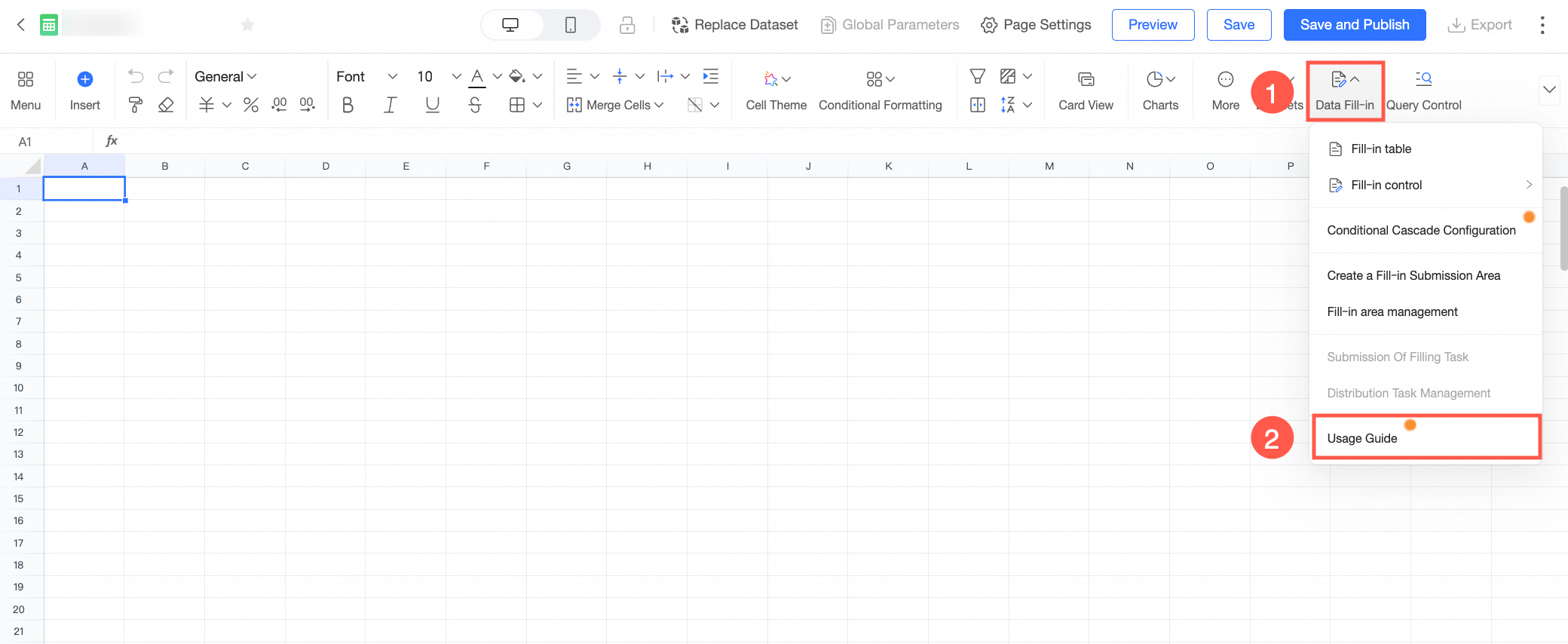
On the workbook editing page, click Data Entry (①) in the toolbar and configure the settings as needed. Before you start, you can also use the User Guide feature (②) provided by Quick BI. Follow the guide to quickly learn the configuration process.
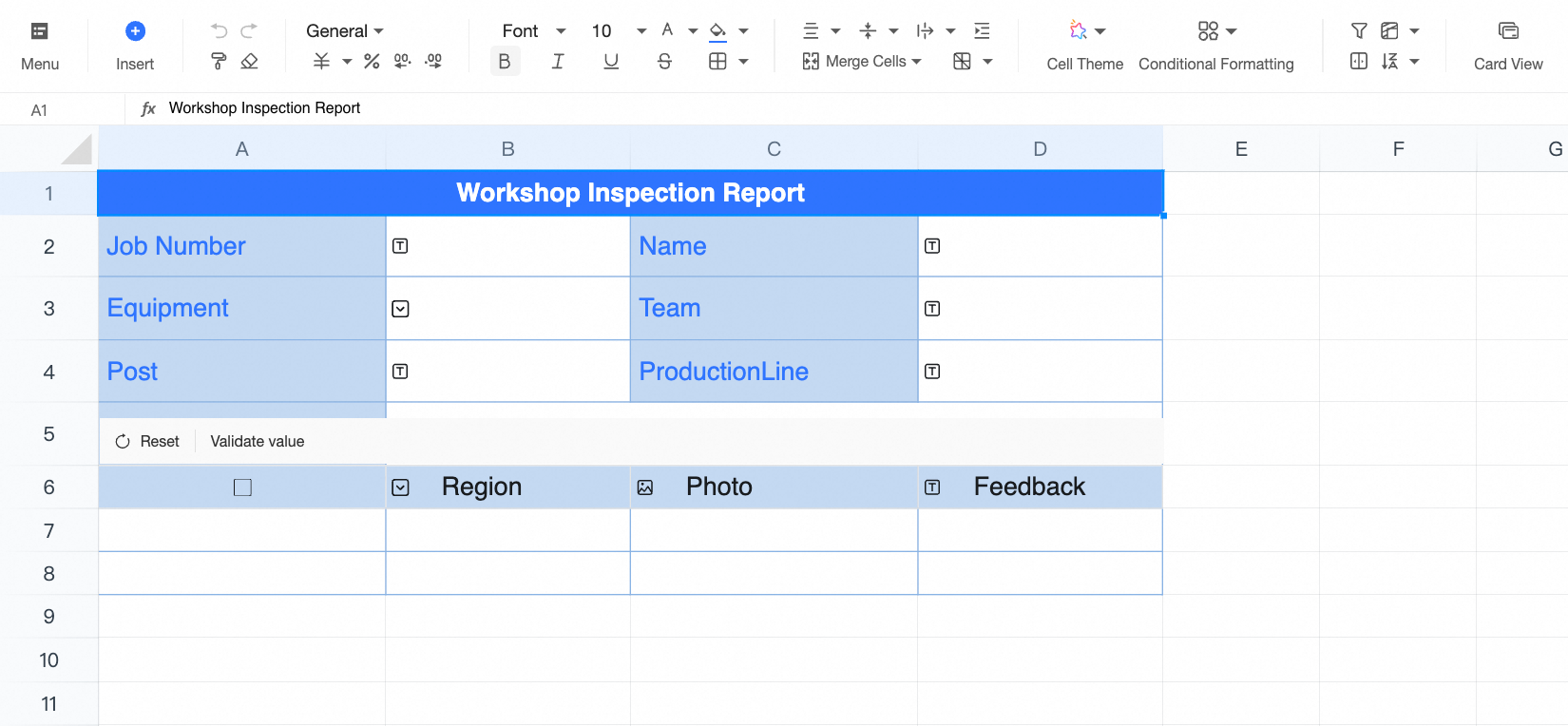
Demonstration
References
The following table describes the end-to-end configuration process and related references.
|
No. |
Operation |
Description |
References |
|
1 |
Apply the appropriate data entry feature |
Quick BI provides three data entry patterns. Choose the one that best suits your needs.
|
|
|
2 |
Set the data entry submission area |
After you configure the data entry controls for the workbook, you must define the data entry scope, write settings, and write validation. |
|
|
3 |
Advanced Settings |
After you configure table data entry, you can create and assign data entry tasks to specific users, set data entry permissions, and enable storage approval to prevent dirty data. Quick BI also supports table data entry on mobile devices for flexible data collection. |